

 Español
 Català
 Deutsch
 Français
 Português
 Italiano
 Nederlands
 Polski
When the message appears
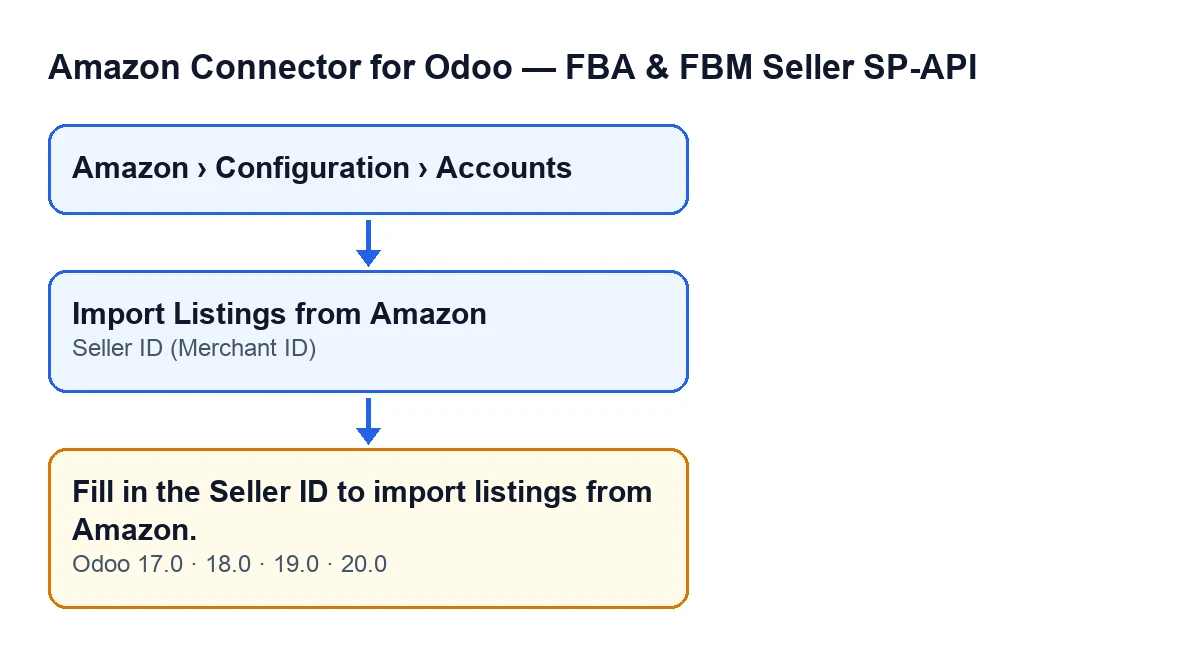
It appears when you press the Import Listings from Amazon button on an account form, and only for the reason explained in the next section. The button is always visible in Odoo 17, 18, 19 and 20, and the message is in the published code of all those versions. Account forms open from the menu Amazon › Configuration › Accounts.

The condition, as the code checks it
In Odoo 20.0, the method that imports listings starts by checking the Seller ID (Merchant ID) field: if it is empty, or contains only blank spaces, it raises the message and the action stops. Because this check comes before everything else, no Odoo product is searched for, nothing is requested from Amazon and no change from the import is saved.
The check only looks for text. Once the field is filled in, the import carries on and uses that value in its request to Amazon.
The field is on the account form, Identity tab, Marketplace group. Its help text reads: Required for the Listings API (phase 2). Example: A2XXXXXXXXXXXX.
Case: a newly created account
Example Illustrative case: the company and its figures are made up to explain the flow.
Picture Marta, e-commerce manager at an invented company, Distribuciones Ribera. She has just created an Amazon account in Odoo and wants to bring in its listings. She opens the account, presses Import Listings from Amazon and Odoo answers with the message, importing nothing. With Odoo in English she sees the text above; with Odoo in another language she sees the translation:
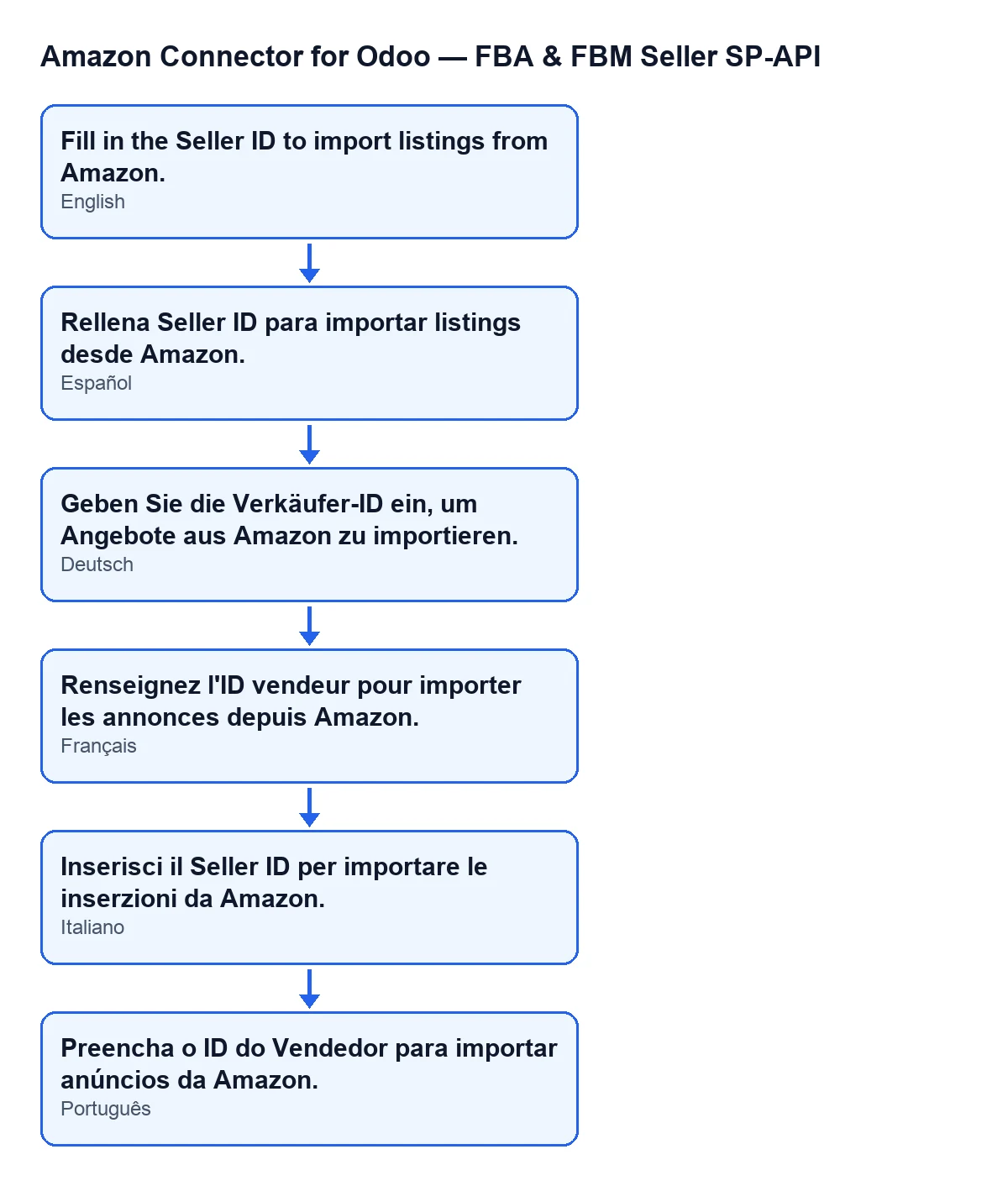
Fill in the Seller ID to import listings from Amazon.Marta has nothing mysterious to investigate: the message names a specific field. These are her steps:
- She opens
Amazon › Configuration › Accounts. To get there she needs theViewerpermission for theAmazonsection andManagerforConfigurationandAccounts. - She opens the account form.
- She goes to the
Identitytab,Marketplacegroup, and looks atSeller ID (Merchant ID). It is empty (holding only spaces would have done the same: the code treats both alike). - She types the Seller ID. The example in the field's help text,
A2XXXXXXXXXXXX, shows what it looks like. - She presses
Import Listings from Amazonagain.
With the field filled in, the check is passed and the import moves on to its next stage.
What the import does once the field is filled in
Once the check is passed, in Odoo 20.0 the code follows this order. It takes the account's marketplace and searches for the Odoo products that have an internal reference and pass the account's filters: the company and, where they are switched on, only sellable and only active products. It then asks Amazon for that seller's listings, page by page and up to a maximum number of items per import, and for each SKU received it creates or updates the product link for that account and marketplace. References are compared without regard to upper or lower case, and an item with no SKU is skipped.
On each link, the code stores listing data returned by Amazon, such as its status, quantity and price. At that stage, the Seller ID you typed is used in the request sent to Amazon.
What happens to an Amazon SKU that matches no Odoo reference depends on the account. If it has product creation on import switched on, the code first looks for that SKU among all products, archived ones included, and only if it finds nothing does it create a new product and link it. If that creation is not switched on, the code creates the link with no Odoo product linked. There is also a conflict, and the product is not linked, when the Odoo reference is already linked to another SKU for that account and marketplace.
What to take from the case
- The module raises the message before it talks to Amazon, so it does not point to a problem at Amazon or with the connection: it means the account is missing its Seller ID.
- A field holding only spaces counts as empty.
- The field is on the account form,
Identitytab,Marketplacegroup. If you cannot see the menu or part of the path, you lack the permission for that part. - Looking at the field before you press the button lets you see in advance whether it is empty.
How FlexigoTech can help
The module is a one-off purchase per Odoo version, published for 17, 18, 19 and 20 (Odoo Apps listing, page on flexigotech.com). It needs a FlexigoTech Cloud subscription, Connector plan: €49 a month or €490 a year, excluding VAT. The connection goes through FlexigoTech Cloud, which stores the credentials encrypted and emails you if synchronisation fails. FlexigoTech implements Odoo 17, 18, 19 and 20 and builds custom connectors and integrations, in case you want help getting the Amazon account ready in your Odoo.
Keep reading
Checked in the connector's source code (version 20.0) and the linked sources
Sources
- Module source code: flexigobe_amazon_seller_connector 20.0 (8576afa5): models/amazon_spapi_account.py
- Module source code: flexigobe_amazon_seller_connector 20.0 (8576afa5): views/amazon_spapi_account_views.xml
- apps.odoo.com/apps/modules/20.0/flexigobe_amazon_seller_connector
- flexigotech.com/en/services.html
- flexigotech.com/precios.html