

 Español
 Català
 Deutsch
 Français
 Português
 Italiano
 Nederlands
 Polski
What to know about this message before changing anything
The message Binding has no linked Odoo product. stops the action you have just started. The 'binding' in the text is the Amazon listing: the record you open from the menu Amazon › Catalog › Listings. In practice, the listing that gives you the message does not point to any Odoo product variant.
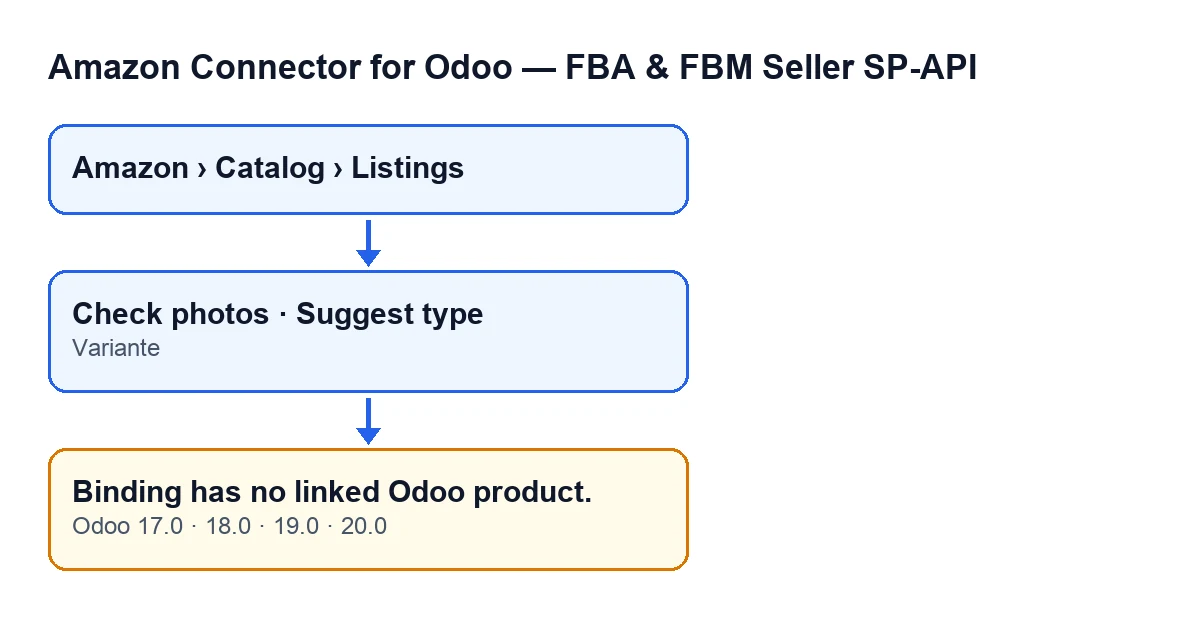
Variante field, and the message (Odoo 17.0, 18.0, 19.0 and 20.0). The labels are in English, the original text from the code.There is a single condition: the listing has no linked variant
The module's code checks whether the listing has an Odoo product linked. If it is empty, it raises the message. Nothing else comes into that particular check: the condition is only that the product is empty.
On screen, that link is the Variante field. You see it on the Listings form, inside the Overview group, and also in the Listings list. If it is empty there, that is the cause of the message.
The product is the last thing checked
The method that raises the message starts with other checks, and the product check comes last. In other words, when this particular message appears, the code has already gone through those earlier checks and what it found empty is the link to the Odoo product.
It can come from two buttons
According to the module's code, the message can appear when you press Check photos and also when you press Suggest type. Both buttons are in the listing view, and the action of each one reaches the same check.
As for when you see them: both are hidden when the Asin field has a value. With the default values (Asin empty) they are visible. This is the same in Odoo 17.0, 18.0, 19.0 and 20.0. So if a listing has Asin filled in, you will not have those two buttons on its form to trigger this message.
Pressing the button again changes nothing
The message stops the action you have just started. While Variante stays empty, pressing the same button again gives you the same message, because the condition is identical. Pressing again without touching the field gets you nowhere: fill in Variante first.
Which permissions you need to reach the listing
The menu has three parts and each one asks for the Viewer permission: Amazon, Catalog and Listings. If you lack one of them, you do not see that part of the menu and so cannot reach the form from there. If you do not see Listings, ask whoever administers Odoo to check your permissions.
The same message in all four versions
The message is in the published code of the 17.0, 18.0, 19.0 and 20.0 branches, and the module is published on Odoo Apps for those versions. In the Odoo 20.0 code, the product check comes after the earlier checks. With Odoo in English, the text to look for on your screen is Binding has no linked Odoo product.

How to fix it, step by step
- Open
Amazon › Catalog › Listings. - In the
Listingslist, find the listing that gave you the message. The list also shows theVariantecolumn, which will be empty for that listing. - Open the form and, in the
Overviewgroup, fill inVariantewith the Odoo product variant that matches that listing. - Save the form.
- Press
Check photosorSuggest typeagain, whichever button gave you the message.
What to check afterwards
Once Variante is filled in, repeat the same button that gave you the message. The condition for this message is no longer met, so it is not this message that should stop you on that listing now. If a different text appears, it comes from another check and you will need to read that message on its own.
If you are going through several listings, look at the Variante column in the Listings list: it shows at a glance which ones are still empty.
How FlexigoTech can help
FlexigoTech implements Odoo 17, 18, 19 and 20 and builds connectors and custom integrations. To look at the module, here is its page on Odoo Apps and the module page on flexigotech.com.
Keep reading
Checked in the connector's source code (version 20.0) and the linked sources
Sources
- Module source code: flexigobe_amazon_seller_connector 20.0 (88c7e241): models/amazon_spapi_product_binding.py
- Module source code: flexigobe_amazon_seller_connector 20.0 (88c7e241): views/amazon_spapi_new_product_views.xml
- Module source code: flexigobe_amazon_seller_connector 20.0 (88c7e241): models/amazon_spapi_new_product.py
- apps.odoo.com/apps/modules/20.0/flexigobe_amazon_seller_connector
- flexigotech.com/en/services.html