

 Español
Module for Odoo 17 · 18 · 19
Export Odoo to Google BigQuery with load jobs: analytics without paying streaming per row
An ELT connector that loads the Odoo models you choose into BigQuery through free-tier load jobs, with field selection, scheduled syncs, automatic schema evolution and a log of every run.

What it does
- Load jobs, not streamingUses BigQuery's free-tier batch load path instead of streaming inserts billed per row.
- Models and fields of your choiceConfigurations with model and field lines, and Odoo → BigQuery type mapping.
- Scheduling and schema evolutionCron-based syncs; new fields are added to the table schema automatically.
- Sync logsEvery run with its result and mapped errors, to troubleshoot without leaving Odoo.
How the module works
Real screenshots of every screen, with what each one does.
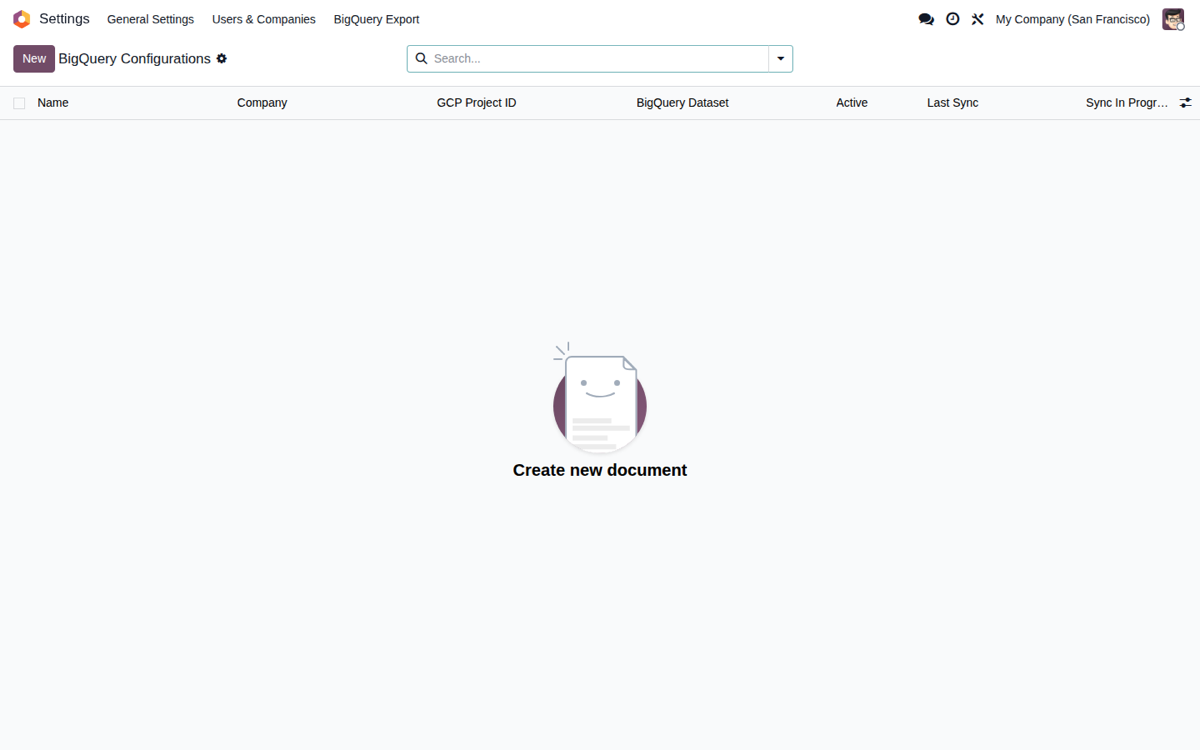
BigQuery Configurations
List of BigQuery connections showing GCP project, dataset and last sync per company.
Connection Setup
Set the GCP project, dataset, location and authentication method in a single form.
Model Selection
Pick which Odoo models are exported to BigQuery and set each one's sync mode.
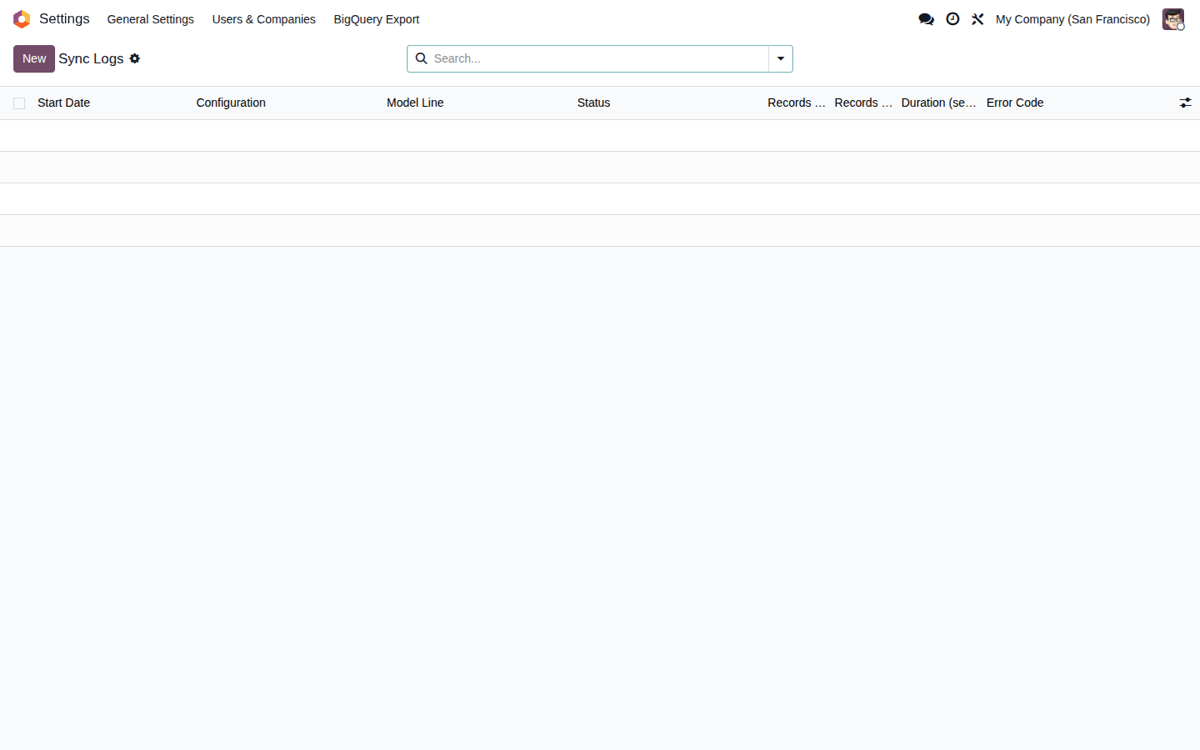
Sync Logs
History of every export with status, rows processed, duration and error code.
The problem
BigQuery is a great warehouse for analytics and BI, but if you push Odoo records in via streaming you pay for every inserted row. With continuous syncs of orders, order lines and stock moves, the warehouse bill quickly becomes unpredictable.
The solution
The connector ingests through load jobs, BigQuery's loading path with no per-row cost. Typical ingestion cost: 1-2 cents per million rows (storage and metadata only). Streaming stays available as an explicit toggle, but we do not recommend it.
What this Odoo BigQuery connector actually does
Free ingestion with load jobs
The default path never charges per row. You only pay Google for the storage of the tables and the queries you run against them.
Full-refresh or incremental, per model
Full reload (truncate-and-load) for master data, or incremental mode with a watermark that exports only what is new or changed since the last sync.
Secrets excluded, logs redacted
Passwords, tokens and API keys are automatically stripped from every export, credentials are redacted from error logs, and access to the configuration is locked down by Odoo security groups.
Data residency (EU, US or any region you pick)
Set the BigQuery region where your data lives to meet GDPR and regional data-governance requirements.
Schema that evolves by itself
Add a field in Odoo and the connector creates the new columns in BigQuery for you, mapping the types (STRING, INT64, BOOL, JSON and more). No manual DDL.
End-to-end traceability
Every sync is recorded in Sync Logs: what moved, when, and whether it failed. Failures notify you via chatter and configuration changes are audited.
How it works: from install to first sync
Install the library and the module
Run pip install google-cloud-bigquery on your server and install the module in Odoo.
Create the configuration
Under Settings → BigQuery Export → Configurations, enter your GCP project and credentials, then hit Test Connection to confirm they work.
Choose models and fields
Select exactly what to export. Passwords, tokens, API keys and secrets are excluded automatically; you can hide any other sensitive field yourself.
Sync and monitor
Hit Sync Now or let the cron sync every 15 minutes (the interval is configurable per configuration). Check the outcome in Sync Logs.
Built for production: control, isolation and errors handled with judgement
Multi-company isolation: Odoo record rules make sure company A can never see company B's exports.
Batch processing: a configurable batch size from 100 to 50,000 records lets you export large tables without running out of memory.
Error taxonomy: it tells authentication failures, quota limits and schema mismatches apart, and the cron retries based on the type of error.
Data minimisation (GDPR): export only the fields you need, block whole models, and keep an audit trail of what was exported and when.
Requirements and costs, no fine print
What you need
- Odoo 17.0, 18.0 or 19.0 (Community or Enterprise)
- Python with the
google-cloud-bigquerylibrary installed - A Google Cloud project with the BigQuery API enabled
- A service account with
roles/bigquery.jobUser(project) androles/bigquery.dataEditor(dataset), or ADC
What it costs
- Module: €39, one-time, full source code included (OPL-1)
- Load-job ingestion: no per-row charges
- You pay Google Cloud only for table storage and the queries you run (typical ingestion: 1-2 cents per million rows)
- Streaming inserts: only if you turn them on explicitly; we advise against them on cost grounds
- No subscriptions, no seat fees, no hidden paid tier
Frequently asked questions
Why does this Odoo to BigQuery connector use load jobs and not streaming?
BigQuery streaming charges for every inserted row; load jobs have no ingestion cost. For syncing ERP data, load jobs are also faster at volume. Streaming only makes sense for sub-second real time, which Odoo does not need, so it stays as an explicit, not-recommended option.
Does it work with Odoo Community?
Yes. The connector runs on both Odoo Community and Enterprise, on versions 17.0, 18.0 and 19.0. It depends only on the base module and the google-cloud-bigquery Python library, so there is no Enterprise-only dependency to worry about.
How often can I sync Odoo to BigQuery?
As often as you want. A scheduled cron runs the syncs in the background (every 15 minutes is typical) and each configuration follows its own interval. Running a sync has no per-execution cost: you only pay for storage and the queries you run afterwards.
What do I pay, and to whom?
The module costs €39 once, with the full source code included (OPL-1) and no subscription. Beyond that you only pay your own Google Cloud bill: storage for the exported tables and the queries you run on them. The load-job design exists precisely so that ingestion costs you nothing.
Are my data and credentials safe?
Passwords, tokens and API keys are automatically excluded from every export, and you can hide additional sensitive fields. Credentials are redacted from error logs, access to the configuration is limited to a dedicated security group, and the service account uses the minimal IAM roles Google recommends. Record rules isolate data between companies, and you can pin the BigQuery region (for example, EU) for data residency.
Sync your Odoo to BigQuery today
Connector for Odoo 17, 18 and 19 with full source code, with an automated test suite and a live demo. Install it in minutes and pay Google only for storage and queries.