

 Español
 Català
 Deutsch
 Français
 Português
 Italiano
 Nederlands
 Polski
The messages are in English because that is how the module returns them; we quote them exactly so you can search for the text you see on screen. One thing to bear in mind before reading them: these are checks the app runs on your data, not tax rules. Whatever each jurisdiction requires has to be checked against its own source. If you are not yet sure what each record goes through, start with how the module works under the hood and come back here when a warning pops up.
Warnings when setting up jurisdictions, nexus and categories
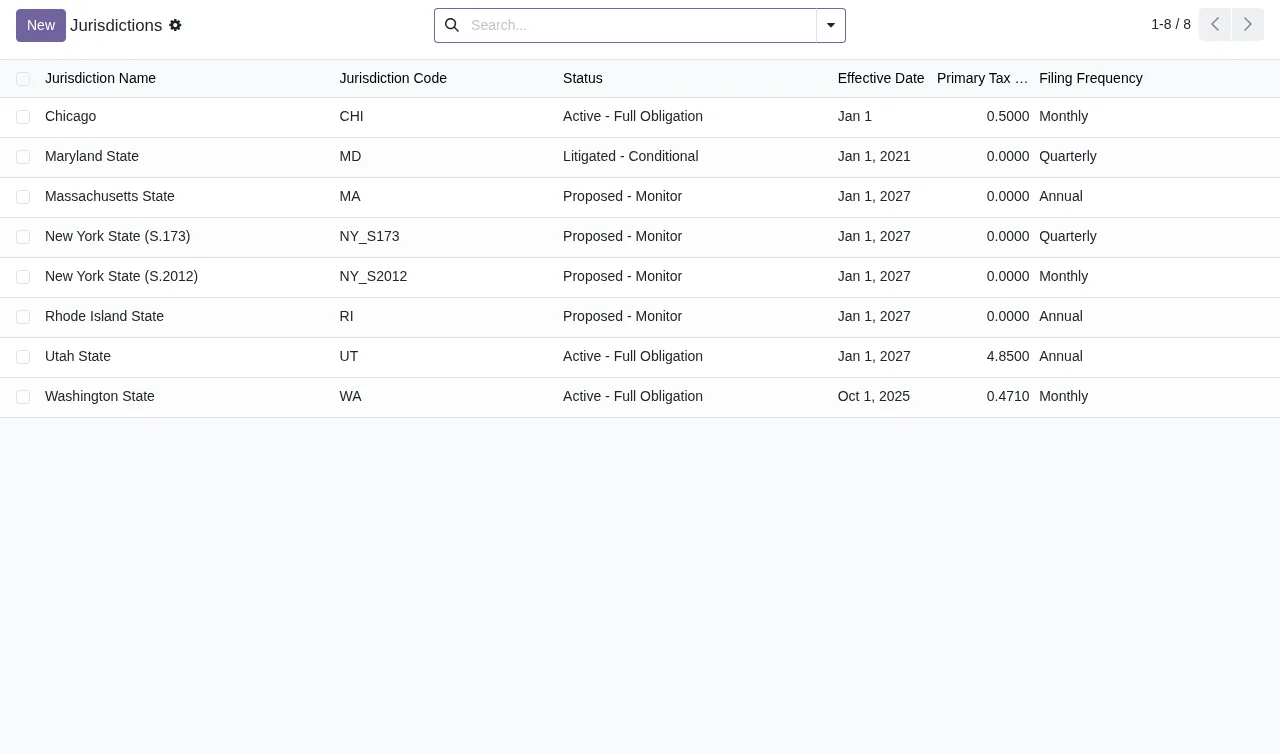
What does Jurisdiction code must be unique mean?
The code you have given the jurisdiction is already used by another one. The module does not allow two jurisdictions with the same code. Before creating a new one, search for that code in the list: if it already exists, work on the jurisdiction that has it; if it really is a different one, give it a different code. The same applies to service categories: Service category code must be unique appears when you repeat the code of a category that already exists, and the fix is the same, reuse the existing one or pick another code.
Why does Each company can only have one nexus status per jurisdiction appear?
Because you are creating a second nexus status for the same company and the same jurisdiction, and the module allows only one per company and jurisdiction pair. If you run several companies in Odoo, check which company the record you are saving belongs to: the nexus status you are after may already exist, in which case you need to edit it rather than create another.
What do I do with This calculation method is for Washington only and its variants?
There are four messages of the same kind: This calculation method is for Washington only, This calculation method is for Chicago only, This calculation method is for Utah only and This calculation method is for Maryland only. Each one means the chosen calculation method is for a single jurisdiction and you are using it on another. Check the pair: either the record's jurisdiction is not the one you thought, or the method is not the right one for it. Change one of them so they match and save again.
Warnings on periods, revenue and amounts
What do Period start date cannot be after period end date and Base period start must be before end date mean?
Both are about dates the wrong way round. The first appears when the period start date is later than the end date. The second relates to the base period, when its start is not before its end; note that the text asks for the start to be earlier, not just not later. Check both dates on the record, correct the wrong one and save again.
Why won't it let me enter a negative amount?
There are two sign checks. Revenue cannot be negative applies to revenue and Tax and payment amounts cannot be negative to tax and payment amounts. The module does not accept those values below zero. Enter the amount as a positive figure and make sure you are filling in the field you meant to; if what you want is to correct a period that is already complete, see the next question.
What do Period must be verified before marking complete and Cannot edit completed period entries. Create an adjustment entry instead. mean?
The first appears if you try to mark a period as complete without verifying it first: the module requires that step. Verify the period and mark it as complete again. The second appears when the period is already complete and you try to edit its entries. The message itself tells you what to do: leave the original entry as it is and create an adjustment entry. If you want to go over which fields are filled in on each record, see the module setup guide.
Warnings on filings, payments and the audit log
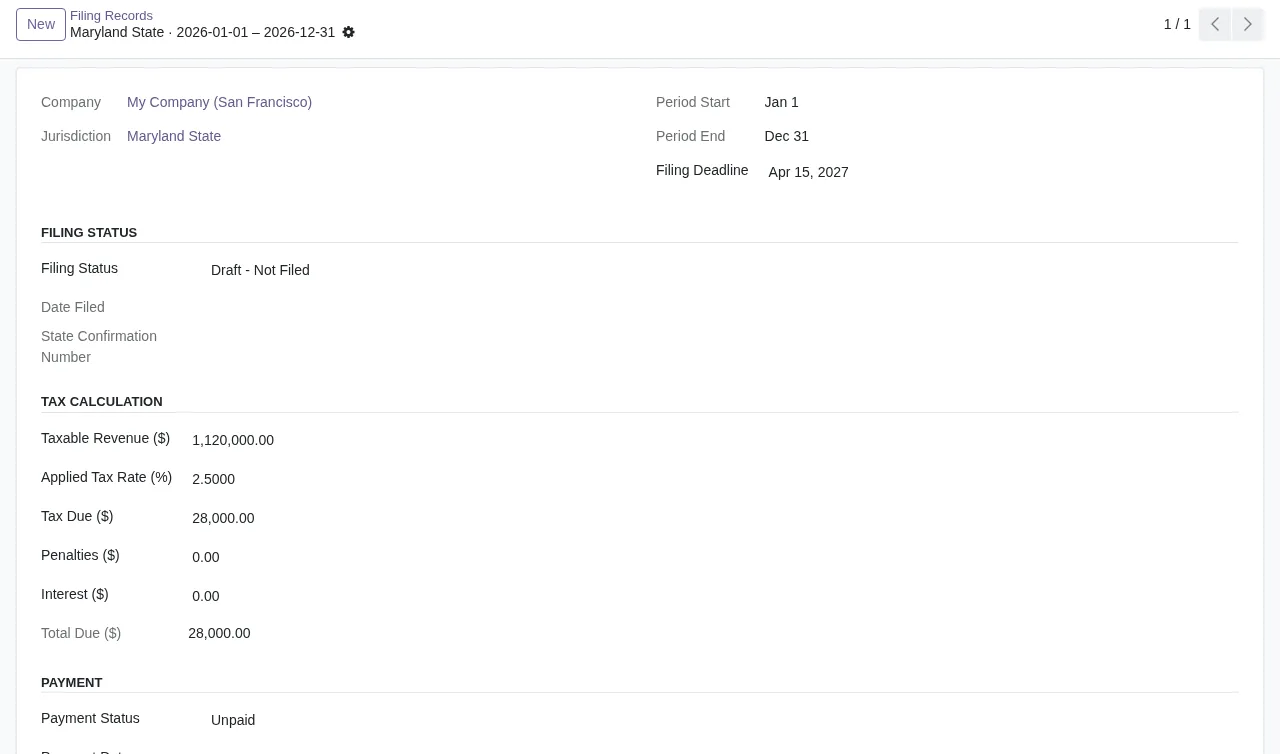
What does Can only have one filing per jurisdiction per period mean?
A filing already exists for that jurisdiction in that same period. The module allows only one. Find the existing one and work on it rather than creating another; if the period you entered was wrong, correct it on the new record before saving.
Why can't I mark a filing as filed, confirm it or record a payment?
Three messages set out what you can do with a filing depending on its status:
Only draft filings can be marked as filed: only a draft filing can be marked as filed.Can only confirm filed filings: only a filing that has already been filed can be confirmed.Payment can only be recorded for filed/confirmed filings: payments are recorded on filed or confirmed filings.
Check the filing's status and do the missing step first. If you get the payment warning on a draft filing, mark it as filed beforehand.
Can I correct or delete an audit log entry?
No. Audit log is append-only; entries cannot be modified appears if you try to change an entry and Audit log entries cannot be deleted if you try to delete one. The audit log only accepts new entries, so this is not a fault you need to fix. If something it reflects is wrong, the correction belongs on the source record and within what the other warnings allow (for example, with an adjustment entry if the period is already complete).
How FlexigoTech can help
If a warning is blocking you and you cannot see why, or you need the module to fit with the rest of your Odoo, FlexigoTech implements Odoo 17, 18, 19 and 20 and builds bespoke connectors and integrations. The module is published on Odoo Apps for 17, 18, 19 and 20 and costs €9 per Odoo version, a one-off payment excluding VAT; the FlexigoTech Cloud local service is separate, at €29/month or €290/year excluding VAT (Pro: €58/month or €580/year). Without a subscription, or with the service suspended, whatever the subscription provides stops and your data stays in your Odoo. You will find the details on the module page and its Odoo Apps listing.
Keep reading
Checked in the module's source code (version 20.0) and the linked sources
Sources
- Module source code: flexigo_usa_digital_services_tax_compliance 20.0 (5c0ad1e2): models/dst_audit_log_entry.py
- Module source code: flexigo_usa_digital_services_tax_compliance 20.0 (5c0ad1e2): models/dst_filing_record.py
- Module source code: flexigo_usa_digital_services_tax_compliance 20.0 (5c0ad1e2): models/dst_filing_submission.py
- Module source code: flexigo_usa_digital_services_tax_compliance 20.0 (5c0ad1e2): models/dst_jurisdiction.py
- Module source code: flexigo_usa_digital_services_tax_compliance 20.0 (5c0ad1e2): models/dst_nexus_status.py
- Module source code: flexigo_usa_digital_services_tax_compliance 20.0 (5c0ad1e2): models/dst_revenue_entry.py
- Module source code: flexigo_usa_digital_services_tax_compliance 20.0 (5c0ad1e2): models/dst_scenario_model.py
- Module source code: flexigo_usa_digital_services_tax_compliance 20.0 (5c0ad1e2): models/dst_service_category.py
- Module source code: flexigo_usa_digital_services_tax_compliance 20.0 (5c0ad1e2): models/dst_tax_calculation_cache.py
- apps.odoo.com/apps/modules/20.0/flexigo_usa_digital_services_tax_compliance
- apps.odoo.com/apps/modules/17.0/flexigo_usa_digital_services_tax_compliance
- apps.odoo.com/apps/modules/18.0/flexigo_usa_digital_services_tax_compliance
- apps.odoo.com/apps/modules/19.0/flexigo_usa_digital_services_tax_compliance
- flexigotech.com/en/services.html
- flexigotech.com/precios.html