

 Español
 Català
 Deutsch
 Français
 Português
 Italiano
 Nederlands
 Polski
Who it is for and who it is not for
Going by its name, the module is designed for working with UK Real Estate Investment Trusts inside Odoo. It fits if you already use Odoo 17, 18 or 19, or are implementing one of those versions, and you want someone to follow the module's official sources and the health of the module in your database.
It does not fit if you want the subscription to cover the whole rollout: setup, importing historical data, customisation and version migration are left out according to the listing.
Module without the service or module with the local service
This module comes with a local FlexigoTech Cloud service. Without a subscription, or with the service suspended, whatever the subscription provides stops and your data stays in your Odoo. The table compares both situations with what the listing sets out.
| What | Without a subscription or with the service suspended | With the local service |
|---|---|---|
| Monitoring of the module's official sources, with alerts and a calendar of their deadlines | Stops | Included |
| Monitoring of the health of the module in your database, with alerts | Stops | Included |
| Support | Stops | First response within 1 working day |
| Service on staging and test copies | Stops | Included |
| Your data | Stays in your Odoo | Health is reported as counters and errors (type and code), without the content of your records |
In practice: if the module on its own is enough and you will keep an eye on sources and deadlines yourself, you can work without a subscription, knowing that alerts, the calendar and support stop. If you want those alerts and someone to ask, you need the local service active.
What is not included even with the service
Be clear on it before buying so you do not count on it:
- Customising the module or custom development.
- Migrations: FlexigoTech does not take care of migrating your database to a new Odoo version.
- Configuring the module for you (the setup).
- Importing historical data.
- Support for modules that are not FlexigoTech's.
- Third-party costs: you contract and pay for your own account on each platform, Odoo and your hosting.
Setup and custom development can be commissioned separately, as FlexigoTech implements Odoo and builds custom integrations; they are not part of the subscription.
What to have ready before installing
- A database on Odoo 17, 18 or 19, the versions published on Odoo Apps.
- Your own accounts on each platform, on Odoo and with your hosting, as those costs are yours.
- Who accepts the terms: the company name and the email of the person who accepts are sent, with the date and version of the text accepted.
- Who will configure the module and import the history, since neither is included in the service.
- A staging or test copy if you want to try it first: the service also runs on those copies, and the database reports whether it is a neutralised copy.
What data leaves your database
What is exchanged with FlexigoTech Cloud also matters when deciding. According to the listing, the database sends:
- The database identifier (uuid), its address (URL) and the Odoo version.
- The FlexigoTech modules installed, with their version, and whether the database is a neutralised copy (staging or test).
- The company name and the email of the person who accepts, with the date and version of the text accepted.
- A public code to check that requests come from that database, and a proof that it is that database, computed on your server without sending its secret.
- A request for its service permit every 6 hours and the health of the module: counters and errors (type and code), without the content of your records.
- Its requests for the alerts and calendar of this module, with the date of the last alert received: the database identifies itself and sends nothing else.
The listing also mentions a check of the service every 6 hours with health reports, and a notice when you uninstall the module. All connections to the servers are encrypted (HTTPS) and the servers are in Germany. For anything about your data, the contact is comercial@flexigobe.com or +34 616 809 504.
Odoo version and how you pay
The module is on Odoo Apps for 17.0, 18.0 and 19.0, at €9 per Odoo version, a one-off payment excluding VAT. The local service costs €29/month or €290/year excluding VAT (Pro: €58/month or €580/year excluding VAT).
Before choosing where to buy it, consider how new versions are handled: with the subscription, the module for new Odoo versions is included if you bought it on flexigotech.com; on the Odoo App Store, each Odoo version is bought there. Remember that migrating your database to another version is not done by the service.
What the module looks like in your Odoo
Once installed, you will find the module's own lists. The first three screenshots are of lists with no records, so you can see the columns you will be working with.
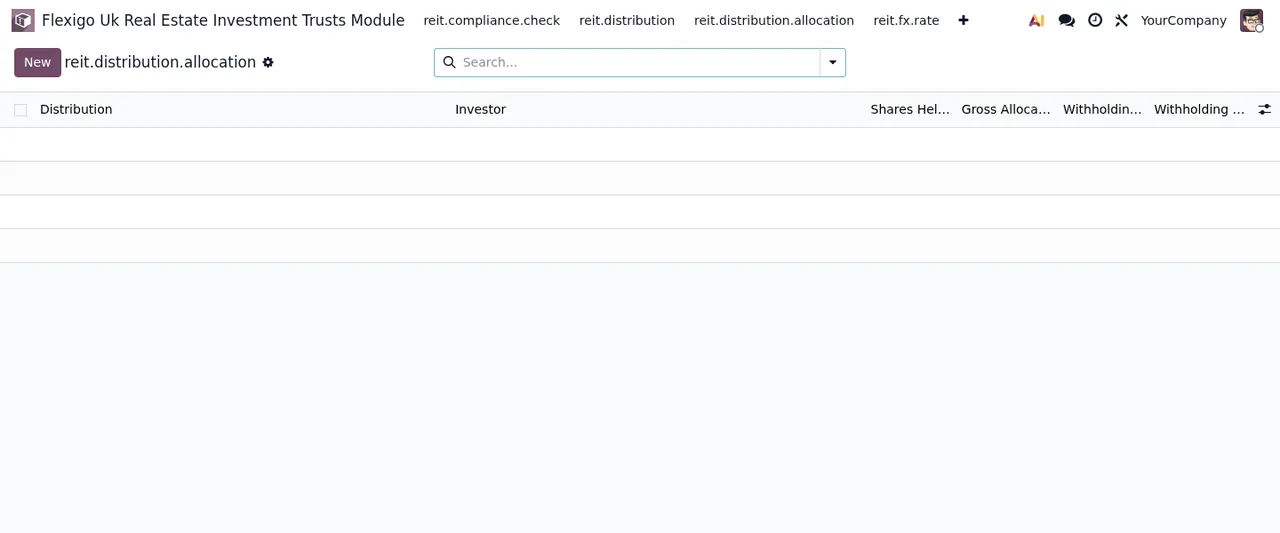
Distribution, Investor, Shares Held, Gross Allocation and Withholding.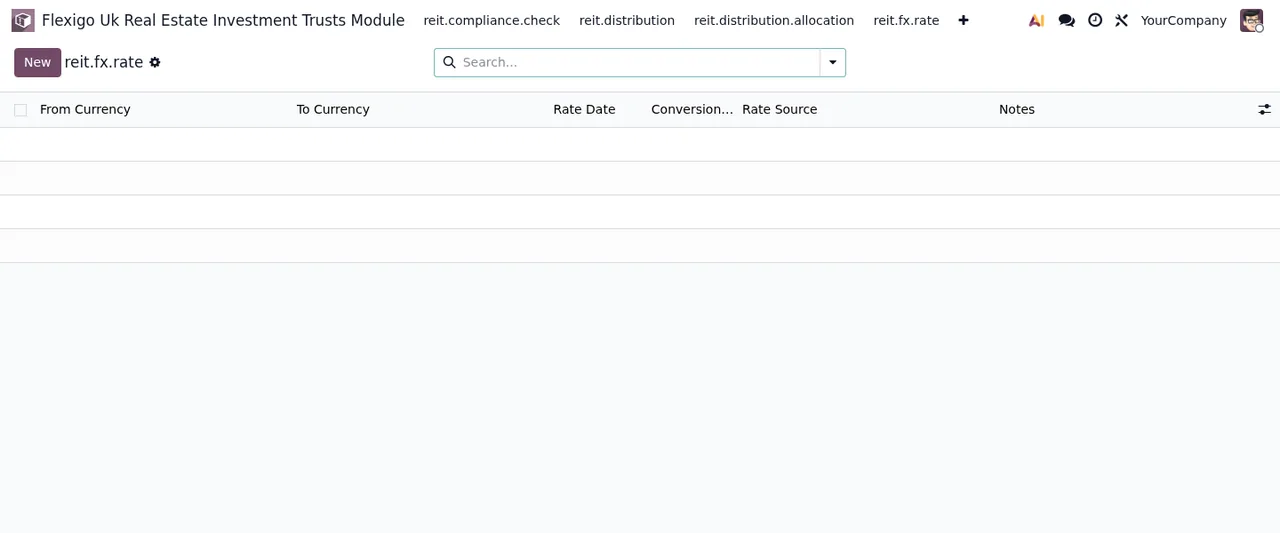
From Currency, To Currency, Rate Date, Conversion, Rate Source and Notes.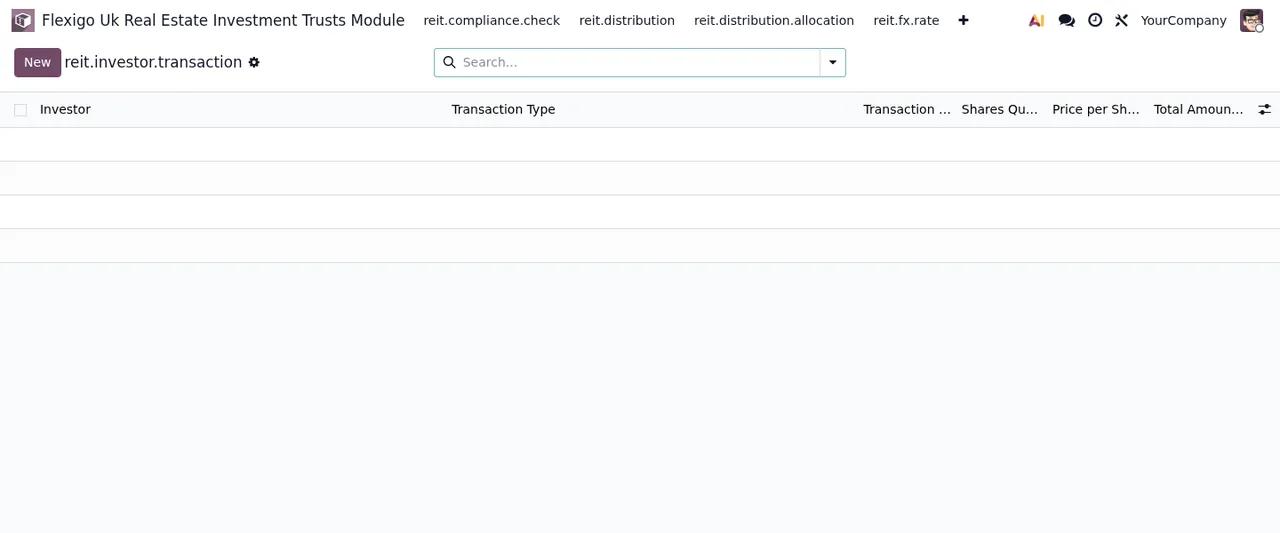
Investor, Transaction Type, Shares Quantity, Price per Share and Total Amount.
How FlexigoTech can help
As setup and custom development are not part of the service, they can be commissioned separately: FlexigoTech implements Odoo and builds custom connectors and integrations. You will find the purchase and service details on the module page on flexigotech.com and each version's listing on Odoo Apps.
Keep reading
Checked in the module's source code (version 19.0) and the linked sources
Sources
- Module source code: flexigo_uk_real_estate_investment_trusts_module 19.0 (956fabfa): static/description/index.html
- apps.odoo.com/apps/modules/19.0/flexigo_uk_real_estate_investment_trusts_module
- apps.odoo.com/apps/modules/17.0/flexigo_uk_real_estate_investment_trusts_module
- apps.odoo.com/apps/modules/18.0/flexigo_uk_real_estate_investment_trusts_module
- flexigotech.com/en/services.html
- flexigotech.com/precios.html