

 Español
 Català
 Deutsch
 Français
 Português
 Italiano
 Nederlands
 Polski
Where the button is and when it shows
Where do I find the button?
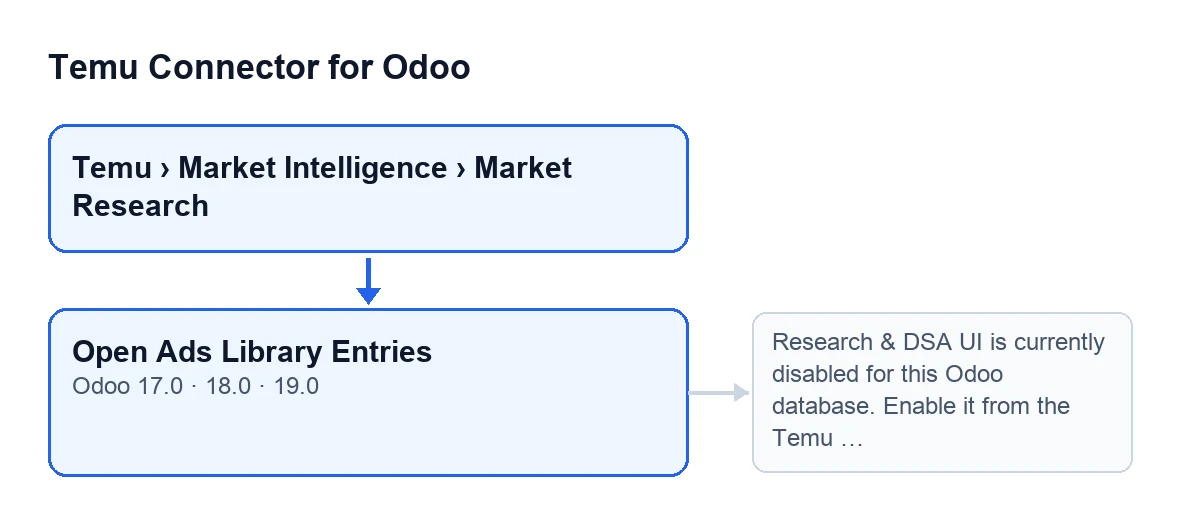
It is on the Research Queries screen, in the view of each query. You reach that screen from the menu Temu › Market Intelligence › Market Research. The button is called Open Ads Library Entries.
When does it appear?
It is always visible: the view condition does not hide it in Odoo 17, 18 or 19. Seeing it does not mean it will open the list, because the check happens when you press it (the message it can give is covered below).
Which permissions do I need to get to it?
The Market Intelligence and Market Research levels of the menu ask for the Temu Research & DSA permission. Without it you do not see that part of the menu, so you cannot reach the queries screen by that route.
Where do I see which instance the query belongs to?
In the Instance field, which shows on the Research Queries form and also in its list. I mention it here because the error message, which you will see below, sends you to the Temu instance.

What it does when you press it
What follows comes from the module's code published for Odoo 19.
What does it check first?
The button works on one query at a time. The first thing it does is ask the query's instance to check that the Research & DSA interface is enabled. If the check does not pass, the action stops there and shows the error message.
What does it open when the check passes?
It opens a window titled Temu Ads Library Entries, with list and form views. The list shows only the entries linked to that particular query, not those of other queries.
Which default values does the window carry?
The window carries the instance and the query you came from as default values. So a new entry you create from that window starts with those two already set.
Does it change anything on the query or the instance?
The button's code writes nothing: it checks and returns the entries window. If the check fails, the action stops and the list is not opened.
How do I know it worked?
The Temu Ads Library Entries window opens, filtered by the query you pressed the button from. If a message appears instead, the list has not been opened.
Which error it can give and how to fix it
Which message can appear?
When you press Open Ads Library Entries you can get this one: Research & DSA UI is currently disabled for this Odoo database. Enable it from the Temu instance before using this option. It appears when the Research & DSA interface is disabled for the Odoo database, as the message itself says.
How do I fix it?
The message points the way: enable it from the Temu instance and press the button again. The query shows its instance in the Instance field, so you can start there to know which one to open.
Does it work the same in my Odoo version?
The Open Ads Library Entries button on the Research Queries screen is present in branches 17.0, 18.0 and 19.0. The behaviour described here, with the prior check and the filtered window, comes from the Odoo 19 code. The module is published on Odoo Apps for 17.0, 18.0, 19.0 and 20.0.
Do I need anything else to use the connector?
Yes: the module needs the FlexigoTech Cloud subscription. The connection to Temu goes through that service, which stores the credentials encrypted, monitors synchronisation and emails you if it fails. The Connector plan costs €49/month or €490/year excluding VAT. Purchase details are on the Odoo Apps listing and on the module page.
Where can I see similar buttons?
If you are implementing Odoo and need help with the connector or a bespoke integration, FlexigoTech implements Odoo 17, 18, 19 and 20 and builds connectors and integrations.
Keep reading
Checked in the connector's source code (version 19.0) and the linked sources
Sources
- Module source code: flexigobe_temu_connector 19.0 (455b3f0f): views/temu_ads_views.xml
- Module source code: flexigobe_temu_connector 19.0 (455b3f0f): models/temu_ads.py
- apps.odoo.com/apps/modules/19.0/flexigobe_temu_connector
- flexigotech.com/precios.html
- flexigotech.com/en/services.html