

 Español
 Català
 Deutsch
 Français
 Português
 Italiano
 Nederlands
 Polski
When exactly it appears
The Temu Dashboard form opens from the Temu menu. It has the Test Connection button, which in Odoo 17, 18 and 19 is always visible. When you press it, the module sends Temu several queries, one after another. If the series ends without raising an error, it returns the notice Temu API credentials and connection look valid. It is a notice: it blocks nothing.
The message is in the published code of the 17.0, 18.0 and 19.0 branches.
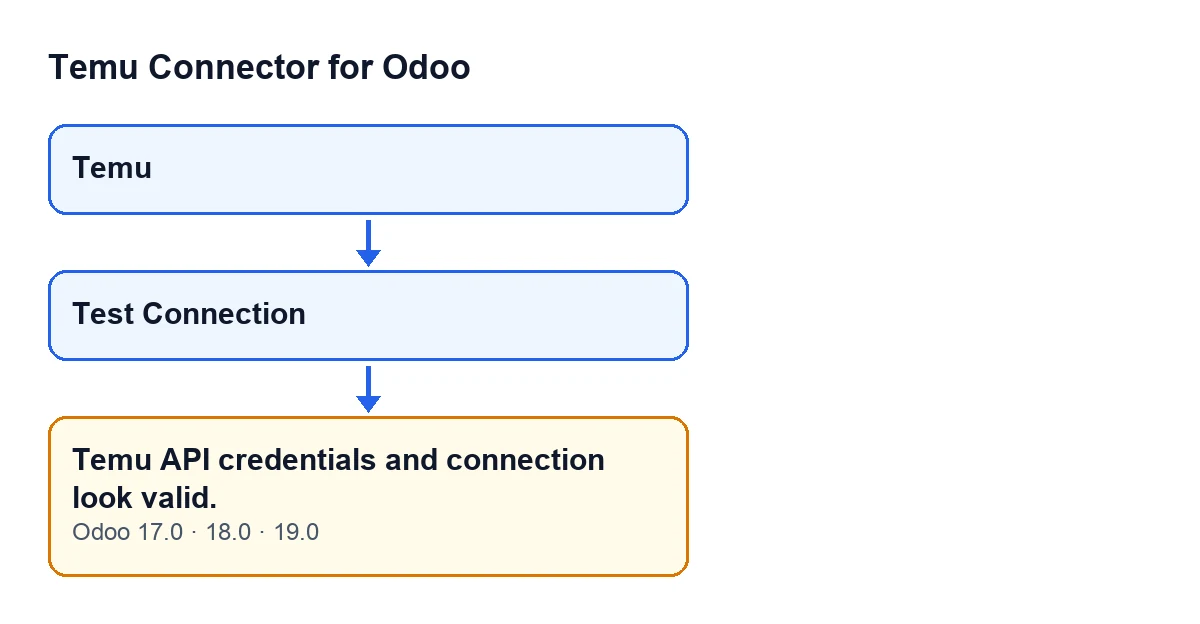
Temu menu, the test button and the notice.
Test Connection button in its Spanish translation.
Before you press the button
- Open the
Temu Dashboardform from theTemumenu and check that you can see theTest Connectionbutton.
- Bear in mind that the test can modify the form (see below for what it stores). If you want, note down the API methods that were configured beforehand.
- Confirm that your FlexigoTech Cloud subscription is active. The module needs it and, without it or with the service suspended, whatever the subscription provides stops.
- Remember that every press repeats the whole series of queries, starting with the token one.
What the test does, in order
- First, the token query. The module tries the method configured for token information and, if needed, its alternatives, without sending the shop identifier. If the one that answers is not the configured one, the form now stores the one that worked. If this query ends in an error, the test stops there with that error and the notice does not appear.
- Next, the token response is applied without replacing the access token already stored. It stores the date of this check; the expiry date, if the response carries one the module can read; and the list of permissions that Temu returns, if it arrives as a list. The shop identifier is changed only if the one Temu returns differs from the one on the form, and in that case the module also leaves a record of it in a message.
- Second, a test query for orders. It asks for the first page, using the page size configured on the form with a cap of 10. The module tries the configured method and, if that fails, other candidates. The first one that answers without an error counts as a pass and, if it was not the configured one, it is stored in its place.
- Failures in that query do not cut the test short. Each failed attempt is logged as a warning on the server and the next candidate is tried. The orders response is only written to the log: the test code does nothing else with it.
- Third, only if no orders query worked: a shop-data query. It goes without the shop identifier and uses the same candidate logic, and it also stores the method that answered. Its failures are also logged as warnings.
- At the end, the last error decides. If no test query worked and there is a stored error, the method raises that last error and you will not see the notice. If it finishes without raising anything, it returns
Temu API credentials and connection look valid.
If the notice appears
- Understand what it confirms: after the token query, Temu has answered an orders query without error or, if that failed, a shop-data query, using the form's data.
- Do not read more into it than that: the test asks for one small page of orders and writes the response to the log. It does not touch the access token you already had.
- If the orders query failed but the shop-data query worked, you will also see the notice. The orders failure remains only as a warning in the server log.
- Review the form after the test: the configured API method may have changed, and the shop identifier may have been updated if Temu returned a different one.
- If you want to see which orders candidates failed before one answered, look at the warnings in the server log.
If the notice does not appear
- Read the error Odoo shows. If the token query failed, it is that query's error. If every orders query and every shop-data query failed, it is the last of them.
- Remember the order: if the token query fails, the test never reaches the orders or shop queries.
- Look in the server log for the entries about each method tried: failures of the orders and shop-data queries are logged as warnings, and those of the token query as a warning or as information, depending on the error.
- Fix what the error points to and press
Test Connectionagain.
Subscription and versions
On top of the one-off payment for the module per Odoo version, you need the FlexigoTech Cloud subscription, Connector plan: €49 a month or €490 a year, excluding VAT. The connection goes through FlexigoTech Cloud, which stores the credentials encrypted and monitors the synchronisation. You will find more on the module page.
How FlexigoTech can help
FlexigoTech implements Odoo 17, 18, 19 and 20 and builds custom connectors and integrations. If the connection test gives you an error you cannot interpret, or you need to adapt the Temu integration to your company, get in touch.
Keep reading
Checked in the connector's source code (version 19.0) and the linked sources
Sources
- Module source code: flexigobe_temu_connector 19.0 (455b3f0f): models/temu_instance.py
- Module source code: flexigobe_temu_connector 19.0 (455b3f0f): views/temu_instance_views.xml
- Module source code: flexigobe_temu_connector 19.0 (455b3f0f): models/fgt_cloud.py
- flexigotech.com/precios.html
- flexigotech.com/en/services.html