

 Español
 Català
 Deutsch
 Français
 Português
 Italiano
 Nederlands
 Polski
What you see and when
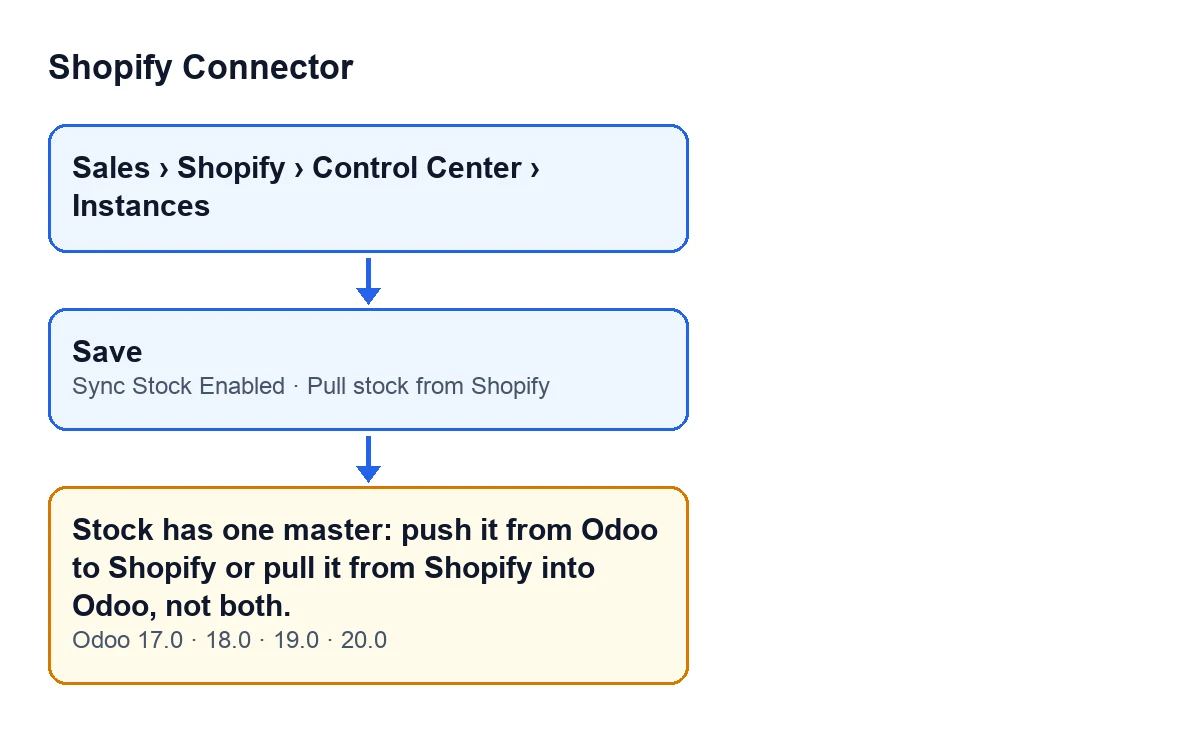
When you save a Shopify instance form, Odoo may stop the save with this text: Stock has one master: push it from Odoo to Shopify or pull it from Shopify into Odoo, not both. The form is not saved, so what you have just changed on it is not stored.
In Odoo 20.0 the form opens from Sales › Shopify › Control Center › Instances. The two checkboxes involved are on the Operations tab, in the Sync Settings group: Sync Stock Enabled and Pull stock from Shopify. According to the code, both are off by default.

A case to see it in action
Example Illustrative case: the company and its figures are made up to explain the flow.
Picture a fictional shop, Cerámicas del Norte, that sells on Shopify and keeps its inventory in Odoo. The person who looks after the connection has Sync Stock Enabled ticked: Odoo is the stock master and sends its quantity on hand to Shopify. One day they decide they would also like Shopify to report what happens in the shop. They tick Pull stock from Shopify and click save. The message appears and the form stays as it was.
The connection is still intact: the module has stopped a set-up with two masters. The module's own code comment explains it: with both on, Odoo to Shopify and Shopify to Odoo would write the same number over each other.
The lesson is to decide who is in charge of stock first, and then tick one checkbox only. In the example shop, if Odoo remains the master, the pull checkbox is unticked and the form saves as normal.
What exactly the module checks
It is a check made on saving, and it fires when either of the two checkboxes changes. The module looks at the instances being saved: if any of them has both Sync Stock Enabled and Pull stock from Shopify switched on, it stops the action with the message. The code has no other condition: not the connection status, not the shop, not the warehouse.
The help text on each checkbox explains what each direction means:
Sync Stock Enabled: Odoo is the stock master and its quantity on hand is sent to Shopify. The help adds that it cannot be on with «Pull stock from Shopify».Pull stock from Shopify: Shopify is the stock master. Each pull sets the stock on hand of Shopify's main location in the linked Odoo location with an inventory adjustment, less what Odoo delivered and Shopify has not fulfilled yet.
The help on the second checkbox also warns that Shopify's on hand counts what it holds as damaged, in quality control or as safety stock, and that in Odoo it is stock like the rest. It also says the checkbox cannot be on with another store pulling into the same Odoo location.
How to fix it
- Open the instance from
Sales › Shopify › Control Center › Instances. - Go to the
Operationstab and find theSync Settingsgroup. - Decide who masters the stock for that shop. It is a business decision, not the module's.
- If Odoo is the master, leave
Sync Stock Enabledticked and untickPull stock from Shopify. - If Shopify is the master, leave
Pull stock from Shopifyticked and untickSync Stock Enabled. - Save the form. Once only one checkbox is ticked, this check no longer stops the save.
If you choose Shopify as master, the checkbox help says that turning it on does not run the pull: you also have to turn on the scheduled action for pulling stock that the help names. There is another article on stock pulling: the Pull Stock button, step by step.
What to check afterwards
- That the form saves without the message and that only one of the two checkboxes is ticked in the
Sync Settingsgroup. - If you chose Shopify as master, that the scheduled action mentioned in the help is turned on.
- If another store pulls stock into the same Odoo location, that two stores do not share that location: the help lists it as another restriction on the
Pull stock from Shopifycheckbox.
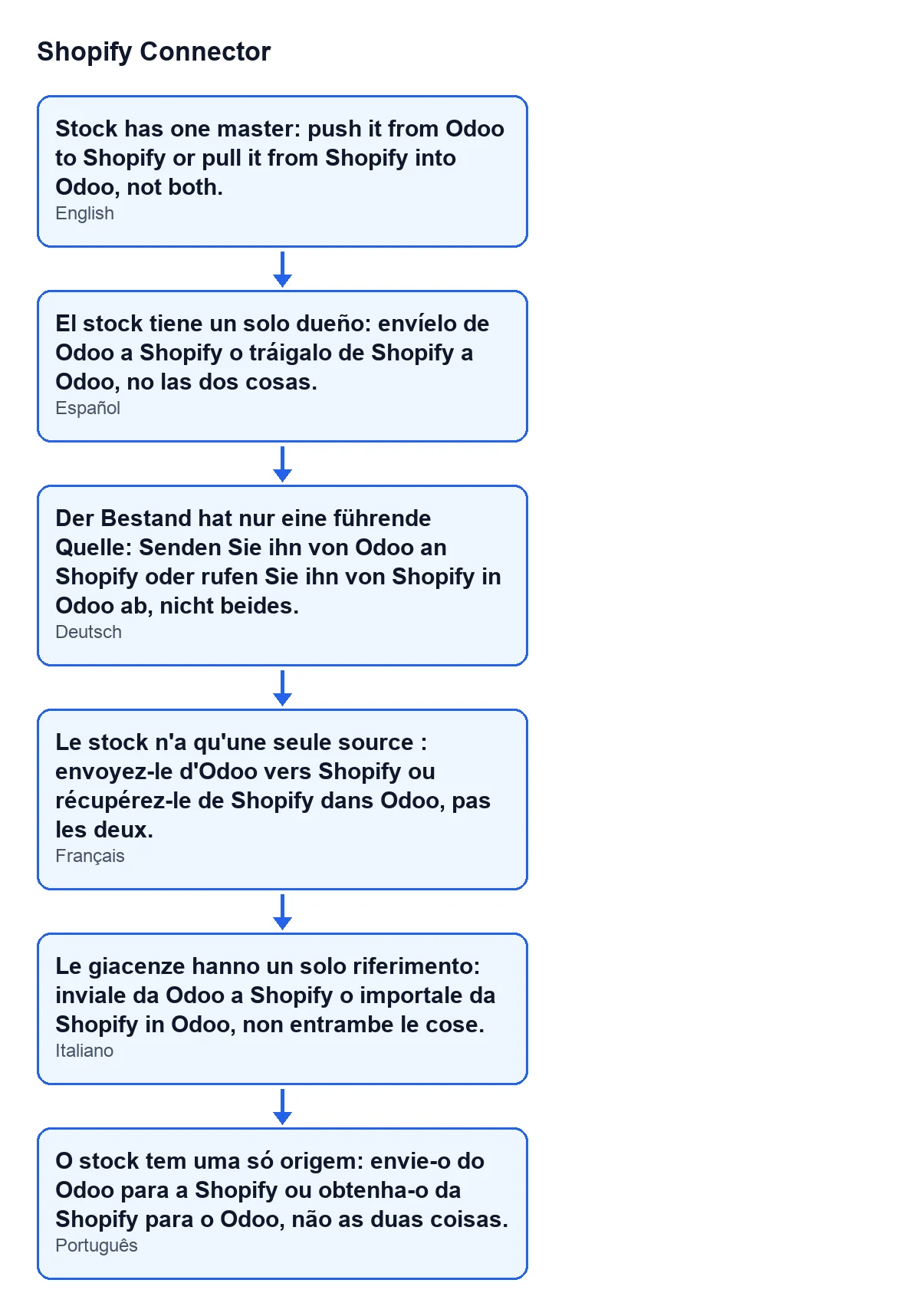
With Odoo in English, the error text is the one quoted above. This diagram, made with code from the module's published translations, shows how it reads in other languages:
Versions and cost
The message is in the published code of all four branches (17.0, 18.0, 19.0 and 20.0). The condition, the fields and the menu described here correspond to the Odoo 20.0 code. The module is published on Odoo Apps for Odoo 17, 18, 19 and 20 at €9 per Odoo version, one-off payment, excluding VAT, and it needs the FlexigoTech Cloud subscription: the Connector plan costs €49 a month or €490 a year, excluding VAT.
How FlexigoTech can help
If you are implementing Odoo and have not yet settled who should master stock between your shop and your inventory, FlexigoTech implements Odoo 17, 18, 19 and 20 and builds connectors and custom integrations. It is a decision worth taking before ticking any checkbox.
One checkbox ticked, the other not
The message comes from a rule of the module that is checked on saving. Leave ticked only the checkbox for the direction you choose and the form saves.
Keep reading
Checked in the connector's source code (version 20.0) and the linked sources
Sources
- Module source code: flexigobe_shopify_connector 20.0 (c7078cd8): models/shopify_instance.py
- Module source code: flexigobe_shopify_connector 20.0 (c7078cd8): models/fgt_cloud.py
- apps.odoo.com/apps/modules/20.0/flexigobe_shopify_connector
- apps.odoo.com/apps/modules/17.0/flexigobe_shopify_connector
- apps.odoo.com/apps/modules/18.0/flexigobe_shopify_connector
- apps.odoo.com/apps/modules/19.0/flexigobe_shopify_connector
- flexigotech.com/precios.html
- flexigotech.com/en/services.html