

 Español
 Català
 Deutsch
 Français
 Português
 Italiano
 Nederlands
 Polski
How it works without an ERP
When you start on Temu, the usual setup is Seller Center for everything plus a spreadsheet for what the panel does not show: what is in the warehouse, what still needs invoicing, what Temu has actually paid. It works while the orders fit into one morning.
Then the problems arrive on their own:
- Stock lives in two places. If you sell the same item on your website or another marketplace, someone has to deduct it by hand on each side.
- Orders are typed twice: in Temu and in the invoicing program.
- The tracking number is copied from the carrier to Seller Center, one by one.
- Temu settlements do not match what you expected, and you have nowhere to compare them.

Signs that help you decide
Answer honestly. If you say yes to two or more, an ERP will save you real work:
| Question | If the answer is yes |
|---|---|
| Do you sell the same item outside Temu? | You need a single stock that is deducted across every channel. |
| Do you copy orders into another program to invoice? | Every copy is a chance for error and time you do not get back. |
| Do you type the tracking for each shipment? | The system can send it when the delivery is validated. |
| Is it hard to reconcile what Temu pays? | You lack a place to see settlements next to sales. |
| Are you planning to open another marketplace? | Better to get organised now than with two channels tangled. |
What changes with Odoo and the connector
Odoo is an ERP with sales, inventory, purchasing and invoicing. The Temu connector, published for Odoo 17, 18 and 19, makes Temu work inside it:
- Orders come in on their own every 15 minutes as Odoo sales orders. No copying.
- Stock is sent to Temu every 5 minutes from a single inventory, the same one your other channels use.
- Returns sync every 30 minutes and tax invoices every 60.
- Estimated settlements are calculated once a day and have their own menu, next to the tax reports.
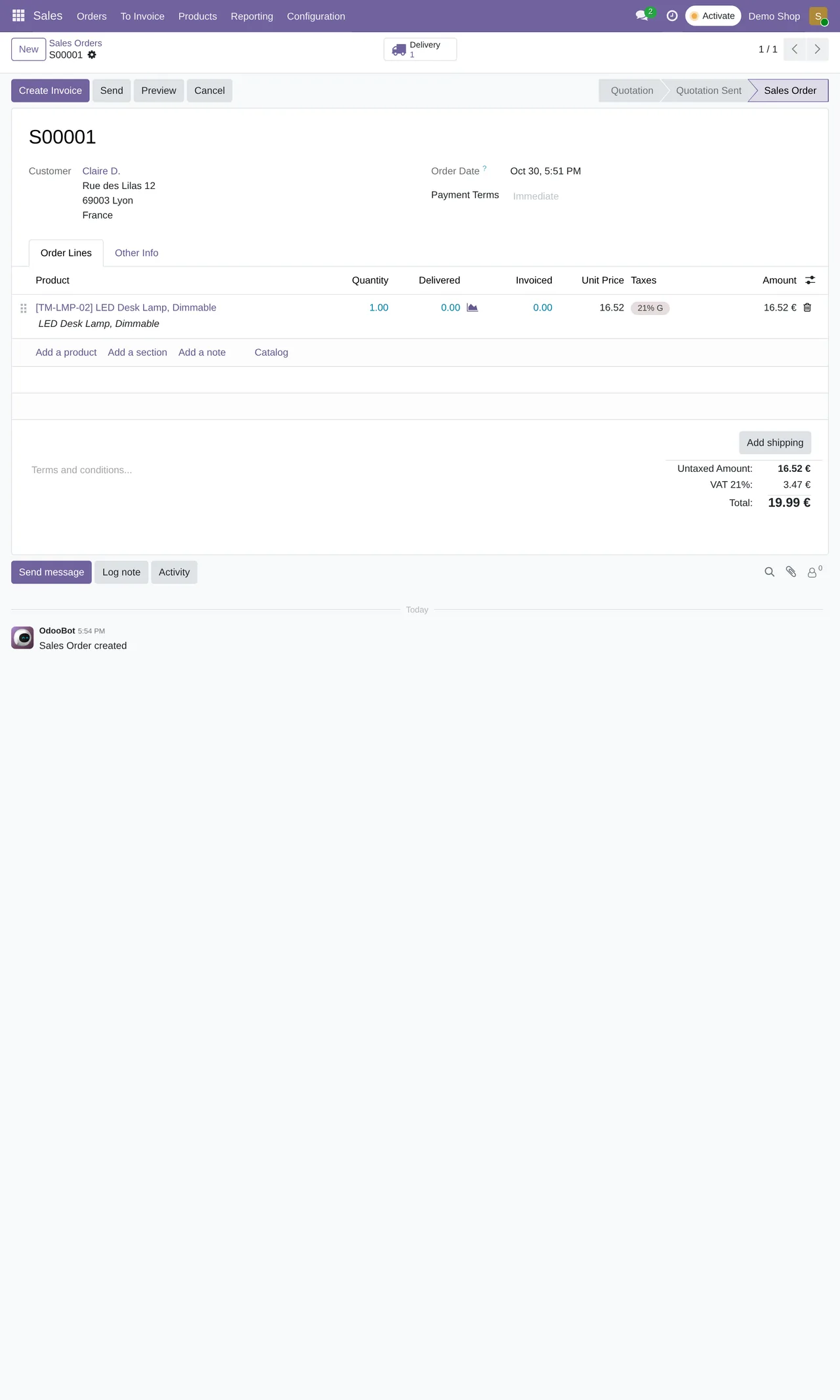
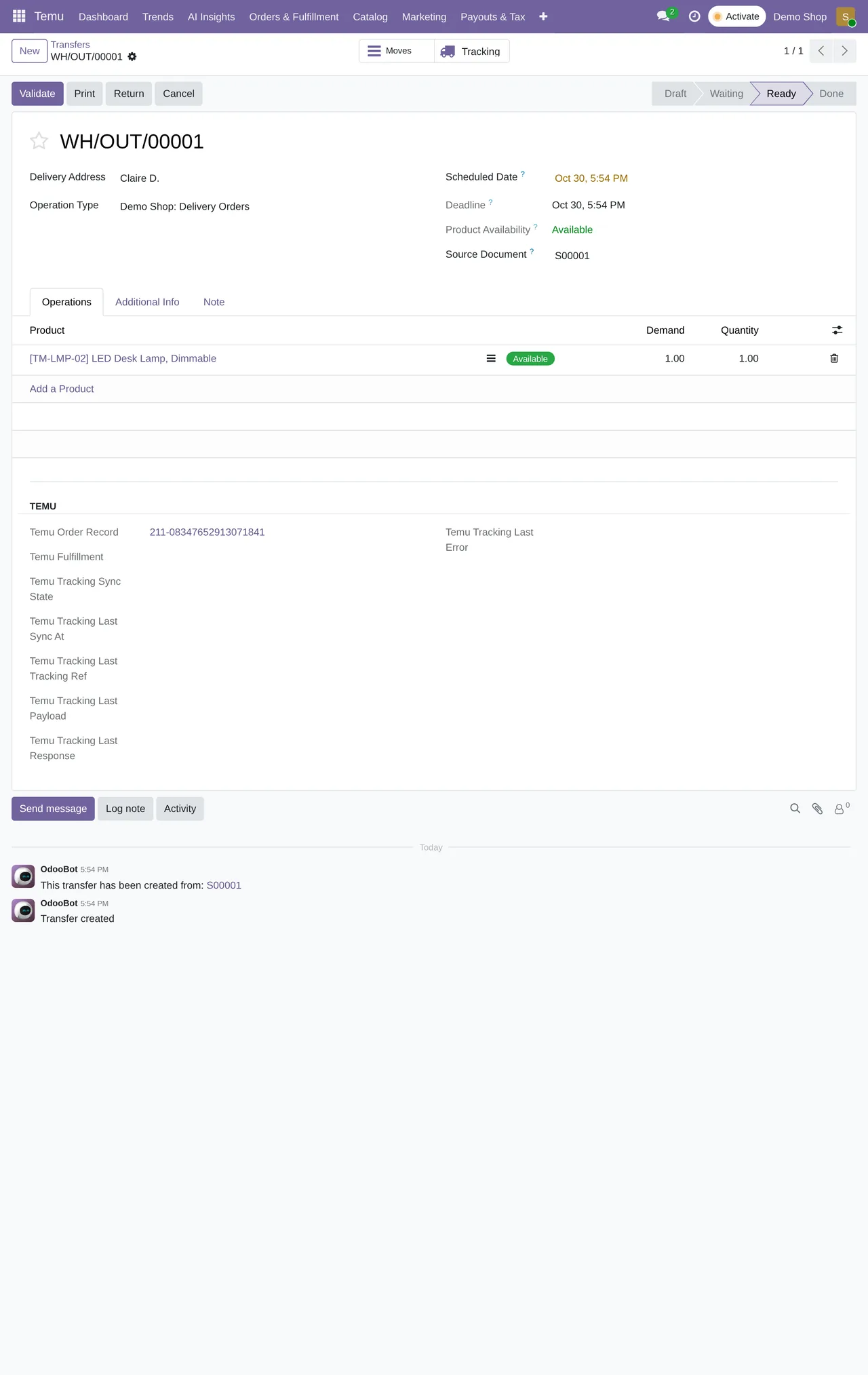
Orders have their own menu, with fulfilment, cancellations and returns next to them. Daily work moves from jumping between tabs to working on one screen.
When to wait
If you sell little, only on Temu and without your own warehouse, Seller Center is enough for now. An ERP has a set-up cost and does not pay off for a handful of orders a week.
If you are somewhere in between, with few orders but a second channel under way, start with the single stock. It is the part that prevents cancellations soonest.
How we set it up
At FlexigoTech we implement Odoo 17, 18, 19 or 20 and leave Temu connected. The module costs €9 per Odoo version and the Connector plan starts at €49 a month, VAT excluded, with up to 3 Temu accounts and a 14-day trial. If your operation needs something that does not come out of the box, we build it to measure inside your Odoo.
Keep reading
Checked in the connector's source code (version 19.0) and the linked sources
Sources
- Module source code: flexigobe_temu_connector 19.0 (7d646aeb): data/ir_cron_data.xml
- Module source code: flexigobe_temu_connector 19.0 (7d646aeb): views/menu_views.xml
- Module source code: flexigobe_temu_connector 19.0 (7d646aeb): static/description/index.html
- apps.odoo.com/apps/modules/19.0/flexigobe_temu_connector
- flexigotech.com/en/services.html
- flexigotech.com/precios.html