

 Español
 Català
 Deutsch
 Français
 Português
 Italiano
 Nederlands
 Polski
Where it is and when you see it
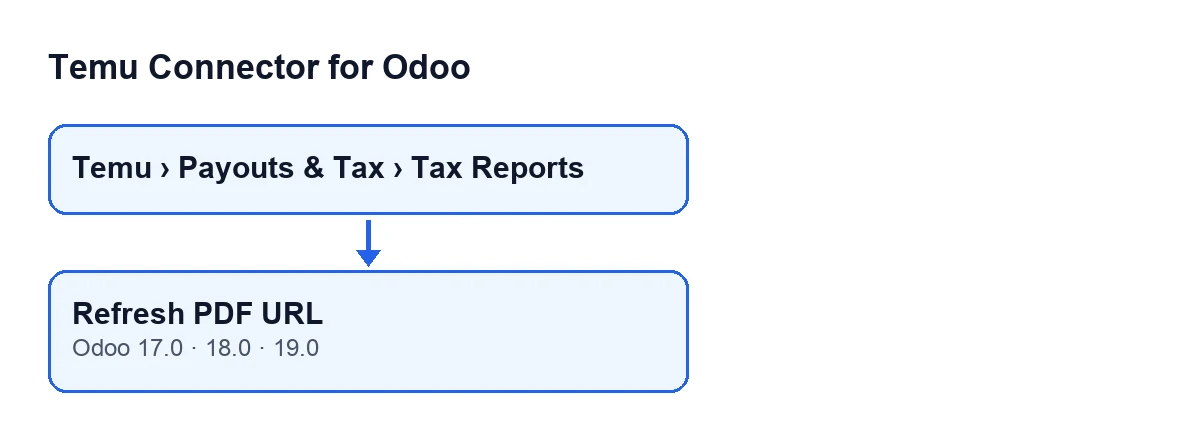
The Tax Invoices forms open from the menu Temu › Payouts & Tax › Tax Reports. The Refresh PDF URL button is on that form. In Odoo 17, 18 and 19 the button is on the Tax Invoices screen and no view condition governs it: it is always visible. What follows describes the published code for Odoo 19.

What it does, in order
The code goes through the invoices it is run on, one by one, and for each one it does the following:
- It looks at the
Invoice Numberfield. If it is empty, before anything else it asks Temu for the invoice data of that order, using the value ofParent Order Snand theInstanceon the form. If the reply contains no invoice, it saves the reply as it came and the date of that query; if it contains any, it goes through the invoices in the reply one by one. - It reads the number again. If it is still empty, it records an error in
Last Errorand moves on to the next invoice without asking for the PDF. - If there is a number, the instance asks Temu for the PDF download using the value of
Parent Order Snand the value ofInvoice Number. - When the reply contains a signed URL, it saves it. It also saves the full reply together with the Temu method that was used, records the date and time of the query, and empties
Last Error.
Misconceptions about the button
‘It only appears once the invoice has a number’
It does not. In Odoo 17, 18 and 19 the button is always visible on the Tax Invoices screen. The invoice number does not decide whether you see it; it decides what happens when you press it, because it is the first thing the code checks.
‘If the invoice number is missing, the button simply fails’
That is not the first thing that happens. With Invoice Number empty, the button starts by asking Temu for the invoice data of the order and looks at the field again. Only if it is still empty does it leave the error in Last Error and skip the PDF query. If this happens to you, open the form and check that Parent Order Sn and Instance have a value: they are the data used for that first query.
‘The button downloads the PDF’
The label says URL, and a URL is what the code deals with. It asks Temu about the PDF download and saves the result on the invoice: the signed URL if the reply contains one, the whole reply with the method used, and the date and time of the query. If the reply has no signed URL, that address is saved empty; the reply is still saved and Last Error is emptied, so an empty error field does not guarantee there is an address.
‘An earlier error stays until you clear it by hand’
It does not. When the PDF query completes, the button empties Last Error on that invoice. The field shows on the Tax Invoices form, so you can press the button and look at it again on the same form.
‘One invoice without a number blocks the others’
Nor that. The code goes through the invoices it is run on and, when one is left without a number, it records the error in Last Error and moves on to the next. An invoice missing its number does not stop the next one from being processed.
‘Buying the module is enough’
The module is a one-off payment per Odoo version and also needs the FlexigoTech Cloud subscription (Connector plan). That plan costs €49/month or €490/year excluding VAT, with up to 3 accounts on the platform (the Pro plan, €98/month or €980/year, up to 10). The connection to Temu goes through FlexigoTech Cloud, which stores the credentials encrypted, monitors the synchronisation and emails you if it fails. Without a subscription, or with the service suspended, whatever the subscription provides stops; your data stays in your Odoo. The module is published on Odoo Apps for 17.0, 18.0, 19.0 and 20.0. If you buy it on flexigotech.com, the module for newer Odoo versions is included with the subscription; on the Odoo App Store, each version is bought there. You can see the Odoo Apps listing or the module page.
Further reading
If you are implementing Odoo and want Temu tax invoices to fit the way you work, FlexigoTech implements Odoo 17, 18, 19 and 20 and builds custom connectors and integrations.
Keep reading
Checked in the connector's source code (version 19.0) and the linked sources
Sources
- Module source code: flexigobe_temu_connector 19.0 (455b3f0f): views/temu_tax_invoice_views.xml
- Module source code: flexigobe_temu_connector 19.0 (455b3f0f): models/temu_tax_invoice.py
- apps.odoo.com/apps/modules/19.0/flexigobe_temu_connector
- flexigotech.com/en/services.html
- flexigotech.com/precios.html