

 Español
 Català
 Deutsch
 Français
 Português
 Italiano
 Nederlands
 Polski
Plytix pricing: what each plan costs by SKU count
Plytix charges monthly according to the number of SKUs you manage. Its pricing page, read on 14 November 2026, shows € outside the Americas and $ in countries in the Americas, with the same figures. Some bands from its table:
| SKUs | Standard | Pro | Enterprise |
|---|---|---|---|
| 100 | 0 | 149 | 699 |
| 500 | 49 | 189 | 769 |
| 2,000 | 119 | 269 | 899 |
| 5,000 | 159 | 299 | 969 |
Above 25,000 SKUs the price is custom («25K+»). Plytix modules are paid separately: «Expand your plan with powerful modules. Select any combination.»
With two catalogue sizes: at 2,000 SKUs, Standard costs 119 a month, Pro 269 and Enterprise 899. A year of Standard with 2,000 SKUs is 119 × 12 = 1,428. If the catalogue grows from 2,000 to 5,000 SKUs, Standard goes from 119 to 159 a month, which is 40 more.
API calls on each Plytix plan and why they matter in Odoo
| Plan | API calls per hour | Change log |
|---|---|---|
| Standard | 2,000 | No |
| Pro | 15,000 | 30 days |
| Enterprise | 25,000 | 90 days |
The Plytix API documentation, read on 12 November 2026, explains that every request counts in two windows at once, one of 10 seconds and one of an hour. Limits vary by plan: «To confirm the limits that apply to your account, ask your account manager.» If you reach either limit, the API returns 429 until the interval for that limit expires.
This matters for Odoo because the connector spreads its calls using the two limits stored on the account, and it starts from your plan's figures. With them, on Standard, at 20 calls every 10 seconds the 2,000 calls of an hour are used up in 2,000 / 20 × 10 = 1,000 seconds, about 17 minutes. On Enterprise, 50 calls every 10 seconds give at most 50 × 6 × 60 = 18,000 calls in an hour, fewer than the plan's 25,000 per hour. The key and the token are covered in Plytix API from Odoo.
What the connector sets for each Plytix plan
On the Plytix account in Odoo, the plan field offers Standard (2,000 API calls/hour), Pro (15,000 API calls/hour), Enterprise (25,000 API calls/hour) and Set the limits myself. The default is Standard. Choosing the plan fills in the two limit fields, Rate Per 10S and Rate Per Hour, which can also be changed by hand.
| If your Plytix plan is | Choose the option | The connector starts at (10 s / hour) |
|---|---|---|
| Standard | Standard (2,000 API calls/hour) | 20 / 2,000 |
| Pro | Pro (15,000 API calls/hour) | 50 / 15,000 |
| Enterprise | Enterprise (25,000 API calls/hour) | 50 / 25,000 |
| Other limits Plytix gave you | Set the limits myself | 20 / 2,000 until you change them |
The hourly figures are the ones on Plytix's pricing page. Plytix no longer publishes the 10-second figure. Measured on a Standard account, as the connector's code notes, the 21st call within 10 seconds got a 429 with RateLimit-Limit 20, RateLimit-Window 10 and Retry-After 1. Pro and Enterprise start from the 50 of the earlier API documentation. If Plytix gave you other limits, the help on the plan field asks you to choose Set the limits myself and enter them. If you leave a value below 1 in either field, the connector replies The rate limits must be at least 1 request.
If you already had the connector, updating to version 1.3.0 moves an account still on the old figures (Standard, 5,000 calls per hour; Enterprise, 15,000) to 2,000 and 25,000 on its own. An account whose limits someone changed, and every Set the limits myself account, keeps its own.
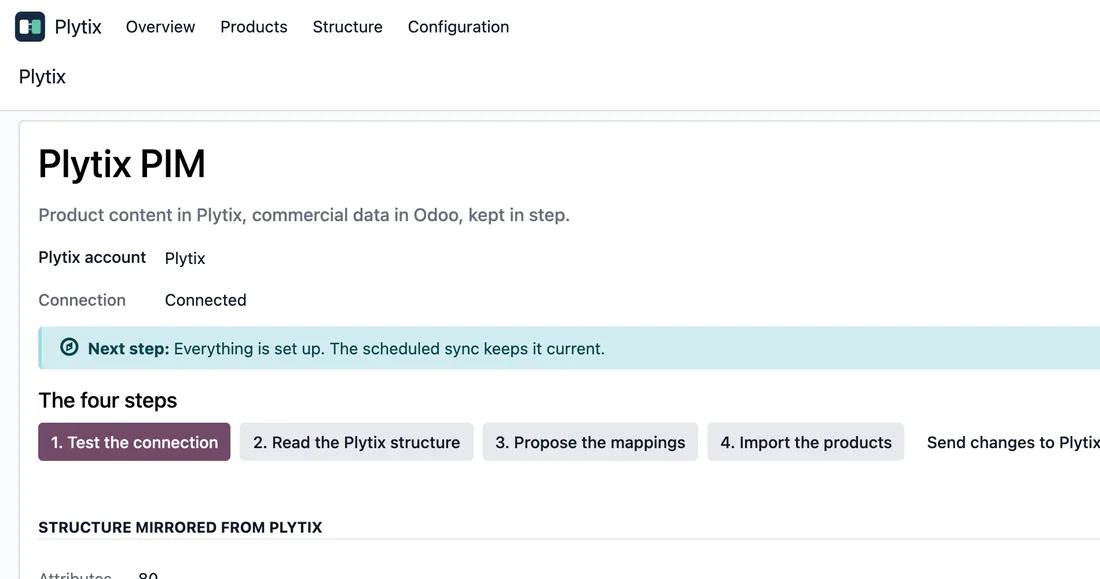
What happens when you reach the Plytix limit: the 429
When you go over, Plytix answers 429, says how long to wait (the Retry-After header) and names the limit (RateLimit-Limit and RateLimit-Window). The connector stores that limit in the account fields and waits as long as Plytix asks. It sits out a wait of up to 15 seconds inside the same call and then repeats the call; Plytix's short window is 10 seconds, so its waits fit. If the wait is longer, for example because the hour is used up, the sync pauses instead of failing, with this message:
The Plytix API limit of account '…' is used up until …. Nothing more was sent and nothing is marked as failed: what is left stays in the queue and goes out after that.
The account shows until when in Paused by the Plytix limit until and, if the scheduled action is on, the connector runs it again at that time.
What you can adjust in Odoo:
- The batch size: 100 products per API page by default, and Plytix caps it at 100.
- The syncs:
Plytix: import changed productsruns every 6 hours andPlytix: export changed productsevery 12 hours. Both come deactivated on install. - If Plytix gave you other limits, the
Set the limits myselfoption.
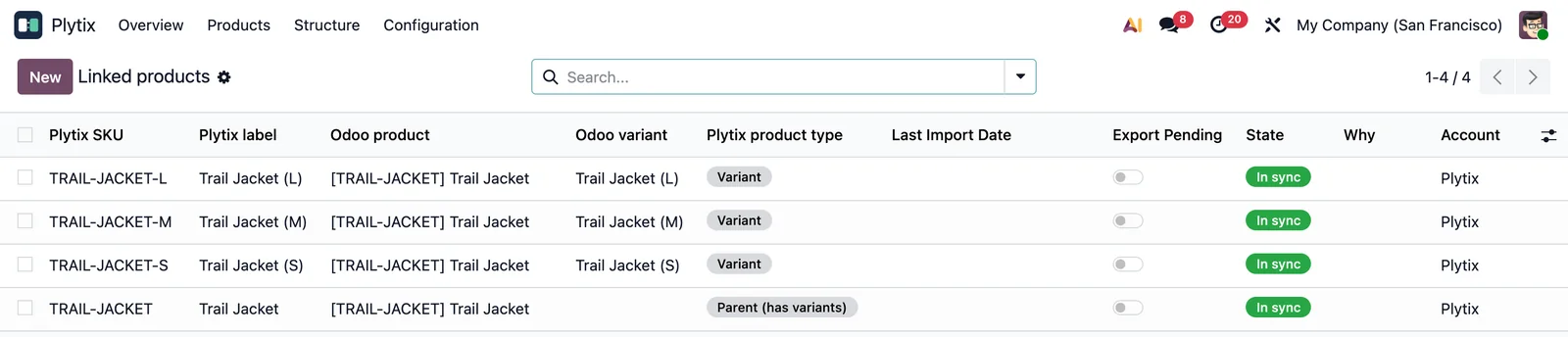
Questions about Plytix pricing and the Odoo connector
Can I start on Standard for free?
Yes: Standard costs 0 a month up to 100 SKUs. It gives 2,000 API calls per hour and has no change log. In the connector, choose Standard (2,000 API calls/hour): it starts at 20 calls every 10 seconds and 2,000 per hour.
Are Plytix modules such as Shopify or Feed Management included in the plan?
No. Plytix charges for them separately.
What syncs between Plytix and Odoo?
The connector has one task that imports changed products and another that exports them. What travels in each direction is explained in Plytix PIM with Odoo.
Do I need the FlexigoTech Cloud subscription?
Yes. Plytix PIM for Odoo is licensed per Odoo version that needs the FlexigoTech Cloud subscription, Connector plan. The subscription comes with a free trial, no card required. You will find it on the connector page at flexigotech.com.
To install and use it step by step, the connector page has the Connector guide and the User manual in PDF.
Keep reading
Checked in the connector's source code (version 20.0) and the linked sources
Sources
- Module source code: flexigobe_plytix_connector 20.0 (40f61773): __manifest__.py
- www.plytix.com/pricing/
- docs.plytix.com/reference/v1-v2/rate-limits/
- FlexigoTech calculation with the figures cited
- Module source code: flexigobe_plytix_connector 20.0 (40f61773): data/plytix_cron_data.xml
- Module source code: flexigobe_plytix_connector 20.0 (40f61773): models/plytix_account.py
- Module source code: flexigobe_plytix_connector 20.0 (40f61773): migrations/1.3.0/post-migrate.py
- Module source code: flexigobe_plytix_connector 20.0 (40f61773): models/plytix_api_client.py
- Connector guide (PDF)
- User manual (PDF)