

 Español
 Català
 Deutsch
 Français
 Português
 Italiano
 Nederlands
 Polski
The Plytix API key and password
In Plytix, you create the key under Account, then API, then API Keys. Only Owner and Admin users can create one. Each key comes with a password that Plytix shows next to it. The API needs both.
In Odoo you paste them under Plytix › Configuration › Plytix accounts, in the API Key and API Password fields. They go together or not at all: if one is missing, the connector sends nothing. Before saving them, an administrator has to accept that FlexigoTech Cloud keeps them.
The token that lasts 900 seconds
The Plytix API authenticates in two steps. First, the key and password pair is exchanged for a token at the Plytix authentication service. That token lasts exactly 900 seconds. After that, every call carries the token.
If you integrate Plytix on your own, you have to store the pair, request the token and renew it before it expires. With the connector, FlexigoTech Cloud does that. It keeps the pair encrypted, requests the token, renews it and puts it on every call. Odoo keeps neither the pair nor the token.
Two rate limits at the same time
Plytix limits calls with two counters at once: one per 10 seconds and one per hour. Both depend on your plan. The connector slows itself down before sending so as not to go over. If it still goes over, Plytix answers with a 429 that says how long to wait (the Retry-After header) and what the limit is (RateLimit-Limit and RateLimit-Window).
Plytix's pricing page (www.plytix.com/pricing, read on 12 November 2026) gives the Standard plan 2,000 calls per hour, Pro 15,000 and Enterprise 25,000. Standard is only free up to 100 SKUs; with more SKUs it is paid. Its API documentation adds that the limits depend on the plan and that your account manager confirms the ones for your account.
On the Odoo account you choose your plan in the Plan field, and the connector fills in both limits:
- Standard: 20 calls every 10 seconds and 2,000 per hour.
- Pro: 50 calls every 10 seconds and 15,000 per hour.
- Enterprise: 50 calls every 10 seconds and 25,000 per hour.
- Your own limits: they start at 20 and 2,000, and you type them in.
These are the figures of version 1.3.0 of the connector; the hourly ones come from Plytix's pricing page. On updating, an account still on the earlier figures (Standard, 5,000 per hour; Enterprise, 15,000) moves to the new ones on its own, and an account whose limits someone changed stays as it was. Both limit fields can be changed by hand and do not accept less than 1 call. If a 429 arrives, the connector stores on the account the limit Plytix names and waits as long as Plytix asks: up to 15 seconds, inside the same call; if the wait is longer, it pauses the sync without marking anything as failed, and what is left goes out afterwards.
Searches: 20 attributes and 100 results per page
Plytix API searches return few fields by default. You have to request each attribute by name, and Plytix accepts at most 20 per search. If you need more, the connector makes several passes and merges them on the product identifier. Each page brings at most 100 results. Above that, the API answers with a 422 error.
What the connector does with the API
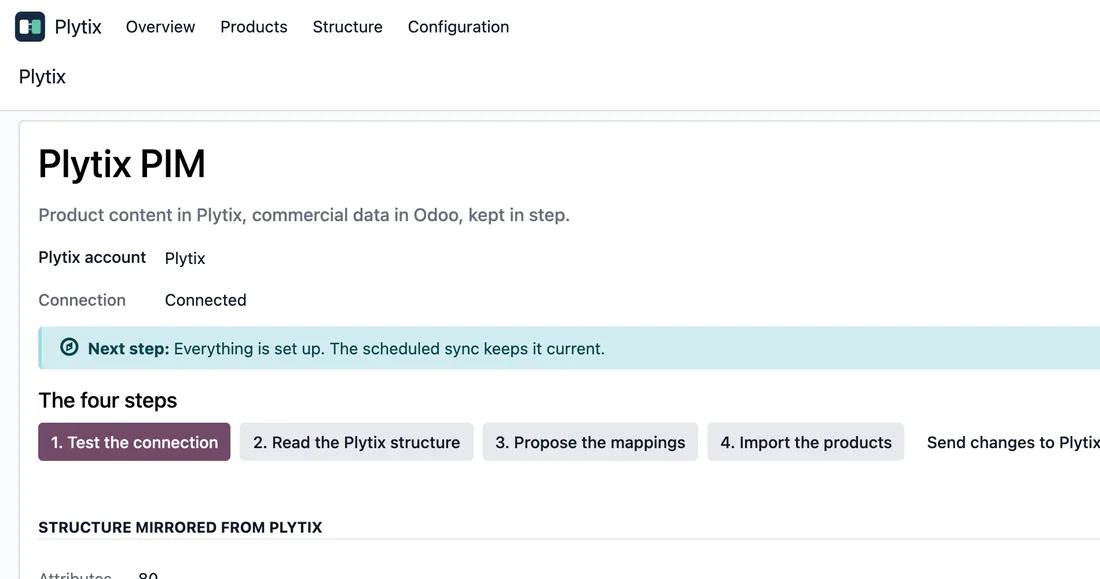
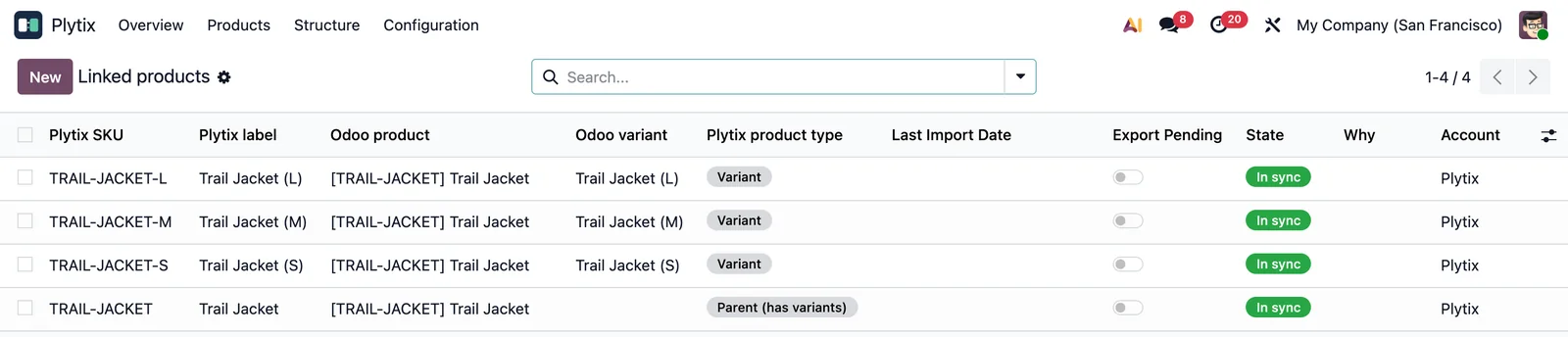
The connector matches products, variants and sub-variants by SKU. If the SKU does not identify the record, it does not create the match. You find it under Plytix › Products › Match by SKU, and the import under Plytix › Products › Import from Plytix.
There are two scheduled jobs for changes: import changed products every 6 hours and export them every 12 hours. Both come switched off. You turn them on once you have reviewed the field mapping and the direction of each sync.
What you need
You need an active Plytix account with its API key. The connector is on Odoo Apps for Odoo 17, 18, 19 and 20 and needs the FlexigoTech Cloud subscription. All the details are on the connector page.
Where is the Plytix API documentation?
At apidocs.plytix.com. The connector works against the Plytix REST API over HTTPS.
What happens if Plytix answers with a 429?
The connector slows down before sending, based on the account's limits. If a 429 still arrives, it stores the limit Plytix names and waits as long as Plytix asks, up to 15 seconds inside the same call. If the wait is longer, the sync pauses without marking anything as failed, and what is left goes out when Plytix allows it.
Can I use the free Plytix plan?
Yes, if you manage up to 100 SKUs: that is what Plytix gives for free on Standard, according to its pricing page. On the account you choose Standard and the connector starts at 20 calls every 10 seconds and 2,000 per hour. The connector still needs the FlexigoTech Cloud subscription.
Does Odoo store my Plytix key?
No. FlexigoTech Cloud keeps the key and the password, encrypted, after an administrator gives consent.
Keep reading
Checked in the connector's source code (version 20.0) and the linked sources
Sources
- Module source code: flexigobe_plytix_connector 20.0 (6d411531): __manifest__.py
- Module source code: flexigobe_plytix_connector 20.0 (6d411531): static/description/index.html
- Module source code: flexigobe_plytix_connector 20.0 (6d411531): models/plytix_account.py
- Module source code: flexigobe_plytix_connector 20.0 (6d411531): data/plytix_cron_data.xml
- Module source code: flexigobe_plytix_connector 20.0 (6d411531): views/plytix_menus.xml
- Module source code: flexigobe_plytix_connector 20.0 (6d411531): models/plytix_api_client.py
- www.plytix.com/pricing/
- docs.plytix.com/reference/v1-v2/rate-limits/
- Module source code: flexigobe_plytix_connector 20.0 (40f61773): models/plytix_account.py
- Module source code: flexigobe_plytix_connector 20.0 (40f61773): migrations/1.3.0/post-migrate.py
- Module source code: flexigobe_plytix_connector 20.0 (40f61773): models/plytix_api_client.py