

 Español
 Català
 Deutsch
 Français
 Português
 Italiano
 Nederlands
 Polski
What Plytix PIM holds and what Odoo sees of each product
The SKU is the key between Odoo and Plytix
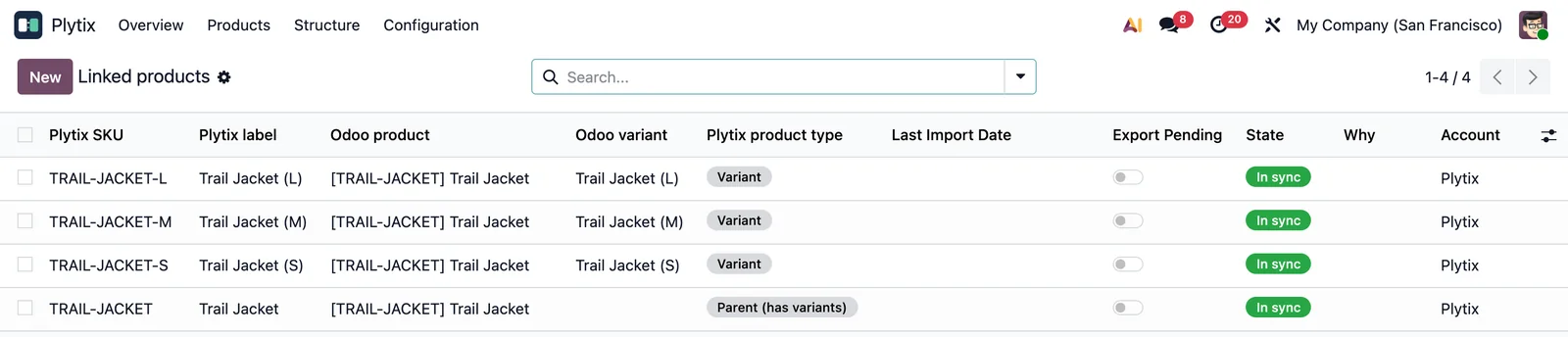
Plytix identifies every product by its SKU, including the parent product of a set of variants. The connector builds on that. According to its listing, the Odoo internal reference goes to the Plytix SKU, the product name goes to Label and the barcode goes to GTIN.
Products, variants and sub-variants are matched by SKU. If the SKU does not identify the record, the connector does not create a match.
In Odoo, matched products are under Plytix › Products › Linked products. The same submenu also holds Plytix › Products › Match by SKU.
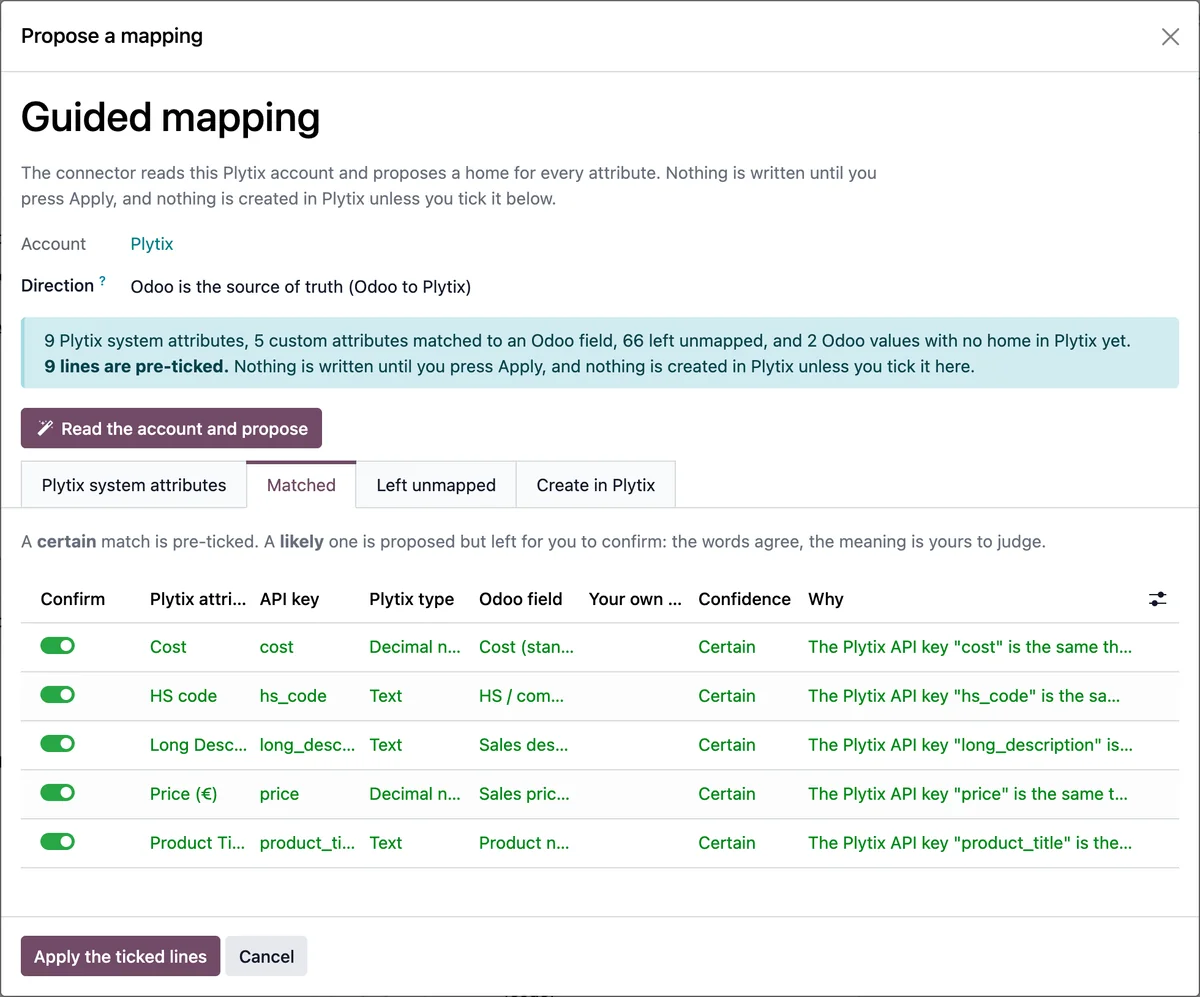
Plytix attributes and guided mapping in Odoo
The connector counts the attributes that are not synced
Plytix attributes have their own menu at Plytix › Structure › Attributes. The mappings to Odoo fields are at Plytix › Structure › Attribute mappings.
The connector keeps count in the fields Attributes, Attributes being synced and Attributes not synced. Those figures tell you how many Plytix attributes are synced and how many are not.
The connector listing recommends reviewing the field mapping and the direction of each sync before activating it.
Families, categories, files and relationships from the PIM
Families and categories have their own options
The listing names attribute values, families, categories and product relationships among what the connector syncs. In Odoo they each have a menu: Plytix › Structure › Product families, Plytix › Structure › Categories and Plytix › Structure › Relationships.
The connector options include Families to import, Categories to import and Import categories. There is also Default internal category, whose help reads: Internal category given to products created from Plytix.
Images come from the Plytix file server
According to its help, the Import images and files option downloads Plytix assets and attaches them to the Odoo product. The listing adds that product images are downloaded straight from the Plytix file server.
The Import product relationships option maps Plytix relationships onto Odoo.
Odoo variants and the parent SKU in Plytix
The parent needs a SKU as well
With Send variants, an Odoo product with several variants becomes a parent product, according to the help for that option. In Plytix that parent is also identified by SKU.
That is what the Parent SKU when Odoo has none option is for. Its help makes the point: Plytix identifies every product by SKU, including a parent.
Variants and sub-variants are matched by SKU too. Without a SKU that identifies the record, the connector does not create a match.
Before sending variants, check the internal reference of each one: that is what goes to the Plytix SKU.
Importing changes from Plytix and sending products from Odoo
The scheduled task is disabled at install
The Plytix: import changed products task runs every 6 hours, but it is installed disabled. Switching it on is your decision. You also have the Plytix › Products › Import from Plytix menu.
Creating products in Plytix is a separate option
According to the listing, the connector takes products created in Odoo, including their variants, to Plytix. For products not yet in Plytix there is Create products missing in Plytix. Its help explains that, when exporting, it creates the product in Plytix subject to a condition on its SKU.
The connector needs a FlexigoTech Cloud subscription, Connector plan. The Plytix API key and password are covered in Plytix API from Odoo.
Questions about Plytix PIM and Odoo
What happens to a product whose SKU does not identify the record?
The connector does not create a match. Check the internal reference in Odoo, as that is what goes to the Plytix SKU.
How often are products changed in Plytix brought in?
The Plytix: import changed products task runs every 6 hours once activated. It is disabled when you install the connector.
Do Plytix images end up in Odoo?
With the Import images and files option switched on, the connector downloads Plytix assets and attaches them to the Odoo product.
Do I need the FlexigoTech Cloud subscription?
Yes. The connector needs a FlexigoTech Cloud subscription, Connector plan. You can find the module on Odoo Apps and the full details on the connector page.
Keep reading
Checked in the connector's source code (version 20.0)
Sources
- Module source code: flexigobe_plytix_connector 20.0 (6d411531): __manifest__.py
- Module source code: flexigobe_plytix_connector 20.0 (6d411531): static/description/index.html
- Module source code: flexigobe_plytix_connector 20.0 (6d411531): views/plytix_menus.xml
- Module source code: flexigobe_plytix_connector 20.0 (6d411531): data/plytix_cron_data.xml
- Module source code: flexigobe_plytix_connector 20.0 (6d411531): models/plytix_account.py
- Module source code: flexigobe_plytix_connector 20.0 (6d411531): models/plytix_dashboard.py