

 Español
 Català
 Deutsch
 Français
 Português
 Italiano
 Nederlands
 Polski
What the message says and when it appears
What exactly does the message mean?
Octopia Connector checks the taxes of an Octopia offer. If a tax is of the rate type and its value falls outside the range, Odoo shows Tax … is a Rate, expressed as a percentage between 0 and 100 (20 means 20%%). Got …. The first gap holds the tax code and the second holds the value the line had when you tried to save. The warning stops the action: the record is not saved.
Under what condition does it appear?
It is a check made on saving, and it looks at two fields: Tax Type and Value. It fires when two things are true at once: the type is Rate (percentage) and the value is not between 0 and 100. With that combination, saving the record is not possible. Both fields appear in the Taxes tab, inside the Offer Taxes table.
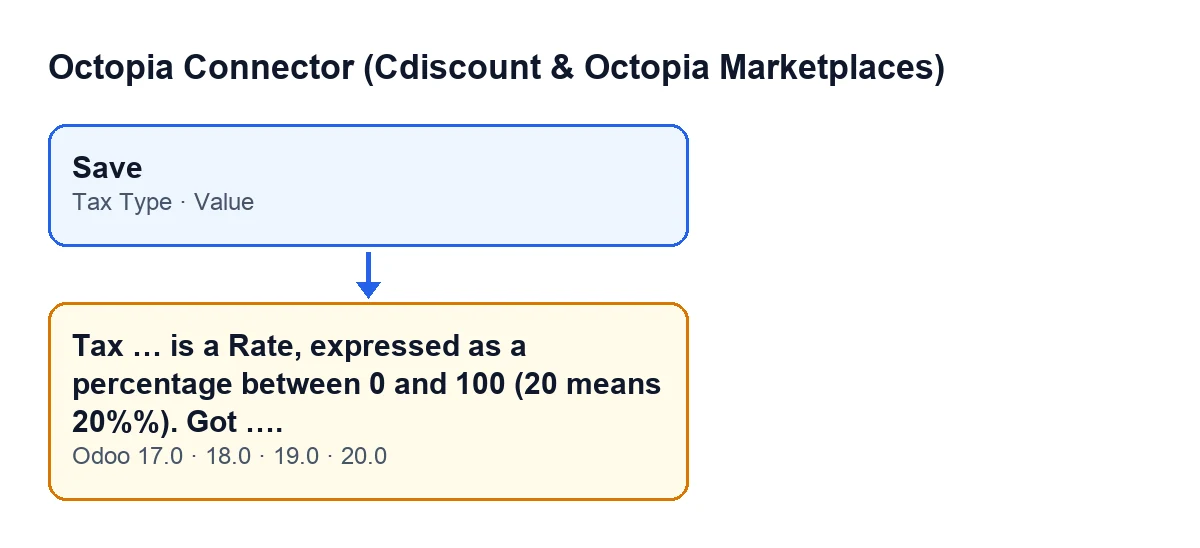
Tax Type and Value fields and the error message. The labels are in English, the module's original text.Are 0 and 100 accepted?
The condition only fires when the value falls outside the range, so 0 and 100 pass the check. A negative value, or one above 100, on a rate-type tax triggers it.
Does it also affect amount-type taxes?
No: the condition requires the type to be Rate (percentage). A tax set to Amount (currency) does not go through this range check. The help on Tax Type explains that Octopia distinguishes a rate from a fixed amount: VAT arrives with code VAT, type Rate and value 0.2, and EcoTax arrives as type Amount and value 0.

How to fix it
What do I do when it appears?
Note the tax code and the value given in the message. Open the Taxes tab, find the line with that code in the Offer Taxes table and look at Tax Type. If it is Rate (percentage), correct Value so that it sits between 0 and 100, with the percentage as it is: 20 for 20 %. If that tax is really a fixed amount, like the EcoTax in the help example, the right type is Amount (currency). Then save again.
What do I type for 20 % VAT: 20 or 0.2?
Type 20. The help on Value says that, for a rate, it is a percentage: 20 for 20 % VAT. It adds that Octopia's API is asymmetric: sending 20 stores 0.2 and reading the offer back returns 0.2, and that the connector keeps the human percentage and converts on import, so what you type is what you mean. Beware of 0.2: it lies between 0 and 100, so the check does not stop it, but it is not what the help asks for either. The error does not protect you from that case, so it is worth typing the full percentage every time.
Is anything lost when the error appears?
The action stops and the change you were about to save is not saved. There is nothing to undo: correct the value and save again. While the line keeps a value outside the range, the message will come back every time you try.
Versions, cost and help
Does it appear in every Odoo version?
The module is published on Odoo Apps for 17.0, 18.0, 19.0 and 20.0, and the message, with that text, is in the published code of all four branches. The condition described here is the one in the Odoo 20.0 code.
What does the module cost, and where can I get help?
The module is a one-off payment per Odoo version and needs a FlexigoTech Cloud subscription: Connector plan, €49 a month or €490 a year excluding VAT, with up to 3 accounts on the platform. If you are implementing Odoo and want to review how the taxes on your offers are set up, FlexigoTech implements Odoo 17, 18, 19 and 20 and builds custom connectors and integrations. If the error you are seeing comes from another button, see the article on the send to Octopia button or the one on the import button.
Keep reading
Checked in the connector's source code (version 20.0) and the linked sources
Sources
- Module source code: flexigobe_octopia_connector 20.0 (4848da6a): models/octopia_offer.py
- apps.odoo.com/apps/modules/20.0/flexigobe_octopia_connector
- flexigotech.com/precios.html
- flexigotech.com/en/services.html