

 Español
 Català
 Deutsch
 Français
 Português
 Italiano
 Nederlands
 Polski
What Leroy Merlin for Mirakl adds to the Mirakl connector
This module builds on another one. According to its README, its job is to add Leroy Merlin as a provider option inside the generic Mirakl connector. Its technical name is flexigobe_mirakl_provider_leroy_merlin and its technical notes list flexigobe_mirakl_connector as a requirement. What it brings, according to the «Why This Module» section:
- It preloads the ADEO and Leroy Mirakl URLs and the provider defaults.
- It improves platform autodetection during connection tests.
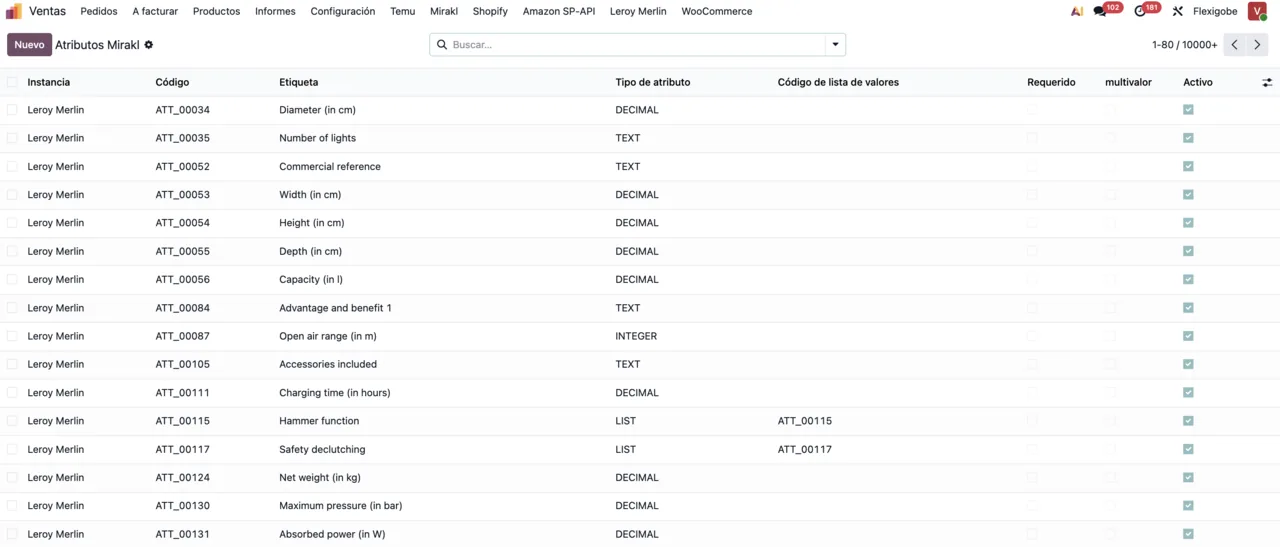
- It adapts catalogue attribute synchronisation to Leroy-style CSV flows.
- It tunes dictionary and values-list behaviour to Leroy catalogue structures.
- It autofills selected Leroy boolean-like attributes with safe default values.
- It keeps Leroy returns imports resilient by preserving the order-refund fallback.
- It enables the advanced tracking flow used by the generic Mirakl core.
The values it sets up for you
The README lists what the module ships with: the provider selection value Leroy Merlin, the marketplace profile code leroy_merlin, the base URL https://adeo-marketplace.mirakl.net and the API URL https://adeo-marketplace.mirakl.net/api. The offer tax mode is set to include_sales_taxes, and catalogue and offers use operator-format defaults. To detect the platform it uses the signatures adeo-marketplace and leroy merlin.
On the catalogue side, the module puts dictionaries into CSV attribute sync mode, uses a larger dictionary batch size for Leroy imports, disables the bulk values-list fallback and prefetch where Leroy flows benefit from it, and applies a default False/NO behaviour to selected catalogue attributes.
For orders, returns and shipments, the module also:
- Leaves returns sync enabled, with a fallback to refunds found in order payloads.
- Enables advanced shipment tracking hooks on top of the generic Mirakl core.
- Enables delivery-address repair before warehouse validation when needed.
What stays with the generic Mirakl core
To decide, it helps to be clear about which parts are handled by the generic connector this module sits on. The README's operational notes put it like this:
- Real ADEO carrier catalogues are supported through the generic Mirakl SH21 flow.
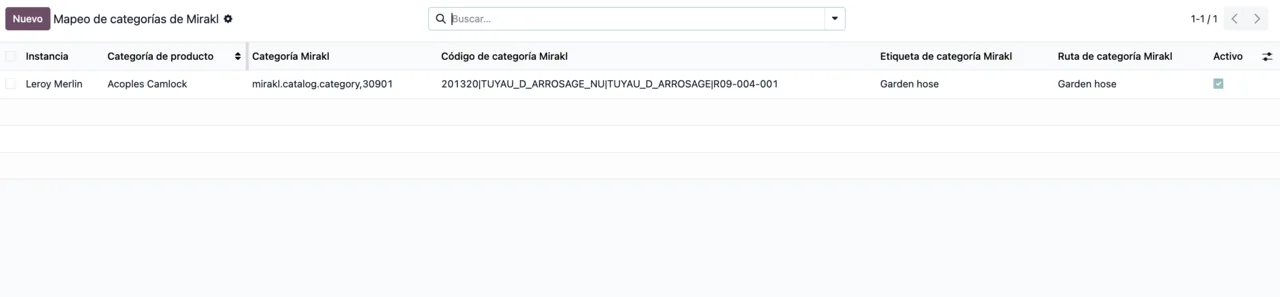
- Leroy category trees are handled through the generic Mirakl hierarchy search.
- If the operator does not expose
/returns, the generic core can still build return records from refunds present in imported orders.
The README also names the models mirakl.instance and mirakl.product.binding. So the underlying decision is whether you will work with the generic Mirakl connector, because this module lists it as a requirement.
What you need before installing it
Two pieces: the generic Mirakl connector and the FlexigoTech Cloud subscription that connector requires. Mirakl Connector's manifest puts it plainly: «Needs FlexigoTech Cloud subscription (from 49 EUR/month, VAT excl.)». The connection runs through FlexigoTech Cloud, which stores credentials encrypted, monitors synchronisation and emails you if it fails; if the platform changes its API, the module and the service are adapted.
Without the subscription, or with the service suspended, whatever the subscription provides stops; your data stays in your Odoo.
Which Odoo versions it is published for and what it costs
| Odoo version | Odoo Apps listing | What it needs |
|---|---|---|
| 17.0 | Published | Mirakl Connector and FlexigoTech Cloud subscription |
| 18.0 | Published | Mirakl Connector and FlexigoTech Cloud subscription |
| 19.0 | Published | Mirakl Connector and FlexigoTech Cloud subscription |
| 20.0 | Published | Mirakl Connector and FlexigoTech Cloud subscription |
Leroy Merlin for Mirakl is a free add-on: the €9 excluding VAT shown on its listing is the price of Mirakl Connector, which it depends on, as a one-off payment per Odoo version, the same for 17, 18, 19 and 20. On top of that comes the FlexigoTech Cloud Connector plan: €49/month or €490/year excluding VAT, with up to 3 platform accounts (Pro: €98/month or €980/year, up to 10).
What changes when you move up an Odoo version
If you bought the module at flexigotech.com and have the subscription, the module for new Odoo versions is included. If you bought it on the Odoo App Store, each Odoo version is purchased there. Before migrating, check that you also have flexigobe_mirakl_connector on the target version, as it is the requirement.
Criteria to decide whether it fits
- If you sell on Leroy Merlin through Mirakl and already have the generic connector with its subscription, it suits you: the module adds the
leroy_merlinprofile with its URLs and defaults. - If you do not yet have the generic Mirakl connector, you need that first, along with the FlexigoTech Cloud subscription.
- If your Leroy work runs through catalogue dictionaries and values lists, the CSV, batch size and
False/NOsettings are the part of the module that deals with that. - If you import Leroy returns, the module leaves their sync enabled with the fallback to order refunds.
- If you need ADEO carriers or Leroy category trees, bear in mind they are handled by the generic core (SH21 flow and hierarchy search).
- If you sell on marketplaces outside Mirakl, this module is not for that. If Shopee is your case, see how the Shopee connector works under the bonnet.
How to try it before going live
A test database on your Odoo version is enough to see whether it fits:
- Activate the FlexigoTech Cloud subscription that Mirakl Connector needs.
- Install the generic connector
flexigobe_mirakl_connector. - Install
flexigobe_mirakl_provider_leroy_merlin. - Create the Mirakl instance, choose
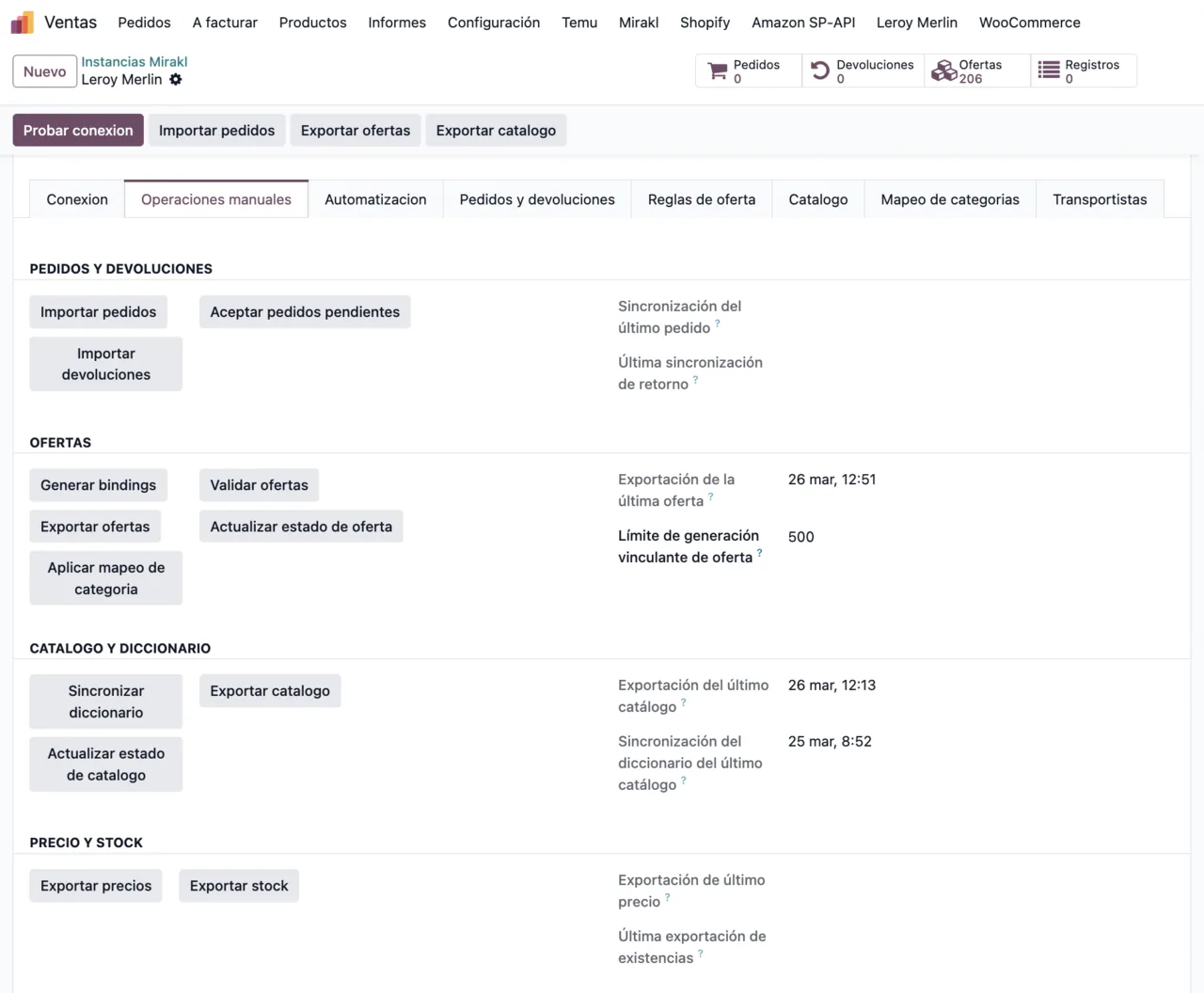
Leroy Merlinas the provider and check that the base URL and API URL are the ones the module preloads. - Run the connection test, which is where the module applies its platform autodetection.
- Review the attributes, the category mapping and the Mirakl categories with your own data.
How FlexigoTech can help
FlexigoTech implements Odoo 17, 18, 19 and 20 and builds bespoke connectors and integrations. You will find the module details on its page at flexigotech.com and on the Odoo Apps listing. If your Leroy Merlin setup, or another Mirakl operator, needs something more, we can look at it as custom development.
Keep reading
Checked in the module's source code (version 20.0) and the linked sources
Sources
- Module source code: flexigobe_mirakl_provider_leroy_merlin 20.0 (f3f10df8): README.md
- Module source code: flexigobe_mirakl_provider_leroy_merlin 20.0 (f3f10df8): README.md:45-46
- apps.odoo.com/apps/modules/20.0/flexigobe_mirakl_provider_leroy_merlin
- apps.odoo.com/apps/modules/17.0/flexigobe_mirakl_provider_leroy_merlin
- apps.odoo.com/apps/modules/18.0/flexigobe_mirakl_provider_leroy_merlin
- apps.odoo.com/apps/modules/19.0/flexigobe_mirakl_provider_leroy_merlin
- flexigotech.com/en/services.html
- flexigotech.com/precios.html