

 Español
Set up the operator
- Install the Mirakl connector and the operator module: "Leroy Merlin for Mirakl" or "Decathlon for Mirakl". Without it, "Provider Code" only offers "Generic Mirakl".
- Go to Mirakl › Configuration › Marketplaces and create a new marketplace.
- In "Provider Code", choose Leroy Merlin or Decathlon. Odoo then fills in the profile's boxes that are unticked and the fields that are empty.
- Check the address. For Leroy Merlin it is https://adeo-marketplace.mirakl.net, with the API at https://adeo-marketplace.mirakl.net/api; for Decathlon, marketplace-decathlon-eu.mirakl.net.
- Complete the connection with your account details from the operator, save and click "Test Connection".
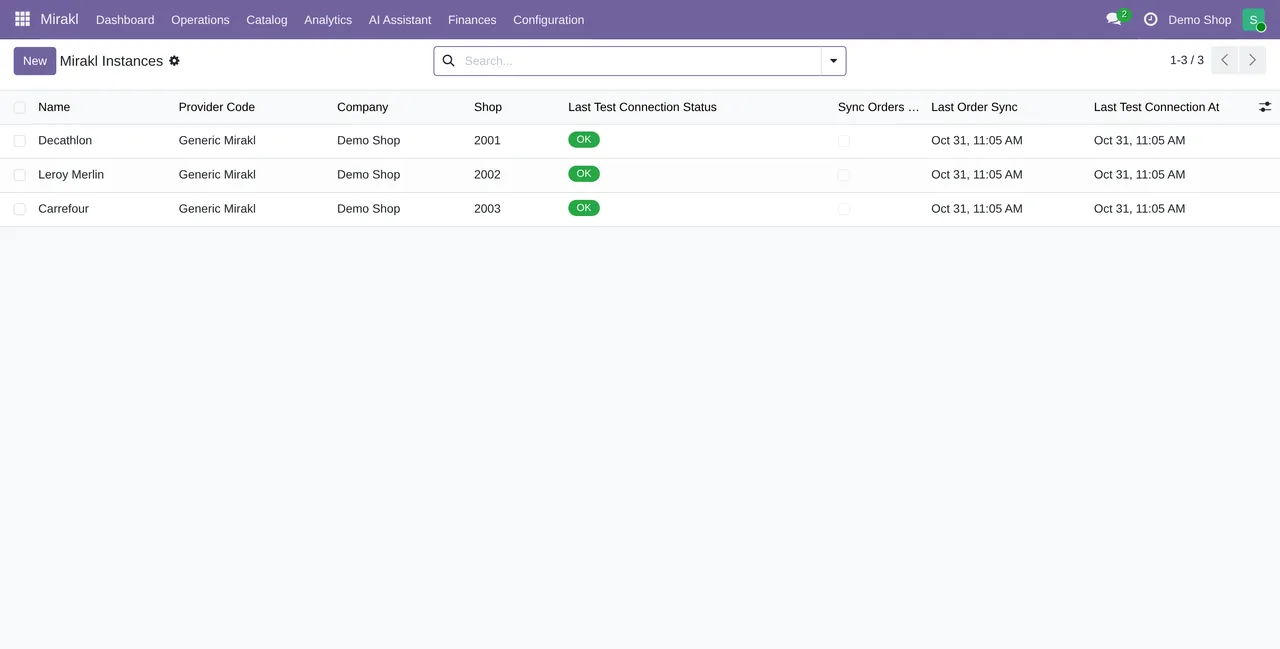
If you start with the generic profile and type the operator's address, Odoo recognises it from the host: adeo-marketplace or leroymerlin for Leroy Merlin; marketplace-decathlon, marketplace.decathlon, seller.decathlon, partner.decathlon, .decathlon.net or .decathlon.com for Decathlon. And if you switch from one operator to another, the old operator's address is replaced with the new one. An address typed by hand that belongs to no known operator is left alone.
What the profile ticks
| Box | Generic profile | Leroy Merlin and Decathlon | What it does |
|---|---|---|---|
| Sync Orders Enabled | Unticked | Ticked | The "Mirakl - Sync Orders" task imports its orders every 10 minutes |
| Auto Accept Orders | Unticked | Ticked | The "Mirakl - Accept Orders" task accepts, every 10 minutes, the orders Mirakl holds waiting for your acceptance |
| Accept Pending On Import | Unticked | Ticked | Tries to accept waiting orders right after each import, manual or scheduled |
| Auto Confirm Sale | Unticked | Ticked | Confirms the imported sale orders |
| Sync Returns Enabled | Unticked | Ticked | The "Mirakl - Sync Returns" task brings in returns every 30 minutes |
| Returns Fallback To Orders | Ticked | Ticked | If the operator offers no returns through the API, builds them from the refunds found in the orders |
The profile only fills in what is empty or unticked. A value you had already set stays. That matters for "Offer Price Tax Mode": the profile carries "Include Sales Taxes", but the field already comes set to "As Computed", so choosing the profile on the form does not change it. Decide how you quote your offer prices and set it before exporting.
Leroy Merlin: catalogue and offers in the operator's format
The Leroy Merlin profile ticks two more boxes, which come unticked and which the Decathlon profile leaves alone:
- Export the catalogue in operator format. The field's help puts it like this:
When enabled, catalog export defaults to Mirakl operator-format multipart CSV instead of raw JSON. - Export offers with the OF01 operator-format file import:
When enabled, offer export defaults to Mirakl OF01 operator-format multipart file import.
If you export from a marketplace without the Leroy Merlin profile, check these two boxes before you blame the catalogue.
The shipment goes out when you validate the delivery
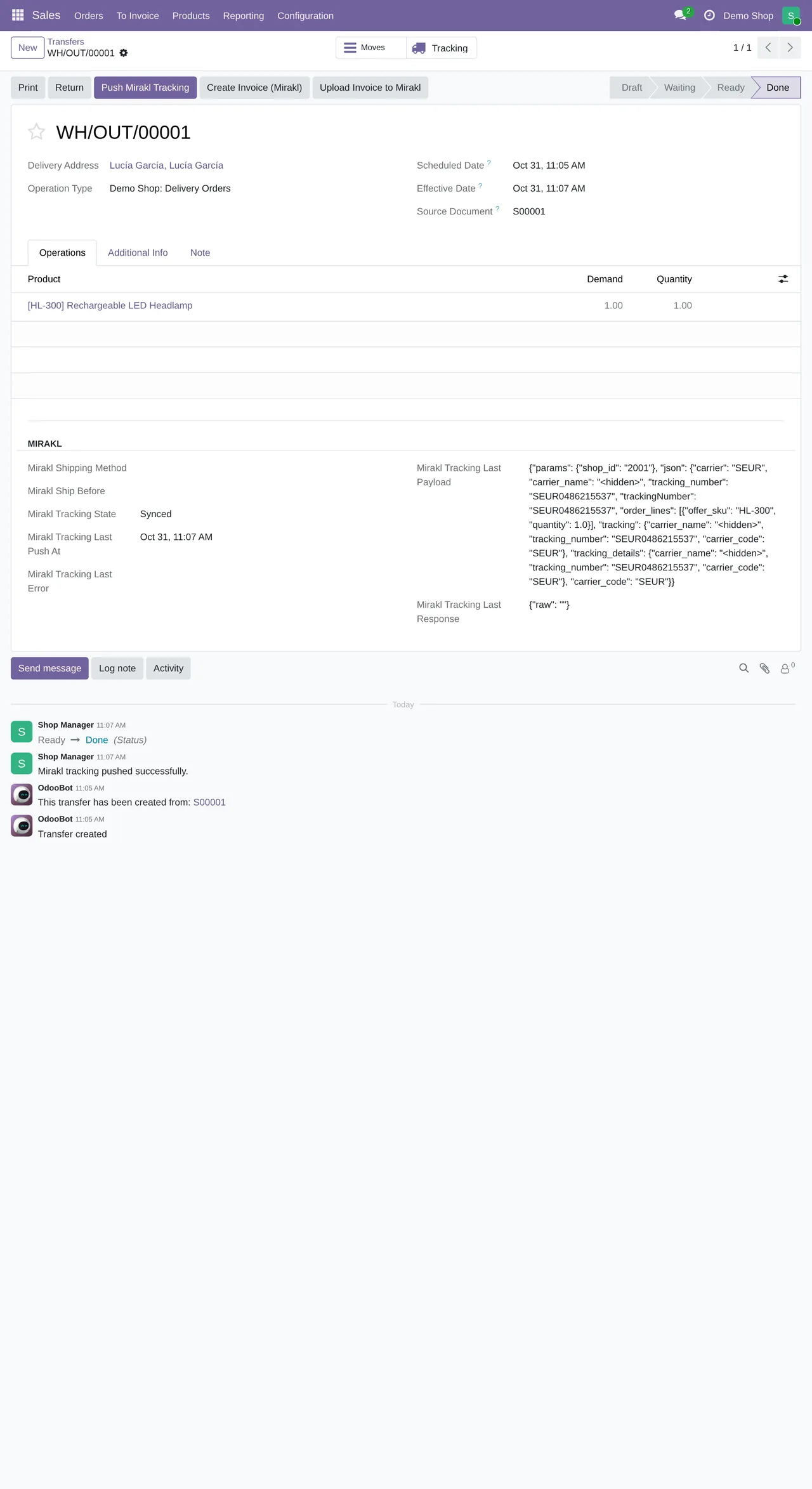
With these two profiles, validating the delivery of a Mirakl order in Odoo is enough to tell the marketplace, even with the "Send Tracking to Mirakl on Validation" box unticked, which is how it comes. On the generic profile, that box decides.
Before validating, Odoo updates the sale order from the Mirakl order and puts the buyer's delivery contact on the transfer. If that contact is missing the street, city, postcode or phone, it fetches the order from Mirakl again and rebuilds it.
Then the shipment goes in two steps. First the tracking (OR23). If Mirakl does not yet show the order as shipped, Odoo marks it as shipped (OR24). If the operator rejects the first step, for example with a 404 or because it does not recognise the carrier code, Odoo goes straight to the second. And when your Odoo carrier only translates to OTHER, it uses the carrier that came with the Mirakl order.
If the delivery has no tracking number
Nothing is sent. Odoo writes it on the transfer: Shipment not sent to Mirakl: this transfer has no tracking reference. Add the carrier's tracking number to the delivery and click Push Mirakl Tracking to notify the marketplace. Add the carrier's number and click "Push Mirakl Tracking", which sends the tracking by hand.
If the order lines are missing
With these two profiles, the shipment needs the Mirakl order lines. If Odoo finds them neither on the Mirakl order nor on the sale order, it stops with Missing Mirakl order lines to push tracking.
Can I have Leroy Merlin and Decathlon in the same Odoo?
Yes. Each operator is a separate marketplace under Mirakl › Configuration › Marketplaces, with its own profile, key and shop.
What if I don't want orders accepted automatically?
Untick "Auto Accept Orders" and "Accept Pending On Import" after choosing the profile, and save: what you set by hand beats the profile. If you later choose the profile again in "Provider Code", it will tick them again.
Keep reading
Checked in the connector's source code (version 17.0, 18.0, 19.0 and 20.0)
Sources
- Module source code: flexigobe_mirakl_connector · 17.0 f10058e · 18.0 0d42567 · 19.0 9939dcd · 20.0 5c53911: models/mirakl_instance.py (_onchange_provider_code, _apply_provider_defaults_to_record, _should_apply_provider_default), views/menu_views.xml, views/mirakl_instance_views.xml; flexigobe_mirakl_provider_leroy_merlin · 17.0 e4e5b5d · 18.0 01707b8 · 19.0 6e605bb · 20.0 f3f10df y flexigobe_mirakl_provider_decathlon · 17.0 d6944fe · 18.0 8b78e2d · 19.0 c0c6021 · 20.0 80e11d3: models/mirakl_instance.py (_mirakl_provider_default_values)
- Module source code: flexigobe_mirakl_connector · 17.0 f10058e · 18.0 0d42567 · 19.0 9939dcd · 20.0 5c53911: models/mirakl_instance.py (cron_sync_orders, cron_accept_orders, cron_sync_returns), data/ir_cron_data.xml
- Module source code: flexigobe_mirakl_connector · 17.0 f10058e · 18.0 0d42567 · 19.0 9939dcd · 20.0 5c53911: models/mirakl_instance.py (_mirakl_provider_known_hosts, _onchange_connection_urls, _mirakl_detect_provider_from_urls); proveedores Leroy Merlin y Decathlon (mismos commits que mir.prov.perfil): _mirakl_provider_detection_signatures
- Module source code: flexigobe_mirakl_provider_leroy_merlin · 17.0 e4e5b5d · 18.0 01707b8 · 19.0 6e605bb · 20.0 f3f10df: models/mirakl_instance.py; flexigobe_mirakl_provider_decathlon (commits de mir.prov.perfil): models/mirakl_instance.py; flexigobe_mirakl_connector (commits de mir.prov.perfil): models/mirakl_marketplace_profile_mixin.py
- Module source code: flexigobe_mirakl_connector · 17.0 f10058e · 18.0 0d42567 · 19.0 9939dcd · 20.0 5c53911: models/stock_picking.py (button_validate, _mirakl_sync_sale_shipping_contacts, action_mirakl_push_tracking), models/mirakl_instance.py (_mirakl_auto_push_tracking_on_validate), views/stock_picking_views.xml; proveedores Leroy Merlin y Decathlon: _mirakl_auto_push_tracking_on_validate y _mirakl_repair_shipping_before_validate devuelven True
- Module source code: flexigobe_mirakl_connector · 17.0 f10058e · 18.0 0d42567 · 19.0 9939dcd · 20.0 5c53911: models/mirakl_instance.py (push de seguimiento con _mirakl_supports_advanced_tracking_flow)