

 Español
 Català
 Deutsch
 Français
 Português
 Italiano
 Nederlands
 Polski
Before you install: version, purchase and local service
Which Odoo versions is it available for, and what does it cost?
India GST Compliance is published on Odoo Apps for 17.0, 18.0, 19.0 and 20.0. According to each listing, it costs €9 per Odoo version, a one-off payment excluding VAT, for 17, 18, 19 and 20. Before buying, check which version your database runs and pick the listing for that version. You will find it on Odoo Apps and on the module page at flexigotech.com.
What is the local service, and what happens if I don't subscribe or suspend it?
The module comes with a FlexigoTech Cloud local service, which costs €29/month or €290/year excluding VAT (the Pro plan is €58/month or €580/year excluding VAT). Without a subscription, or with the service suspended, whatever the subscription provides stops; your data stays in your Odoo. Settle this before go-live so you know what you are working with from day one.
Do I have to buy it again when I upgrade Odoo?
It depends on where you bought it. With the subscription, the module for new Odoo versions is included if you bought it at flexigotech.com. If you bought it on the Odoo App Store, each Odoo version is bought there. Keep a note of where you made the purchase: you will need it the day you plan the migration.
The status fields you need to understand
The module defines a lot of selection fields, and on screen you see the label, not the technical value. During setup it helps to link each label to its value and its field, especially when you build filters or need to describe a problem to whoever supports you. They are listed here as the module declares them; the order they appear in does not, on its own, describe which change leads to which.
What statuses does a GST return have?
There are several related fields. gstr1_status and gstr3b_status share the same values: pending (Pending), filed (Filed) and overdue (Overdue). The state field accepts draft (Draft), submitted (Submitted), filed (Filed) and rejected (Rejected). And report_status accepts draft (Draft), finalized (Finalized) and filed (Filed). The Filed label appears in all four fields, so always check which column you are reading before drawing conclusions.
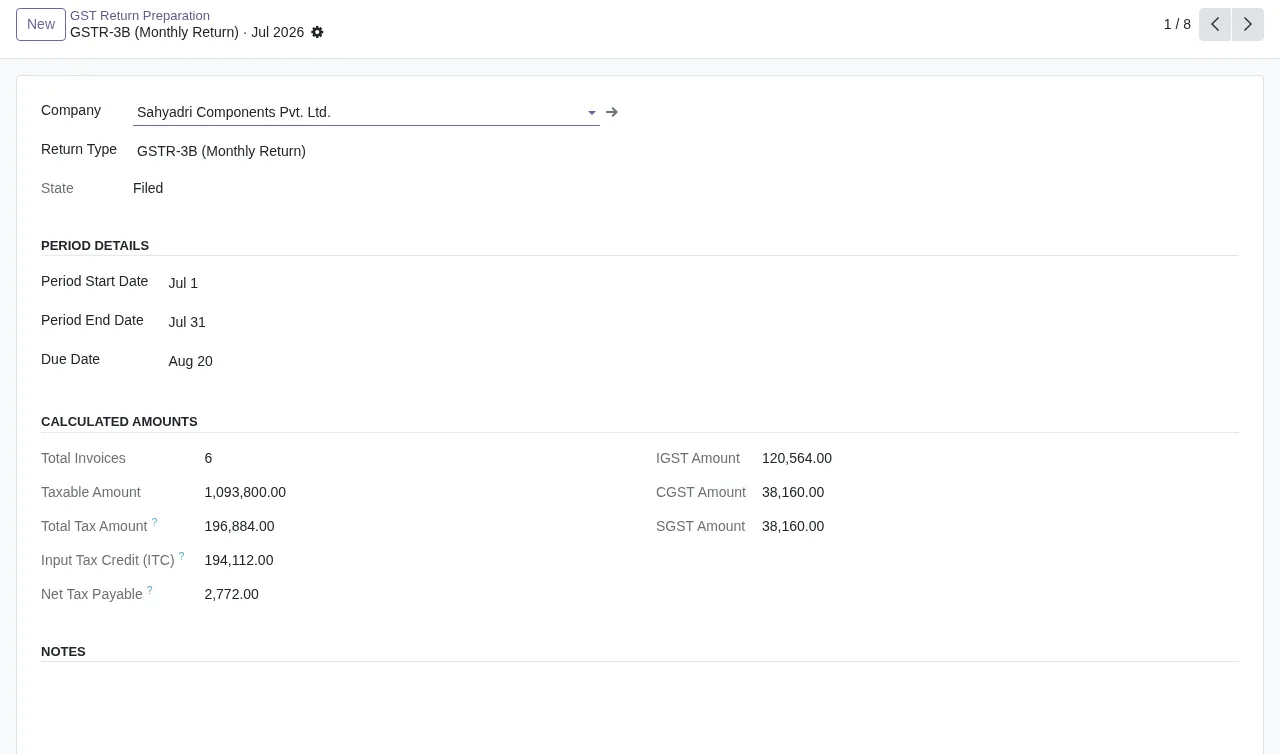
Filed, with the period dates, the calculated amounts and empty notes.What do Submitted to IRIS and IRN Generated mean?
They are labels of the submission_status field. Its values are draft (Draft), pending (Pending Submission), submitted (Submitted to IRIS), success (IRN Generated), failed (Submission Failed) and retrying (Retrying). Watch the mapping: on screen you read IRN Generated, but the technical value is success; and Pending Submission corresponds to pending. The module's error messages and warnings, with their literal text, are in the India GST Compliance errors article.
How do I read input tax credit and reconciliation statuses?
The itc_status field accepts available (Available), claimed (Claimed), rejected (Rejected) and ineligible (Ineligible). In the input tax credit list you will see some of these labels next to the eligible and claimed amount of each supplier invoice. For reconciliation there are two separate fields: gstr2b_reconciliation_status, with matched (Matched), unmatched (Unmatched) and pending (Pending), and reconciliation_status, with matched (Matched), unmatched (Unmatched) and missing (Missing - Supplier Never Filed). The second has a value the first lacks, so don't treat them as the same thing.
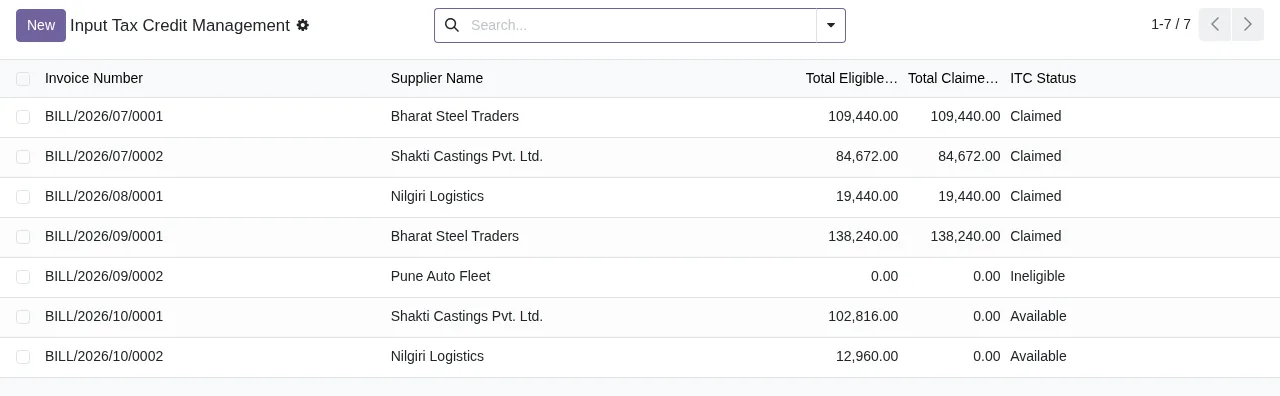
Claimed, Ineligible and Available, with the New button and the search bar at the top.And the rest of the status fields?
These are the others the module defines, with their labels:
audit_status:Scheduled,In Progress,CompletedandDisputed.gst_compliance_status:Compliant,Non-CompliantandPending Review.registration_status:Registered,Exempt,Voluntary RegistrationandCancelled.creditability_status:Excellent,Good,FairandPoor.- One
statusfield withSuccess,FailedandPending. - Another
statusfield withReceived,Processing,CompletedandDenied. - Another
statusfield withReceived,Assessment,Legal Hold - Tax Retention Required,Approved,ExecutedandDenied. - And another
statusfield withNot Started,In ProgressandCompleted.
As several fields share the technical name status, when you contact support give the record and the exact label you see, not just the field name.
What to check in the first week
Which lists should I open first?
Three screens give you a quick overview: input tax credit (Input Tax Credit Management), alerts (Compliance Alerts) and returns (GST Return Preparation). The alerts list has the columns Alert Type, Severity, Alert Date, Due Date and Resolved: go over which alerts are not resolved and what due date they carry.
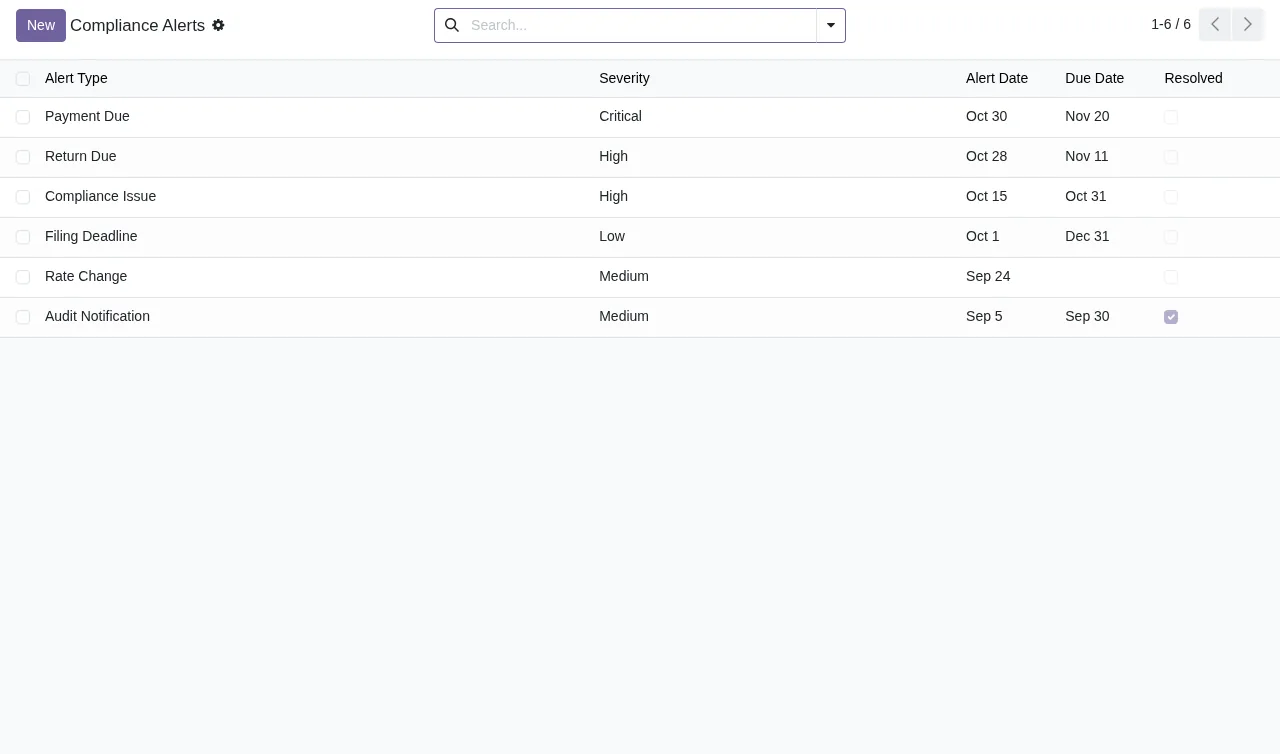
Which values should I look for in each list during the first few days?
A daily pass over these values tells you which records need a closer look:
Overdueingstr1_statusorgstr3b_status.Submission FailedandRetryinginsubmission_status.UnmatchedandPendingingstr2b_reconciliation_status, andMissing - Supplier Never Filedinreconciliation_status.RejectedandIneligibleinitc_status.Non-CompliantandPending Reviewingst_compliance_status.Disputedinaudit_statusandLegal Hold - Tax Retention Requiredin thestatusfield that includes it.Cancelledinregistration_status.
For each case, write down the record, the label and the day you saw it. That note is what you need to review it with your tax adviser or with us, and to check whether the value changes over the following days.
How FlexigoTech can help
FlexigoTech implements Odoo 17, 18, 19 and 20 and builds bespoke connectors and integrations. If you would rather understand first which menus the module adds and what a record goes through internally, start with how India GST Compliance works. If you already have it installed and something doesn't add up, send us your first-week note and we will go through it with you.
Keep reading
Checked in the module's source code (version 20.0) and the linked sources
Sources
- Module source code: flexigo_india_gst_compliance_suite 20.0 (b766f923): models/gst_audit_support.py
- Module source code: flexigo_india_gst_compliance_suite 20.0 (b766f923): models/gst_compliance_dashboard.py
- Module source code: flexigo_india_gst_compliance_suite 20.0 (b766f923): models/gst_filing_integration.py
- Module source code: flexigo_india_gst_compliance_suite 20.0 (b766f923): models/gst_input_tax_credit.py
- Module source code: flexigo_india_gst_compliance_suite 20.0 (b766f923): models/gst_invoice.py
- Module source code: flexigo_india_gst_compliance_suite 20.0 (b766f923): models/gst_report.py
- Module source code: flexigo_india_gst_compliance_suite 20.0 (b766f923): models/gst_reporting.py
- Module source code: flexigo_india_gst_compliance_suite 20.0 (b766f923): models/gst_return_preparation.py
- Module source code: flexigo_india_gst_compliance_suite 20.0 (b766f923): models/gst_security.py
- Module source code: flexigo_india_gst_compliance_suite 20.0 (b766f923): models/gst_training.py
- Module source code: flexigo_india_gst_compliance_suite 20.0 (b766f923): models/invoice_management.py
- Module source code: flexigo_india_gst_compliance_suite 20.0 (b766f923): models/registration_exemption_status.py
- apps.odoo.com/apps/modules/20.0/flexigo_india_gst_compliance_suite
- apps.odoo.com/apps/modules/17.0/flexigo_india_gst_compliance_suite
- apps.odoo.com/apps/modules/18.0/flexigo_india_gst_compliance_suite
- apps.odoo.com/apps/modules/19.0/flexigo_india_gst_compliance_suite
- flexigotech.com/en/services.html
- flexigotech.com/precios.html