

 Español
 Català
 Deutsch
 Français
 Português
 Italiano
 Nederlands
 Polski
What the module adds to the Odoo menu
Which menus appear when you install Flexigo Hospitality Properties and Rooms?
A main Hospitality menu appears with seven entries: Hospitality › Reservations, Hospitality › Guests, Hospitality › Rooms, Hospitality › Housekeeping, Hospitality › Channels, Hospitality › Compliance and Hospitality › Configuration. The Odoo Apps listing introduces it under the heading «Hotel rooms and reservations in Odoo». Channels, compliance and configuration have their own sub-menus, covered in the questions below.
Where do you set up properties, room types and rates?
In Hospitality › Configuration, which groups four sub-menus: Hospitality › Configuration › Properties, Hospitality › Configuration › Room Types, Hospitality › Configuration › Rate Plans and Hospitality › Configuration › Amenities. The room types list shows the name, code, maximum guests and base rate of each type at a glance.
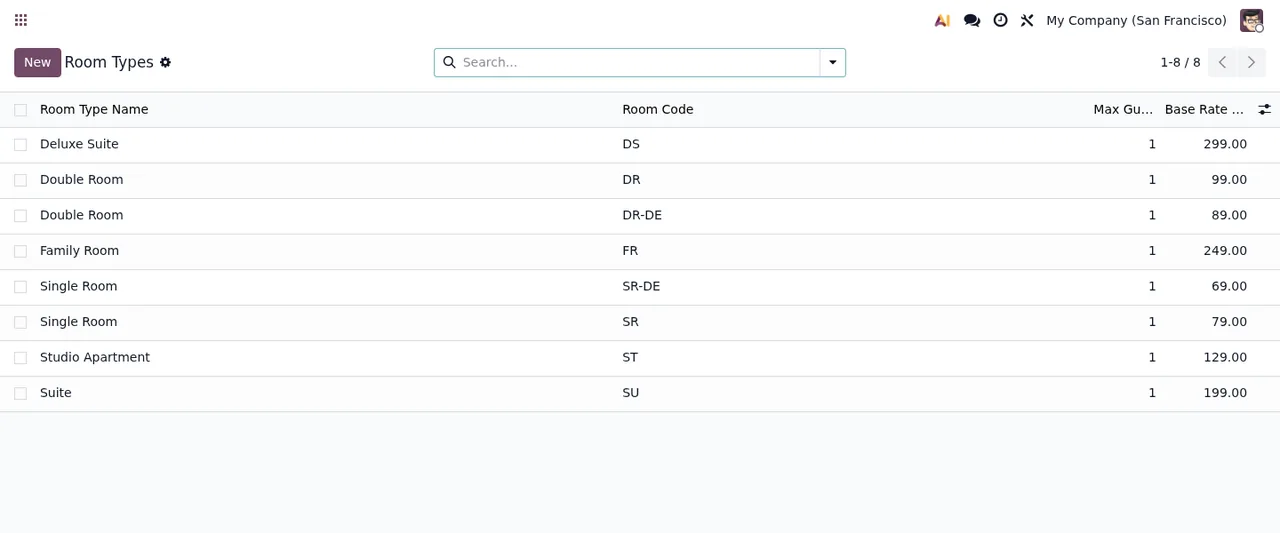
Room Types list with eight records, search bar and New buttonWhat is inside Hospitality › Channels?
Two sub-menus: Hospitality › Channels › OTA Channels and Hospitality › Channels › Commission Settlements. In the code, the models whose names tie them to channels are hotel.ota_channel (Hotel OTA Channel Configuration), hotel.commission_settlement (OTA Commission Settlement), hotel.commission_line_item (Commission Settlement Line Item) and hotel.ota_sync_log, named «OTA Sync Log (Immutable)». If you plan to connect a specific OTA, check with us first which one you need: here we only describe what you can see in the menu and the models.
What records it keeps and what one goes through
Which data models does the module create?
If you are preparing imports, reports or an integration, these are the technical names you will be looking for, grouped by topic:
- Property:
hotel.property(Hotel Property). - Rates:
hotel.rate_plan(Hotel Rate Plan),hotel.rate_seasonal_rule(Rate Seasonal Multiplier Rule),hotel.rate_occupancy_rule(Rate Occupancy-Based Pricing Rule),hotel.rate_lead_time_rule(Rate Lead Time Discount Rule),hotel.rate_los_discount(Rate Length of Stay Discount) andhotel.rate_channel_specific(Rate Channel Specific Pricing). - Guests:
hotel.guest_profile(Hotel Guest Profile) andhotel.guest_survey_response(Guest Survey Response). - Housekeeping:
hotel.housekeeping_task(Housekeeping Task) andhotel.housekeeping_checklist_item(Housekeeping Checklist Item). - Compliance:
hotel.dsar_request(Hospitality GDPR DSAR Request) andhotel.audit_log, named «Hotel Audit Log (Immutable)».
The names of the rate rules tell you what each one is about (season, occupancy, lead time, length of stay and channel-specific pricing).
What does a DSAR request go through inside Odoo?
Hospitality › Compliance has three entries: Hospitality › Compliance › DSAR Requests, Hospitality › Compliance › New DSAR Request and Hospitality › Compliance › Audit Log. The Create DSAR Request wizard shows a field for the guest profile (Guest Profile), the request type (Request Type, shown as Access Export in the screenshot) and some review notes (Review Notes), with the Create Request and Cancel buttons. Each request is a record of the hotel.dsar_request model, and the DSAR Requests list shows, among other columns, State and SLA Status. The states each record moves through are covered in the module set-up guide.
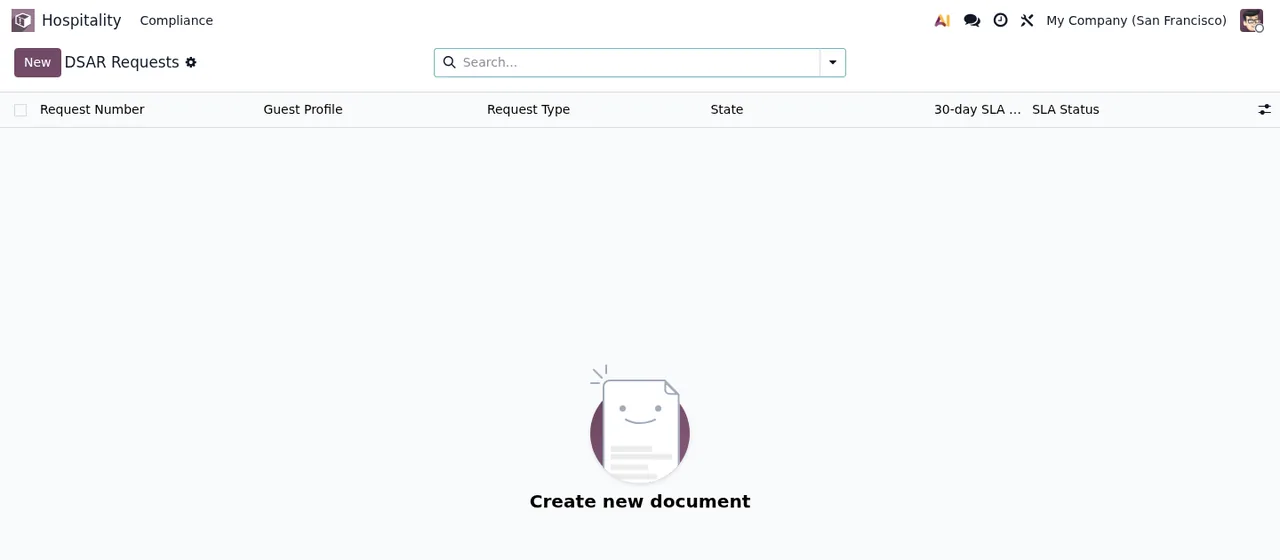
DSAR Requests list, still empty, with the «Create new document» prompt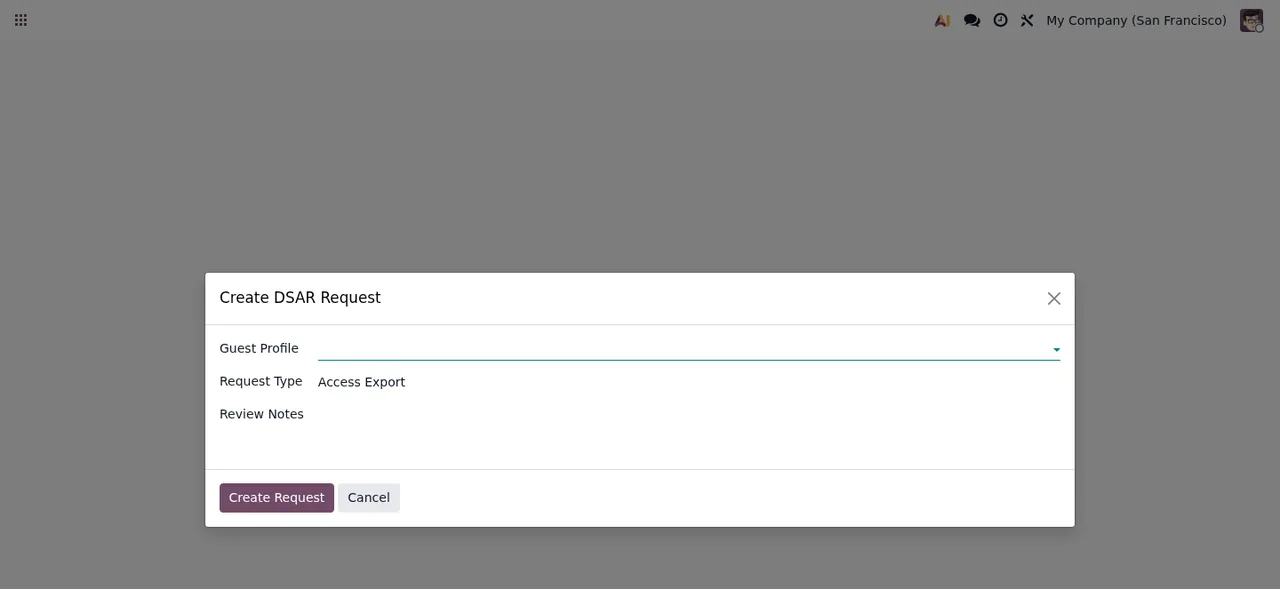
Create DSAR Request wizard, not yet filled in, over the dimmed screen
Properties list, still empty, with the «Create your first property» promptExternal service, versions and price
Does everything run inside Odoo, or is there an external part?
The Odoo Apps listing warns about it in the section «Before you buy: some features of this app use a paid external service». It is a module with a FlexigoTech Cloud local service: the service costs €29/month or €290/year excluding VAT (Pro: €58/month or €580/year excluding VAT). Without a subscription, or with the service suspended, whatever the subscription provides stops, but your data stays in your Odoo. The listing also has a Privacy policy section.
Which Odoo versions is it published for, and what does the module cost?
It is published on Odoo Apps for Odoo 17.0, 18.0 and 19.0, and the listing for each of those versions prices it at €9, a one-off payment per version, excluding VAT. If you buy it on the Odoo App Store, each Odoo version is bought there; with the subscription, the module for new Odoo versions is included if you bought it on flexigotech.com.
How FlexigoTech can help
FlexigoTech implements Odoo 17, 18, 19 and 20 and builds bespoke connectors and integrations, so we can help you configure properties, rates and channels or connect the module to the tools you already use. You will find the details and the purchase option on the module page, and if something goes wrong while using it, check the module's error messages and warnings.
Keep reading
Checked in the module's source code (version 19.0) and the linked sources
Sources
- Module source code: flexigo_hospitality_pms_channel_manager 19.0 (033514e0): views/menus.xml
- Module source code: flexigo_hospitality_pms_channel_manager 19.0 (033514e0): static/description/index.html
- Module source code: flexigo_hospitality_pms_channel_manager 19.0 (033514e0): models/hotel_audit_log.py
- Module source code: flexigo_hospitality_pms_channel_manager 19.0 (033514e0): models/hotel_commission_settlement.py
- Module source code: flexigo_hospitality_pms_channel_manager 19.0 (033514e0): models/hotel_dsar_request.py
- Module source code: flexigo_hospitality_pms_channel_manager 19.0 (033514e0): models/hotel_guest_profile.py
- Module source code: flexigo_hospitality_pms_channel_manager 19.0 (033514e0): models/hotel_guest_survey_response.py
- Module source code: flexigo_hospitality_pms_channel_manager 19.0 (033514e0): models/hotel_housekeeping_checklist_item.py
- Module source code: flexigo_hospitality_pms_channel_manager 19.0 (033514e0): models/hotel_housekeeping_task.py
- Module source code: flexigo_hospitality_pms_channel_manager 19.0 (033514e0): models/hotel_ota_channel.py
- Module source code: flexigo_hospitality_pms_channel_manager 19.0 (033514e0): models/hotel_property.py
- Module source code: flexigo_hospitality_pms_channel_manager 19.0 (033514e0): models/hotel_rate_plan.py
- apps.odoo.com/apps/modules/19.0/flexigo_hospitality_pms_channel_manager
- apps.odoo.com/apps/modules/17.0/flexigo_hospitality_pms_channel_manager
- apps.odoo.com/apps/modules/18.0/flexigo_hospitality_pms_channel_manager
- flexigotech.com/en/services.html
- flexigotech.com/precios.html