

 Español
 Català
 Deutsch
 Français
 Português
 Italiano
 Nederlands
 Polski
What GoCardless says
| Response | GoCardless text |
|---|---|
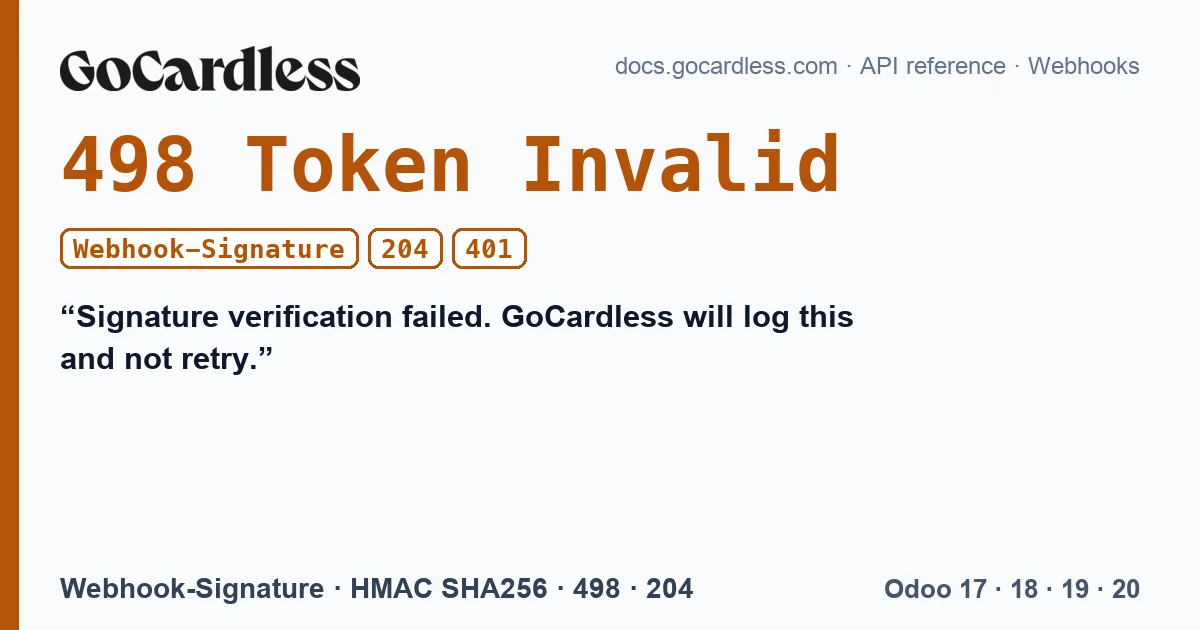
| 498 Token Invalid | Signature verification failed. GoCardless will log this and not retry. |
| 204 No Content | Event type is not recognised. GoCardless will not retry. |
Any response other than 2xx makes GoCardless try again: 9 delivery attempts in total, the first plus 8 retries, spaced further apart each time. It also waits for the response for 10 seconds at most.
How the signature is checked
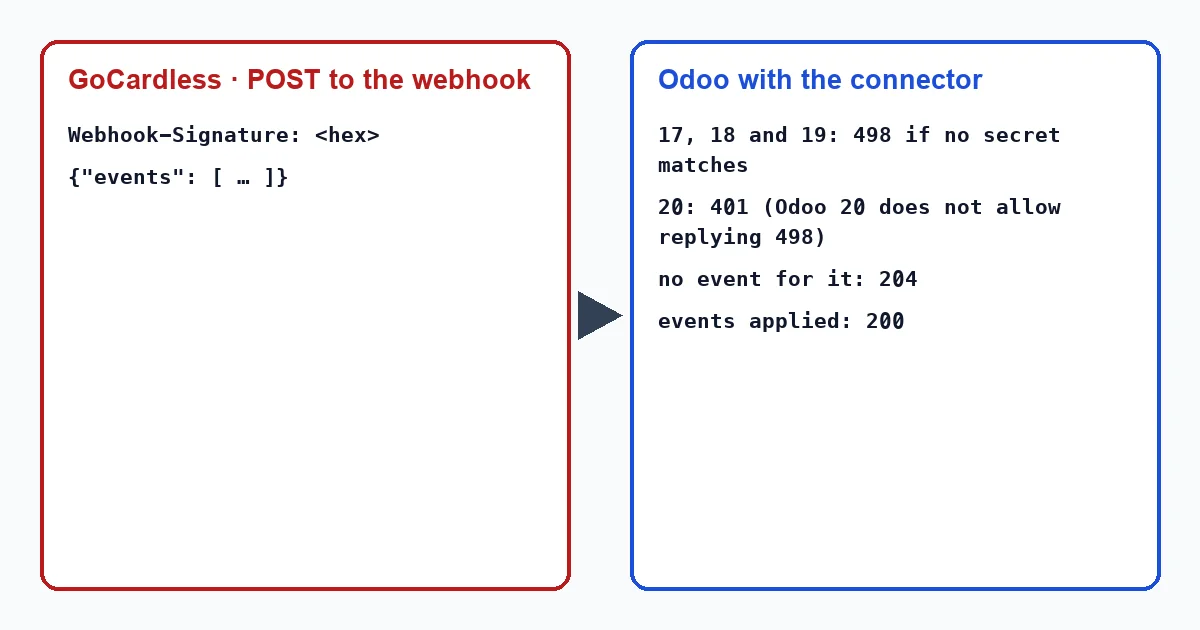
GoCardless signs each delivery with an HMAC SHA256 in hexadecimal of the body as it is, using the endpoint's secret, and sends it in the Webhook-Signature header. If the secret Odoo has is not the endpoint's, no signature matches. This happens when the secret is copied wrongly, when it is regenerated in the Dashboard without updating Odoo, or when events from another account are sent to an Odoo.
The connector does not stop at the first GoCardless configuration it finds: it looks for the one whose secret signed that delivery. So a forgotten test configuration does not reject real events.
What Odoo replies with the connector
| Situation | Odoo 17, 18 and 19 | Odoo 20 |
|---|---|---|
| No secret matches the signature | 498 | 401 |
| Good signature, no event is theirs | 204 | 204 |
| Events applied | 200 | 200 |
The difference in Odoo 20 is not a choice of the connector: its HTTP server does not let it reply with a code that is not standard, and 498 is not one. What happens next depends on how the events arrive. In advanced mode they go directly from GoCardless to Odoo: with a 401, GoCardless retries a delivery that will still not match, and a wrongly set secret shows up as a series of failed retries in the GoCardless Dashboard. With the two-click connection they arrive through FlexigoTech Cloud, which treats that 401 as final, just like a 498.
If an event does not arrive
GoCardless guarantees that each event arrives at least once, not exactly once: it can be repeated. The connector stores each event it applies, one per event and per GoCardless configuration, and if the same one arrives again it does not apply it twice. This matters with money: a payment confirmed twice must not register two collections on the invoice. And if an event is lost, the scheduled action that asks GoCardless every hour for the missing events recovers it, up to 100 per run.
What to do
- If you use the two-click connection (“Connect my GoCardless account”), the webhooks are set up by FlexigoTech Cloud: there is no secret to copy.
- In advanced mode (“Paste an access token (advanced)”), you create the endpoint and its secret yourself in the GoCardless Dashboard: copy the exact secret into the GoCardless configuration in Odoo.
- If you regenerate the secret, update it in Odoo straight away; until then, every delivery will fail.
- Check the failed deliveries in the GoCardless Dashboard: from there they can be resent by hand.
Why not reply 500 when the signature fails?
Because GoCardless would retry a delivery that will never match. The 498 tells it to stop; in Odoo 20, where it cannot be sent, the connector replies 401, and through FlexigoTech Cloud that 401 also counts as final.
With our connector
In Odoo 17, 18, 19 and 20 the connector checks the signature of each delivery against the secret of each GoCardless configuration, replies with the codes GoCardless understands and, in case something is lost, recovers the events every hour.
Keep reading
Checked in the connector's source code (version 17.0, 18.0, 19.0 and 20.0) and the linked sources
Sources
- docs.gocardless.com/docs/api-reference/webhooks
- Module source code: flexigo_payment_gocardless: models/gocardless_webhook_event.py, line 7 in 17.0 (d203ee6), 18.0 (e2ab18b), 19.0 (ce7f5a3) and 20.0 (688d86b)
- Module source code: flexigo_payment_gocardless: controllers/main.py, line 110 in 17.0 (d203ee6), 18.0 (e2ab18b) and 19.0 (ce7f5a3)
- Module source code: flexigo_payment_gocardless: controllers/main.py, line 113 in 20.0 (688d86b)
- Module source code: flexigo_payment_gocardless: controllers/main.py, line 128 in 17.0 (d203ee6), line 128 in 18.0 (e2ab18b), line 128 in 19.0 (ce7f5a3) and line 131 in 20.0 (688d86b)
- Module source code: flexigo_payment_gocardless: controllers/main.py, line 103 in 17.0 (d203ee6), line 103 in 18.0 (e2ab18b), line 103 in 19.0 (ce7f5a3) and line 106 in 20.0 (688d86b)
- Module source code: flexigo_payment_gocardless: const.py, line 117 in 17.0 (d203ee6), 18.0 (e2ab18b), 19.0 (ce7f5a3) and 20.0 (688d86b)
- Module source code: flexigo_payment_gocardless: models/payment_provider.py, line 71 in 17.0 (d203ee6), 18.0 (e2ab18b), 19.0 (ce7f5a3) and 20.0 (688d86b)
- Module source code: flexigo_payment_gocardless: __manifest__.py, line 6 in 17.0 (d203ee6), 18.0 (e2ab18b), 19.0 (ce7f5a3) and 20.0 (688d86b)
- Module source code: flexigo_payment_gocardless: models/payment_token.py, line 83 in 17.0 (d203ee6), line 83 in 18.0 (e2ab18b), line 83 in 19.0 (ce7f5a3) and line 82 in 20.0 (688d86b)
- Module source code: flexigo_payment_gocardless: __manifest__.py, line 31 in 17.0 (d203ee6), 18.0 (e2ab18b), 19.0 (ce7f5a3) and 20.0 (688d86b)
- docs.gocardless.com/docs/api-reference/responses-and-errors
- Module source code: flexigo_payment_gocardless: controllers/main.py, line 95 in 20.0 (688d86b)
- Module source code: flexigo_payment_gocardless: i18n/flexigo_payment_gocardless.pot, line 888 in 17.0 (d203ee6), line 888 in 18.0 (e2ab18b), line 888 in 19.0 (ce7f5a3) and line 903 in 20.0 (688d86b)
- Module source code: flexigo_payment_gocardless: i18n/flexigo_payment_gocardless.pot, line 143 in 17.0 (d203ee6), line 143 in 18.0 (e2ab18b), line 143 in 19.0 (ce7f5a3) and line 145 in 20.0 (688d86b)