

 Español
 Català
 Deutsch
 Français
 Português
 Italiano
 Nederlands
 Polski
What GoCardless says
| Event | Codes | GoCardless text |
|---|---|---|
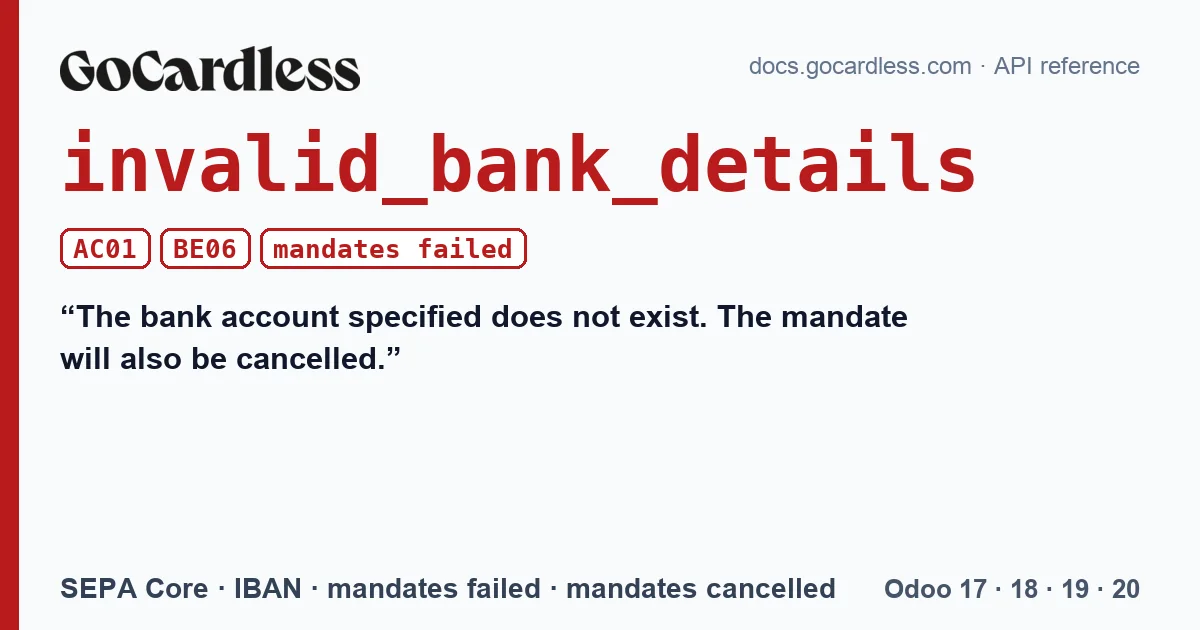
| payments · failed | AC01, BE06 | The bank account specified does not exist. The mandate will also be cancelled. |
| mandates · failed | AC01 | The bank account specified does not exist. Any subscriptions and pending payments will also be cancelled. |
| mandates · cancelled | AC01, BE06 | The bank account specified does not exist. Any subscriptions and pending payments will also be cancelled. |
When it appears
It depends on when the bank finds out. If the bank rejects the mandate when it is set up, GoCardless marks it as failed (mandates · failed) and nothing is ever collected. If the mandate was already active and the first collection bounces with AC01 or BE06, the payment fails and GoCardless cancels the mandate (mandates · cancelled), together with the pending payments on that mandate.
In both cases the fix is the same: the customer has to sign again with an account that exists.
What Odoo does with the connector
The connector reacts to each event separately, and it helps to know what each one does:
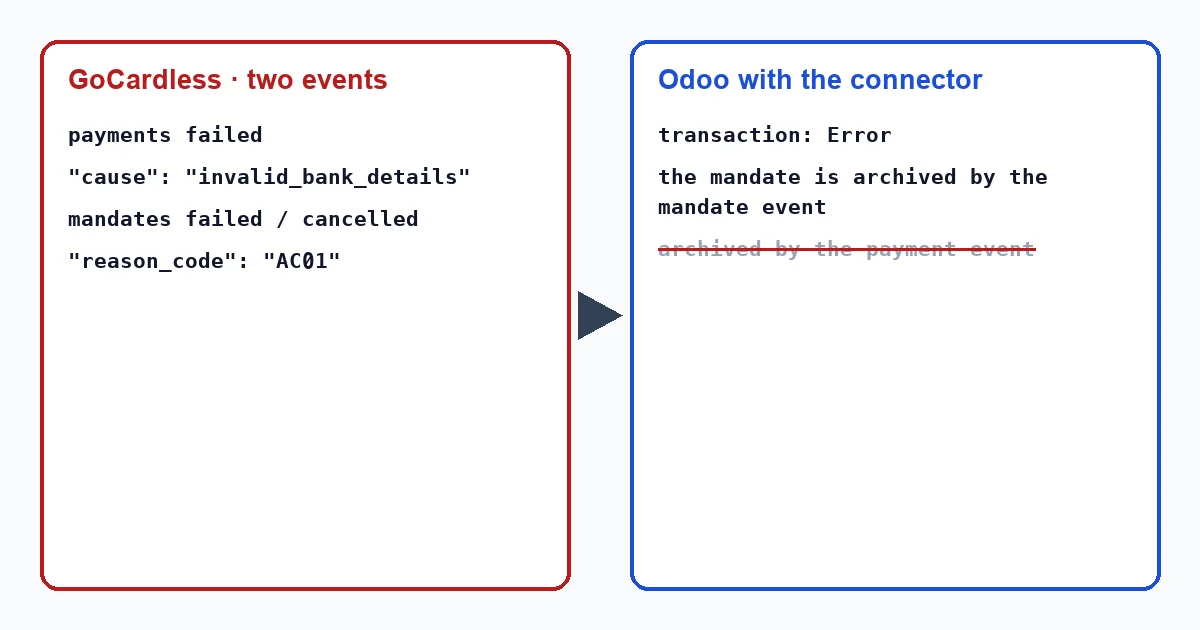
- The failed payment moves the transaction to error with “GoCardless could not collect this payment (invalid_bank_details).”. If the invoice had already been paid with that collection, it cancels the payment and the invoice is pending again.
- The mandate event, failed or cancelled, is the one that retires it: the connector treats mandates in those states as dead, archives the payment method, writes in the customer's record that the mandate can no longer be used and creates the activity “GoCardless mandate lost”.
The connector writes these texts when it applies the event, with nobody in front of the screen. The connector writes these texts in English, so in an English-language Odoo they appear exactly as quoted here, whether a user or a scheduled action triggers them: “GoCardless could not collect this payment (invalid_bank_details).” and “GoCardless mandate lost”.
The failed payment on its own does not archive the mandate: invalid_bank_details is not among the four causes for which the connector does so when it receives a payment. The mandate event archives it, and GoCardless always sends it in this case. If it were lost along the way, the task that recovers missed events every hour brings it back.
The transaction is opened from the invoice, with the “Payment Transaction” button at the top; the transactions menu only appears in developer mode, and in Odoo 20 it does not exist. While the mandate is not archived in Odoo, the transaction in error shows the “Retry collection” button, but it does nothing. GoCardless only retries a payment if its mandate is active, and with AC01 or BE06 it cancels it. If you press it and GoCardless rejects it, the connector checks the mandate and, if it is dead, archives it and says so in the transaction: “The customer's GoCardless mandate is …, so it cannot be charged. Ask the customer for a new mandate.”. Once the mandate is archived, the button stops appearing.
What to do
- Check the full IBAN with the customer: a single changed digit is enough for the account not to exist.
- Ask them to sign a new mandate with the correct account. It will be a new payment method in Odoo.
- Collect with them the invoices that are still pending; the ones GoCardless cancelled will not be presented again on their own.
- If the customer insists the IBAN was correct, have them check with their bank: AC01 and BE06 are their bank's answer, not GoCardless's. In Odoo you will only see the reason, because the connector does not store the SEPA code. According to GoCardless's help centre, the reason for each failure appears in the payment's timeline, in the Dashboard (“You are able to view the reason for a payment failure in the status timeline of the payment in your GoCardless dashboard.”).
Why are there two codes, AC01 and BE06?
GoCardless groups both under the same reason and the same text for SEPA Core. For you the consequence is identical: that account cannot be charged, and a new signature is needed.
Can the mandate's IBAN be corrected in Odoo?
No. The mandate is the authorisation the customer signed with that account; the correct account goes in a new mandate.
With our connector
In Odoo 17, 18, 19 and 20 the connector does not leave an unusable mandate in sight for the next invoice: it retires it when GoCardless marks it as failed or cancelled, reopens whatever needs reopening and records in the customer's record what happened.
Keep reading
Checked in the connector's source code (version 17.0, 18.0, 19.0 and 20.0) and the linked sources
Sources
- Module source code: flexigo_payment_gocardless: const.py, line 15 in 17.0 (d203ee6), 18.0 (e2ab18b), 19.0 (ce7f5a3) and 20.0 (688d86b)
- Module source code: flexigo_payment_gocardless: const.py, line 76 in 17.0 (d203ee6), 18.0 (e2ab18b), 19.0 (ce7f5a3) and 20.0 (688d86b)
- Module source code: flexigo_payment_gocardless: const.py, line 33 in 17.0 (d203ee6), 18.0 (e2ab18b), 19.0 (ce7f5a3) and 20.0 (688d86b)
- Module source code: flexigo_payment_gocardless: models/payment_token.py, line 83 in 17.0 (d203ee6), line 83 in 18.0 (e2ab18b), line 83 in 19.0 (ce7f5a3) and line 82 in 20.0 (688d86b)
- Module source code: flexigo_payment_gocardless: models/payment_token.py, line 131 in 17.0 (d203ee6), line 131 in 18.0 (e2ab18b), line 131 in 19.0 (ce7f5a3) and line 130 in 20.0 (688d86b)
- Module source code: flexigo_payment_gocardless: models/payment_transaction.py, line 725 in 17.0 (d203ee6), line 725 in 18.0 (e2ab18b), line 724 in 19.0 (ce7f5a3) and line 748 in 20.0 (688d86b)
- Module source code: flexigo_payment_gocardless: models/payment_transaction.py, line 754 in 17.0 (d203ee6), line 754 in 18.0 (e2ab18b), line 753 in 19.0 (ce7f5a3) and line 777 in 20.0 (688d86b)
- Module source code: flexigo_payment_gocardless: const.py, line 117 in 17.0 (d203ee6), 18.0 (e2ab18b), 19.0 (ce7f5a3) and 20.0 (688d86b)
- Module source code: flexigo_payment_gocardless: models/payment_transaction.py, line 442 in 17.0 (d203ee6), line 442 in 18.0 (e2ab18b), line 441 in 19.0 (ce7f5a3) and line 456 in 20.0 (688d86b)
- Module source code: flexigo_payment_gocardless: i18n/flexigo_payment_gocardless.pot, line 436 in 17.0 (d203ee6), line 436 in 18.0 (e2ab18b), line 436 in 19.0 (ce7f5a3) and line 438 in 20.0 (688d86b)
- Module source code: flexigo_payment_gocardless: i18n/flexigo_payment_gocardless.pot, line 1148 in 17.0 (d203ee6), line 1148 in 18.0 (e2ab18b), line 1148 in 19.0 (ce7f5a3) and line 1155 in 20.0 (688d86b)
- Module source code: flexigo_payment_gocardless: i18n/flexigo_payment_gocardless.pot, line 495 in 17.0 (d203ee6), line 495 in 18.0 (e2ab18b), line 495 in 19.0 (ce7f5a3) and line 497 in 20.0 (688d86b)
- Module source code: flexigo_payment_gocardless: __manifest__.py, line 31 in 17.0 (d203ee6), 18.0 (e2ab18b), 19.0 (ce7f5a3) and 20.0 (688d86b)
- docs.gocardless.com/docs/api-reference/events/payment
- docs.gocardless.com/docs/api-reference/events/mandate
- Module source code: flexigo_payment_gocardless: views/payment_transaction_views.xml, line 13 in 17.0 (d203ee6), 18.0 (e2ab18b), 19.0 (ce7f5a3) and 20.0 (688d86b)
- Module source code: flexigo_payment_gocardless: models/payment_transaction.py, line 63 in 17.0 (d203ee6), 18.0 (e2ab18b), 19.0 (ce7f5a3) and 20.0 (688d86b)
- Module source code: flexigo_payment_gocardless: models/payment_transaction.py, line 418 in 17.0 (d203ee6), line 418 in 18.0 (e2ab18b), line 417 in 19.0 (ce7f5a3) and line 432 in 20.0 (688d86b)
- Module source code: flexigo_payment_gocardless: i18n/flexigo_payment_gocardless.pot, line 1016 in 17.0 (d203ee6), line 1016 in 18.0 (e2ab18b), line 1016 in 19.0 (ce7f5a3) and line 1031 in 20.0 (688d86b)
- docs.gocardless.com/docs/api-reference/payment
- Module source code: flexigo_payment_gocardless: models/payment_transaction.py, line 469 in 17.0 (d203ee6), line 469 in 18.0 (e2ab18b), line 468 in 19.0 (ce7f5a3) and line 487 in 20.0 (688d86b)
- Module source code: flexigo_payment_gocardless: i18n/flexigo_payment_gocardless.pot, line 1233 in 17.0 (d203ee6), line 1233 in 18.0 (e2ab18b), line 1233 in 19.0 (ce7f5a3) and line 1240 in 20.0 (688d86b)
- github.com/odoo/odoo/blob/17.0/odoo/http.py
- support.gocardless.com/hc/en-gb/articles/360001467265
- Module source code: flexigo_payment_gocardless: const.py, line 66 in 17.0 (d203ee6), 18.0 (e2ab18b), 19.0 (ce7f5a3) and 20.0 (688d86b)
- github.com/odoo/odoo/blob/20.0/addons/account_payment/views/account_move_views.xml