

 Español
 Català
 Deutsch
 Français
 Português
 Italiano
 Nederlands
 Polski
What GoCardless says
| Reason | Type | GoCardless text |
|---|---|---|
total_amount_confirmation_invalid | invalid_state | Total amount refunded does not match the confirmation value. |
number_of_refunds_exceeded | invalid_state | Maximum of 5 refunds per payment already reached. |
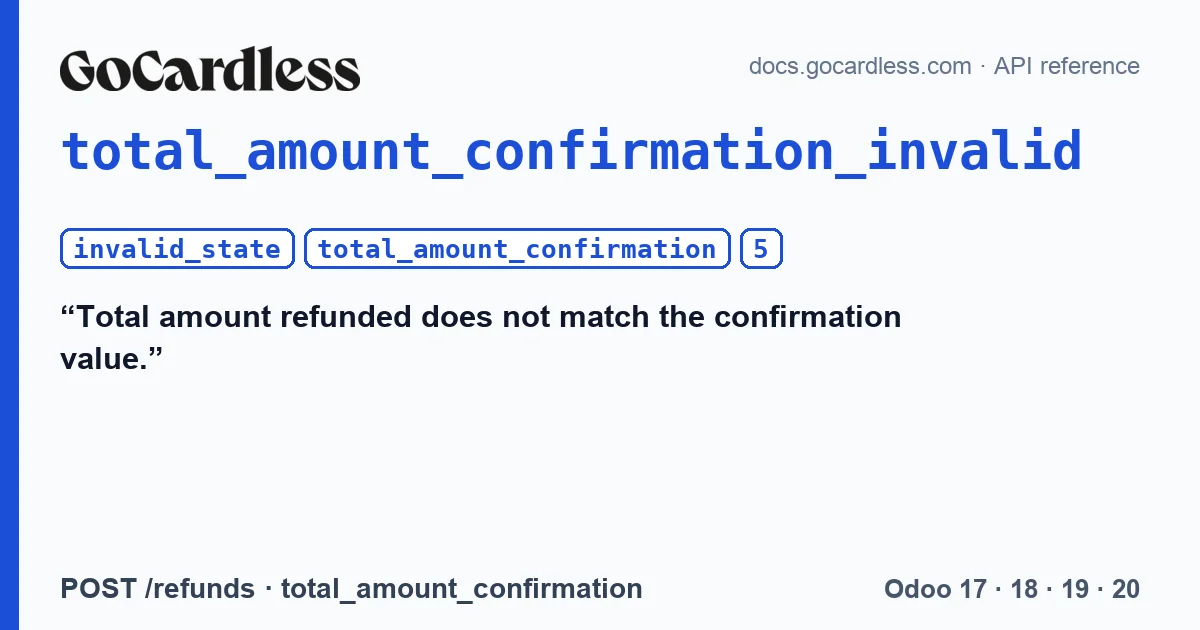
The refund reference explains the first one: “total_amount_confirmation_invalid if the confirmation amount doesn't match the total amount refunded for the payment.”. And this is what it is for: “This safeguard is there to prevent two processes from creating refunds without awareness of each other.”.
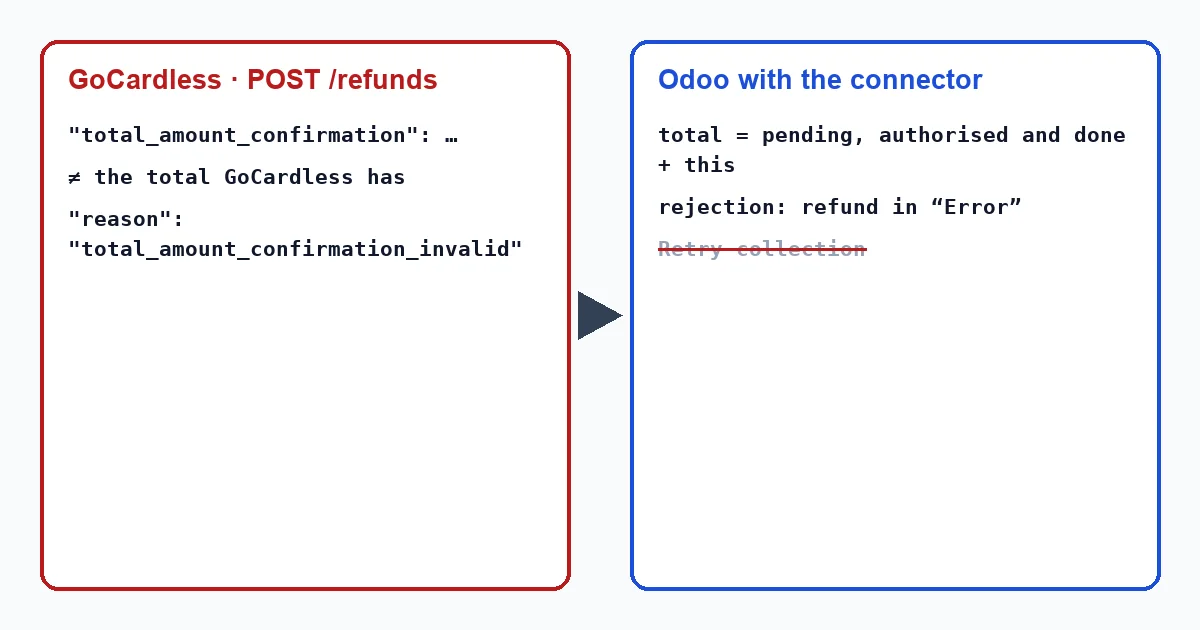
That field, GoCardless says, is the sum of the refunds the payment already has plus the one being created, in cents. In its example, a refund of 100 carries a total_amount_confirmation of 150: 50 had already been refunded on that payment.
How the connector calculates that figure
For each refund, the connector adds up the refunds on that collection that are pending, authorised or done in Odoo, and adds the new one. Refunds in error do not count. That sum is sent as total_amount_confirmation.
Counting pending ones too matters: a refund in transit has already been requested from GoCardless, and if it were not counted, the figure would fall short and GoCardless would reject the next one.
When it does not match
The figure comes from what Odoo knows. If someone refunded money from that collection through a route that does not go through Odoo, for example another program connected to the same GoCardless account, GoCardless has it on record and Odoo does not. The total the connector sends falls short, and GoCardless rejects the refund. That is exactly the case this safeguard exists for: if it accepted it, the customer would receive the same money twice.
number_of_refunds_exceeded is different: the connector allows partial refunds, and GoCardless accepts at most 5 per payment. The sixth is rejected even if there is still an amount left to refund.
What Odoo does with the connector
In Odoo, a collection is refunded from its payment, with the refund button, and only if its transaction is confirmed. The connector sends the refund with its idempotency key and, if GoCardless rejects it, the refund transaction moves to “Error” with “GoCardless rejected the request.” and, below it, GoCardless's message with the reason and the request_id in square brackets.
From version 1.1.5 on, a refund in error does not show the “Retry collection” button: a refund is not a collection.
What to do
- Open the collection's transaction from the invoice, with the “Payment Transaction” button at the top; the transactions menu only shows in developer mode, and it does not exist in Odoo 20. From there, the refunds button leads to the refund's transaction and its message.
- With
total_amount_confirmation_invalid, check the refunds of that payment in the GoCardless Dashboard. If any were made outside Odoo, the money has already gone back to the customer: do not refund it again from Odoo. - With
number_of_refunds_exceeded, that payment no longer accepts refunds in GoCardless. If you still have something to return, it will have to go through another route. - To avoid hitting the limit, combine into a single refund whatever needs to be returned from the same collection.
- If you need to contact GoCardless, keep the message's
request_id: their documentation asks you to include it when contacting their support.
Why doesn't Odoo see refunds made through another route?
GoCardless notifies each refund created by webhook, but the connector only applies those notifications to refunds it has in Odoo: one created another way has no transaction, and does not enter the figure.
Can I refund only part of a collection?
Yes. The connector allows partial refunds, up to the limit of 5 per payment set by GoCardless; each one carries the previous ones in its control figure.
With our connector
In Odoo 17, 18, 19 and 20 the connector sends, in every refund, the total refunded on that collection so far, counting the ones in transit, so that GoCardless stops a double refund instead of paying it out, and it records the rejection on the transaction with its request_id.
Keep reading
Checked in the connector's source code (version 17.0, 18.0, 19.0 and 20.0) and the linked sources
Sources
- docs.gocardless.com/docs/api-reference/responses-and-errors
- docs.gocardless.com/docs/api-reference/refund
- Module source code: flexigo_payment_gocardless: models/payment_transaction.py, line 550 in 17.0 (d203ee6), line 550 in 18.0 (e2ab18b), line 549 in 19.0 (ce7f5a3) and line 568 in 20.0 (688d86b)
- Module source code: flexigo_payment_gocardless: models/payment_transaction.py, line 389 in 17.0 (d203ee6), line 389 in 18.0 (e2ab18b), line 388 in 19.0 (ce7f5a3) and line 403 in 20.0 (688d86b)
- Module source code: flexigo_payment_gocardless: models/payment_transaction.py, line 383 in 17.0 (d203ee6), line 383 in 18.0 (e2ab18b), line 382 in 19.0 (ce7f5a3) and line 397 in 20.0 (688d86b)
- Module source code: flexigo_payment_gocardless: models/payment_provider.py, line 256 in 17.0 (d203ee6), 18.0 (e2ab18b), 19.0 (ce7f5a3) and 20.0 (688d86b)
- Module source code: flexigo_payment_gocardless: models/payment_transaction.py, line 397 in 17.0 (d203ee6), line 397 in 18.0 (e2ab18b), line 396 in 19.0 (ce7f5a3) and line 411 in 20.0 (688d86b)
- Module source code: flexigo_payment_gocardless: models/payment_provider.py, line 352 in 17.0 (d203ee6), 18.0 (e2ab18b), 19.0 (ce7f5a3) and 20.0 (688d86b)
- Module source code: flexigo_payment_gocardless: models/payment_provider.py, line 397 in 17.0 (d203ee6), 18.0 (e2ab18b), 19.0 (ce7f5a3) and 20.0 (688d86b)
- Module source code: flexigo_payment_gocardless: models/payment_provider.py, line 462 in 17.0 (d203ee6), 18.0 (e2ab18b), 19.0 (ce7f5a3) and 20.0 (688d86b)
- Module source code: flexigo_payment_gocardless: i18n/flexigo_payment_gocardless.pot, line 521 in 17.0 (d203ee6), line 521 in 18.0 (e2ab18b), line 521 in 19.0 (ce7f5a3) and line 523 in 20.0 (688d86b)
- Module source code: flexigo_payment_gocardless: models/payment_transaction.py, line 424 in 17.0 (d203ee6), line 424 in 18.0 (e2ab18b), line 423 in 19.0 (ce7f5a3) and line 438 in 20.0 (688d86b)
- Module source code: flexigo_payment_gocardless: models/payment_transaction.py, line 418 in 17.0 (d203ee6), line 418 in 18.0 (e2ab18b), line 417 in 19.0 (ce7f5a3) and line 432 in 20.0 (688d86b)
- Module source code: flexigo_payment_gocardless: models/payment_transaction.py, line 63 in 17.0 (d203ee6), 18.0 (e2ab18b), 19.0 (ce7f5a3) and 20.0 (688d86b)
- github.com/odoo/odoo/blob/20.0/addons/payment/models/payment_transaction.py
- github.com/odoo/odoo/blob/20.0/addons/account_payment/views/account_payment_views.xml
- github.com/odoo/odoo/blob/20.0/addons/payment/i18n/payment.pot
- github.com/odoo/odoo/blob/20.0/addons/account_payment/views/account_move_views.xml
- Module source code: flexigo_payment_gocardless: __manifest__.py, line 31 in 17.0 (d203ee6), 18.0 (e2ab18b), 19.0 (ce7f5a3) and 20.0 (688d86b)
- github.com/odoo/odoo/blob/17.0/odoo/http.py