

 Español
 Català
 Deutsch
 Français
 Português
 Italiano
 Nederlands
 Polski
What GoCardless says
| Where | Reason or cause | GoCardless text |
|---|---|---|
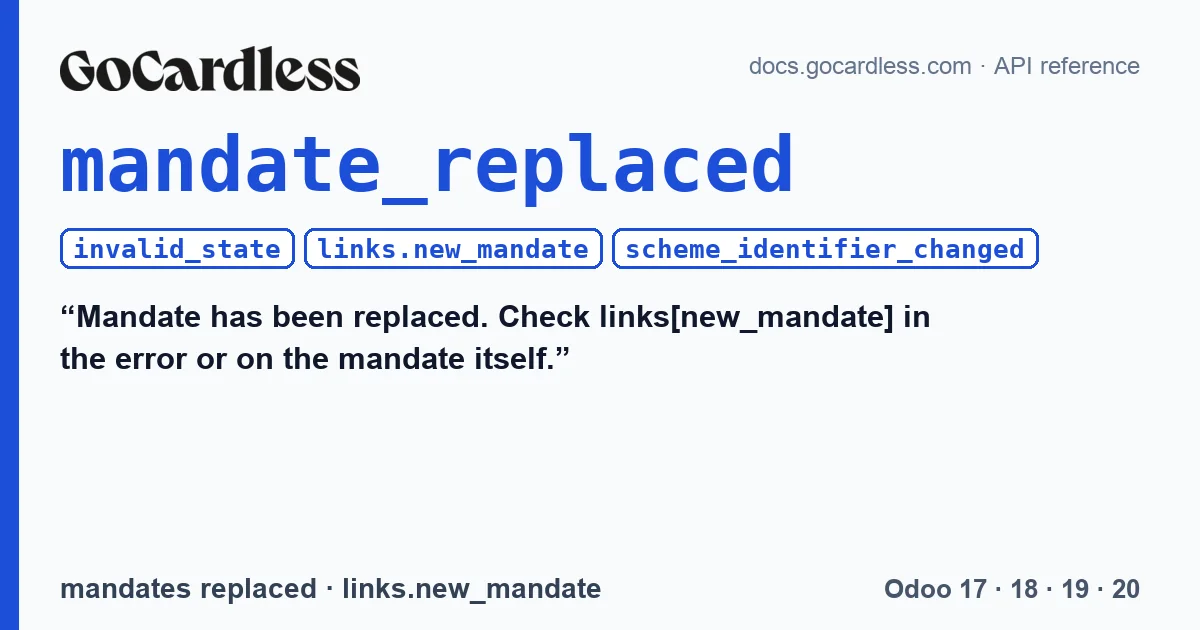
API, when creating a payment (invalid_state) | mandate_replaced | Mandate has been replaced. Check links[new_mandate] in the error or on the mandate itself. |
| mandates · replaced | scheme_identifier_changed | The creditor has changed to a different scheme identifier, so this mandate has been cancelled and replaced by a new one. |
The event documentation explains it like this: “The mandate has been cancelled and replaced by a new mandate (for example, because the creditor has moved to a new Service User Number).”. And what the event carries: “The event will include links[new_mandate] with the ID of the new mandate.”.
mandate_replaced is an invalid_state error: the action is not valid in the resource's current state. For these errors GoCardless asks you to inform the user and not retry (“invalid_state → inform the end user, do not allow retry.”).
When it appears
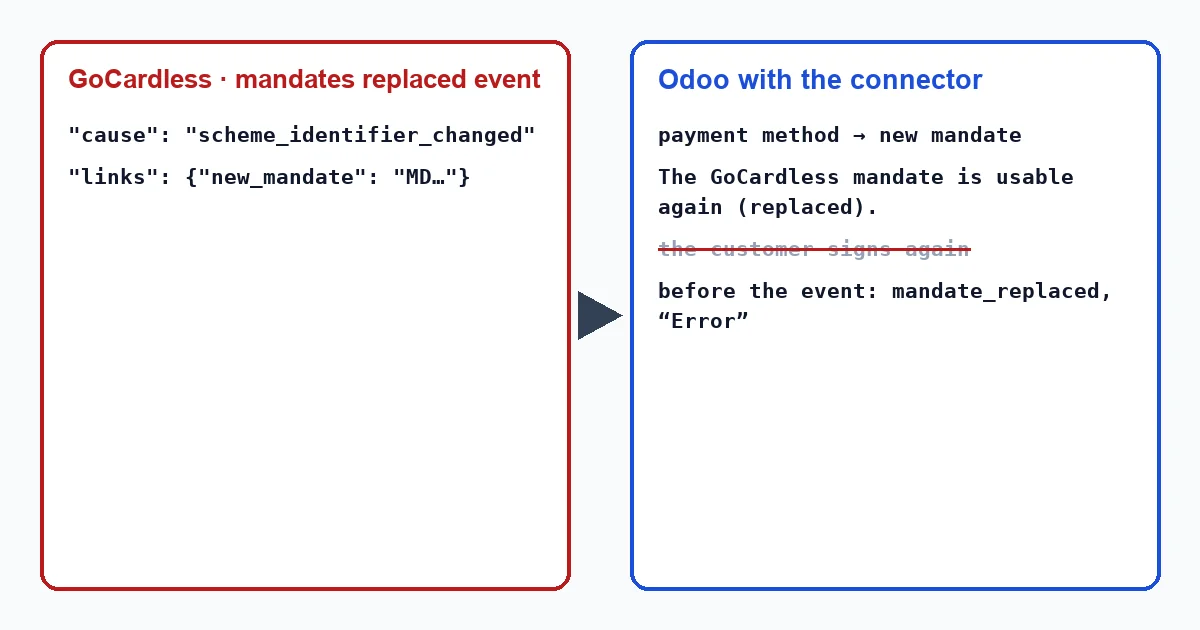
The customer and their bank do not cause this change: the replaced event has origin gocardless, and the documented cause is that the creditor, the account you collect with in GoCardless, has moved to a different scheme identifier. GoCardless cancels the old mandate and creates a new one in its place.
mandate_replaced only appears if Odoo tries to charge the old mandate: a subscription renewal being charged, or a payment registered with the customer's saved payment method, before Odoo has applied the event.
What the connector does in Odoo
With the replaced event:
- It takes the new mandate from
links.new_mandate. - It assigns the customer's saved payment method to that new mandate and keeps it as valid, instead of treating it as lost. If the method was archived, it reactivates it; Odoo 17 does not allow unarchiving a payment method, so there the connector creates a new one for the new mandate.
- It writes this note on the customer record: “The GoCardless mandate is usable again (replaced).”.
The connector writes that note when it applies the event, with no one involved. The connector writes these texts in English, so in an English-language Odoo they appear exactly as quoted here, whether a user or a scheduled action triggers them: “The GoCardless mandate is usable again (replaced).”.
With mandate_replaced on a payment, the connector does nothing special: when creating a payment it only handles mandate_is_inactive separately. The transaction goes to “Error” with “GoCardless rejected the request.” and, below it, the GoCardless message with mandate_replaced and the request_id in brackets. It takes the new mandate from the event, not from the error. The connector writes these texts in English, so in an English-language Odoo they appear exactly as quoted here, whether a user or a scheduled action triggers them: “GoCardless rejected the request.”.
What to do
- If a payment is stuck in error with
mandate_replaced, open the transaction from the invoice, with the “Payment Transaction” button at the top; the transactions menu only shows in developer mode, and it does not exist in Odoo 20. - Check the customer record for the note that the mandate is usable again (replaced). If it is there, the payment method already points to the new mandate.
- If it is not there, the event has not arrived yet. The hourly task that recovers missed events brings it in; if it takes longer than that, check that GoCardless webhooks reach Odoo.
- With the payment method up to date, charge the invoice again.
Does the customer have to sign again?
No, not to keep charging through the connector: GoCardless creates the new mandate and the connector moves the saved payment method to it.
What happens in Odoo 17?
The same, with one difference: if the old payment method was archived, Odoo 17 does not allow reactivating it, so the connector creates a new one for the new mandate. In 18, 19 and 20 it reactivates the existing one.
With our connector
In Odoo 17, 18, 19 and 20 the connector follows the new mandate as soon as GoCardless reports the replacement: the customer keeps their payment method, and the next invoice is charged against the mandate GoCardless put in its place.
Keep reading
Checked in the connector's source code (version 17.0, 18.0, 19.0 and 20.0) and the linked sources
Sources
- docs.gocardless.com/docs/api-reference/responses-and-errors
- docs.gocardless.com/docs/api-reference/events/mandate
- Module source code: flexigo_payment_gocardless: models/payment_token.py, line 72 in 17.0 (d203ee6), line 72 in 18.0 (e2ab18b), line 72 in 19.0 (ce7f5a3) and line 71 in 20.0 (688d86b)
- Module source code: flexigo_payment_gocardless: const.py, line 150 in 17.0 (d203ee6), 18.0 (e2ab18b), 19.0 (ce7f5a3) and 20.0 (688d86b)
- Module source code: flexigo_payment_gocardless: const.py, line 158 in 17.0 (d203ee6), 18.0 (e2ab18b), 19.0 (ce7f5a3) and 20.0 (688d86b)
- Module source code: flexigo_payment_gocardless: models/payment_token.py, line 77 in 17.0 (d203ee6), line 77 in 18.0 (e2ab18b), line 77 in 19.0 (ce7f5a3) and line 76 in 20.0 (688d86b)
- Module source code: flexigo_payment_gocardless: models/payment_token.py, line 96 in 17.0 (d203ee6), line 96 in 18.0 (e2ab18b), line 96 in 19.0 (ce7f5a3) and line 95 in 20.0 (688d86b)
- Module source code: flexigo_payment_gocardless: i18n/flexigo_payment_gocardless.pot, line 1157 in 17.0 (d203ee6), line 1157 in 18.0 (e2ab18b), line 1157 in 19.0 (ce7f5a3) and line 1164 in 20.0 (688d86b)
- Module source code: flexigo_payment_gocardless: models/payment_transaction.py, line 278 in 17.0 (d203ee6), line 278 in 18.0 (e2ab18b), line 278 in 19.0 (ce7f5a3) and line 289 in 20.0 (688d86b)
- Module source code: flexigo_payment_gocardless: models/payment_transaction.py, line 281 in 17.0 (d203ee6), line 281 in 18.0 (e2ab18b), line 281 in 19.0 (ce7f5a3) and line 292 in 20.0 (688d86b)
- Module source code: flexigo_payment_gocardless: models/payment_provider.py, line 397 in 17.0 (d203ee6), 18.0 (e2ab18b), 19.0 (ce7f5a3) and 20.0 (688d86b)
- Module source code: flexigo_payment_gocardless: models/payment_provider.py, line 462 in 17.0 (d203ee6), 18.0 (e2ab18b), 19.0 (ce7f5a3) and 20.0 (688d86b)
- Module source code: flexigo_payment_gocardless: i18n/flexigo_payment_gocardless.pot, line 521 in 17.0 (d203ee6), line 521 in 18.0 (e2ab18b), line 521 in 19.0 (ce7f5a3) and line 523 in 20.0 (688d86b)
- Module source code: flexigo_payment_gocardless: const.py, line 117 in 17.0 (d203ee6), 18.0 (e2ab18b), 19.0 (ce7f5a3) and 20.0 (688d86b)
- Module source code: flexigo_payment_gocardless: models/payment_transaction.py, line 247 in 17.0 (d203ee6), line 247 in 18.0 (e2ab18b), line 247 in 19.0 (ce7f5a3) and line 258 in 20.0 (688d86b)
- github.com/odoo/odoo/blob/20.0/addons/payment/i18n/payment.pot
- github.com/odoo/odoo/blob/20.0/addons/account_payment/views/account_move_views.xml
- github.com/odoo/odoo/blob/17.0/odoo/http.py
- Module source code: flexigo_payment_gocardless: __manifest__.py, line 31 in 17.0 (d203ee6), 18.0 (e2ab18b), 19.0 (ce7f5a3) and 20.0 (688d86b)