

 Español
 Català
 Deutsch
 Français
 Português
 Italiano
 Nederlands
 Polski
What GoCardless says
| Event | Reason | Codes | GoCardless text |
|---|---|---|---|
| payments · failed | direct_debit_not_enabled | AG01, AC06 | The bank account for this payment does not support SEPA Direct Debit. The mandate will also be cancelled. |
| payments · failed | account_blocked_for_any_financial_transaction | AC06 | This payment failed because the payer's account was blocked. |
| mandates · cancelled | direct_debit_not_enabled | AG01, AC06 | The bank account for this mandate does not support SEPA direct debit. Any subscriptions and pending payments will also be cancelled. |
| mandates · cancelled | account_blocked_for_any_financial_transaction | AC06 | The bank account for this mandate was blocked. Any subscriptions and pending payments will also be cancelled. |
Both reasons also appear in payments · cancelled: those are the collections that were still waiting to be submitted under that mandate and that GoCardless cancels along with it.
Where it comes from
Here it is not the signature that fails, it is the account. The mandate exists, but when GoCardless submits the debit, the customer's bank answers that direct debits are not accepted on that account, or that it is blocked. That is why these events have origin bank: they are decided by the payer's bank.
direct_debit_not_enabled drags the mandate down with it. GoCardless cancels it, and with it go any subscriptions and collections it had pending. With account_blocked_for_any_financial_transaction the account is blocked; when GoCardless also cancels the mandate for that reason, it reports it in its own event, with the same reason.
What Odoo does with each event
| Event received | What the connector does |
|---|---|
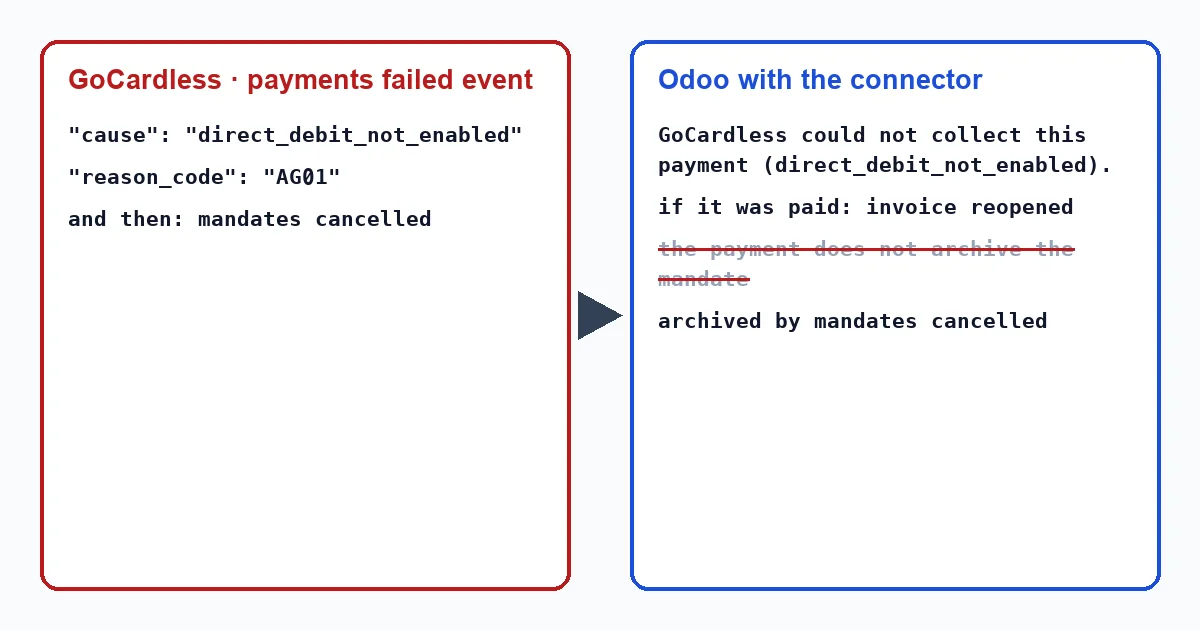
| payments · failed | The transaction moves to “Error” with “GoCardless could not collect this payment (direct_debit_not_enabled).”, or with the blocked-account reason. If that collection had already paid the invoice, it cancels the payment and the invoice is left unpaid again. |
| payments · cancelled | Same as a failed payment. |
| mandates · cancelled | Archives the payment method, writes on the customer's record that this mandate is no longer valid and creates the activity “GoCardless mandate lost”. |
Mind the order: the payment event does not retire the mandate, because these reasons are not among the four that make the connector archive it when it receives a payment. The mandate event does that. And if it does not arrive through the webhook, the hourly task that looks for missed events picks it up.
The two quoted texts in the table come from an event, not from a click. The connector writes these texts in English, so in an English-language Odoo they appear exactly as quoted here, whether a user or a scheduled action triggers them: “GoCardless could not collect this payment (direct_debit_not_enabled).” and “GoCardless mandate lost”.
Nor should you wait for Success+: its guide says it only retries payments that fail for lack of funds. The connector, in any case, checks the event's will_attempt_retry field on every failure, and if it is not true it leaves the transaction in error.
And the retry button
To see the message, open the invoice and click “Payment Transaction” at the top. The transactions menu only appears in developer mode and in Odoo 20 it is no longer there.
On a failed payment, as long as Odoo has not archived the mandate, that transaction offers “Retry collection”; on a cancelled one, it does not. It is of little use: GoCardless only retries payments whose mandate is still active, and with direct_debit_not_enabled it has just cancelled it. If the response is retry_failed or mandate_is_inactive, the connector asks about the mandate, archives it if it is dead and leaves a note on the transaction: “The customer's GoCardless mandate is …, so it cannot be charged. Ask the customer for a new mandate.”. From then on the button disappears.
What to do
- Talk to the customer. If the account does not accept direct debits, you need another one that does; if it is blocked (AC06), they will first have to sort it out with their bank.
- With a working account, the customer signs a new mandate, which will appear in Odoo as another payment method.
- Collect the open invoices again with that method. The collections cancelled by GoCardless will not be submitted on their own.
- If you need the exact code, look it up in GoCardless, because Odoo only stores the reason: the connector does not keep the SEPA code. Its help centre explains it like this: “You are able to view the reason for a payment failure in the status timeline of the payment in your GoCardless dashboard.”.
Why does AC06 appear on both reasons?
GoCardless uses the same code AC06 for an account that does not accept direct debits and for a blocked account. In practice it makes no difference: that account is of no use for collecting today, and you need another one or the bank must unblock it.
Can I reactivate the mandate?
If the account does not accept direct debits, it makes no sense: it would still not accept them. What you need is a new mandate with another account.
With our connector
With Odoo 17, 18, 19 and 20, this failure does not stay hidden: the transaction shows the GoCardless reason, the invoice is reopened if it had been paid and, as soon as the mandate cancellation arrives, the customer is flagged so you ask for another account before the next invoice.
Keep reading
Checked in the connector's source code (version 17.0, 18.0, 19.0 and 20.0) and the linked sources
Sources
- Module source code: flexigo_payment_gocardless: const.py, line 15 in 17.0 (d203ee6), 18.0 (e2ab18b), 19.0 (ce7f5a3) and 20.0 (688d86b)
- docs.gocardless.com/docs/api-reference/events/payment
- docs.gocardless.com/docs/api-reference/events/mandate
- Module source code: flexigo_payment_gocardless: const.py, line 76 in 17.0 (d203ee6), 18.0 (e2ab18b), 19.0 (ce7f5a3) and 20.0 (688d86b)
- Module source code: flexigo_payment_gocardless: const.py, line 33 in 17.0 (d203ee6), 18.0 (e2ab18b), 19.0 (ce7f5a3) and 20.0 (688d86b)
- Module source code: flexigo_payment_gocardless: models/payment_token.py, line 83 in 17.0 (d203ee6), line 83 in 18.0 (e2ab18b), line 83 in 19.0 (ce7f5a3) and line 82 in 20.0 (688d86b)
- Module source code: flexigo_payment_gocardless: models/payment_token.py, line 131 in 17.0 (d203ee6), line 131 in 18.0 (e2ab18b), line 131 in 19.0 (ce7f5a3) and line 130 in 20.0 (688d86b)
- Module source code: flexigo_payment_gocardless: models/payment_transaction.py, line 725 in 17.0 (d203ee6), line 725 in 18.0 (e2ab18b), line 724 in 19.0 (ce7f5a3) and line 748 in 20.0 (688d86b)
- Module source code: flexigo_payment_gocardless: models/payment_transaction.py, line 754 in 17.0 (d203ee6), line 754 in 18.0 (e2ab18b), line 753 in 19.0 (ce7f5a3) and line 777 in 20.0 (688d86b)
- Module source code: flexigo_payment_gocardless: const.py, line 117 in 17.0 (d203ee6), 18.0 (e2ab18b), 19.0 (ce7f5a3) and 20.0 (688d86b)
- Module source code: flexigo_payment_gocardless: const.py, line 74 in 17.0 (d203ee6), 18.0 (e2ab18b), 19.0 (ce7f5a3) and 20.0 (688d86b)
- Module source code: flexigo_payment_gocardless: models/payment_transaction.py, line 435 in 17.0 (d203ee6), line 435 in 18.0 (e2ab18b), line 434 in 19.0 (ce7f5a3) and line 449 in 20.0 (688d86b)
- docs.gocardless.com/docs/optimise/reduced-failed-payments-with-success-plus
- Module source code: flexigo_payment_gocardless: i18n/flexigo_payment_gocardless.pot, line 436 in 17.0 (d203ee6), line 436 in 18.0 (e2ab18b), line 436 in 19.0 (ce7f5a3) and line 438 in 20.0 (688d86b)
- Module source code: flexigo_payment_gocardless: i18n/flexigo_payment_gocardless.pot, line 1148 in 17.0 (d203ee6), line 1148 in 18.0 (e2ab18b), line 1148 in 19.0 (ce7f5a3) and line 1155 in 20.0 (688d86b)
- Module source code: flexigo_payment_gocardless: i18n/flexigo_payment_gocardless.pot, line 495 in 17.0 (d203ee6), line 495 in 18.0 (e2ab18b), line 495 in 19.0 (ce7f5a3) and line 497 in 20.0 (688d86b)
- Module source code: flexigo_payment_gocardless: views/payment_transaction_views.xml, line 13 in 17.0 (d203ee6), 18.0 (e2ab18b), 19.0 (ce7f5a3) and 20.0 (688d86b)
- Module source code: flexigo_payment_gocardless: models/payment_transaction.py, line 63 in 17.0 (d203ee6), 18.0 (e2ab18b), 19.0 (ce7f5a3) and 20.0 (688d86b)
- Module source code: flexigo_payment_gocardless: models/payment_transaction.py, line 418 in 17.0 (d203ee6), line 418 in 18.0 (e2ab18b), line 417 in 19.0 (ce7f5a3) and line 432 in 20.0 (688d86b)
- Module source code: flexigo_payment_gocardless: i18n/flexigo_payment_gocardless.pot, line 1016 in 17.0 (d203ee6), line 1016 in 18.0 (e2ab18b), line 1016 in 19.0 (ce7f5a3) and line 1031 in 20.0 (688d86b)
- docs.gocardless.com/docs/api-reference/payment
- Module source code: flexigo_payment_gocardless: models/payment_transaction.py, line 469 in 17.0 (d203ee6), line 469 in 18.0 (e2ab18b), line 468 in 19.0 (ce7f5a3) and line 487 in 20.0 (688d86b)
- Module source code: flexigo_payment_gocardless: i18n/flexigo_payment_gocardless.pot, line 1233 in 17.0 (d203ee6), line 1233 in 18.0 (e2ab18b), line 1233 in 19.0 (ce7f5a3) and line 1240 in 20.0 (688d86b)
- github.com/odoo/odoo/blob/20.0/addons/payment/i18n/payment.pot
- github.com/odoo/odoo/blob/20.0/addons/account_payment/views/account_move_views.xml
- github.com/odoo/odoo/blob/17.0/odoo/http.py
- support.gocardless.com/hc/en-gb/articles/360001467265
- Module source code: flexigo_payment_gocardless: const.py, line 66 in 17.0 (d203ee6), 18.0 (e2ab18b), 19.0 (ce7f5a3) and 20.0 (688d86b)
- Module source code: flexigo_payment_gocardless: __manifest__.py, line 31 in 17.0 (d203ee6), 18.0 (e2ab18b), 19.0 (ce7f5a3) and 20.0 (688d86b)
- docs.gocardless.com/docs/api-reference/responses-and-errors