

 Español
 Català
 Deutsch
 Français
 Português
 Italiano
 Nederlands
 Polski
What GoCardless says
| Reason | Type | HTTP | GoCardless text |
|---|---|---|---|
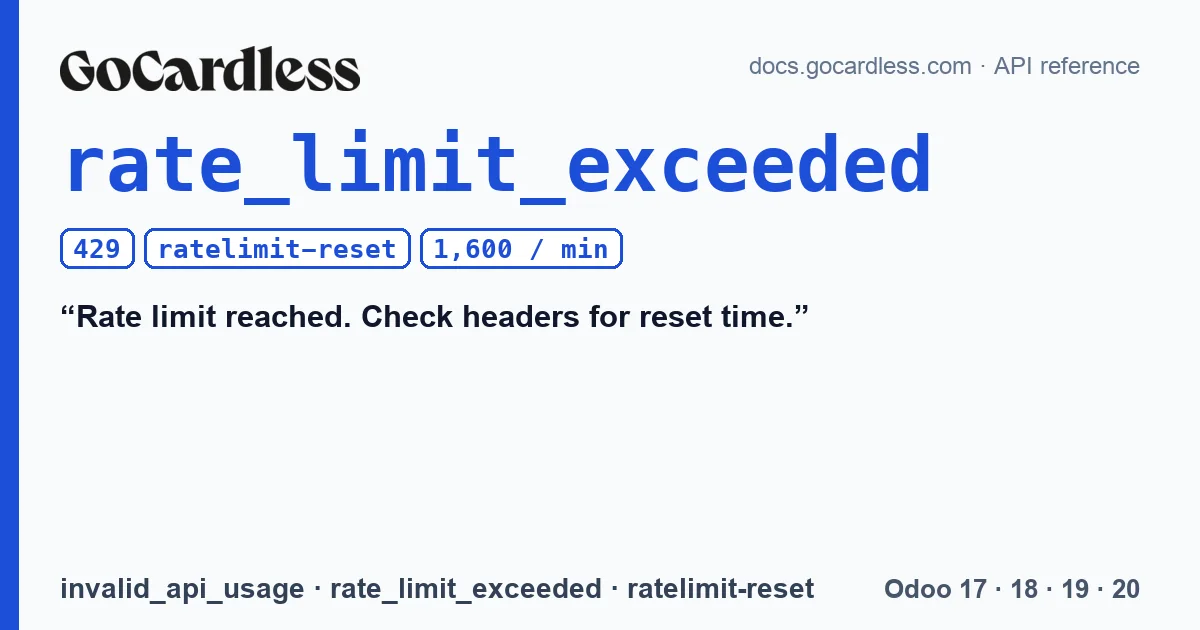
rate_limit_exceeded | invalid_api_usage | 429 | Rate limit reached. Check headers for reset time. |
GoCardless's rate limits page gives the figure: 1,600 requests per minute on a standard integration and 1,600 per minute and merchant on a partner integration. When that is exceeded, the API returns the 429, and GoCardless notes that these requests are safe to retry: “These requests are safe to retry.”. To know when, it points to the response headers: ratelimit-limit, ratelimit-remaining and ratelimit-reset.
Where so many requests come from
The limit counts every request to the API, not just those that create payments. With the connector, each payment against a stored mandate is one request, whether it comes from a subscription renewal or a payment registered with the customer's payment method. Each event for a payment that reaches Odoo is another, because the connector doesn't rely only on the notification: it requests that payment from GoCardless and applies the status it returns. A large batch at the same time, such as many renewals at once while events for earlier payments arrive, adds up both.
GoCardless classifies this reason among the invalid_api_usage errors, those caused by how the request is made, and for those it asks you to alert your dev team. A single 429 doesn't need that; one that repeats every day does.
What the connector does
- It reads the
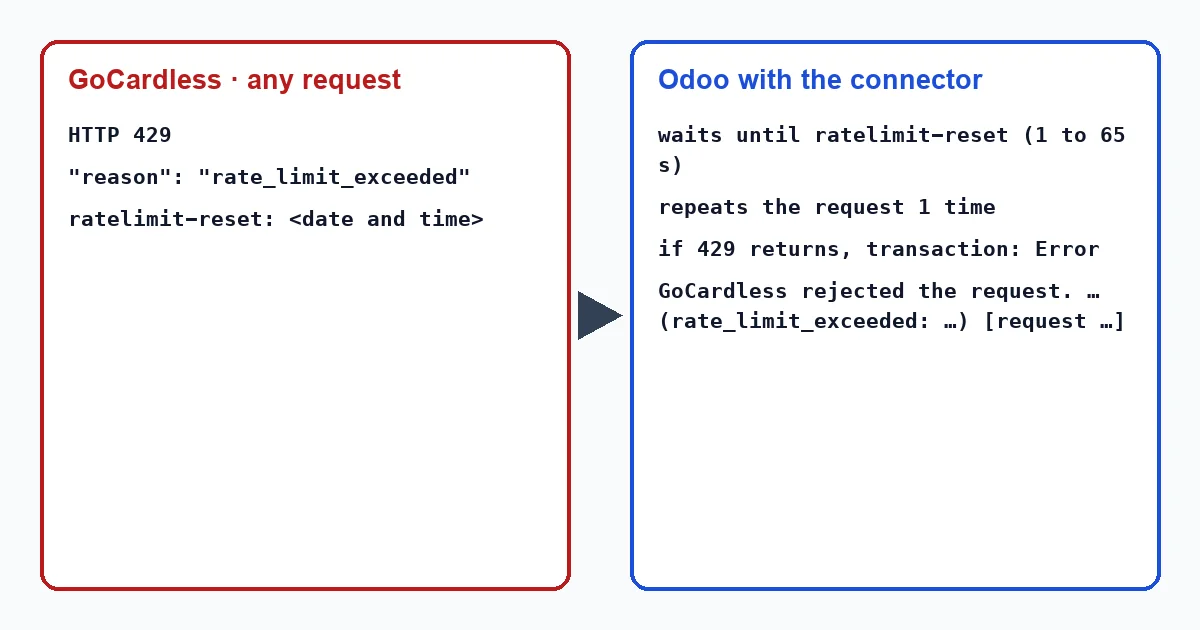
ratelimit-resetheader and works out how long is left: the time it gives minus the Odoo server's time. - It waits that time, at least 1 second and at most 65. If the header is missing or can't be read, it waits 1 second. The cap prevents a wrongly set clock from leaving the Odoo process waiting forever.
- It repeats the request only once.
- If the repeat also gets a 429, it no longer waits: it treats it like any other rejection from the API.
The connector doesn't count its requests or throttle them in advance. It doesn't read ratelimit-remaining: it only waits when GoCardless has already replied with a 429.
If the second attempt also hits the limit
It depends on what Odoo was doing at that moment.
- If it was a payment, the transaction goes to “Error” with “GoCardless rejected the request.” and, below it, GoCardless's message with
rate_limit_exceededand therequest_idin square brackets. The invoice remains pending payment. - If it was applying a GoCardless event, the webhook answers 500 so that GoCardless sends the notification again, and events already applied are not applied twice. The hourly recovery also doesn't leave behind an event that failed: it requests it again on the next pass.
A 429 is not the same as a payment with no response. Without a response, the connector doesn't know whether GoCardless created the payment, so it leaves it pending and sends it again, with the same key, in less than an hour. With a 429 there is a response: GoCardless did not accept the request, which is why the transaction is left in error.
The connector writes these texts in English, so in an English-language Odoo they appear exactly as quoted here, whether a user or a scheduled action triggers them: “GoCardless rejected the request.” Here the message is the same whoever launches the payment, including a scheduled action such as a subscription renewal.
What to do
- Open the transaction from the invoice, with the “Payment Transaction” button at the top; the transactions menu only appears in developer mode, and it doesn't exist in Odoo 20. If the message names
rate_limit_exceeded, GoCardless rejected that request because of the limit, not because of the customer or their mandate. - After a while, charge the invoice again with the customer's stored payment method.
- If it happens often, check the Odoo server time: the wait is calculated by subtracting it from the
ratelimit-resettime, and a clock running fast shortens it. - If you need GoCardless, save the
request_idfrom the message: its documentation asks you to include it when contacting its support.
Does the connector spread out requests to avoid reaching the limit?
No. It doesn't count or throttle them in advance: it reacts when GoCardless replies with a 429, with one wait and a single retry.
Why does it wait at most 65 seconds?
While it waits, the Odoo process making the request does nothing else. The connector's code sets that cap so that a wrongly set clock doesn't leave it stuck.
Is any GoCardless event lost because of the limit?
It isn't considered lost: the webhook asks GoCardless to send it again, and the hourly recovery requests it again on the next pass.
With our connector
In Odoo 17, 18, 19 and 20 the connector treats the 429 as a pause: it waits for the time GoCardless asks for, repeats once and, if the limit persists, leaves the transaction in error with the request_id so you know what happened and what to give GoCardless.
Keep reading
Checked in the connector's source code (version 17.0, 18.0, 19.0 and 20.0) and the linked sources
Sources
- docs.gocardless.com/docs/api-reference/limits
- docs.gocardless.com/docs/api-reference/responses-and-errors
- Module source code: flexigo_payment_gocardless: const.py, line 113 in 17.0 (d203ee6), 18.0 (e2ab18b), 19.0 (ce7f5a3) and 20.0 (688d86b)
- Module source code: flexigo_payment_gocardless: models/payment_provider.py, line 378 in 17.0 (d203ee6), 18.0 (e2ab18b), 19.0 (ce7f5a3) and 20.0 (688d86b)
- Module source code: flexigo_payment_gocardless: models/payment_provider.py, line 408 in 17.0 (d203ee6), 18.0 (e2ab18b), 19.0 (ce7f5a3) and 20.0 (688d86b)
- Module source code: flexigo_payment_gocardless: models/payment_provider.py, line 379 in 17.0 (d203ee6), 18.0 (e2ab18b), 19.0 (ce7f5a3) and 20.0 (688d86b)
- Module source code: flexigo_payment_gocardless: models/payment_provider.py, line 383 in 17.0 (d203ee6), 18.0 (e2ab18b), 19.0 (ce7f5a3) and 20.0 (688d86b)
- Module source code: flexigo_payment_gocardless: models/payment_provider.py, line 397 in 17.0 (d203ee6), 18.0 (e2ab18b), 19.0 (ce7f5a3) and 20.0 (688d86b)
- Module source code: flexigo_payment_gocardless: models/payment_provider.py, line 462 in 17.0 (d203ee6), 18.0 (e2ab18b), 19.0 (ce7f5a3) and 20.0 (688d86b)
- Module source code: flexigo_payment_gocardless: models/payment_transaction.py, line 281 in 17.0 (d203ee6), line 281 in 18.0 (e2ab18b), line 281 in 19.0 (ce7f5a3) and line 292 in 20.0 (688d86b)
- Module source code: flexigo_payment_gocardless: models/payment_transaction.py, line 247 in 17.0 (d203ee6), line 247 in 18.0 (e2ab18b), line 247 in 19.0 (ce7f5a3) and line 258 in 20.0 (688d86b)
- Module source code: flexigo_payment_gocardless: models/payment_transaction.py, line 299 in 17.0 (d203ee6), line 299 in 18.0 (e2ab18b), line 299 in 19.0 (ce7f5a3) and line 310 in 20.0 (688d86b)
- Module source code: flexigo_payment_gocardless: models/payment_transaction.py, line 589 in 17.0 (d203ee6), line 589 in 18.0 (e2ab18b), line 588 in 19.0 (ce7f5a3) and line 607 in 20.0 (688d86b)
- Module source code: flexigo_payment_gocardless: controllers/main.py, line 124 in 17.0 (d203ee6), line 124 in 18.0 (e2ab18b), line 124 in 19.0 (ce7f5a3) and line 127 in 20.0 (688d86b)
- Module source code: flexigo_payment_gocardless: controllers/main.py, line 96 in 20.0 (688d86b)
- Module source code: flexigo_payment_gocardless: models/gocardless_webhook_event.py, line 7 in 17.0 (d203ee6), 18.0 (e2ab18b), 19.0 (ce7f5a3) and 20.0 (688d86b)
- Module source code: flexigo_payment_gocardless: const.py, line 117 in 17.0 (d203ee6), 18.0 (e2ab18b), 19.0 (ce7f5a3) and 20.0 (688d86b)
- Module source code: flexigo_payment_gocardless: models/payment_provider.py, line 603 in 17.0 (d203ee6), line 603 in 18.0 (e2ab18b), line 603 in 19.0 (ce7f5a3) and line 605 in 20.0 (688d86b)
- docs.gocardless.com/docs/api-reference/webhooks
- Module source code: flexigo_payment_gocardless: i18n/flexigo_payment_gocardless.pot, line 521 in 17.0 (d203ee6), line 521 in 18.0 (e2ab18b), line 521 in 19.0 (ce7f5a3) and line 523 in 20.0 (688d86b)
- github.com/odoo/odoo/blob/20.0/addons/payment/i18n/payment.pot
- github.com/odoo/odoo/blob/20.0/addons/payment/views/payment_transaction_views.xml
- github.com/odoo/odoo/blob/17.0/odoo/http.py
- github.com/odoo/odoo/blob/20.0/addons/account_payment/views/account_move_views.xml
- Module source code: flexigo_payment_gocardless: __manifest__.py, line 31 in 17.0 (d203ee6), 18.0 (e2ab18b), 19.0 (ce7f5a3) and 20.0 (688d86b)