

 Español
 Català
 Deutsch
 Français
 Português
 Italiano
 Nederlands
 Polski
How to read the module's messages
The vast majority of warnings come in two shapes: «only a record in this state can move to that one» or «fill this in before carrying on». Two concern the posting URL of the SB 261 report, and one says who may set the SB 261 legal status to mandatory.
Several messages contain placeholders (%s, %(n)s, %(cat)s, %(reason)s) where the specific detail of the case appears. Read that first, as it tells you which record to look at.
If you are not yet sure which states each record goes through, start with the setup guide and come back here when a warning pops up.
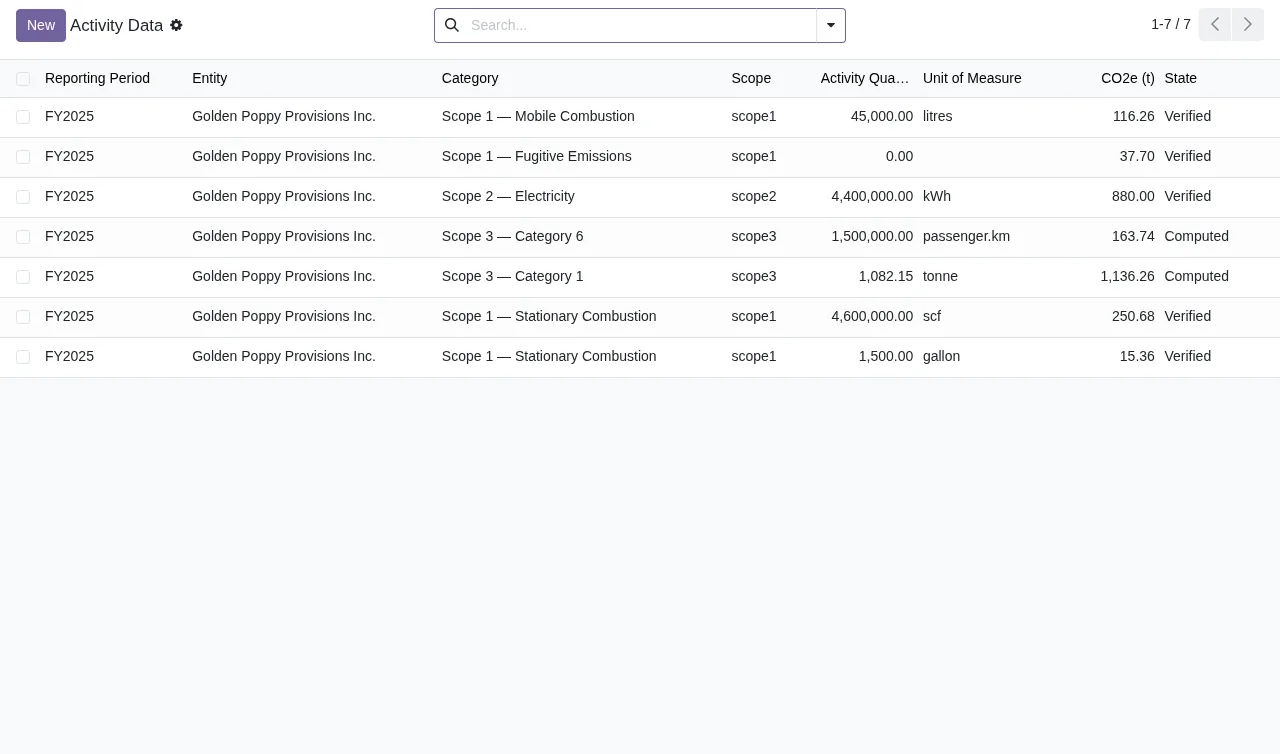
Verified or Computed.Message table: when each one appears and what to do
| Message | When it appears | What to do |
|---|---|---|
Only a draft activity record can be computed. | You try to compute an activity record that is not in draft. | Check its state: computing only works from draft. |
Only a computed record can be verified. | You try to verify a record that has not been computed. | Compute it first, then verify it. |
Computed activity data cannot be deleted; use restatement. | You try to delete activity data that has already been computed. | Do not delete it: use restatement. |
Activity line %(n)s (%(cat)s): %(reason)s | A specific activity line has a problem; the message identifies it, with its category and the reason. | Open that line, read the reason and fix it before repeating the action. |
Resolve %s blocking data-quality issue(s) before submitting for review. | You submit for review while blocking data-quality issues are still open. | Resolve them before submitting again. |
Provide resolution notes before resolving a data-quality issue. | You mark a data-quality issue as resolved without notes. | Write the resolution notes and resolve it again. |
Provide an explanation / evidence rationale for the exclusion. | You record an exclusion without an explanation. | Add the explanation or the evidence rationale. |
Only a draft package can be submitted for review. | You submit a package for review that is not in draft. | Check the package's state. |
Only an in-review package can be filed. | You try to file a package that is not in review. | Submit it for review first. |
Only a filed package can be locked. | You try to lock a package that has not been filed. | File it before locking it. |
Filed disclosure totals are immutable. Use the restatement workflow. | You try to change the totals of a disclosure that has been filed. | Use the restatement workflow. |
Only a filed or locked package can be restated. | You ask to restate a package that is neither filed nor locked. | Check its state: only a filed or locked package can be restated. |
Every omitted recommendation must include a reason before review. | You submit for review with an omitted recommendation that has no reason. | Give a reason for every omitted recommendation. |
A filed SB 261 report requires a public posting URL. | A filed SB 261 report has no public posting URL. | Add the public URL. |
The public posting URL must be a valid HTTP/HTTPS URL. | The posting URL is not a valid HTTP or HTTPS address. | Correct it so it is a valid HTTP or HTTPS URL. |
Only a climate data steward may set the SB 261 legal status to mandatory. | A user without that role tries to set the SB 261 legal status to mandatory. | Ask a climate data steward to make the change. |
Emission factor '%s' has been used in a computation and is immutable. Create a new version instead. | You try to edit an emission factor already used in a computation. | Create a new version of the factor. |
Set the provider name before inviting an assurer. | You invite an assurer without a provider name. | Fill in the provider name and invite again. |
Set start date, end date and entity before opening the period. | You open a period without a start date, end date or entity. | Fill in all three and open it again. |
Period %s is locked: its inventory cannot be computed again. | You try to recompute the inventory of a locked period. | Check it is the period you meant: a locked one is not computed again. |
Nothing was changed: the figures of verified or locked activity lines would change (lines %s). Restate them before computing the period again. | You recompute a period and figures on verified or locked lines would change; the message tells you which. | Restate those lines, then compute the period again. |
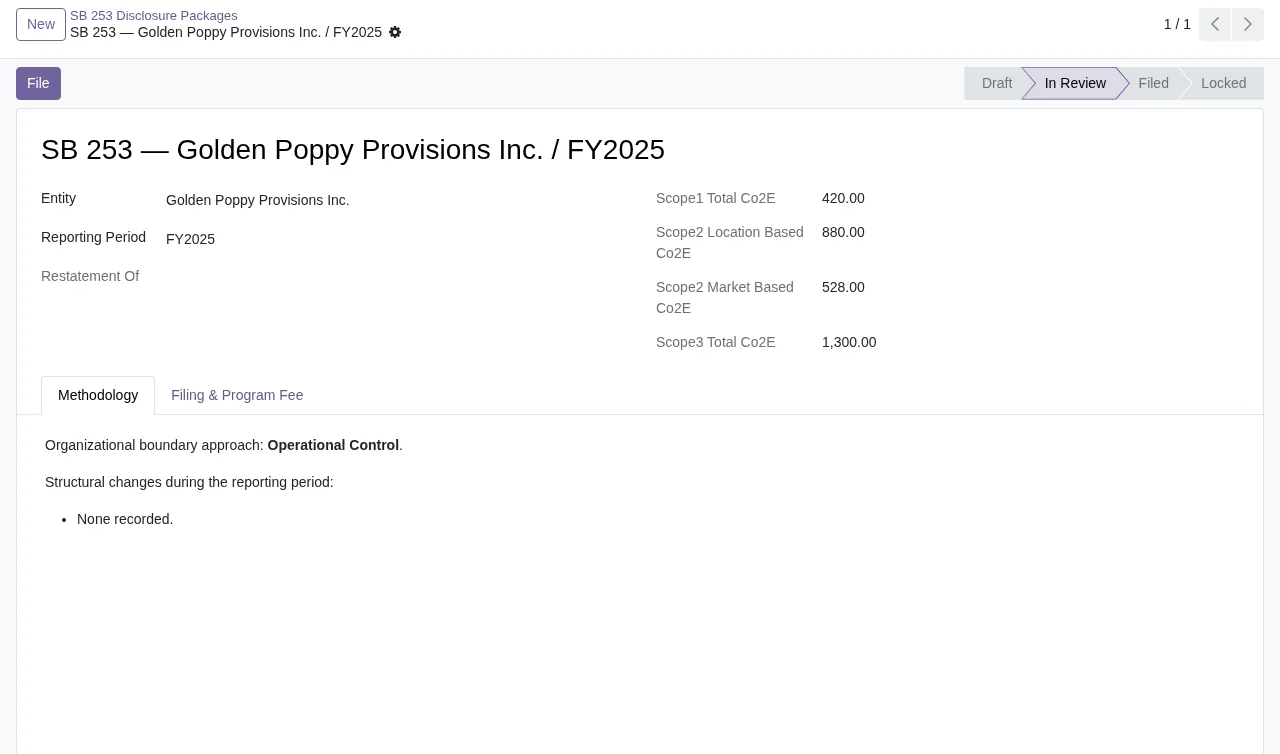
In Review, with demo data: the only state from which the module lets you file it.What cannot be deleted or edited: restate or version
Some warnings are not fixed by filling in a field. Computed activity data cannot be deleted, the totals of a filed disclosure do not change and neither do audit trail entries: Audit trail entries are immutable and cannot be modified. and Audit trail entries are immutable and cannot be deleted.
The module gives you two ways forward depending on the case. For computed activity data and filed totals, restatement; if what you are restating is a package, bear in mind that it can only be restated when filed or locked. For an emission factor already used in a computation, a new version of the factor.
Recomputing a period has its own safeguard: if computing would change figures on verified or locked lines, the message starts with Nothing was changed, meaning the module does not apply the change and lists the lines. You restate them and compute again. And if the period is already locked, its inventory is not recomputed.
Periods, reports and requests: the remaining state warnings
Periods
A period can only be opened from draft (Only a draft period can be opened.) and needs a start date, end date and entity. Once open, it can go back to draft (Only an open period can be rolled back to draft.) or be locked (Only an open period can be locked.). It can only be archived when locked (Only a locked period can be archived.) and with a reason (Provide a reason before archiving a locked period.). An open period with computed activity data cannot be deleted: Cannot delete an open period that has computed activity data.
SB 261 reports
These follow messages that mirror the package ones: Only a draft report can be submitted for review., Only an in-review report can be filed. and Only a filed report can be locked. A filed report also needs the valid public URL from the table.
Requests
For requests, the module warns with Only a submitted request can be verified., Identity must be verified before processing the request. and Only an in-progress request can be completed. If you deny one, it asks for a reason: Provide a denial reason (e.g. statutory-retention collision).
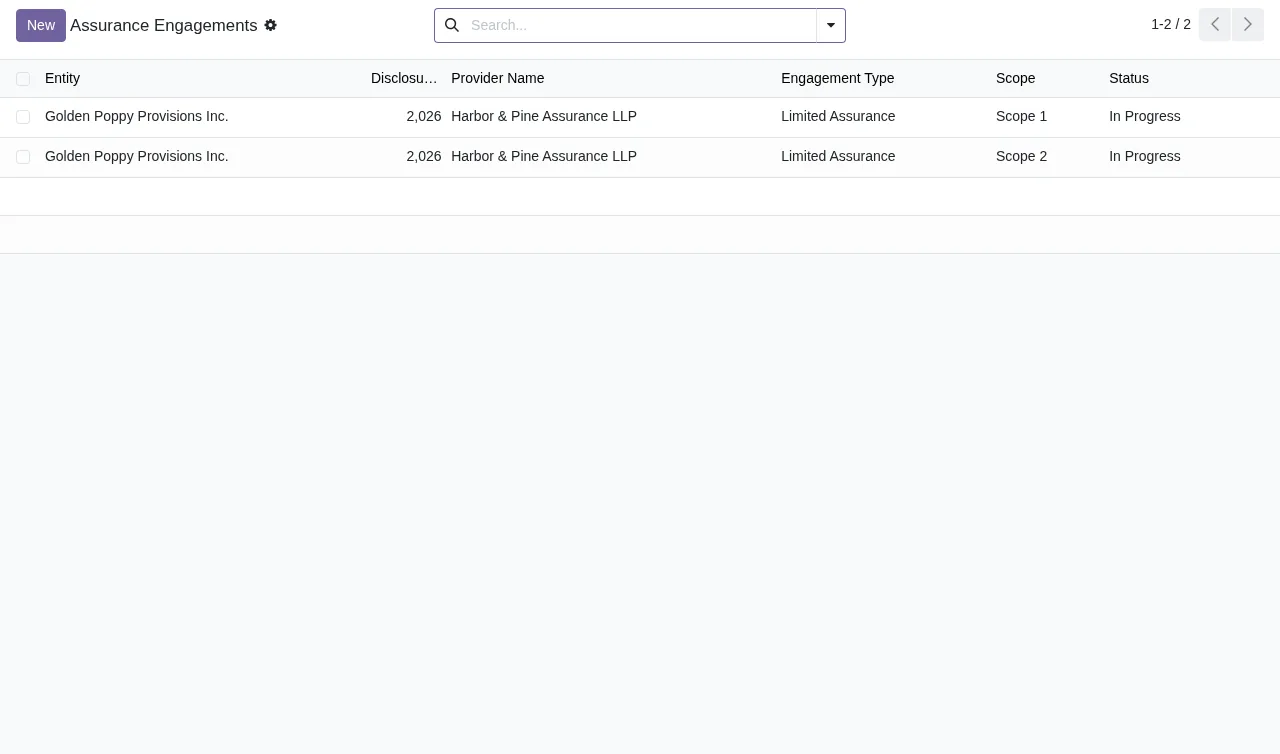
Limited Assurance and state In Progress.To see how the menus and records fit together, read how the module works under the bonnet.
How FlexigoTech can help
FlexigoTech implements Odoo 17, 18, 19 and 20 and builds bespoke connectors and integrations, so you can count on us if you are implementing this module. It is published on Odoo Apps at €9 per Odoo version, for 17, 18, 19 and 20, a one-off payment excluding VAT, and it also uses the FlexigoTech Cloud local service, paid separately: €29/month or €290/year excluding VAT (Pro: €58/month or €580/year). Without a subscription, or with the service suspended, whatever the subscription provides stops and your data stays in your Odoo; you will find the details on the module page and the Odoo Apps listing.
Keep reading
Checked in the module's source code (version 20.0) and the linked sources
Sources
- Module source code: flexigo_california_sb_253_sb_261_climate_disclosure_pac 20.0 (7632c5e6): models/activity_data.py
- Module source code: flexigo_california_sb_253_sb_261_climate_disclosure_pac 20.0 (7632c5e6): models/assurance.py
- Module source code: flexigo_california_sb_253_sb_261_climate_disclosure_pac 20.0 (7632c5e6): models/audit_trail.py
- Module source code: flexigo_california_sb_253_sb_261_climate_disclosure_pac 20.0 (7632c5e6): models/compliance.py
- Module source code: flexigo_california_sb_253_sb_261_climate_disclosure_pac 20.0 (7632c5e6): models/disclosure_sb253.py
- Module source code: flexigo_california_sb_253_sb_261_climate_disclosure_pac 20.0 (7632c5e6): models/disclosure_sb261.py
- Module source code: flexigo_california_sb_253_sb_261_climate_disclosure_pac 20.0 (7632c5e6): models/emission_factor.py
- Module source code: flexigo_california_sb_253_sb_261_climate_disclosure_pac 20.0 (7632c5e6): models/privacy.py
- Module source code: flexigo_california_sb_253_sb_261_climate_disclosure_pac 20.0 (7632c5e6): models/reporting_period.py
- apps.odoo.com/apps/modules/20.0/flexigo_california_sb_253_sb_261_climate_disclosure_pac
- apps.odoo.com/apps/modules/17.0/flexigo_california_sb_253_sb_261_climate_disclosure_pac
- apps.odoo.com/apps/modules/18.0/flexigo_california_sb_253_sb_261_climate_disclosure_pac
- apps.odoo.com/apps/modules/19.0/flexigo_california_sb_253_sb_261_climate_disclosure_pac
- flexigotech.com/en/services.html
- flexigotech.com/precios.html
- Module source code: flexigo_california_sb_253_sb_261_climate_disclosure_pac 20.0 (7632c5e6): __manifest__.py