

 Español
 Català
 Deutsch
 Français
 Português
 Italiano
 Nederlands
 Polski
Who it is for, and what it is not
This module makes sense if your business runs on Odoo and sells, or is about to sell, on Brico Depot through Mirakl. On Odoo Apps it is called Brico Depot for Mirakl, and its README introduces it as Flexigobe Mirakl Provider - Brico Depot. It is not a standalone connector: according to that README, the first installation step is to install flexigobe_mirakl_connector, and the second is this add-on. What it brings is the Brico Depot provider profile and a set of behaviours that are switched on by default.
Before deciding, separate what you might assume from what the module's documentation says. Here are six ideas worth setting aside, each with what is actually documented.

Misconceptions about the module and what its README says
«This module gives me the whole Mirakl connector»
It does not. The README describes the module as a Mirakl provider for Brico Depot, and the first thing it includes is the Brico Depot provider profile. Order and return sync is the generic Mirakl sync, which the module enables by default. That is why the installation order in the documentation is flexigobe_mirakl_connector first and this add-on second.
«The Brico Depot API address comes pre-filled»
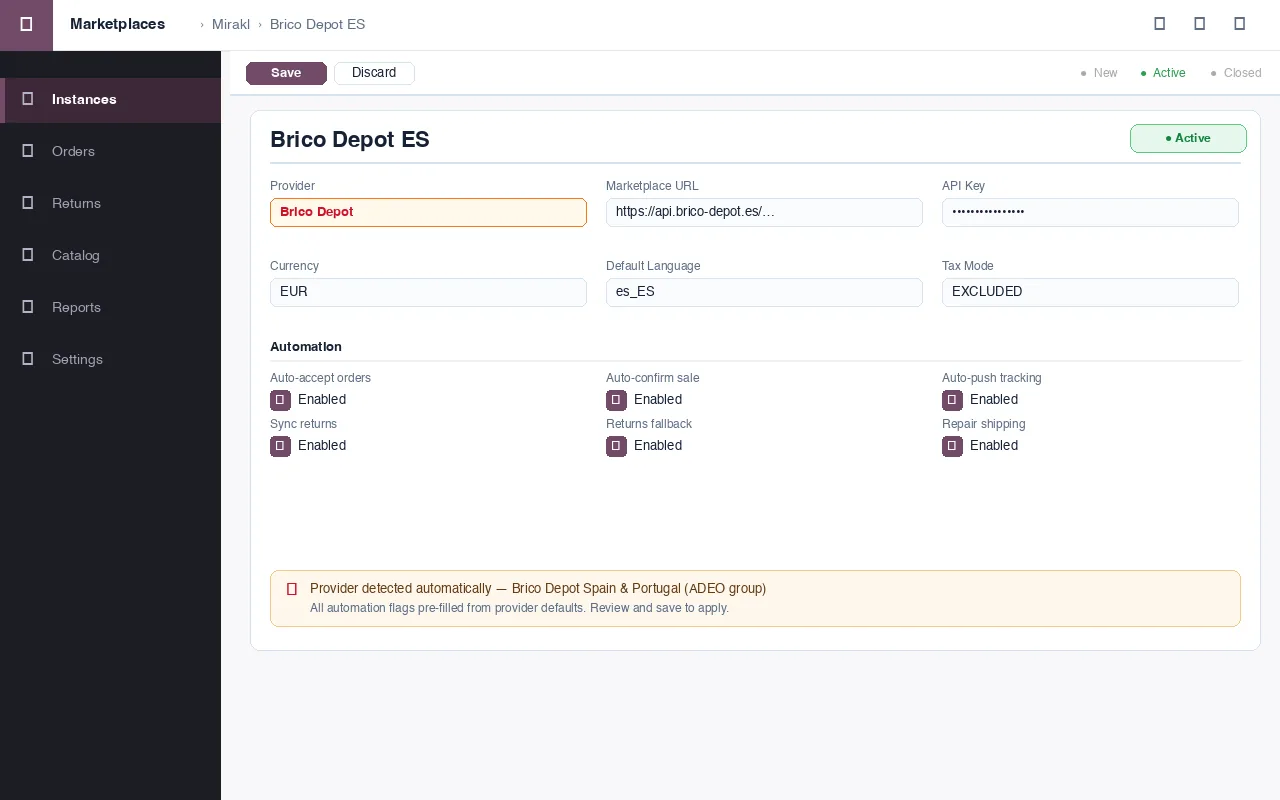
Not quite. The documentation says the module intentionally does not force a hardcoded API base URL. When you create the Mirakl instance and choose Brico Depot as provider, you enter the real seller base URL, the API base URL and the API key supplied by the operator. What the module does do is detect Brico Depot Spain and Portugal style marketplace URLs and recognise them during provider setup.
«If the operator does not publish /returns, I lose returns»
The module covers that case. It enables a fallback that picks up returns from order refunds when the operator does not expose /returns. According to the README, this refunds fallback stays enabled.
«I will have to set up order acceptance by hand»
The module ships defaults for that: it enables automatic order acceptance and sale confirmation. Bear it in mind from the outset: if someone in your team reviews every order before accepting it, decide how you want to work before enabling the jobs.
«Tracking and shipments are new logic built just for Brico Depot»
According to the README, the tracking and shipment logic reuses the generic Mirakl core that has already been validated. On top of that generic tracking flow, the module enables shipment automation hooks. It also enables, by default, a repair of the shipping contact details ahead of warehouse validation. If your warehouse relies on those details, check it with test orders before going live.
«I pay the Odoo Apps listing once and that's it, in any version»
No. The module itself is a free add-on (its manifest has no price); the €9 excluding VAT shown on its listing is the price of Mirakl Connector, which it depends on, as a one-off payment per Odoo version, for 17, 18, 19 and 20. On top of that, Mirakl Connector needs a FlexigoTech Cloud subscription, Connector plan, at €49 a month or €490 a year excluding VAT (up to 3 platform accounts; the Pro plan, €98 a month or €980 a year, up to 10). The connection runs through FlexigoTech Cloud, which stores the credentials encrypted, monitors the sync and emails you if it fails: without a subscription, or with the service suspended, whatever the subscription provides stops, so the connection with Brico Depot does not work, although your data stays in your Odoo. With the subscription, the module for new Odoo versions is included if you bought it on flexigotech.com; on the Odoo App Store, each version is bought there. You will find it on the Odoo Apps listing and on the module page.
What to have ready before installing it
If the module fits after all of the above, get this ready before touching anything in production:
- Your Odoo version identified (17, 18, 19 or 20) and a decision on where you buy: on flexigotech.com or on that version's Odoo Apps listing.
- The FlexigoTech Cloud subscription on the Connector plan, which Mirakl Connector needs.
- The base connector
flexigobe_mirakl_connector, which is installed first. - The real seller base URL, the API base URL and the API key, exactly as the operator provides them.
- A clear decision on automatic order acceptance and sale confirmation, which are on by default.
The order set out in the README is: install the connector, install this add-on, create the Mirakl instance choosing Brico Depot as provider, enter the URLs and the key, and run Test Connection to validate the marketplace context before enabling jobs.
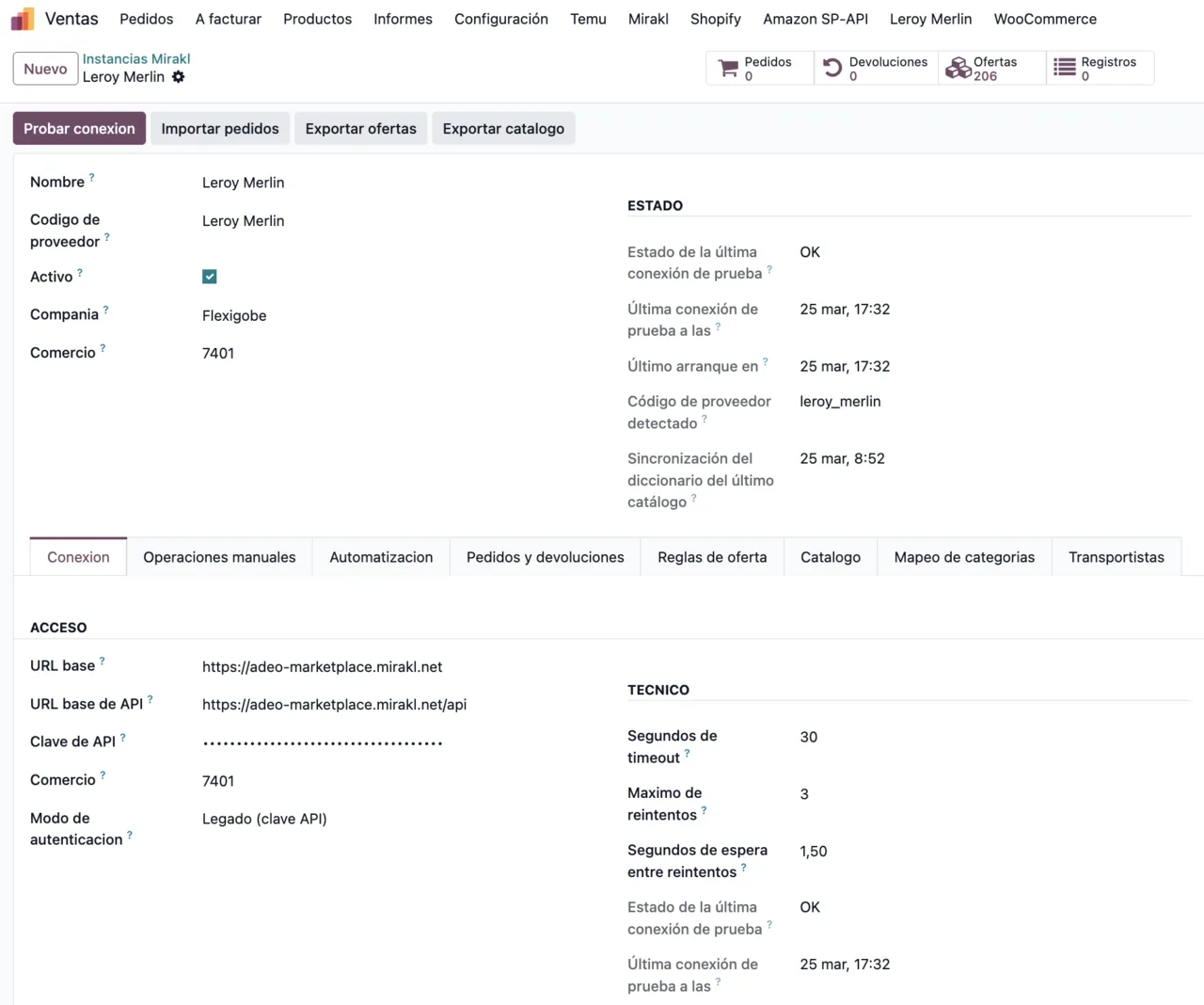
For reference on the connector's screens, this is the connection tab of another Mirakl instance, in this case Leroy Merlin:
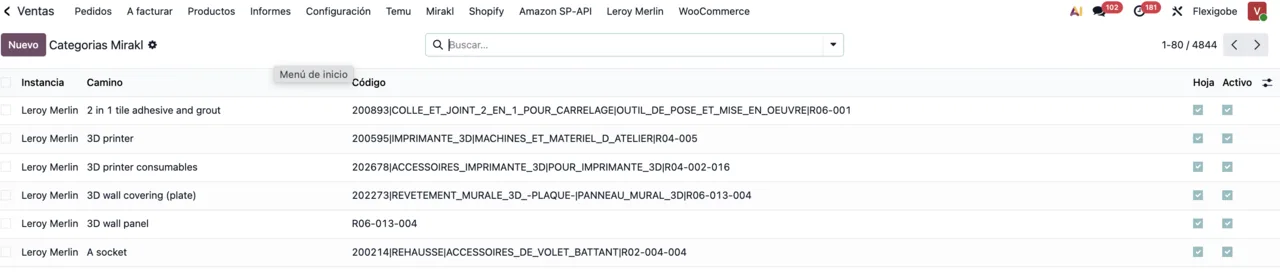
And this is the list of Mirakl categories, here showing Leroy Merlin rows:
How to decide whether it fits
- If you sell on Brico Depot via Mirakl and have, or will have, the base connector with its subscription, it fits: it adds the operator profile and its defaults.
- If you do not want a monthly or yearly subscription, bear in mind that the connection does not work without it.
- If the operator does not offer
/returns, note the returns fallback from refunds, which comes enabled. - If you prefer to accept orders manually, review automatic order acceptance and sale confirmation before enabling the jobs.
- If you do not sell on Brico Depot, this add-on is a provider profile for that operator and is not what you are looking for.
How FlexigoTech can help
FlexigoTech implements Odoo 17, 18, 19 and 20 and builds bespoke connectors and integrations. If you need a hand installing the base connector, setting up the Brico Depot instance or adapting the order and shipping flow to the way your business works, we can do it with you.
Keep reading
Checked in the module's source code (version 20.0) and the linked sources
Sources
- Module source code: flexigobe_mirakl_provider_bricodepot 20.0 (bd199f4d): README.md
- apps.odoo.com/apps/modules/20.0/flexigobe_mirakl_provider_bricodepot
- apps.odoo.com/apps/modules/17.0/flexigobe_mirakl_provider_bricodepot
- apps.odoo.com/apps/modules/18.0/flexigobe_mirakl_provider_bricodepot
- apps.odoo.com/apps/modules/19.0/flexigobe_mirakl_provider_bricodepot
- flexigotech.com/precios.html
- flexigotech.com/en/services.html