

 Español
 Català
 Deutsch
 Français
 Português
 Italiano
 Nederlands
 Polski
What it covers according to its documentation
The module's published documentation is a README listing the screens planned for its gallery. According to that README, these are the expected surfaces:
- A GST registration dashboard with the overall GST status and a rolling turnover widget (
rolling turnover). - The quarterly BAS form with auto-calculated fields, G1 to G10.
- ITC eligibility tagging and apportionment management for mixed use.
- Multi-entity GST group setup with a consolidated view of its members.
- An immutable audit log with a 5-year retention policy.
- Further surfaces the README only names: fuel credits, export GST and validation gates.
The same README lists test cases with names such as GST Registration view load, Rolling turnover calculation result and Supply type classification form. If what you need is on that list, the module is aimed at it; if it is not, do not assume it is included.
The 5-year retention is the policy the module describes for its audit log. Do not take it as the legal period that applies to you: check it with your tax adviser.
Published Odoo versions and their price
Australia GST Compliance is published on Odoo Apps for 17.0, 18.0, 19.0 and 20.0. On the listing for each of those versions it costs €9, a one-off payment per version, excluding VAT (listings checked in November 2026).
Pick the listing that matches your database's version: if you run Odoo 18, buy the 18.0 one. You will find them on the Odoo Apps listing.
What changes when you upgrade Odoo
What changes depends on where you bought the module:
- On the Odoo App Store, each Odoo version is bought there. If you move from 17 to 18, you buy the 18.0 listing.
- On flexigotech.com with a subscription, the module for new Odoo versions is included.
The subscription is FlexigoTech Cloud's local service. According to the listing, it includes:
- Monitoring of the module's reference sources, with their alerts and a calendar of their deadlines.
- Monitoring of the module's health in your database, with alerts.
- Support with response times: the first response within 1 working day.
- The service on the staging and test copies of your database.
The local service costs €29/month or €290/year excluding VAT (Pro: €58/month or €580/year). Without a subscription, or with the service suspended, whatever the subscription provides stops; your data stays in your Odoo.
What data to have ready before installing
The columns of the lists the module adds help you prepare your data before you start:
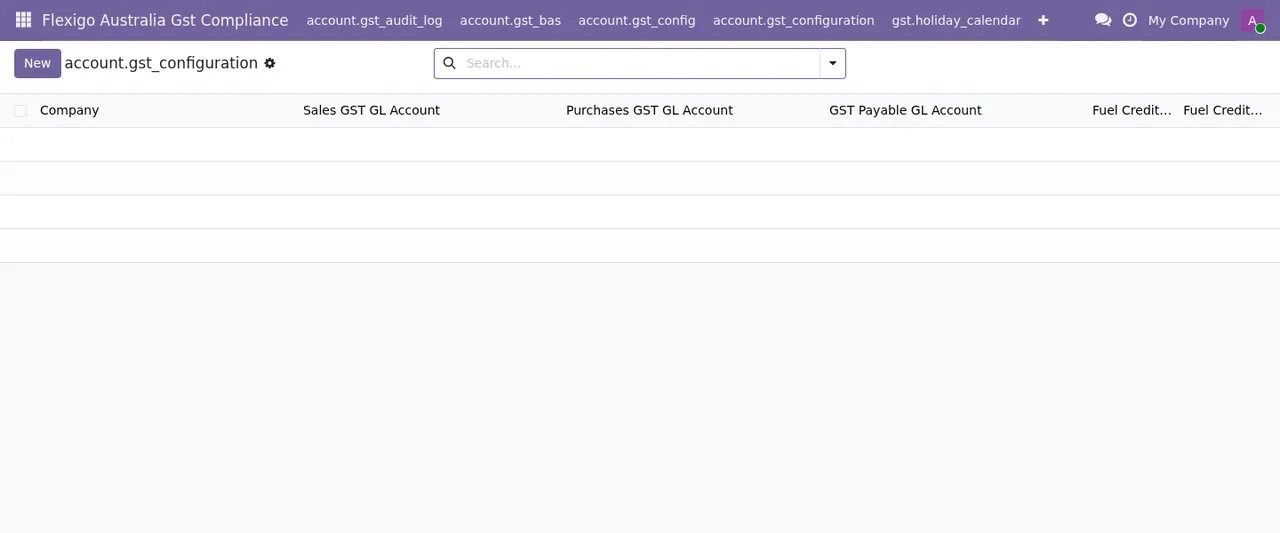
- GST configuration:
Company,Sales GST GL Account,Purchases GST GL Account,GST Payable GL AccountandFuel Credit. Decide which accounts from your chart of accounts you will enter in each. - GST groups:
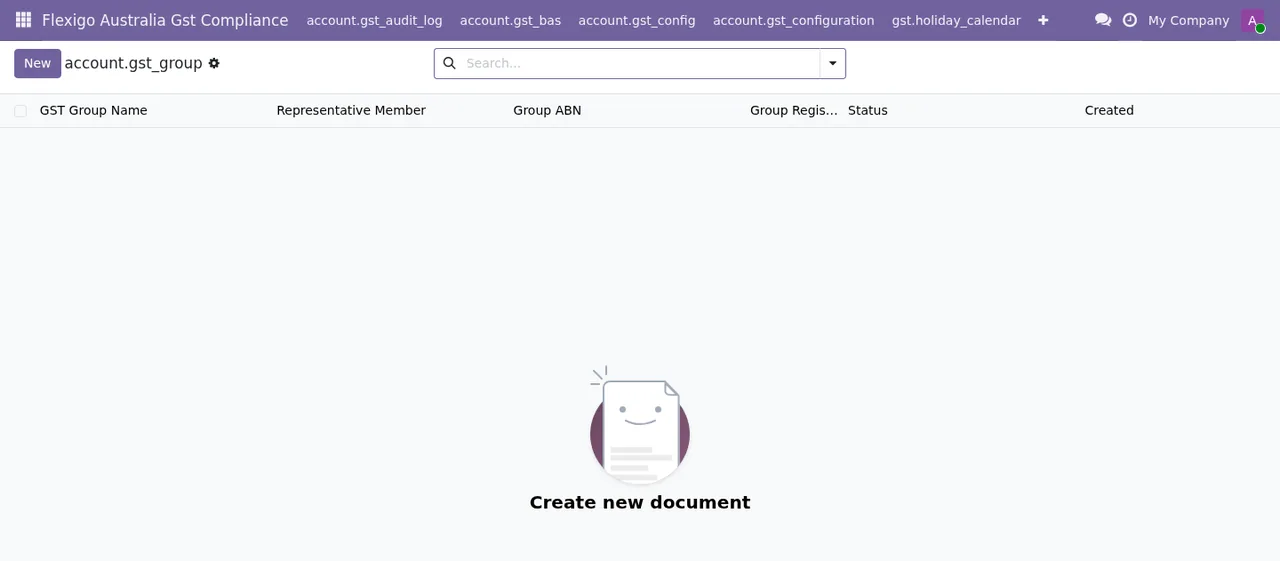
GST Group Name,Representative Member,Group ABN,StatusandCreated. If you will work with a group, have its ABN to hand and know which company you will set asRepresentative Member. - Group members:
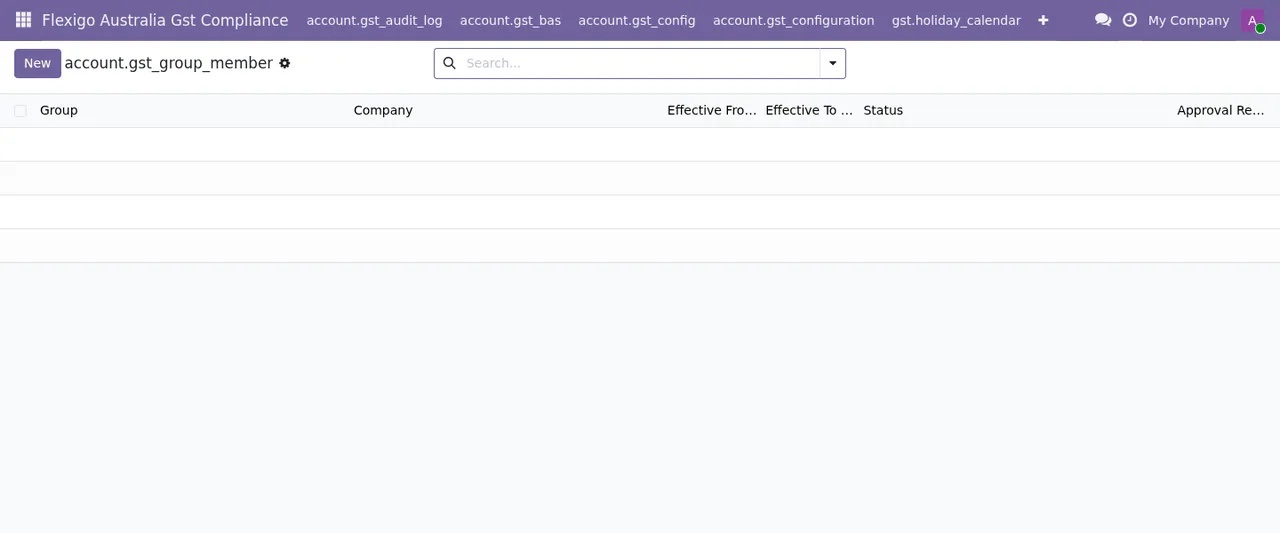
Group,Company,Effective From,Effective ToandStatus. Be clear on the dates you will enter inEffective FromandEffective Tofor each company. - BAS:
Company,Gst Group,Fiscal Year,Fiscal Quarter,Period StartandPeriod End. - GST settings:
Enable GST,Representative Memberand the G1, G2 and G3 sales accounts.
Which field to fill in for each setting and what to check in the first week is covered in getting Australia GST Compliance up and running.
How to test it before deciding
- Check your Odoo version and choose the listing for that version.
- Install it on a test copy of your database, not in production.
- Open the
Flexigo Australia Gst Compliancemenu and go through the lists: configuration, groups, members, BAS, apportionment and audit log. - Create records with
Newusing a test company. - Compare what you see with the surfaces the README lists and note anything missing.
If you take out the local service, it also covers staging and test copies, so you can run this test with support.
Criteria for deciding
| If this applies to you | You should |
|---|---|
| Your Odoo is 17, 18, 19 or 20 | Buy the listing for your version and test it on a copy |
| You are going to upgrade Odoo | Consider buying on flexigotech.com with a subscription, which includes new versions |
| You run several companies in a GST group | Review the group and member lists on the test copy |
| You want alerts and monitoring of the module's health | Take the local service |
How FlexigoTech can help
FlexigoTech implements Odoo 17, 18, 19 and 20 and builds bespoke connectors and integrations. If testing the module shows a missing piece, or you would like us to set it up with your accounts and companies, get in touch through the module page.
Keep reading
Checked in the module's source code (version 20.0) and the linked sources
Sources
- Module source code: flexigo_australia_gst_compliance 20.0 (18da350f): static/description/screenshots-marketing/README.md
- Module source code: flexigo_australia_gst_compliance 20.0 (18da350f): static/description/screenshots/README.md
- Module source code: flexigo_australia_gst_compliance 20.0 (18da350f): static/description/index.html
- apps.odoo.com/apps/modules/20.0/flexigo_australia_gst_compliance
- apps.odoo.com/apps/modules/17.0/flexigo_australia_gst_compliance
- apps.odoo.com/apps/modules/18.0/flexigo_australia_gst_compliance
- apps.odoo.com/apps/modules/19.0/flexigo_australia_gst_compliance
- flexigotech.com/en/services.html
- flexigotech.com/precios.html