

 Español
 Català
 Deutsch
 Français
 Português
 Italiano
 Nederlands
 Polski
What changes between Odoo versions
The module is published on Odoo Apps for Odoo 17, 18, 19 and 20. These are some of the changes between branches: fields that are in Odoo 19 and 20 and not in Odoo 17 or 18, spread over three screens. For these fields, branches 19 and 20 match.
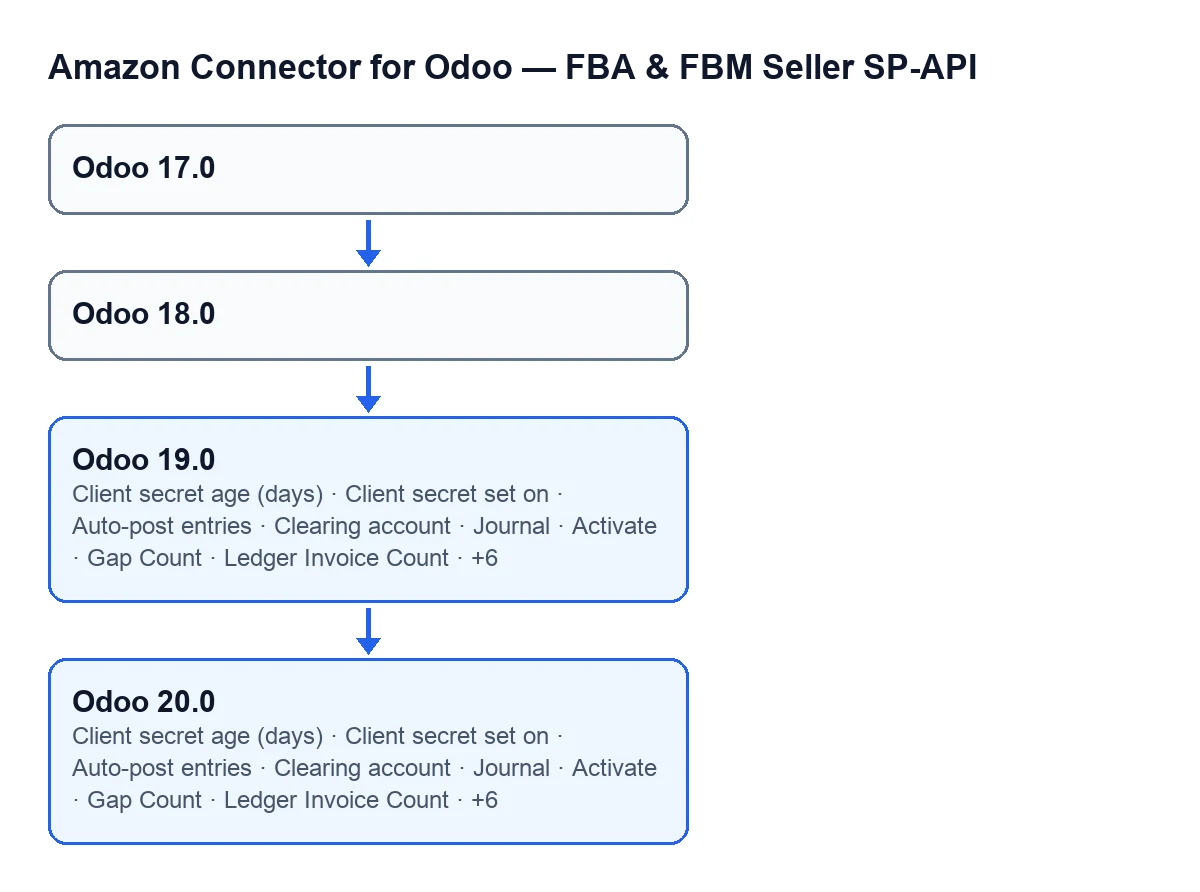
The table lists each field with the screen it belongs to and the version where it appears.
| Screen | Field | Odoo 17 | Odoo 18 | Odoo 19 | Odoo 20 |
|---|---|---|---|---|---|
Accounts | Client secret age (days) | No | No | Yes, hidden by default | Yes, hidden by default |
Accounts | Client secret set on | No | No | Yes, hidden by default | Yes, hidden by default |
Configure Automatic Amazon Invoicing | Activate | No | No | Yes, always | Yes, always |
Configure Automatic Amazon Invoicing | Auto-post entries | No | No | Yes, once Activate is on | Yes, once Activate is on |
Configure Automatic Amazon Invoicing | Clearing account | No | No | Yes, once Activate is on | Yes, once Activate is on |
Configure Automatic Amazon Invoicing | Journal | No | No | Yes, once Activate is on | Yes, once Activate is on |
Configure Automatic Amazon Invoicing | Gap Count | No | No | Yes, always | Yes, always |
Configure Automatic Amazon Invoicing | Ledger Invoice Count | No | No | Yes, always | Yes, always |
Configure Automatic Amazon Invoicing | Synced Invoice Count | No | No | Yes, always | Yes, always |
Amazon-Issued Invoices (VCS) | Account | No | No | Yes, always | Yes, always |
Amazon-Issued Invoices (VCS) | Amazon Order | No | No | Yes, always | Yes, always |
Amazon-Issued Invoices (VCS) | Doc Type | No | No | Yes, always | Yes, always |
Amazon-Issued Invoices (VCS) | Invoice | No | No | Yes, always | Yes, always |
Amazon-Issued Invoices (VCS) | Move | No | No | Yes, always | Yes, always |

The two newer fields on the Accounts screen
In Odoo 19 and 20, the Accounts screen has Client secret age (days) and Client secret set on. With the default values you will not see them: they stay hidden while the account's connection mode does not have one specific value, and the default is a different one. In Odoo 17 and 18 those two fields are not there.
The Configure Automatic Amazon Invoicing screen
In Odoo 19 and 20, the Configure Automatic Amazon Invoicing screen has two groups of fields:
- Always visible:
Activate,Gap Count,Ledger Invoice CountandSynced Invoice Count. - Hidden by default:
Auto-post entries,Clearing accountandJournal. They stay hidden whileActivateis switched off, which is its default.
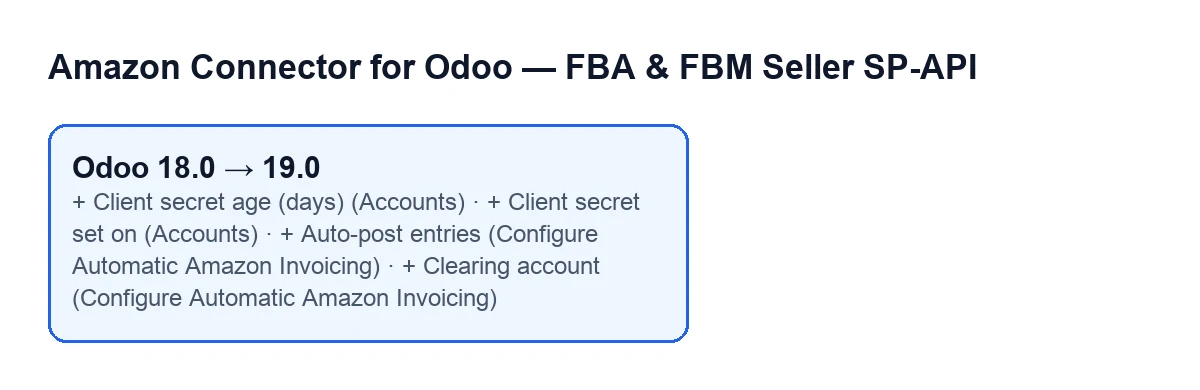
In Odoo 17 and 18 none of these fields is there. Going from Odoo 18 to Odoo 19, all the fields in the table appear; the diagram below shows four of them.
The Amazon-Issued Invoices (VCS) screen
In Odoo 19 and 20, the Amazon-Issued Invoices (VCS) screen always shows these fields: Account, Amazon Order, Doc Type, Invoice and Move. In Odoo 17 and 18 they are not there.
Who it fits, by version
| If your Odoo is… | What the module has | What to decide |
|---|---|---|
| 17 or 18 | None of the fields in the table | If you need those fields, compare with branch 19 or 20 |
| 19 or 20 | All the fields in the table | Check whether you will switch on Activate |
For the fields in the table, Odoo 19 and Odoo 20 match.
What you need beforehand
The module is a one-off payment per Odoo version and needs a FlexigoTech Cloud subscription (Connector plan). That plan costs €49 a month or €490 a year, excluding VAT (Pro: €98 a month or €980 a year), with up to 3 accounts on the platform (Pro: 10). The connection goes through FlexigoTech Cloud: it stores the credentials encrypted, watches the synchronisation and emails you if it fails. Without a subscription, or with the service suspended, whatever the subscription provides stops; your data stays in your Odoo.
With the subscription, the module for newer Odoo versions is included if you bought it on flexigotech.com; on the Odoo App Store, each Odoo version is bought there. You have the Odoo Apps listing and the module page.
How FlexigoTech can help
FlexigoTech implements Odoo 17, 18, 19 and 20 and builds custom connectors and integrations. If you are unsure whether to stay on your version or move to another to get these fields, get in touch and we will go through it with your Odoo in front of us.
Keep reading
Checked in the connector's source code (version 20.0) and the linked sources
Sources
- Module source code: flexigobe_amazon_seller_connector 20.0 (8576afa5): __manifest__.py
- apps.odoo.com/apps/modules/20.0/flexigobe_amazon_seller_connector
- flexigotech.com/en/services.html
- flexigotech.com/precios.html