

 Español
 Català
 Deutsch
 Français
 Português
 Italiano
 Nederlands
 Polski
Klaviyo for Odoo
Connect Odoo to Klaviyo from inside Odoo. Contacts become profiles, products become your catalog, and marketing consent stays in step in both directions.
Your Odoo data in Klaviyo, set up from Odoo
Klaviyo for Odoo connects one Odoo company to one Klaviyo account. You install it from the Odoo Apps menu, set it up with an assistant and sign in to Klaviyo with OAuth. There are no API keys to paste and no code to write.
Odoo contacts become Klaviyo profiles, including B2B contacts that never bought online, and email opens and clicks come back to the contact in Odoo. If you also use other Odoo apps, the matching part of the app switches itself on: Sales, Inventory, Point of Sale, eCommerce, Email Marketing, Loyalty and Repairs, and in Odoo Enterprise, Subscriptions, Appointments and Helpdesk.
Odoo contacts as Klaviyo profiles
Contacts with an email or phone become profiles, with configurable field mapping, E.164 phone numbers and no duplicate profile when an email changes. Existing contacts can be imported in bulk.
Catalog with variants and categories
Products for sale, their variants and categories go to the Klaviyo catalog with price, image and URL. Extra pricelists add prices in other currencies. A daily refresh keeps stock and prices current.
Consent kept in sync both ways
Choose who decides for email and SMS: Odoo, Klaviyo or both. Unsubscribes travel in both directions. Nobody is subscribed without explicit consent in Odoo.
Lists from Odoo contact tags
Pick the tags you need. Each tag becomes a Klaviyo list, and membership follows the tag in Odoo.
Works with the Odoo apps you use
Orders, deliveries, till sales, store visits, mailing lists, loyalty balances, repairs, subscriptions, bookings and tickets reach Klaviyo from the Odoo apps you have installed, each event sent once.
Status page and data deletion
See what was sent, failed and waiting, retry failed jobs, and erase selected contacts from Klaviyo on request.
Screens and demo video
Screens from the demo database: Odoo 19 with Odoo's demo data, connected to a Klaviyo test account in test mode.
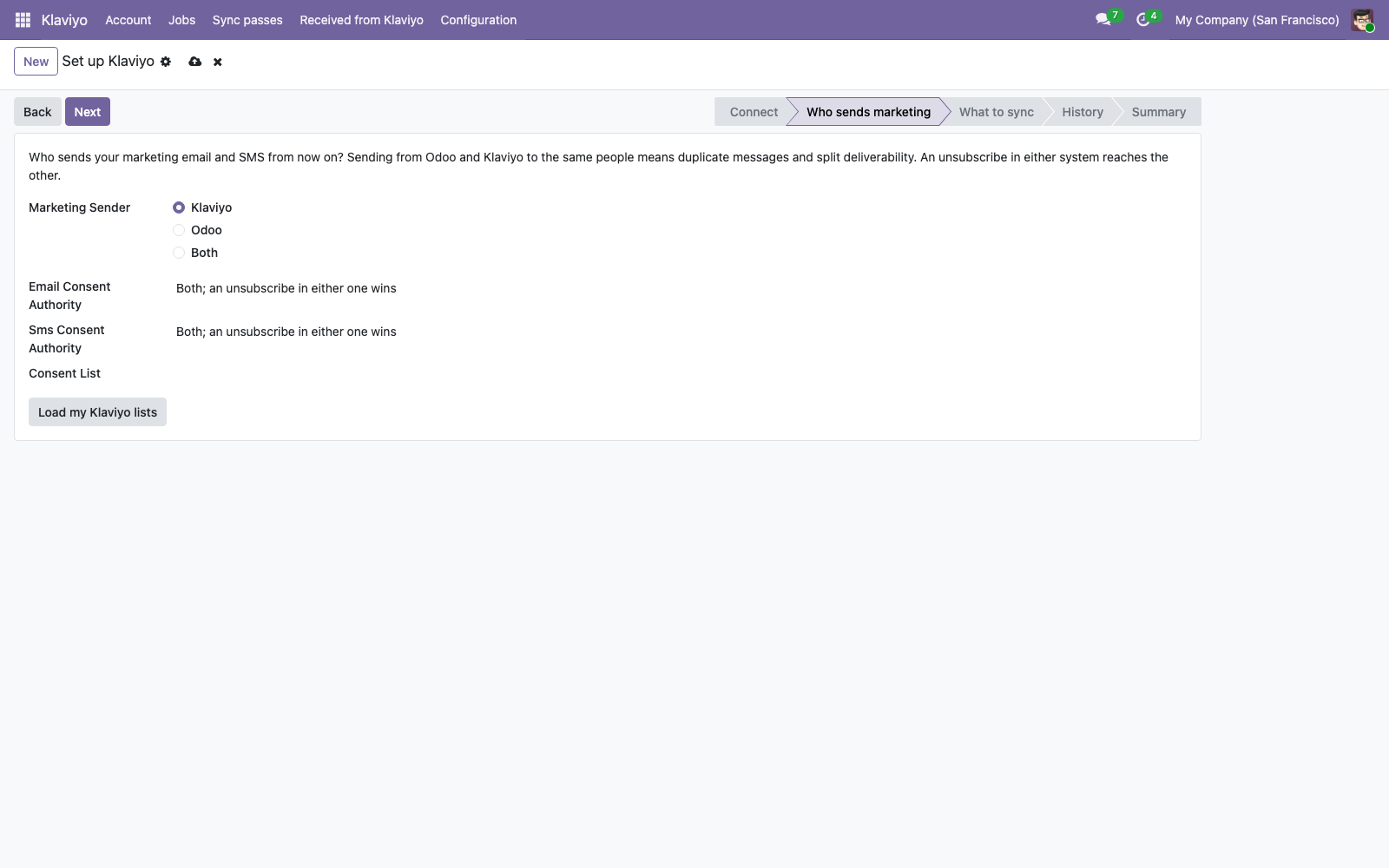
The setup assistant: who sends marketing, and who decides on consent for email and SMS. 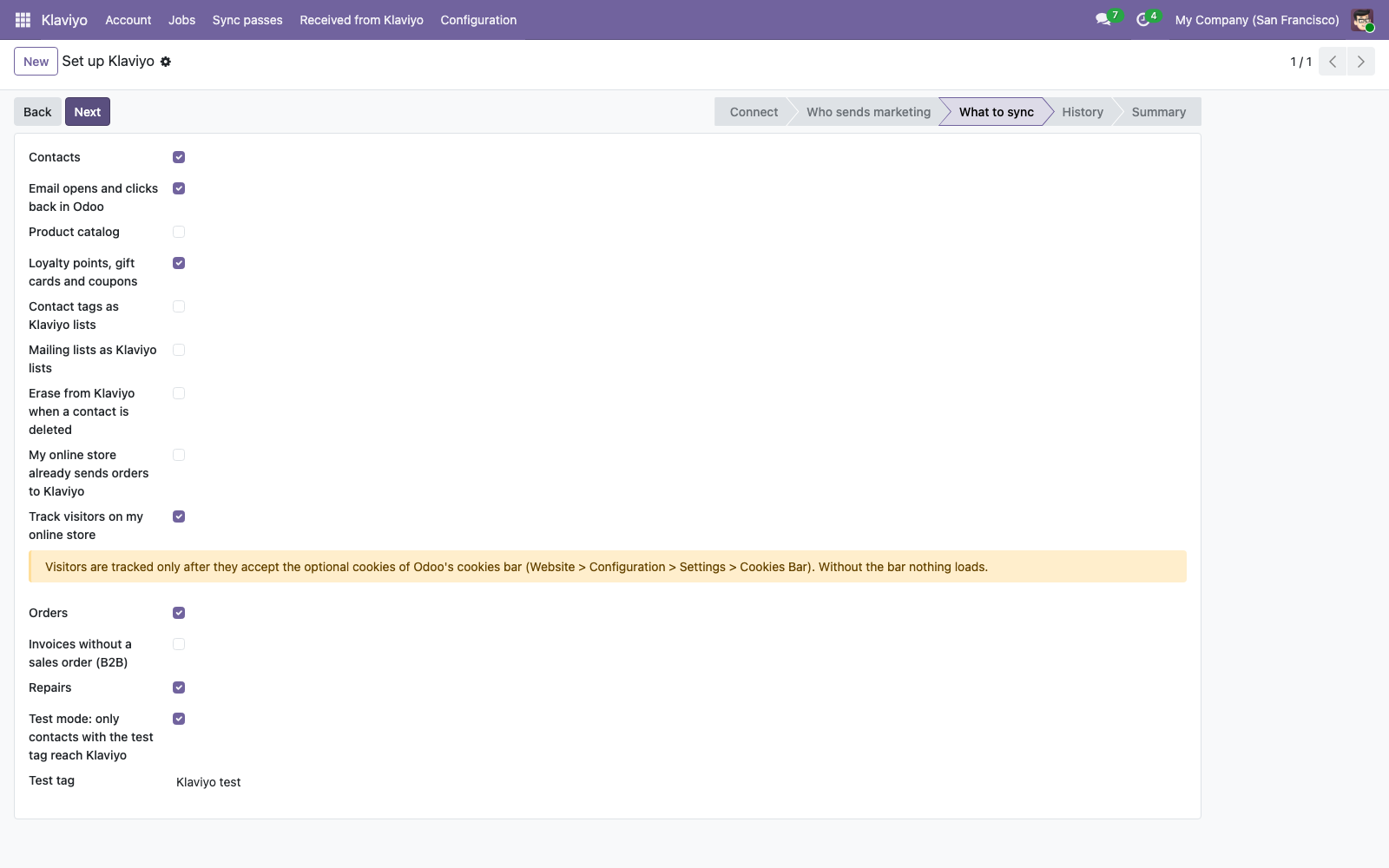
What to sync, with test mode on. 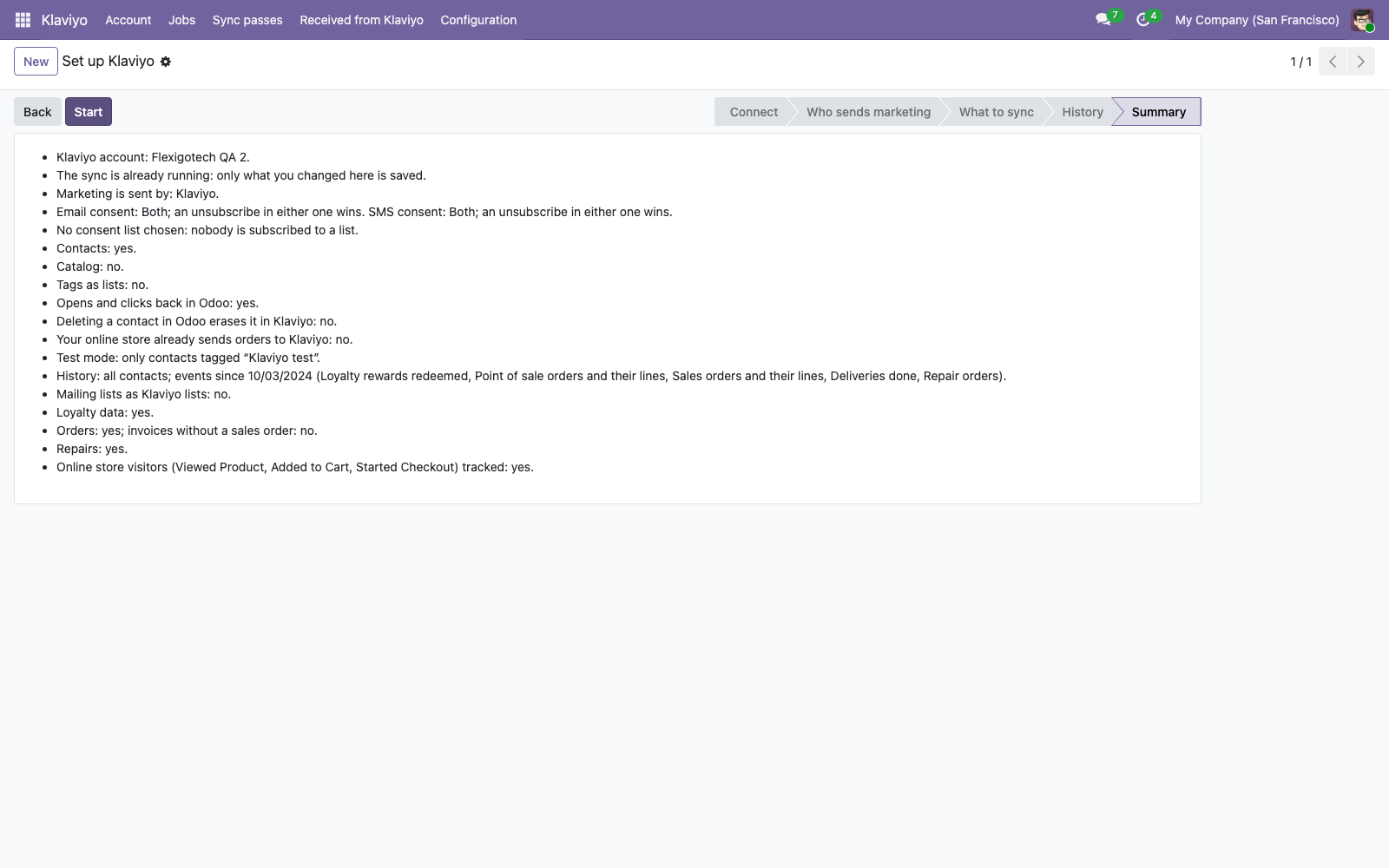
The summary of the assistant, in plain words, before you press Start. 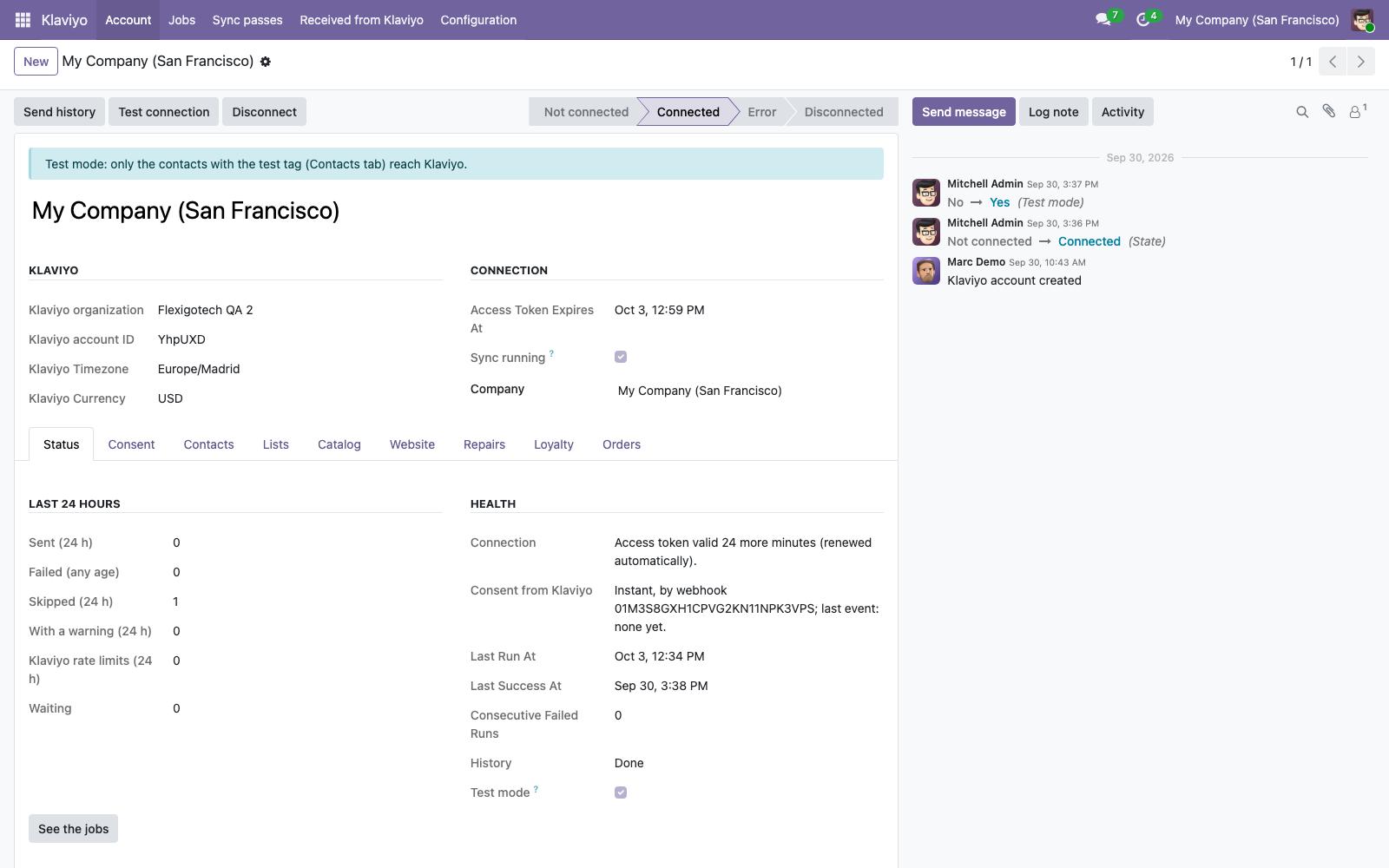
The Klaviyo account in Odoo, connected by OAuth, with its Status tab. 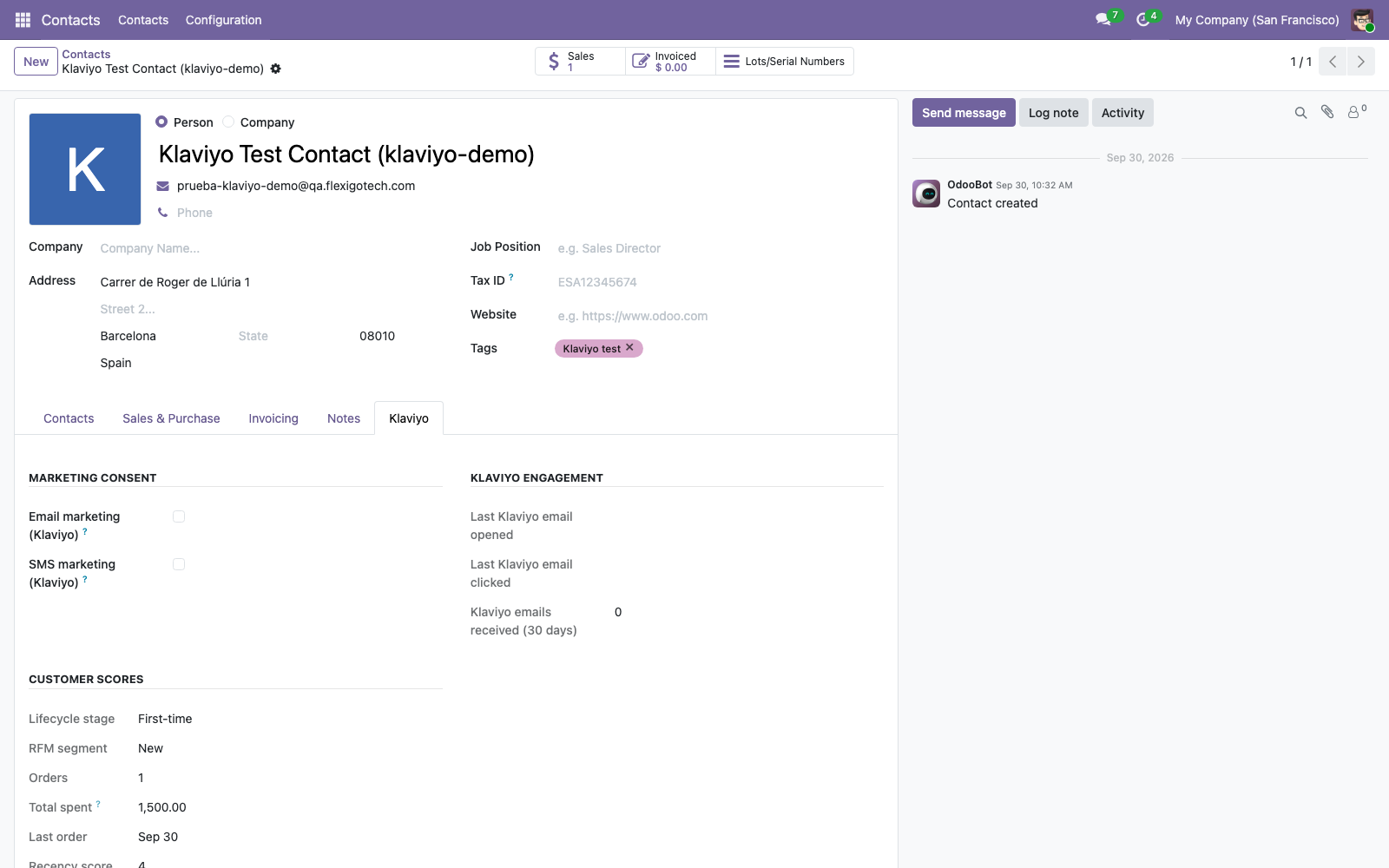
The Klaviyo tab on a contact: consent, email engagement and customer scores. 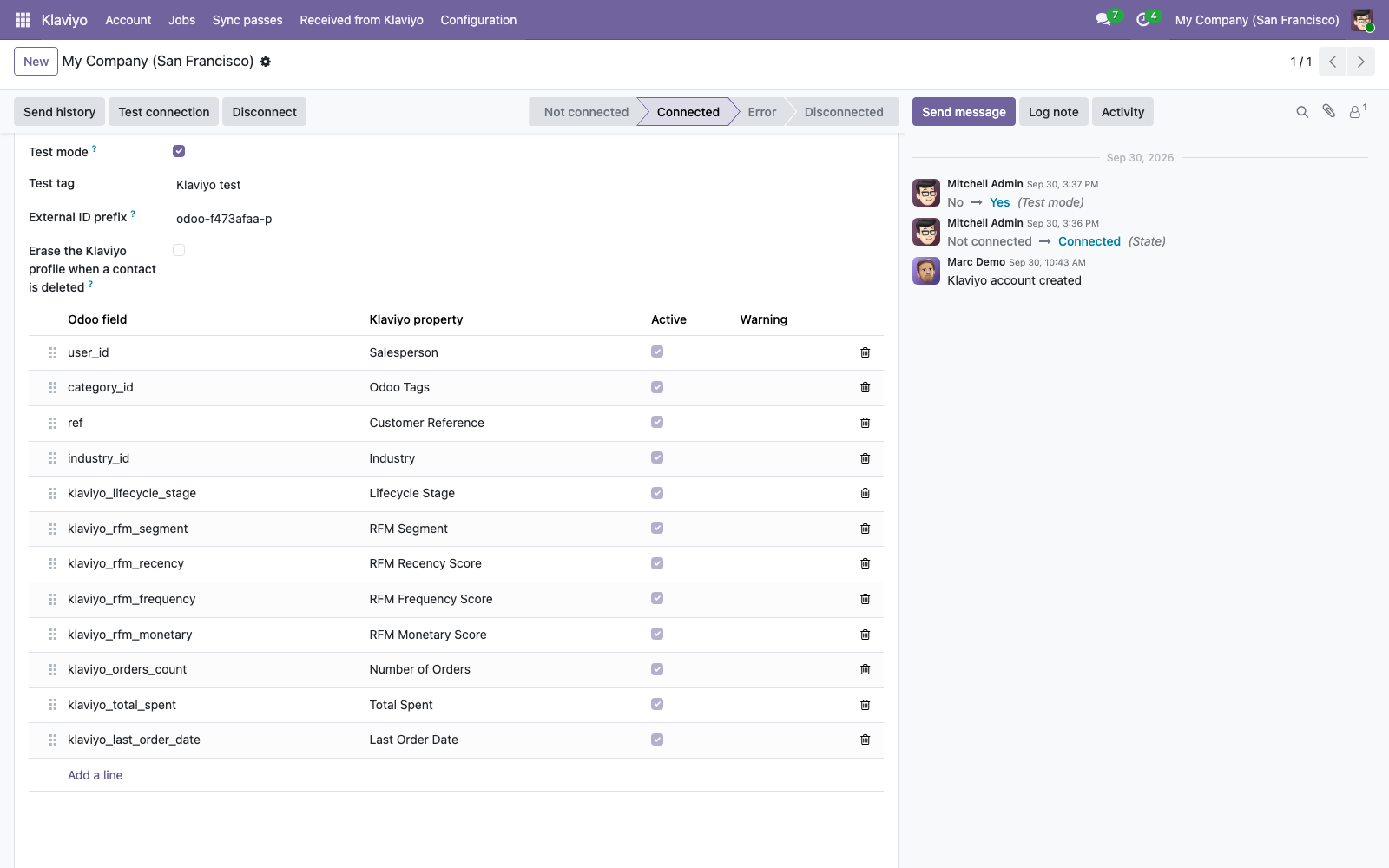
Field mapping: Odoo fields sent as Klaviyo profile properties. 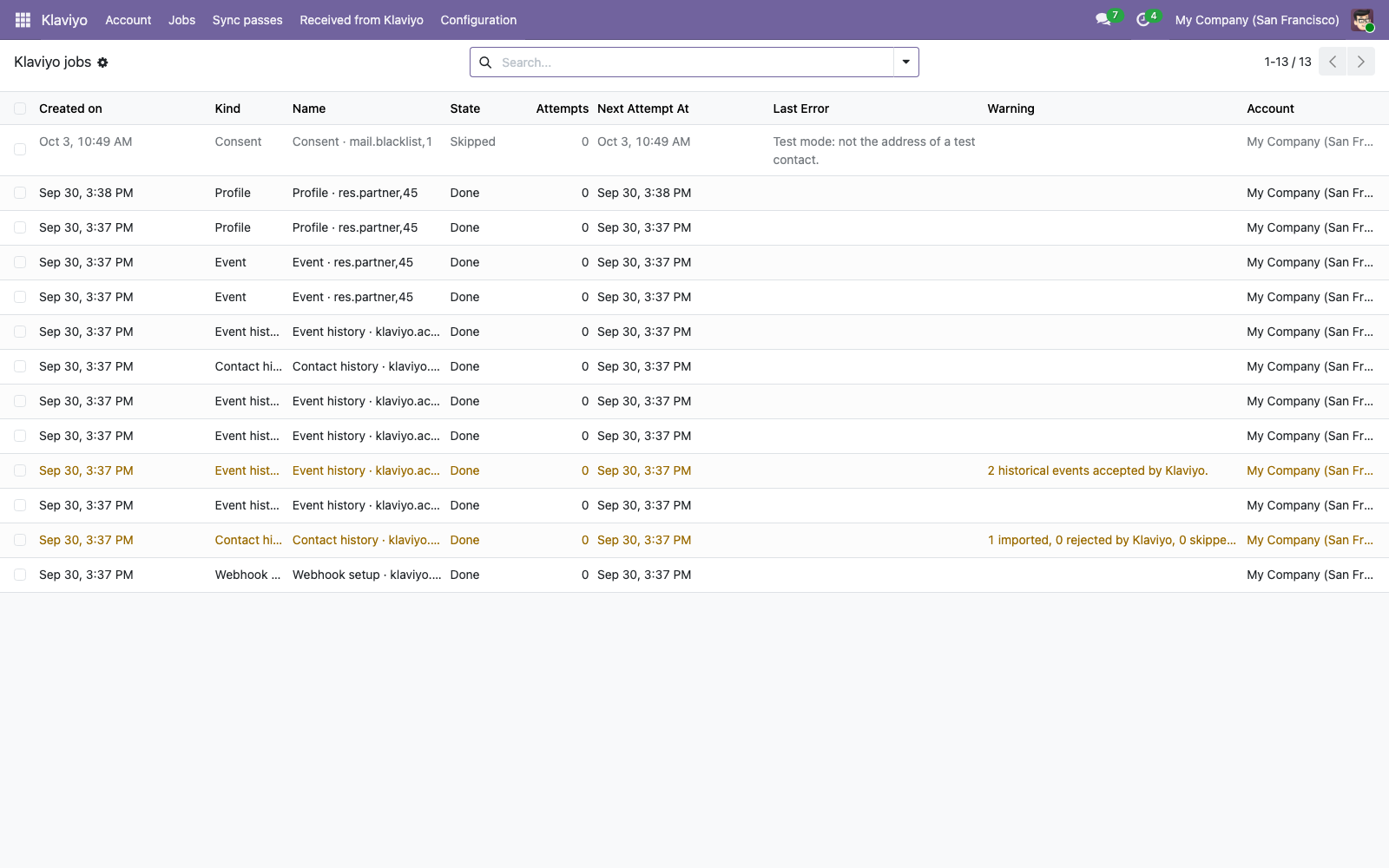
The jobs list: what was sent, skipped or failed, and why. 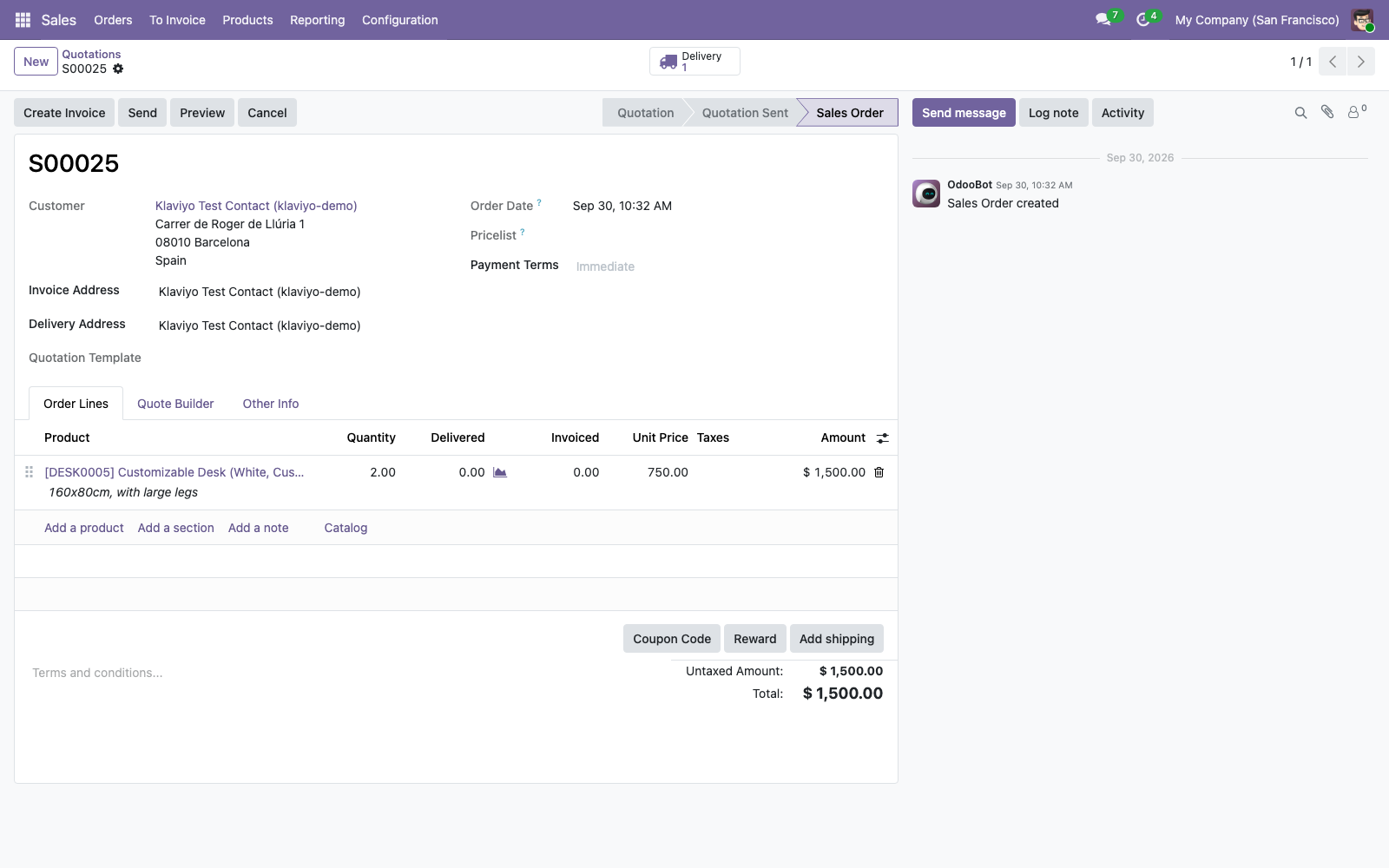
A confirmed sales order. Confirming an order sends Placed Order and Ordered Product to Klaviyo.
Installed from the Odoo Apps menu
You need Odoo 17, 18, 19 or 20, on Odoo.sh or on your own server, and a Klaviyo account. Odoo Online does not accept third-party modules, so it cannot run this app.
Test mode lets you connect a production database and send only the contacts tagged "Klaviyo test" until you have checked the result in Klaviyo.
- In Odoo, open Apps and install Klaviyo for Odoo. The parts for Sales, Inventory and the other Odoo apps you use switch on by themselves.
- Open the Klaviyo app. The setup assistant starts.
- Press Connect with Klaviyo, sign in to Klaviyo and approve the access.
- Follow the assistant: who sends marketing, what to sync, optional history, summary.
- Press Start. The connector begins to send.
Uninstalling, or pressing Disconnect, revokes the token in Klaviyo and deletes the webhook that Odoo created.
Your data goes from Odoo straight to Klaviyo
Contacts, orders and events travel directly between your Odoo and Klaviyo. FlexigoTech runs a small relay at connect.flexigotech.com that takes part only in the sign-in and in token refreshes, so the Klaviyo client secret stays out of every installation. The relay never receives customer data.
With eCommerce, store visits go from the visitor's browser to Klaviyo, and only after the visitor accepts the optional cookies.
- The tokens are stored encrypted, and only system administrators can read them.
- Nobody is subscribed to marketing without explicit consent recorded in Odoo.
- A Klaviyo Manager can erase selected contacts from Klaviyo on request. Odoo then stops sending those addresses.
- The Status tab shows what was sent, what failed and what is waiting, and you can retry failed jobs from there.
Available for Odoo 17, 18, 19 and 20
Licence OPL-1. To get access, write to comercial@flexigobe.com.
Support is by email, in English or Spanish, and we answer within two working days.