

 Español
 Català
First of all: Odoo declares the general regime
On every line of the breakdown, the module sends tax 01, VAT, and regime key 01, general regime operation. With a submission from the module, none of the codes in this group should appear, because they all deal with other keys or other taxes.
The flip side matters: if your company applies a special regime, such as cash accounting or the margin scheme (REBU), the published module declares it as the general regime. If that is your case, write to comercial@flexigobe.com before sending those invoices: it is better to review it before they go out than to correct it afterwards.
The rules of each key
The AEAT validation document sets out what each special regime requires with VAT or IGIC, the Canary Islands tax:
| Key | Regime | What it requires | Code |
|---|---|---|---|
| 02 | Export | OperacionExenta only. | 1286 |
| 03 | Margin scheme (REBU) | Classification S1. | 1200 |
| 04 | Investment gold | S2 or an exempt operation. | 1201 |
| 06 | Group of entities | Neither F2, F3 nor R5, and BaseImponibleACoste reported. | 1202 |
| 07 | Cash accounting | Neither S2, N1, N2 nor exemptions E2 to E5. | 1203 |
| 08 | IPSI or IGIC operations | Classification N2, always reported. | 1252 |
| 10 | Collection on behalf of third parties | N1, invoice F1 and recipients with a Spanish tax ID. | 1205 |
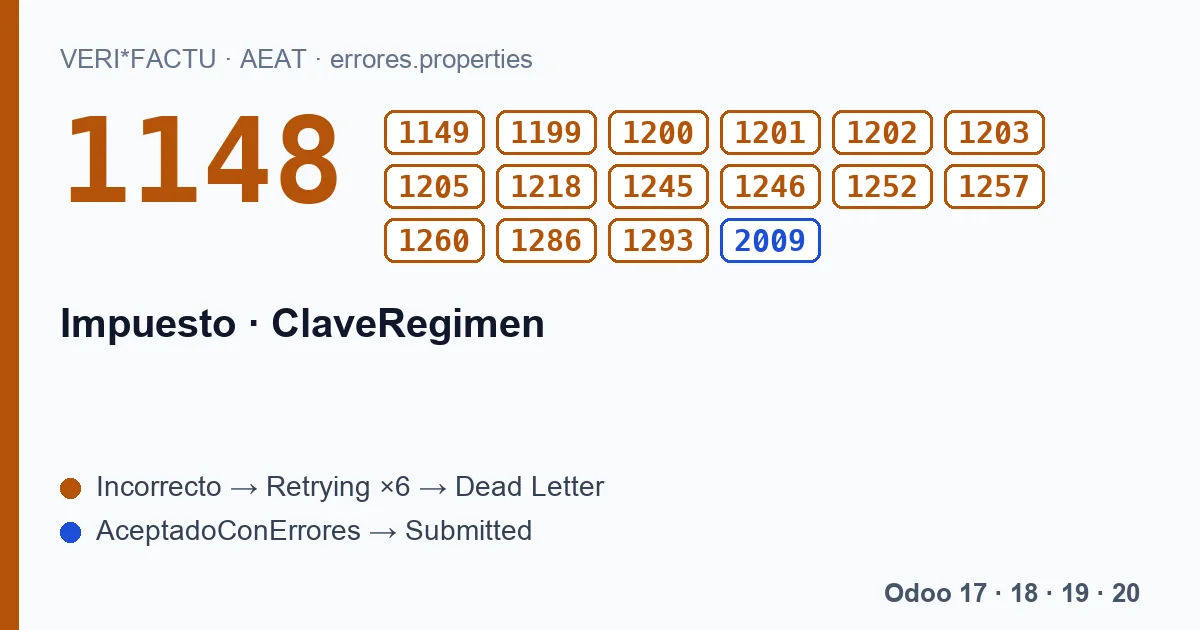
| 14 | VAT pending on public works certifications | F1, R1, R2, R3 or R4, and recipients whose tax ID starts with P, Q, S or V. | 1148, 1149 |
| 20 | Operations subject to IPSI (with IGIC) | Classification N2. | 1293 |
Keys not shown in the table have no specific rule in the document. There are also two general rules: 1199 rules out exemptions E2 and E3 with key 01, and 1257 limits BaseImponibleACoste to key 06 or to the IPSI and Other taxes.
Tax and key
- 1218
- The value of the Impuesto (tax) field is wrong.
- 1245
- With an empty tax, VAT, IPSI or IGIC, the regime key is mandatory.
- 1246
- The regime key value is not on the list.
- 1260
- The key can only go with an empty tax, VAT, IPSI or IGIC.
- 2009
- With IPSI, the regime key has to be reported.
IPSI and the 2027 date
2009 is one of the few errors the AEAT accepts without asking for a correction: with IPSI, the tax of Ceuta and Melilla, and an empty key, the record still gets in. But a change has been announced for IPSI: a key outside its list gives a warning until 31/12/2026 and starts rejecting the record from 01/01/2027. If you invoice in Ceuta or Melilla, take note; the published module does not declare IPSI.
The codes on this page, with the AEAT's text
Each code with its literal text, in Spanish, as the AEAT's error list gives it:
| Code | AEAT text (Spanish) |
|---|---|
| 1148 | Si la ClaveRegimen es 14, el campo TipoFactura debe ser F1, R1, R2, R3 o R4. |
| 1149 | Si ClaveRegimen es 14, el NIF de Destinatarios debe estar identificado en el censo de la AEAT y comenzar por P, Q, S o V. |
| 1199 | Si Impuesto es '01' (IVA), '03' (IGIC) o no se cumplimenta y ClaveRegimen es 01 no pueden marcarse la OperacionExenta E2, E3. |
| 1200 | Si ClaveRegimen es 03 CalificacionOperacion sólo puede ser Operación Sujeta y No exenta - Sin inversión del sujeto pasivo (S1). |
| 1201 | Si ClaveRegimen es 04 CalificacionOperacion sólo puede ser Operación Sujeta y No exenta - Con inversión del sujeto pasivo (S2) o bien OperacionExenta. |
| 1202 | Si ClaveRegimen es 06 TipoFactura no puede ser F2, F3, R5 y BaseImponibleACoste debe estar cumplimentado. |
| 1203 | Si ClaveRegimen es 07 OperacionExenta no puede ser E2, E3, E4 y E5 o CalificacionOperacion no puede ser S2, N1, N2. |
| 1205 | Si ClaveRegimen es 10 CalificacionOperacion tiene que ser N1, TipoFactura F1 y Destinatarios estar identificada mediante NIF. |
| 1218 | El valor del campo Impuesto es incorrecto. |
| 1245 | Si el campo Impuesto está vacío o tiene valor IVA(01) o IPSI(02) o IGIC(03) el campo ClaveRegimen debe de estar cumplimentado. |
| 1246 | El valor del campo ClaveRegimen es incorrecto. |
| 1252 | Si ClaveRegimen es 08 el campo CalificacionOperacion tiene que tener el valor Operación No sujeta por reglas de localización (N2) e ir siempre informado. |
| 1257 | El campo BaseImponibleACoste solo puede estar cumplimentado si la ClaveRegimen es = '06' o Impuesto = '02' (IPSI) o Impuesto = '05' (Otros). |
| 1260 | El campo ClaveRegimen solo debe de estar cumplimentado si el campo Impuesto está vacío o tiene valor IVA(01) o IPSI(02) o IGIC(03) |
| 1286 | Si el impuesto es IVA(01), IGIC(03) o vacio, si ClaveRegimen es 02 solo se podrá informar OperacionExenta. |
| 1293 | Si ClaveRegimen es 20 el campo CalificacionOperacion tiene que tener el valor Operación No sujeta por reglas de localización (N2) e ir siempre informado. |
| 2009 | Si el campo Impuesto tiene valor IPSI(02) el campo ClaveRegimen debe de estar cumplimentado. |
What about dates with keys 14 and 15?
They are the only keys that allow an operation date later than the issue date or later than today. They are explained on the dates page.
Keep reading
Checked in the module's source code (version 20.0) and the linked sources
Sources
- www.agenciatributaria.es/static_files/AEAT_Desarrolladores/EEDD/IVA/VERI-FACTU/Validacione
- Module source code: flexigo_spain_verifactu 20.0 (aa2ea3d2): models/verifactu_aeat_client.py
- Module source code: flexigo_spain_verifactu 20.0 (aa2ea3d2): data/verifactu_error_catalogue.xml
- prewww2.aeat.es/static_files/common/internet/dep/aplicaciones/es/aeat/tikeV1.0/cont/ws/err