

 Español
 Català
What it means
The AEAT text is Registro de facturación duplicado., «duplicate invoicing record», and it belongs to the section of the official list that rejects the invoice, not the whole submission. The identifier being compared is the IDFactura block: the issuer's tax ID, the invoice number and its issue date. In Odoo those three come from the company's tax ID, the number Odoo gave the invoice and its date.
Along with code 3000, the AEAT answer includes a RegistroDuplicado block that tells you what happened to the record already on file: the ID of the request it came in with, its status and, if it had one, its own error code.
When it happens with Odoo
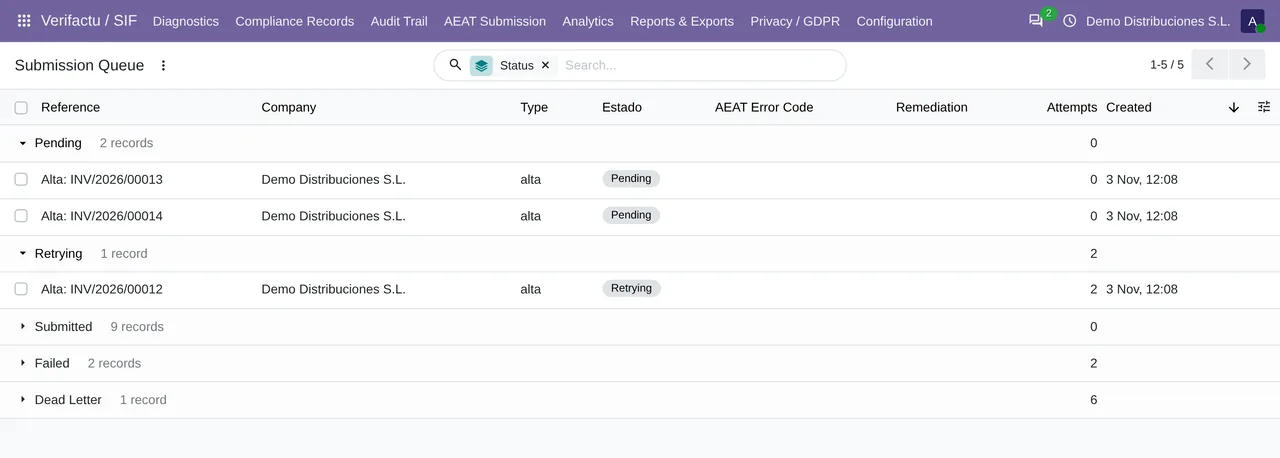
The AEAT answers every submission with a status per record. If that answer never arrives, because of a network cut or a timeout, the module cannot know whether the AEAT stored the record: it puts the submission in Retrying and tries again later, with waits from 2 minutes to 12 hours. If the first attempt did get in, the second one comes back with a 3000. It is the AEAT's way of telling you it already had it.
What the module does with the answer
| Status of the earlier record | What you get in Odoo |
|---|---|
| Correcta (correct) | The record becomes «Aceptado AEAT» (accepted) and is not sent again. |
| AceptadaConErrores (accepted with errors) | It becomes «Aceptado con errores (subsanar)», with the code and description of the earlier record. |
| Anything else | It is handled as a rejection: Retrying and, on the sixth attempt, Dead Letter. |
This matches what the AEAT says: if the record is already on file as correct or accepted with errors, it must not be resent. Sending it again would only produce another 3000.
What you need to do
- If the record ended up as «Aceptado AEAT», nothing. The invoice is registered exactly once.
- If it ended up as «Aceptado con errores (subsanar)», the problem is not the duplicate but the error the earlier record already had. Look up its code in this series of pages.
- If 3000 keeps appearing for different invoices, check that two systems are not sending the same invoices with the same tax ID, for instance a test copy of Odoo pointing at the production environment.
Can 3000 come from another invoice with the same number?
Only if the tax ID, number and date all match. Odoo does not repeat numbers within a journal, so the usual case is the same invoice sent twice.
Where do I see the earlier record?
In the answer stored with the submission, the Raw Response field of the queue, which holds the whole RegistroDuplicado block.
Cancellation records follow the same identifier logic. What happens when you cancel an invoice the AEAT does not have, or one already cancelled, is on the cancellations page.
Keep reading
Checked in the module's source code (version 20.0) and the linked sources
Sources
- prewww2.aeat.es/static_files/common/internet/dep/aplicaciones/es/aeat/tikeV1.0/cont/ws/Sis
- Module source code: flexigo_spain_verifactu 20.0 (aa2ea3d2): models/verifactu_aeat_client.py
- Module source code: flexigo_spain_verifactu 20.0 (aa2ea3d2): models/verifactu_cola_envio.py
- Module source code: flexigo_spain_verifactu 20.0 (aa2ea3d2): models/verifactu_cadena.py
- Module source code: flexigo_spain_verifactu 20.0 (aa2ea3d2): data/verifactu_error_catalogue.xml
- prewww2.aeat.es/static_files/common/internet/dep/aplicaciones/es/aeat/tikeV1.0/cont/ws/err