

 Español
 Català
 Deutsch
 Français
 Português
 Italiano
 Nederlands
 Polski
What the AEAT answers
Each submission carries between 1 and 1,000 records. The answer brings a state for the whole submission (Correcto, ParcialmenteCorrecto or Incorrecto), a state per record (Correcto, AceptadoConErrores or Incorrecto) and the waiting time until the next submission.
The AEAT publishes its official error catalogue, with 247 codes, in three families:
| Family | What it means | What to do |
|---|---|---|
| 4xxx: whole submission rejected | Nothing from that submission was registered. | Fix the cause and resend the whole submission. |
| Record rejected | That record is not accepted; the rest of the submission is. | Fix that record and resend only that one. |
| 2xxx: accepted with errors | The record is registered, but something has to be corrected. | Do not resend it as new: correct what the code says. |
Two specific cases are worth recognising at once. Code 3000 flags a duplicate record: if it already shows as correct or accepted with errors, there is no need to resend it. And the fingerprint, a SHA-256 chained to the previous record, is recalculated by the AEAT: if it does not match, the record is accepted with an error that has to be corrected.
Before reaching the AEAT: the certificate
The AEAT identifies the issuer by the certificate presented when connecting. Without a certificate, its service redirects to error page 4033, "no certificate detected". With a certificate that does not validate, to 4011. In Odoo, these cases are stopped earlier:
No active certificate for company …: the company has no active certificate. Upload it under Configuration › Certificates.The certificate … of company … has expired.: it has expired. There is a daily expiry alert so you do not get here.
What your system blocks before sending
| Message | What is missing | Fix |
|---|---|---|
Company … has no NIF for Veri*Factu. | The company has no NIF. | Fill it in on the company details. |
Invalid NIF length: "…" (must be 9 chars) | The customer's NIF does not have 9 characters. | Check the NIF on the contact. |
Invalid NIF digits: "…" | The NIF contains invalid characters. | Correct it on the contact. |
Cannot post invoice: invalid counterparty identifier. | The customer's identifier is not valid. | Correct the identifier before posting. |
Record … has no tax breakdown (Desglose) to declare. | The invoice has no tax breakdown. | Check the taxes on the lines. |
Record … is chained to a previous record that does not exist. | The record chain is broken. | Do not touch it by hand: check the chain state and write to us. |
The AEAT accepts at most 1000 records per request. | A submission with more records than allowed. | The queue splits them; if you see this, let us know. |
Where to look in Odoo
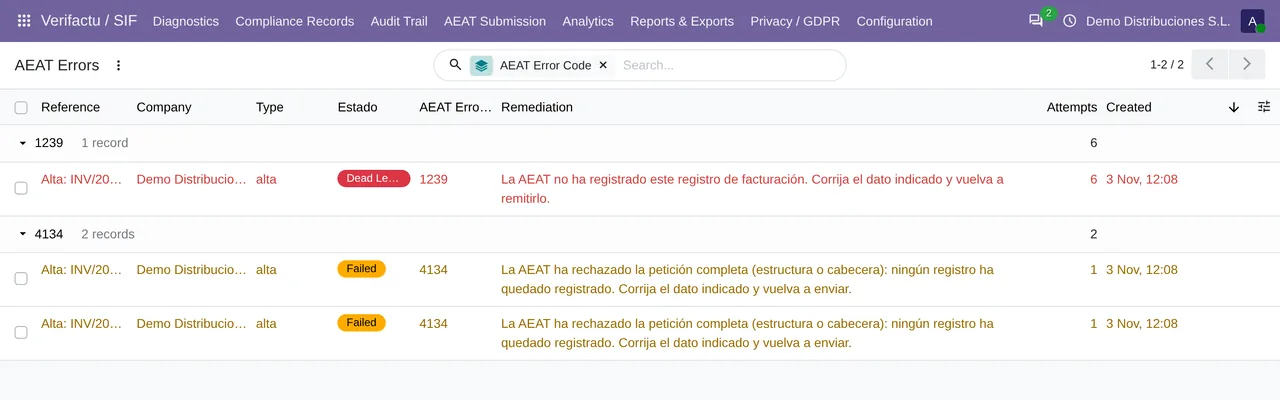
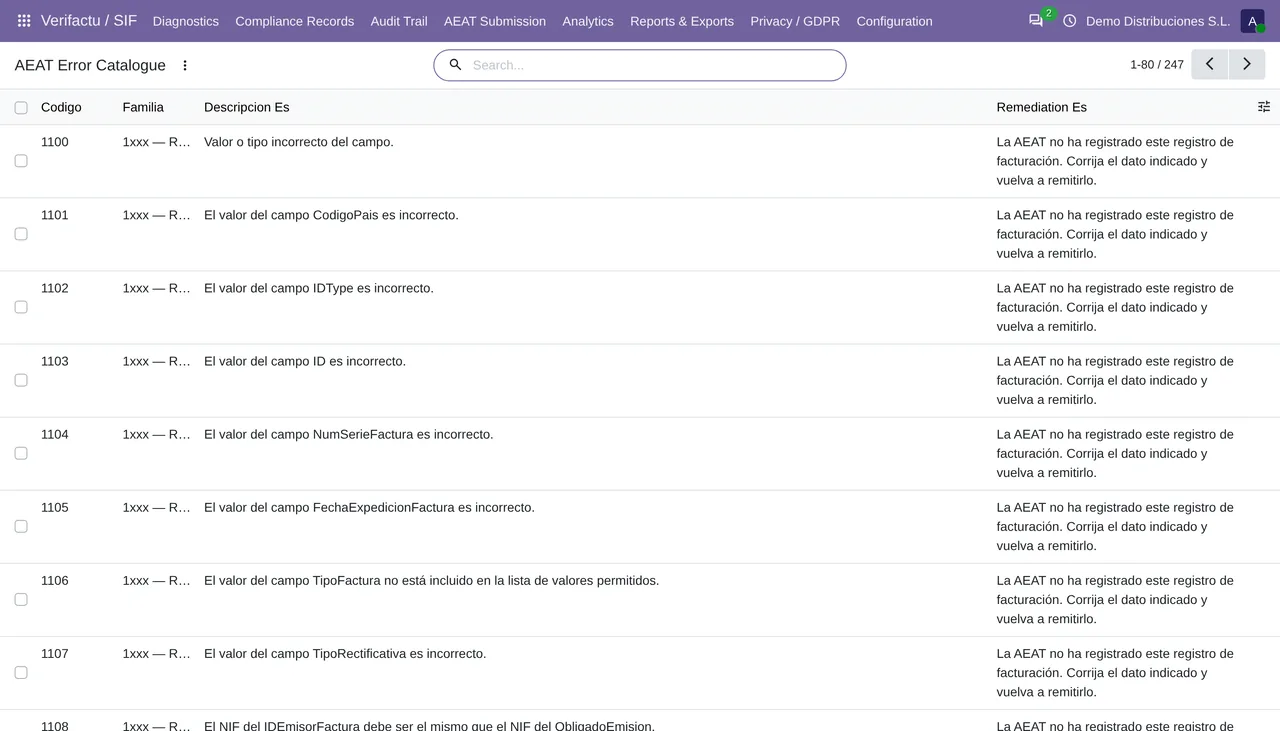
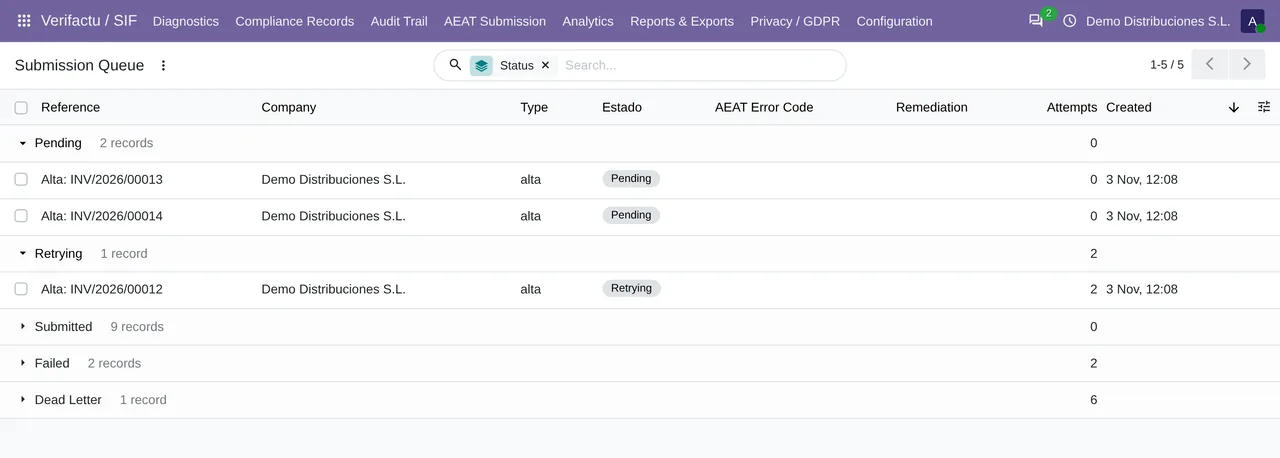
The submission queue is processed every minute and lives under AEAT Submission › Submission Queue. Errors returned by the AEAT have their own list under AEAT Errors, and the full code catalogue under AEAT Error Catalogue. Those three screens solve most cases without opening the AEAT's technical document, although it is linked below in case you need it.
The module is published for Odoo 17, 18, 19 and 20. If a code is not in the catalogue, send us the exact text of the answer: we will find it in the official validation document.
Keep reading
Checked in the module's source code (version 20.0) and the linked sources
Sources
- www.agenciatributaria.es/static_files/AEAT_Desarrolladores/EEDD/IVA/VERI-FACTU/Validacione
- prewww2.aeat.es/static_files/common/internet/dep/aplicaciones/es/aeat/tikeV1.0/cont/ws/Sis
- sede.agenciatributaria.gob.es/Sede/errores/erro4033.html
- www.agenciatributaria.es/static_files/AEAT_Desarrolladores/EEDD/IVA/VERI-FACTU/Veri-Factu_
- Module source code: flexigo_spain_verifactu 20.0 (4dc42be4): models/account_move.py
- Module source code: flexigo_spain_verifactu 20.0 (4dc42be4): models/verifactu_aeat_client.py
- Module source code: flexigo_spain_verifactu 20.0 (4dc42be4): models/verifactu_nif_validator.py
- Module source code: flexigo_spain_verifactu 20.0 (4dc42be4): data/verifactu_crons.xml
- Module source code: flexigo_spain_verifactu 20.0 (4dc42be4): views/menu_views.xml
- apps.odoo.com/apps/modules/20.0/flexigo_spain_verifactu