

 Español
 Català

For an accounting firm, VeriFactu doesn't change how invoices are issued: it changes what to monitor. The obligated party is the client, and the record is generated by the system that issues the invoice, “simultaneously with or immediately before the issuing” (art. 9.1 of RD 1007/2023). What is new for the firm is control: checking every week, client by client, that the system is still in VeriFactu mode, that there are no stuck or rejected records, that the chain adds up and that the certificate has not reached its expiry date.
We write from the side of the builder: our flexigo_spain_verifactu module exists for Odoo 19, 18 and 17, with a multi-company console and 283 tests. The rule itself is covered in what VeriFactu is and how to comply with Odoo; we don't repeat it here.
The firm does not become the responsible party: it becomes the one who finds out. Responsibility stays with the obligated party even if a third party handles compliance (art. 6). The advisor's risk is not noticing that a client has gone five weeks without sending a record.
RD-ley 15/2025 deadlines in a mixed portfolio
The fourth final provision of RD 1007/2023, as worded in Real Decreto-ley 15/2025, splits the firm's portfolio into two waves.
| Group | Date | Legal basis |
|---|---|---|
| Corporate Income Tax taxpayers (art. 3.1.a) | 1 January 2027 | Final provision 4, as worded in RD-ley 15/2025 |
| Other obligated parties under art. 3.1 | 1 July 2027 | Final provision 4, as worded in RD-ley 15/2025 |
| Software producers (art. 3.2) | Nine months from the ministerial order | Final provision 4, third paragraph |
Companies (with an ERP and someone who understands a credit note) come first; six months later, those who invoice with a spreadsheet. The hard work is in that second wave: planning by date rather than by volume leaves the whole backlog in June 2027.
Who is the issuer: what the advisor can and cannot do
Three articles read together settle it. Art. 3 identifies the obligated party: whoever issues the invoice. Art. 6 lets a third party fulfil it materially without shifting responsibility. And art. 9.1 requires the record to be generated when the invoice is issued, not afterwards.
Together they rule out a classic workflow: “send me the invoices and I'll enter them at month end.” If the client issues in their own software and the firm enters them weeks later, that record does not meet art. 9.1: the invoicing system is the one that issues, not the one that books.
- The firm can: configure the system, set up series and certificate, watch the queue, resend corrected records, issue the ledger.
- Nobody can: edit a generated record, recalculate a hash or delete an invoice from the chain. A correction is always a new record.
- Nor does it sign the responsible declaration: art. 13 assigns it to whoever produces the system; commissioning developments on issuing could put the firm within that definition.
Day to day: registration, mode check, submissions and rejections
Setting up a client: the checklist before letting them issue
- Issuer tax ID validated, without the
ESprefix where it doesn't belong: it is the first field of the hash. - Certificate and its password in encrypted storage, with the expiry date visible.
- Mode decided: submission to the AEAT (arts. 15 and 16) or local storage.
- Series declared and a single chain per company.
- SIF owner named: a specific person, who receives the alerts.
- Permissions assigned: whoever reviews the queue doesn't need to touch the certificate; the module separates six roles.
“Being in VeriFactu mode” is not a ticked box: it means the submission process runs on schedule, the certificate is valid, there is an active series and the last accepted submission is from today. With the box ticked and the process stopped, it looks the same as a healthy one.
Rejection, correction and cancellation
In our module the queue has five states (pending, retrying, sent, failed and exhausted) and retries with increasing waits (2 and 10 minutes, half an hour, 2 hours and 12 hours); after the sixth failed attempt it is marked “exhausted” and no longer retries on its own. That counter separates a network problem from a data problem.
For the data problem, the AEAT's official schema has the answer: the registration record carries the flags Subsanacion (S/N) and RechazoPrevio (S/N/X), and when rejecting a duplicate submission the AEAT returns the state in which it stored the previous one (Correcta, AceptadaConErrores or Anulada); it is in the official XSD that we package. An “accepted with errors” is still wrong: it is resent corrected and marked as a correction. It is neither deleted nor edited.
Cancelling is something else: a cancellation record (art. 11), chained like any other. And there is a frequent case in firms: exchanging simplified invoices for a full invoice is not a rectification. It is key F3, with its block of substituted invoices, a mandatory recipient and amounts that, according to the AEAT's FAQ, are not counted again; we built it with 18 tests of its own.
Why the hash can't be fixed by hand
Art. 12 requires adding a hash to registration and cancellation records. The detail: it is not calculated over loose values, but over labelled pairs joined by & (IDEmisorFactura=…&NumSerieFactura=…&FechaExpedicionFactura=…&TipoFactura=…&CuotaTotal=…&ImporteTotal=…&Huella=…&FechaHoraHusoGenRegistro=…), with SHA-256 in uppercase hexadecimal, and with the Huella field empty in the first record, not zeros.
We know because we got it wrong: one of our branches concatenated the values without labels. Each record was consistent with itself and none matched the specification: the worst possible failure, because it raises no error anywhere. Changing a recorded amount invalidates its hash and all later ones; the remedy is not to edit, but to cancel and register again.
The per-client compliance dashboard: which columns it needs
A firm with eighty clients can't open eighty databases: it needs a screen that says whom to call first.
| Column | What it answers | How it is calculated |
|---|---|---|
| Red / amber / green | Whom do I look at first? | Red with failed or exhausted; amber with pending, certificate under 30 days or unverified chain |
| Pending | Is the queue building up? | Pending or retrying |
| Rejected and exhausted | What won't resolve itself? | Failed plus exhausted |
| Sent today | Is it alive? | Records accepted today |
| Last accepted submission | Since when has nothing arrived? | Date of the last acknowledgement |
| Chain integrity | Do the hashes add up? | Nightly hash-by-hash walk |
| Certificate days | Who drops out soon? | Alerts at 60, 30 and 7 days |
| Readiness and deadline | Will it make its date? | Checks passed and countdown |
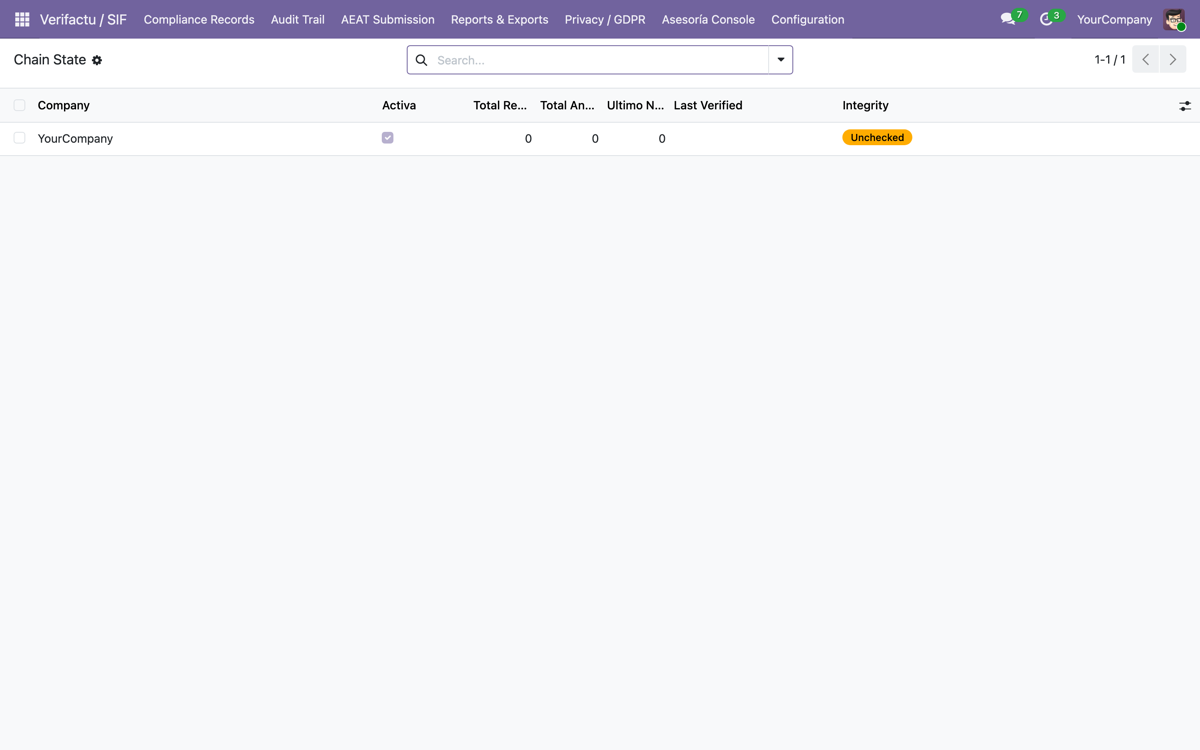
Two decisions that are not cosmetic. The dashboard is sorted by worst first, not alphabetically: the order is information in itself. And broken integrity alerts before any counter: a large queue can be resolved with time; a broken chain can't.
Isolation between clients is a requirement, not a detail: an audit of the module itself uncovered that the daily summary merged all companies into a single email (client B saw client A's backlog). If you are evaluating a multi-client tool, ask for that test: two clients, two users, and what each one sees.
The errors the firm will see first
- The tax ID with a prefix.
ESB12345674is a valid VAT number and an invalid issuer identifier: it goes into the hash as is. - The certificate with no stored password. Signing fails on the first real submission, not in tests.
- The foreign-currency invoice. Chaining the amount in pounds and declaring it in euros gives an inconsistent record, with no visible error.
- The restored copy. Issuing in a database and in its clone leaves two chains that start from the same point and each add up internally: no check sees the other database. It is avoided by procedure, not with a checkbox.
- The server clock. The date and time with timezone goes into the hash: the drift is paid for in rejections.
- Simulated mode. The most dangerous, because the dashboard lies: all green and the AEAT seeing nothing. Ask how the tool tells a real acknowledgement from a faked one.
How it fits with Facturae, FACe and the B2B of Crea y Crece
VeriFactu is not electronic invoicing: it regulates how the invoicing program behaves internally, not the format in which the document is exchanged. Whoever already invoices in Facturae through FACe doesn't have half the way done. That side is covered in EDI and electronic invoicing to the Administration and, for the Crea y Crece B2B, in Facturae, VeriFactu and who the legal issuer is.
The per-client calendar no longer fits in a spreadsheet: VeriFactu, B2B electronic invoicing and, past fifty employees, the whistleblowing channel of Law 2/2023. Three more columns of the same dashboard. We build them as our own modules on Odoo 19, 18 and 17: catalogue in modules and sector approach in solutions.
Frequently asked questions
Can the firm issue its clients' invoices from its own Odoo?
Materially, yes: art. 6 of RD 1007/2023 allows a third party to fulfil the obligations, even though responsibility stays with the obligated party. What changes is the status: that Odoo becomes the client's invoicing system and must generate the record when issuing.
What do I do if the AEAT rejects a record?
It is neither edited nor deleted: the data is corrected and resent marked as a correction. The official schema has fields for this (Subsanacion and RechazoPrevio), and an “accepted with errors” is still wrong: it is also corrected.
Can an already registered invoice be corrected?
Not in the record: a cancellation record is issued (art. 11) and, if applicable, a new registration. Replacing simplified invoices already declared is not a rectification: it is an exchange with key F3.
When is each client's turn?
According to the fourth final provision of RD 1007/2023 as worded in RD-ley 15/2025: 1 January 2027 for Corporate Income Tax taxpayers; 1 July 2027 for the rest.
Useful links within FlexigoTech
What we do about this
Do you handle several clients and need to see them on one screen?
Tell us how many companies you handle and what they invoice with today. We'll tell you what can be controlled from a single Odoo installation and what can't.