

 Español
 Català
 Deutsch
 Français
 Português
 Italiano
 Nederlands
 Polski
A fictional distributor connects its Odoo
Example Illustrative case: the company and its figures are made up to explain the flow.
Duna Distribution is a made-up company that already invoices in Odoo and has just installed the module. Laura, the consultant running the implementation, handles the configuration; Marcos, in accounts, works with the invoices. We follow what each of them sees and what they do about each message.
If you would rather understand the module's parts first, see how it works under the bonnet; here we stick to the messages.
Laura configures the company and hits the first warnings
No active configuration
The first thing Laura sees is No active UAE e-invoicing configuration found for company %s. The %s shows the company the warning refers to. There is a variant without the company: No active UAE e-invoicing configuration. Both say there is no active UAE e-invoicing configuration. The fix is to create or activate one for the company named in the message, and to check you are working in that company rather than another.
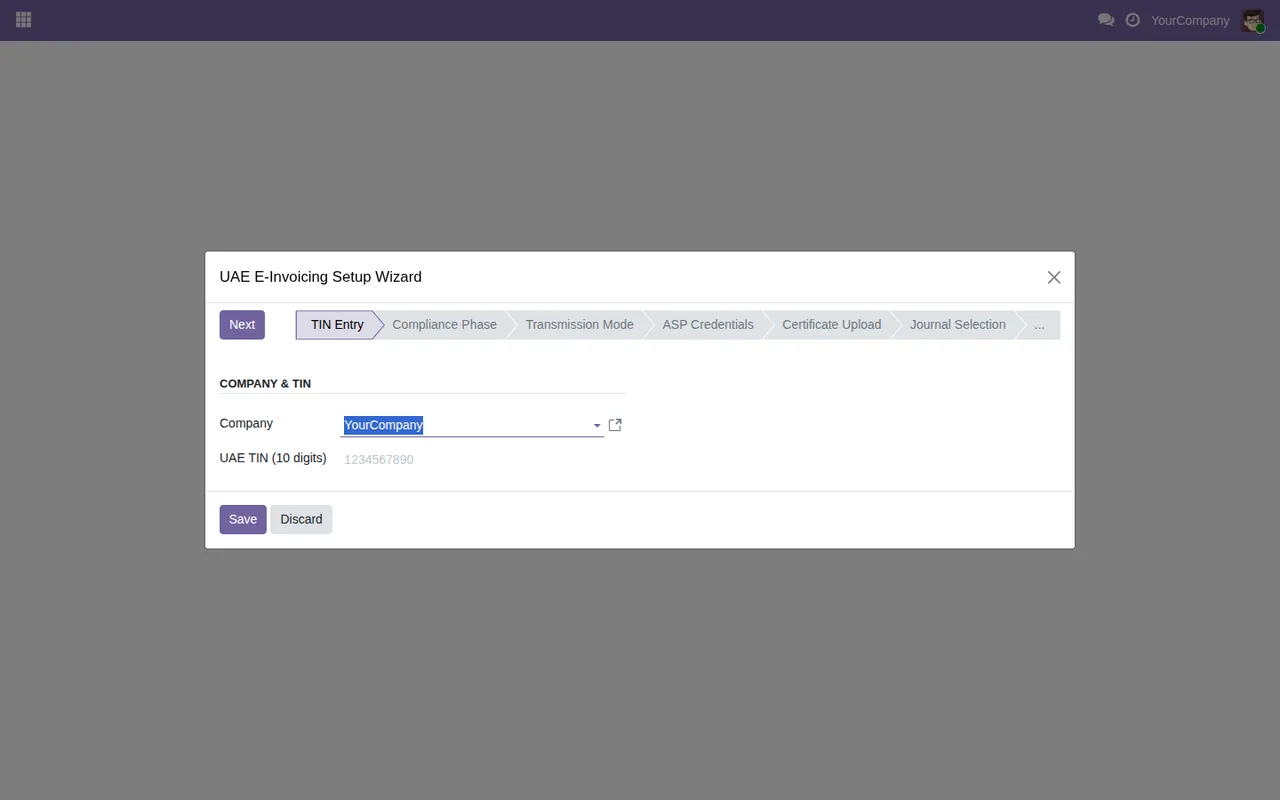
UAE E-Invoicing Setup Wizard at the TIN Entry step, with the sample company YourCompany in Company and the UAE TIN field still empty.TIN and TRN are rejected
Laura pastes the tax number with a space in the middle and the module replies TIN must be exactly 10 numeric digits. Later, with the other identifier, she gets TRN must be exactly 15 numeric digits. Both checks ask for digits only and exactly that length, so spaces, hyphens or letters will not do. Clean the value and save again.
Confirmation, ASP URL and thresholds
When she saves without confirming the details, she gets Please confirm the information is correct before saving. Just review the information and confirm it is correct before saving.
Next, Laura leaves sandbox mode and gets ASP Endpoint URL is required when not in sandbox mode. She has two ways out: fill in the ASP endpoint URL, or stay in sandbox mode until she has it.
Finally, she leaves the thresholds at zero and sees Alert threshold must be at least 1. and Failure threshold must be at least 1. Both accept a minimum of 1.
The ASP credential and its certificate
With the configuration saved, Laura moves on to the credential. While there is no active one, the module warns No active ASP credential configured.
Creating it without attaching the file gives No certificate uploaded. Once she uploads it, she may come across Certificate validation failed: %s or Credential setup failed: %s. In both cases the clue is in the text that replaces %s; read it in full before uploading anything again.
Laura wants to replace the credential with a new one and runs the action before preparing it. The message is No staged credential found. Upload a new credential and mark it as staged first. The text itself gives the order: upload the new credential and mark it as staged first.
When activating it she gets Cannot activate credential "%s": the certificate expired on %s. The first gap is the credential and the second, the date the certificate expired. With an expired certificate the module will not let her activate it, so she needs one that is still valid.
Marcos works with the invoices
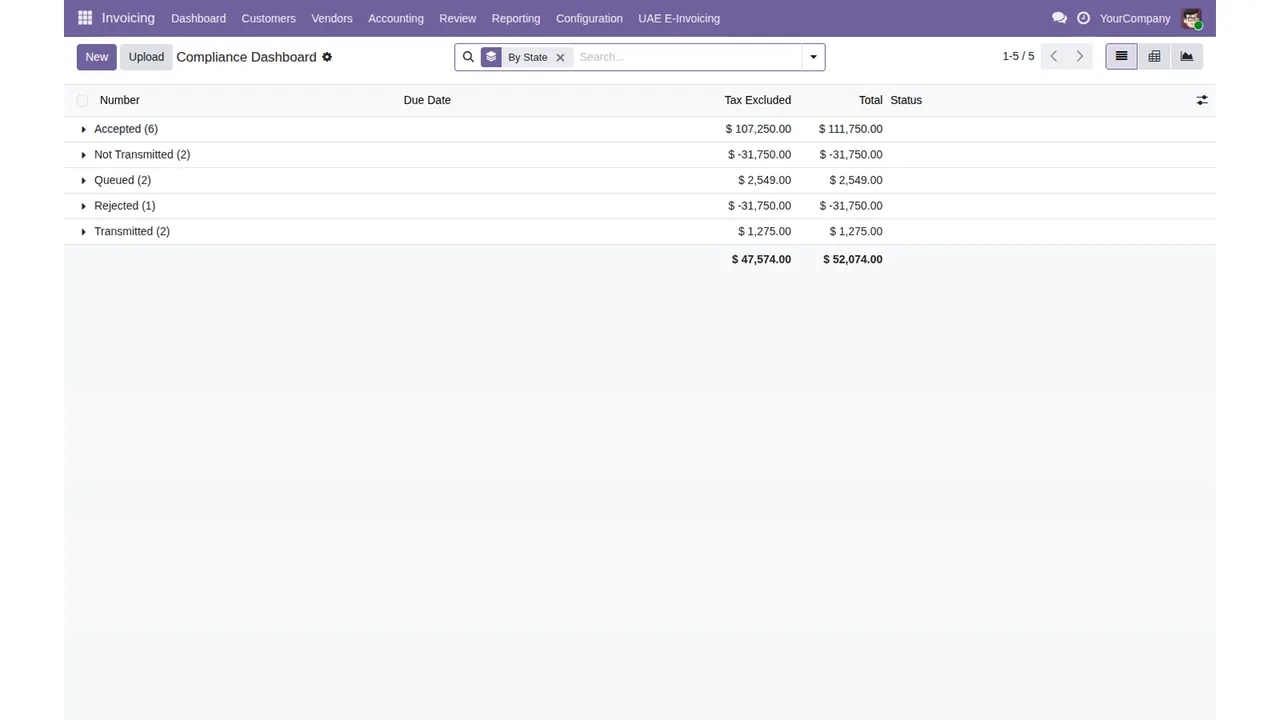
Invoicing › Compliance Dashboard grouped by state (Accepted, Not Transmitted, Queued, Rejected, Transmitted), with untaxed amount, total and a totals row.Retry, sync and void
Marcos opens an accepted invoice and asks to retry it. Reply: Only rejected or failed invoices can be retried. Only rejected or failed invoices can be retried.
Then he asks to sync the status of one that has not been sent yet: Status sync is only relevant for transmitted or queued invoices. Syncing only makes sense for transmitted or queued invoices.
Next he tries to void one that is queued: Only accepted or rejected invoices can be voided. Only accepted or rejected invoices can be voided, and this one is neither.
On another invoice he sees No e-invoice XML has been generated for this invoice. That invoice does not have its e-invoice XML generated yet.
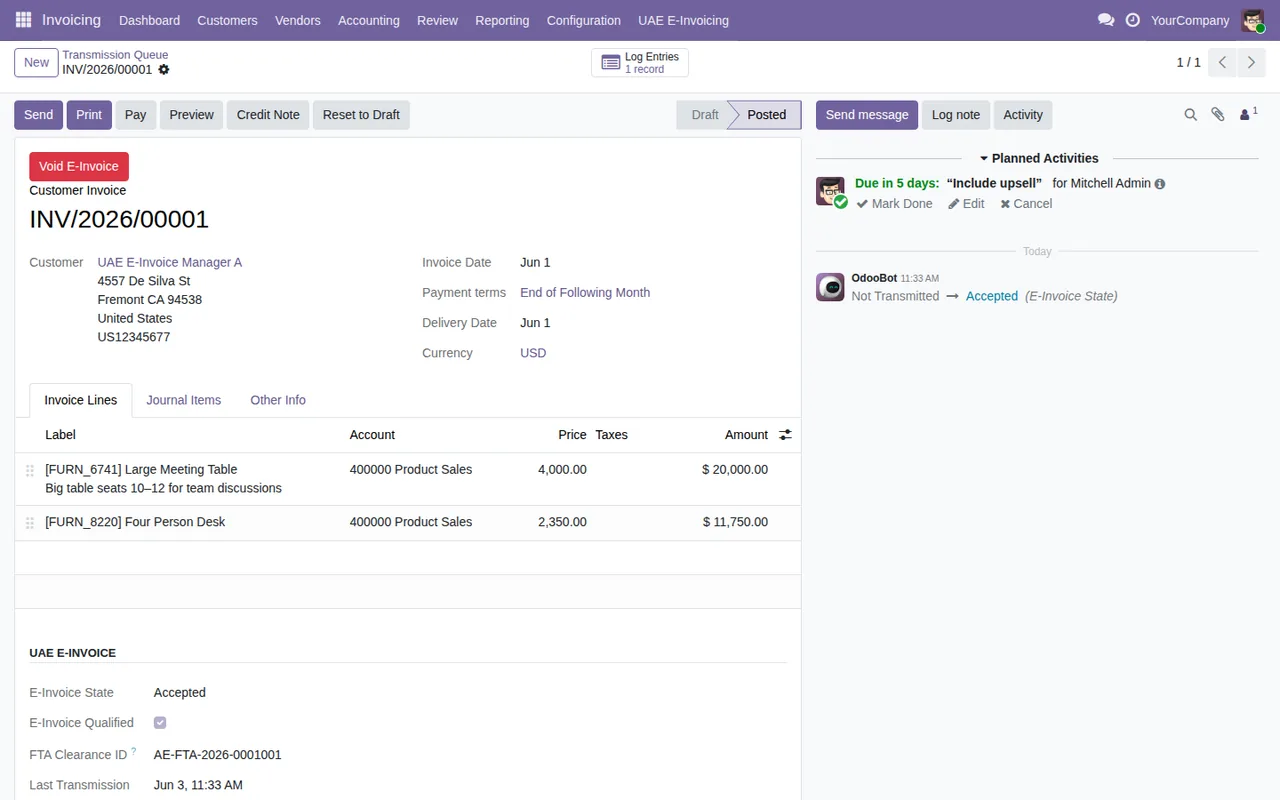
UAE E-Invoice section shows the Accepted state, the FTA clearance ID and the last transmission; in the chatter, a scheduled activity and the state change.What the module will not let you delete
Marcos wants to tidy up an old invoice and gets Invoice %s cannot be deleted: FTA retention period of %d years has not elapsed (expires %s). The module checks a retention period and will not let the invoice be deleted until the date shown in the message.
He cannot touch the audit trail either: E-invoice audit logs are immutable and cannot be modified. and E-invoice audit logs are immutable and cannot be deleted. The app keeps those records without allowing changes or deletion.
Lastly, he asks for the archived XML files for a period and sees No e-invoice XML archives found for TRN %s in the specified date range. He checks that the TRN in the message is the right one and widens or corrects the date range.
Compliance Dashboard grouped by state to the Transmission Queue, the wizard at the TIN Entry step and an invoice in Accepted state.What Duna Distribution's case teaches
- Read the whole message, including what appears in each
%s: that is where the company, the credential, the date or the failure detail goes. - The configuration warnings (
No active UAE e-invoicing configuration...,No active ASP credential configured.) say an active configuration or credential is missing. - TIN and TRN accept digits only, at the exact length in the message.
- To switch credentials,
No staged credential found...sets the order: upload the new one and mark it as staged; to activate it, the certificate must not have expired. - Retry, sync and void depend on the invoice's state; check the state before you click.
- Deleting invoices within the retention period or editing the audit trail is not allowed by the module.
To fill in each setting without tripping over these warnings, see the step-by-step set-up.
How FlexigoTech can help
FlexigoTech implements Odoo 17, 18, 19 and 20 and builds custom connectors and integrations, so we can review the configuration, the ASP credential or a specific message you cannot clear with you. The module costs €49 excluding VAT, a one-off payment per Odoo version, for 17, 18, 19 and 20; details are on the module page.
Keep reading
Checked in the module's source code (version 20.0) and the linked sources
Sources
- Module source code: flexigo_uae_fta_e_invoicing_connector 20.0 (bd3e6ed9): models/account_move.py
- Module source code: flexigo_uae_fta_e_invoicing_connector 20.0 (bd3e6ed9): models/flexigo_uae_einvoice_config.py
- Module source code: flexigo_uae_fta_e_invoicing_connector 20.0 (bd3e6ed9): models/flexigo_uae_einvoice_credential.py
- Module source code: flexigo_uae_fta_e_invoicing_connector 20.0 (bd3e6ed9): models/flexigo_uae_einvoice_log.py
- Module source code: flexigo_uae_fta_e_invoicing_connector 20.0 (bd3e6ed9): wizard/flexigo_uae_einvoice_dsar_wizard.py
- Module source code: flexigo_uae_fta_e_invoicing_connector 20.0 (bd3e6ed9): wizard/flexigo_uae_einvoice_setup_wizard.py
- apps.odoo.com/apps/modules/20.0/flexigo_uae_fta_e_invoicing_connector
- apps.odoo.com/apps/modules/17.0/flexigo_uae_fta_e_invoicing_connector
- apps.odoo.com/apps/modules/18.0/flexigo_uae_fta_e_invoicing_connector
- apps.odoo.com/apps/modules/19.0/flexigo_uae_fta_e_invoicing_connector
- flexigotech.com/en/services.html