

 Español
 Català
 Deutsch
 Français
 Português
 Italiano
 Nederlands
 Polski
Who it is for and who it isn't, in short
When you confirm a customer invoice or credit note in an enabled journal, the connector builds a UBL 2.1 XML that follows the PINT AE structure, checks it with the module's own validator and stores it as an attachment on the invoice. Outside sandbox mode, it sends that XML to the endpoint you configure.
It suits you if you want to set up that workflow in Odoo, try it with the simulator and, if your accredited provider accepts the module's generic contract, send invoices to them. As documented, it does not suit you if you need the XML to meet the PINT AE 1.0.4 rules, if your provider only works with its own API, or if you want to receive supplier invoices: the module does not receive them.
Six misconceptions before you buy
"Once installed, my invoices comply with PINT AE"
The listing is upfront about it: the XML has not been validated against the PINT AE 1.0.4 rules and fails several of them. It lists these: credit notes are sent as invoices, the transaction type flags are missing, foreign-currency invoices lack the AED amounts, and the buyer endpoint uses the 15-digit TRN instead of the 10-digit TIN. The validator that checks the XML is the module's own. If you issue credit notes or invoices in another currency, those are exactly the cases the listing flags as failing.
"It connects to any accredited service provider (ASP)"
There is no integration with any specific FTA-accredited service provider. The listing explains that accredited providers do not share a standard API, so the REST option only works with a provider that accepts the module's generic contract: a POST to /invoices with a bearer token, plus status polling. The other option is a basic AS4 SOAP envelope without WS-Security or SMP lookup. Before deciding, ask your provider whether they accept either format.
"If I see Accepted, the FTA has accepted the invoice"
Sandbox mode is on by default and runs a provider simulator inside Odoo. Nothing leaves Odoo in sandbox, and the Accepted states and reference numbers you see there are simulated. It lets you walk through the whole workflow on screen, not prove a real submission.
Accepted state is simulated."The FTA Clearance ID is the FTA's authorisation"
The field is labelled FTA Clearance ID in the app, but the module's listing makes clear that it only holds the reference the provider returns. According to that same listing, the UAE system has no clearance step: in the UAE model the provider reports the tax data to the FTA, and the FTA does not clear invoices before they are sent. The provider's response and reference are stored on the invoice and in an audit log that cannot be edited or deleted.
"With an active credential, the module signs invoices"
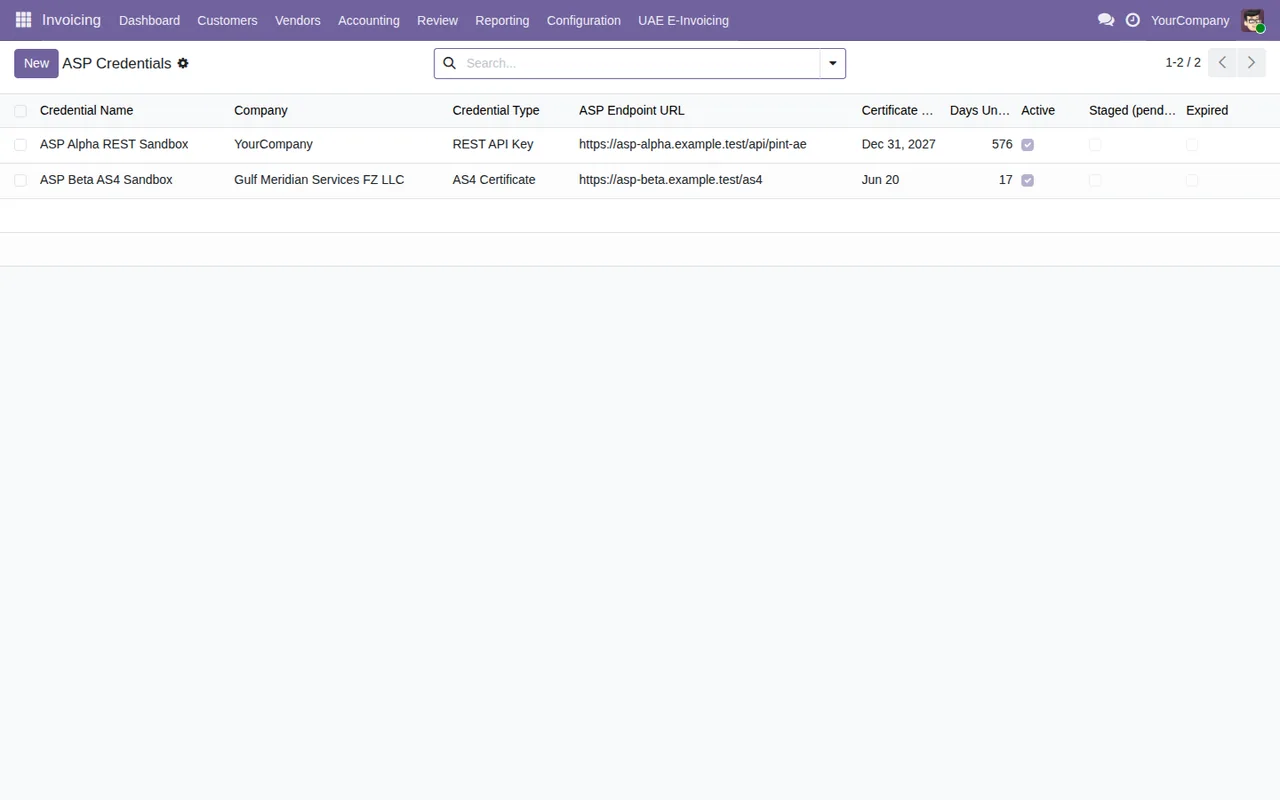
With an active credential, the module inserts a placeholder signature element instead of a real signature. The listing adds that PINT AE does not ask for a signature inside the document, and that this element makes the XML invalid.
"The QR code on the PDF is required by the rules and issued by the FTA"
The QR code on the invoice PDF is optional. The module's documentation states that the UAE rules do not require a QR code on e-invoices and that this one is not issued by the FTA.
What it does include and what you need before installing
Besides building and sending the XML, the module includes:
- Immediate or scheduled batch sending, retries with back-off, rate limiting and a webhook for provider callbacks signed with HMAC.
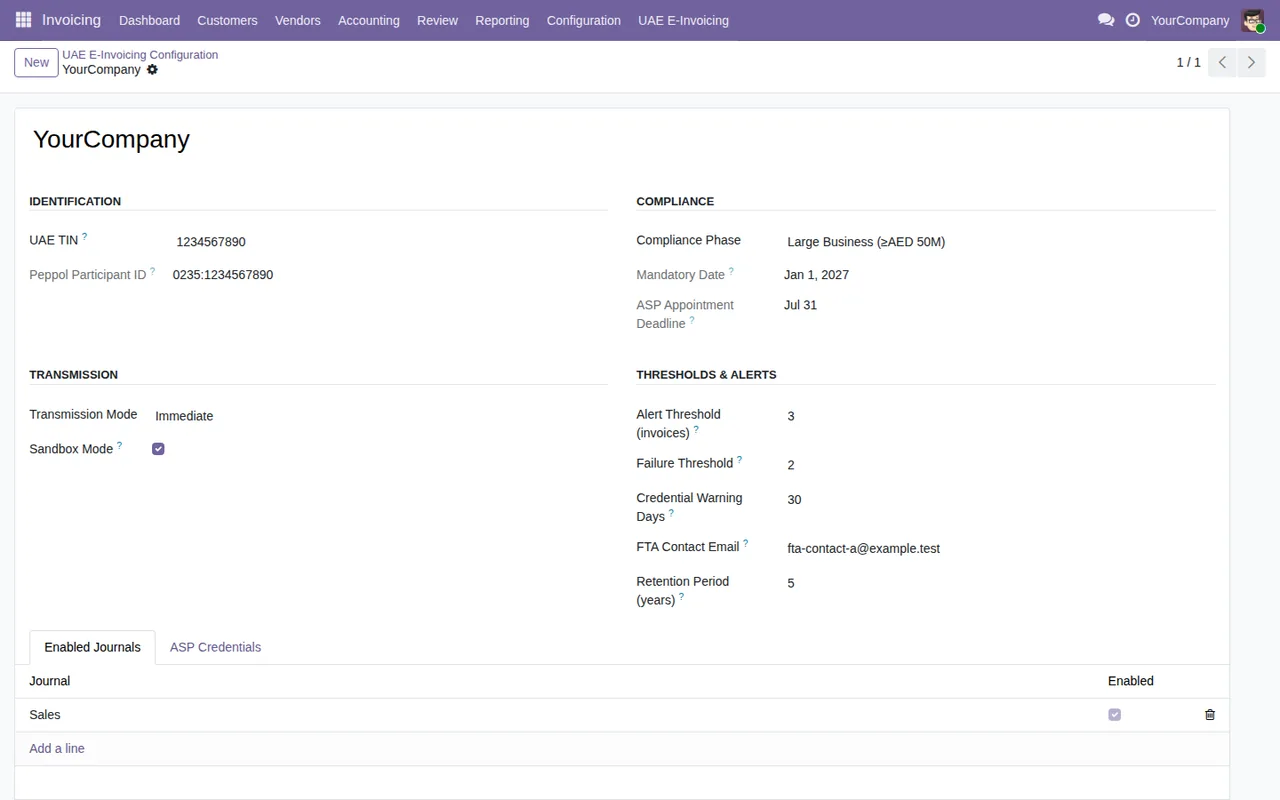
- A setup wizard and per-company settings: TIN, phase and its dates, and journals.
- Provider credentials encrypted with a key you set in the server environment (
FLEXIGO_UAE_EINVOICE_FERNET_KEY) and certificate expiry warnings.
- The XML attached to the invoice and a wizard that exports the e-invoices of one TRN as a ZIP.
The README lists Odoo 20 with the l10n_ae module (UAE localisation) as a requirement. On Odoo Apps it is published for 17.0, 18.0, 19.0 and 20.0, and all four listings show €49 excluding VAT, a one-off payment per Odoo version. If you are on 17, 18 or 19, check the listing for your version before buying.
The setup the README describes is short:
- Install the module from Apps.
- Run the setup wizard.
- Go to
Accounting > UAE E-Invoicing > Configuration > UAE E-Invoicing Settings.
- Enter the company's TIN and choose the phase.
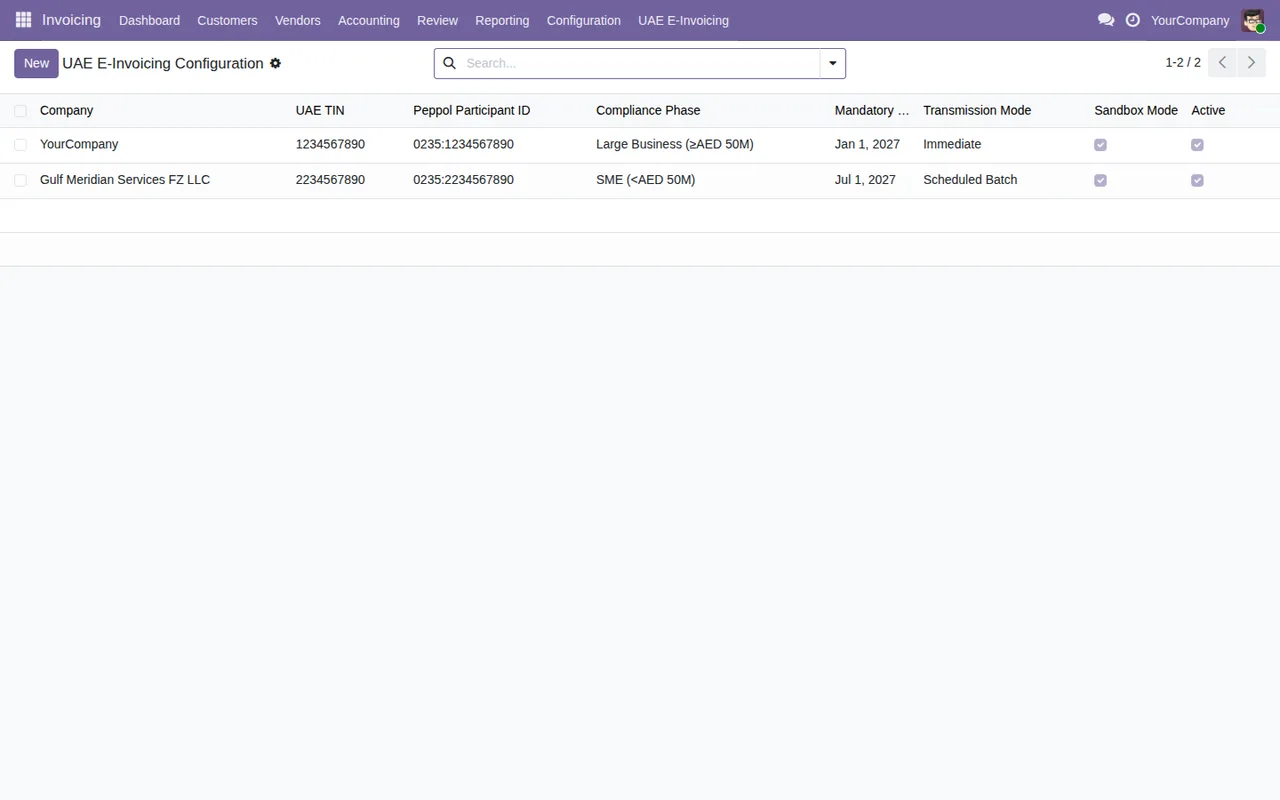
- Keep sandbox mode on to try the workflow with the simulator.
- Enable e-invoicing on the journals you want.
Each field and state is covered in the connector setup guide.
How to decide for your case
| If this applies to you | What the documentation says |
|---|---|
| You want to see the workflow in Odoo without sending anything | Sandbox is on by default and simulates the provider, states and references inside Odoo |
Your provider accepts a POST to /invoices with a bearer token, or basic AS4 | Real sending can target their endpoint, but the XML keeps the failures the listing describes |
| You need an XML that passes the PINT AE 1.0.4 rules | It has not been validated against them and fails several |
| You issue credit notes or foreign-currency invoices | Credit notes go out as invoices and the AED amounts are missing |
| You need to receive supplier invoices | It does not receive them |
| Your provider only offers its own API | There is no integration with any specific accredited provider |
If you would rather first understand which menus it adds and what each invoice goes through, read how the connector works under the bonnet.
How FlexigoTech can help
FlexigoTech implements Odoo 17, 18, 19 and 20 and builds bespoke connectors and integrations. If your accredited provider does not accept the module's generic contract, or you need something the documentation leaves out, we can look at a bespoke development with you. You will find the module details on its page at flexigotech.com and on the Odoo Apps listing.
Keep reading
Checked in the module's source code (version 20.0) and the linked sources
Sources
- Module source code: flexigo_uae_fta_e_invoicing_connector 20.0 (bd3e6ed9): README.rst
- Module source code: flexigo_uae_fta_e_invoicing_connector 20.0 (bd3e6ed9): static/description/index.html
- apps.odoo.com/apps/modules/20.0/flexigo_uae_fta_e_invoicing_connector
- apps.odoo.com/apps/modules/17.0/flexigo_uae_fta_e_invoicing_connector
- apps.odoo.com/apps/modules/18.0/flexigo_uae_fta_e_invoicing_connector
- apps.odoo.com/apps/modules/19.0/flexigo_uae_fta_e_invoicing_connector
- flexigotech.com/en/services.html