

 Español
 Català
 Deutsch
 Français
 Português
 Italiano
 Nederlands
 Polski
When the message appears
The message Promotion activities synchronized successfully. is a success notice: it blocks nothing and does not stay pinned on screen. It appears when you press the Sync Promotions button, which is on the form opened from the Temu menu.
The condition is simple: the button starts the promotion synchronisation and, when that synchronisation finishes, it returns the notice. Nothing checks the result in between, so the notice does not depend on Temu having returned any promotion. If the synchronisation is interrupted before it ends, the method never reaches its last instruction and the notice is not shown.
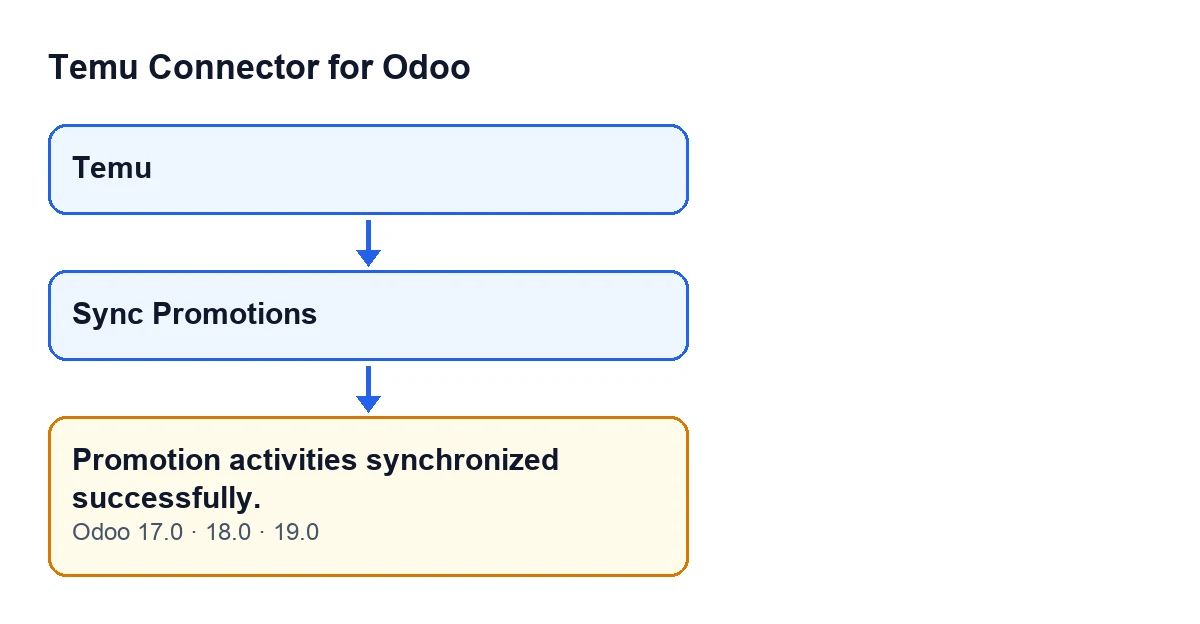

Step by step: run the synchronisation and read the notice
- Open the
Temumenu, which gives access to the module's forms. - Open the form from which you want to synchronise the promotions.
- Press
Sync Promotions. The button is always visible in Odoo 17, 18 and 19: it does not depend on any state of the form. - Wait for the notice
Promotion activities synchronized successfully.. It tells you the synchronisation finished without being interrupted. - Read the notice for what it is: fixed text with no figures. If any activity was synchronised, the form's history also gets the message
Temu promotion activities synchronized: … records., with the number of synchronised activities in place of the dots.
The Odoo version matters little here: the message is in the published code of branches 17.0, 18.0 and 19.0. What follows describes the code of Odoo 19.0.
Sync Promotions button reads Sincronizar promociones with Odoo in Spanish.What the synchronisation does before showing the notice
The button requests the synchronisation without narrowing it to particular activities by status or by dates. For the form from which you press it, the code does this:
- It goes through promotion activity types 2, 13, 27 and 100, one after another.
- For each type it requests the activities page by page, starting at the first page and never going beyond the configured maximum number of pages.
- It goes through the activities each page brings and counts them.
For each type, the page loop stops as soon as one of these conditions is met:
- The page brings no activities.
- The response states a total and the pages requested already cover it.
- The page brings fewer activities than the page size the synchronisation uses.
Once every type has been gone through, if any activity was synchronised, the method leaves the message with the count in the form's history, and then returns the notice. That order explains why the notice appears just the same with many promotions, with few or with none: the only requirement is that nothing stopped the synchronisation along the way.
If the notice appears but the promotions you expected are missing
The notice confirms that the synchronisation finished, not that it brought what you were looking for. Three things follow from the code:
- If Temu returns a page with no activities for a type, that type is considered finished and the next one starts. The notice still appears at the end.
- The loop does not go beyond the configured maximum number of pages. With that limit, later pages are not requested in that synchronisation.
- The count of synchronised activities goes to the form's history, not to the notice. If that message does not appear, no activity was synchronised.
And if you want to see how another button of the same module is documented, with what it checks and the errors it can give, there is What the Execute button does.
A success notice on this button is no substitute for looking at the result: the text is the same whether the synchronisation brings promotions or none at all.
What it costs and how FlexigoTech helps
Temu Connector for Odoo is a one-off payment per version and needs the FlexigoTech Cloud subscription. The Connector plan costs €49/month or €490/year excluding VAT, for up to 3 accounts on the platform. The connection goes through FlexigoTech Cloud, which stores the credentials encrypted, monitors the synchronisation and sends an email if it fails. The module is published for Odoo 17, 18, 19 and 20; the Odoo Apps page and the module page show each version with its price.
If you are implementing Odoo and need to connect Temu to your processes, or want a tailored adjustment to the integration, FlexigoTech implements Odoo 17, 18, 19 and 20 and builds connectors and custom integrations.
Keep reading
Checked in the connector's source code (version 19.0) and the linked sources
Sources
- Module source code: flexigobe_temu_connector 19.0 (455b3f0f): models/temu_instance.py
- Module source code: flexigobe_temu_connector 19.0 (455b3f0f): views/temu_instance_views.xml
- Module source code: flexigobe_temu_connector 19.0 (455b3f0f): models/fgt_cloud.py
- apps.odoo.com/apps/modules/19.0/flexigobe_temu_connector
- flexigotech.com/en/services.html
- flexigotech.com/precios.html