

 Español
 Català
 Deutsch
 Français
 Português
 Italiano
 Nederlands
 Polski
When this message appears
The message Temu did not return any logistics company for regionId …. appears when you press Send Temu Tracking, the button on the delivery order. That button is only visible on the delivery order of a Temu order when the delivery order is in the Done state, in Odoo 17, 18 and 19. At the end of the message, where the dots are shown here, Odoo displays the regionId the module asked Temu about.
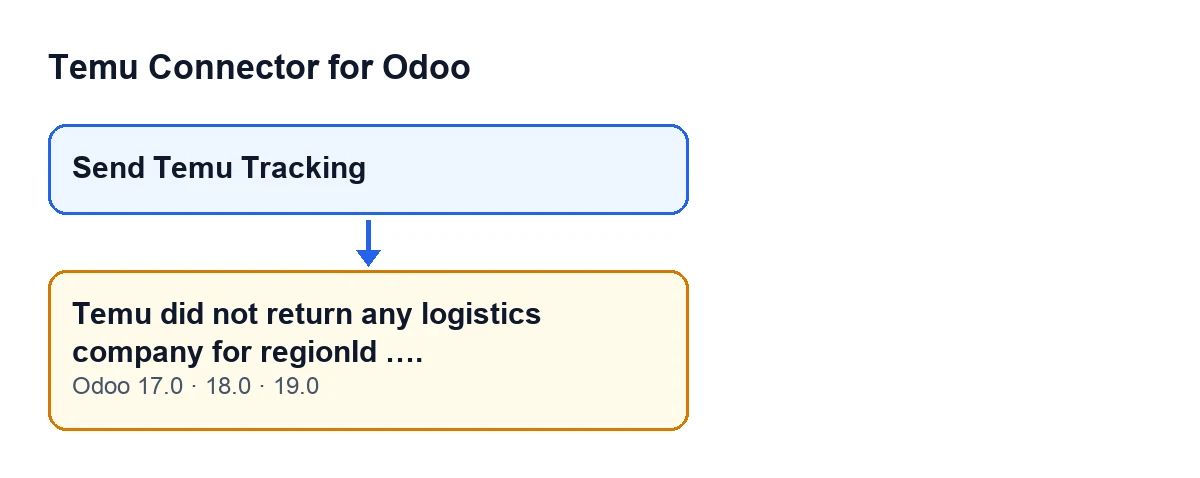
To see when it triggers, it helps to follow what the module does from the button press to that point. This sequence is the one in the Odoo 19 code:
- It looks up your carrier: the one on the delivery order or, if the delivery order has none, the one on the sales order.
- It looks for an active carrier mapping on the Temu instance. If the carrier has its own, it uses that. If it does not, and the instance has exactly one active mapping, it uses that one. If neither the delivery order nor the sales order has a carrier, a mapping is likewise used only when exactly one is active.
- If that mapping carries Temu's numeric carrier identifier, the module uses it directly and does not ask Temu anything. In that case this message cannot appear.
- If there is no identifier, it works out the order's regionId: it looks in the order's stored data and, if it is not there, takes the number before the first hyphen in the Temu order number, when that is numeric. If it cannot determine the regionId, the action stops earlier, with a different notice, and never queries Temu.
- It asks Temu for the logistics companies of that regionId and walks through the reply looking for a list of items with data: first in several expected places in the reply, then through the rest of its content.
- If it finds no list with items, it stops and shows the message. The condition in the code is literally that there are no rows to read.
Because the action stops, sending the tracking does not go ahead from that button.

What it means
The message is about Temu's reply, not about the name of your carrier: for that regionId, the reply did not contain any list of logistics companies the module could read. It could be an empty reply, or a reply with no list of items that carry data.
At that point the module has not yet compared anything with your carrier. That comparison comes later, and only if the list contains companies; so a well-named carrier in Odoo does not prevent this message.
The module only skips the query to Temu when it finds, for that carrier, an active mapping (or the single active one) that carries Temu's numeric carrier identifier. A mapping that has only a Temu carrier code or name, with no identifier, does not skip the query: the module still asks Temu.
Step by step to resolve it
- Note the number that comes with the message: it is the regionId the module asked Temu about. If it is not the one you expect for that order, bear in mind the module takes it from the order's stored data and, failing that, from the numeric prefix of its order number.
- Check which carrier the delivery order has and, if it has none, which one the sales order has: that is the one the module uses. Renaming it will not fix this message, because it appears before any names are compared.
- Keep in mind that, without an active mapping carrying an identifier for that carrier, the module asks Temu for the logistics companies of the regionId. That reply is where the message originates.
- Press
Send Temu Trackingagain on the delivery order whenever you want to retest. As long as the module has to query Temu and the reply for that regionId contains no list of companies it can read, the message will keep appearing. - If the message persists, you have a case to review with the regionId and the order in front of you. You can ask FlexigoTech for help with those two details.
What to check afterwards and which versions have it
If Temu does return companies for the regionId, the module moves on to compare them with your carrier: that is another stage of the process and no longer this message. And if the instance has several active mappings and your carrier has none of its own, the module does not pick one by itself and carries on with the query to Temu.
With Odoo in English the button is called Send Temu Tracking.
The message is in the published code of the 17, 18 and 19 branches, with the same button and the same visibility condition (delivery order of a Temu order in the Done state). The sequence you have just read is the one in the Odoo 19 code. The module is published on Odoo Apps for Odoo 17, 18, 19 and 20; here are its Odoo Apps listing and the module page on flexigotech.com.
How FlexigoTech can help
The connection with Temu goes through FlexigoTech Cloud: it stores the credentials encrypted, monitors synchronisation and sends an email if it fails. If you are implementing Odoo or need tracking to fit your carriers, FlexigoTech implements Odoo 17, 18, 19 and 20 and builds custom connectors and integrations.
Keep reading
Checked in the connector's source code (version 19.0) and the linked sources
Sources
- Module source code: flexigobe_temu_connector 19.0 (455b3f0f): models/stock_picking.py
- Module source code: flexigobe_temu_connector 19.0 (455b3f0f): views/stock_picking_views.xml
- apps.odoo.com/apps/modules/19.0/flexigobe_temu_connector
- flexigotech.com/precios.html
- flexigotech.com/en/services.html