

 Español
 Català
 Deutsch
 Français
 Português
 Italiano
 Nederlands
 Polski
What the notice says and what it is not
Is it an error?
No. It is a success notice: it is shown on screen and blocks nothing. The code returns it at the very end, once the changes have been saved, so it tells you the operation has been done.
What does it say exactly, and what is each gap?
It reads '…' is now the primary location for ….. The first gap holds the name of the location and the second holds the Shopify shop domain of the instance the location belongs to. The notice also carries the title Primary Location Set.
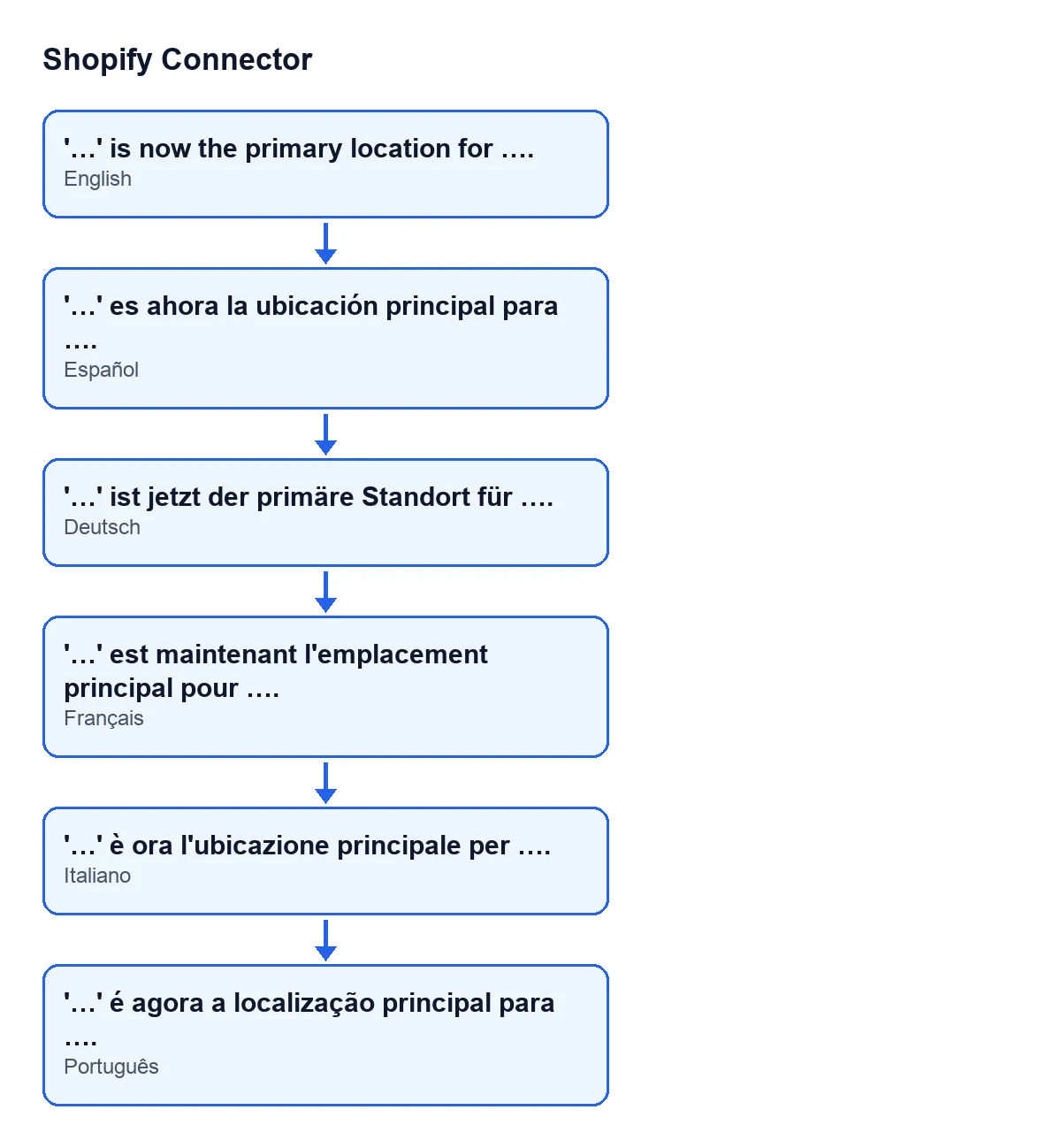
| Odoo language | Notice text |
|---|---|
| Spanish | '…' is now the primary location for …. |
| German | '…' ist jetzt der primäre Standort für …. |
| French | '…' est maintenant l'emplacement principal pour …. |
| Italian | '…' è ora l'ubicazione principale per …. |
| Portuguese | '…' é agora a localização principal para …. |

When it appears and what gets saved
When exactly does it appear?
When you press the Set as Primary button in the view of a location. Location records open from the menu Sales › Shopify › Control Center › Locations. The method works on one location at a time, saves the changes and returns the notice at the end, with no other condition in between.
What does the module do before showing it?
First it removes the primary flag from the other locations of the same instance. Then it marks the location you pressed the button on as primary. Finally it stores that location on the instance as its default location, with its Shopify identifier and its name. Only then does it return the notice, which carries the location name and the shop domain.
What happens to the other locations?
The code only touches locations that belong to the same instance as the chosen one: those lose the primary flag. Locations of other instances are left alone.
What changes on the instance?
The instance stores the location you have just marked as its default location, with its Shopify identifier and its name. If it already held another one, those two values are replaced by the new ones.
Why can I not see Set as Primary on a location?
The button is hidden when the location is already the primary one (the view condition looks at the Is Primary field). With the default values that field is false and the button is visible. The condition is the same in Odoo 17, 18, 19 and 20.
Can it also appear after pressing Sync Locations?
Yes. The Sync Locations button in the instance view is always visible, and its method reaches the same method that raises the notice. If the condition of that method is met, you see this same notice with the same meaning: a location has become the primary one for the instance.
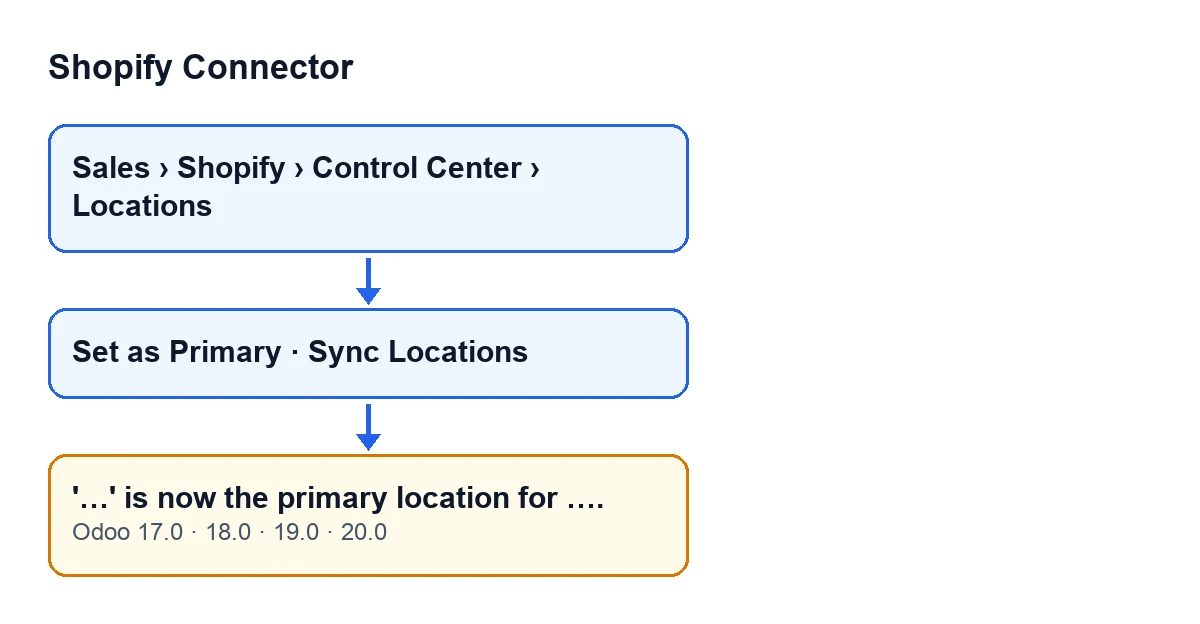
Set as Primary and Sync Locations buttons and the notice, with the labels from the module's code.How to change the primary location, and what it costs
What do I do when I see it, and how do I make another location the primary one?
If the location named in the notice is the one you wanted, there is nothing else to do. If not, open the record of the location you want from the same menu and press Set as Primary there. The other locations of the instance lose the flag, the instance stores the new one as its default location and the notice appears again, this time with the name of the new location.
How do I check that it worked?
Read the two gaps in the notice: the first should be the location you wanted and the second your Shopify shop domain. Then, on that location's record, the Set as Primary button is no longer shown, because the view hides it when the location is the primary one.
Which versions is it in, and what does it cost?
The notice is in the published code of Odoo 17, 18, 19 and 20, and the Set as Primary button is hidden under the same condition in all of them. The module costs €9 per Odoo version, for 17, 18, 19 and 20, as a one-off payment excluding VAT. It also needs a FlexigoTech Cloud subscription: the Connector plan costs €49/month or €490/year excluding VAT, with up to 3 accounts of the platform.
If you are implementing Odoo and want help connecting your shop, FlexigoTech implements Odoo 17, 18, 19 and 20 and builds custom connectors and integrations.
Keep reading
Checked in the connector's source code (version 20.0) and the linked sources
Sources
- Module source code: flexigobe_shopify_connector 20.0 (c7078cd8): models/shopify_location.py
- Module source code: flexigobe_shopify_connector 20.0 (c7078cd8): views/shopify_location_views.xml
- Module source code: flexigobe_shopify_connector 20.0 (c7078cd8): views/shopify_instance_views.xml
- apps.odoo.com/apps/modules/20.0/flexigobe_shopify_connector
- apps.odoo.com/apps/modules/17.0/flexigobe_shopify_connector
- apps.odoo.com/apps/modules/18.0/flexigobe_shopify_connector
- apps.odoo.com/apps/modules/19.0/flexigobe_shopify_connector
- flexigotech.com/precios.html
- flexigotech.com/en/services.html