

 Español
 Català
 Deutsch
 Français
 Português
 Italiano
 Nederlands
 Polski
When the warning appears
What does the warning say and where do I see it?
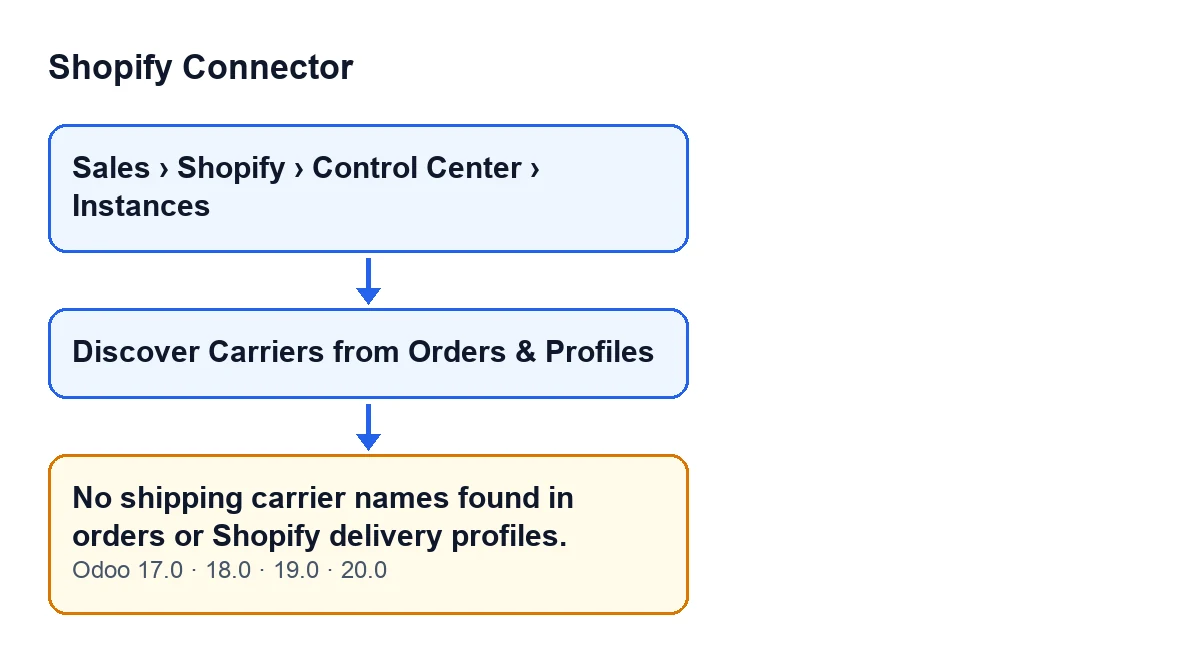
You see No shipping carrier names found in orders or Shopify delivery profiles., titled No Carriers Found. It appears when you press the Discover Carriers from Orders & Profiles button on the instance form. Instance forms open from Sales › Shopify › Control Center › Instances. The button is always visible, in Odoo 17, 18, 19 and 20.
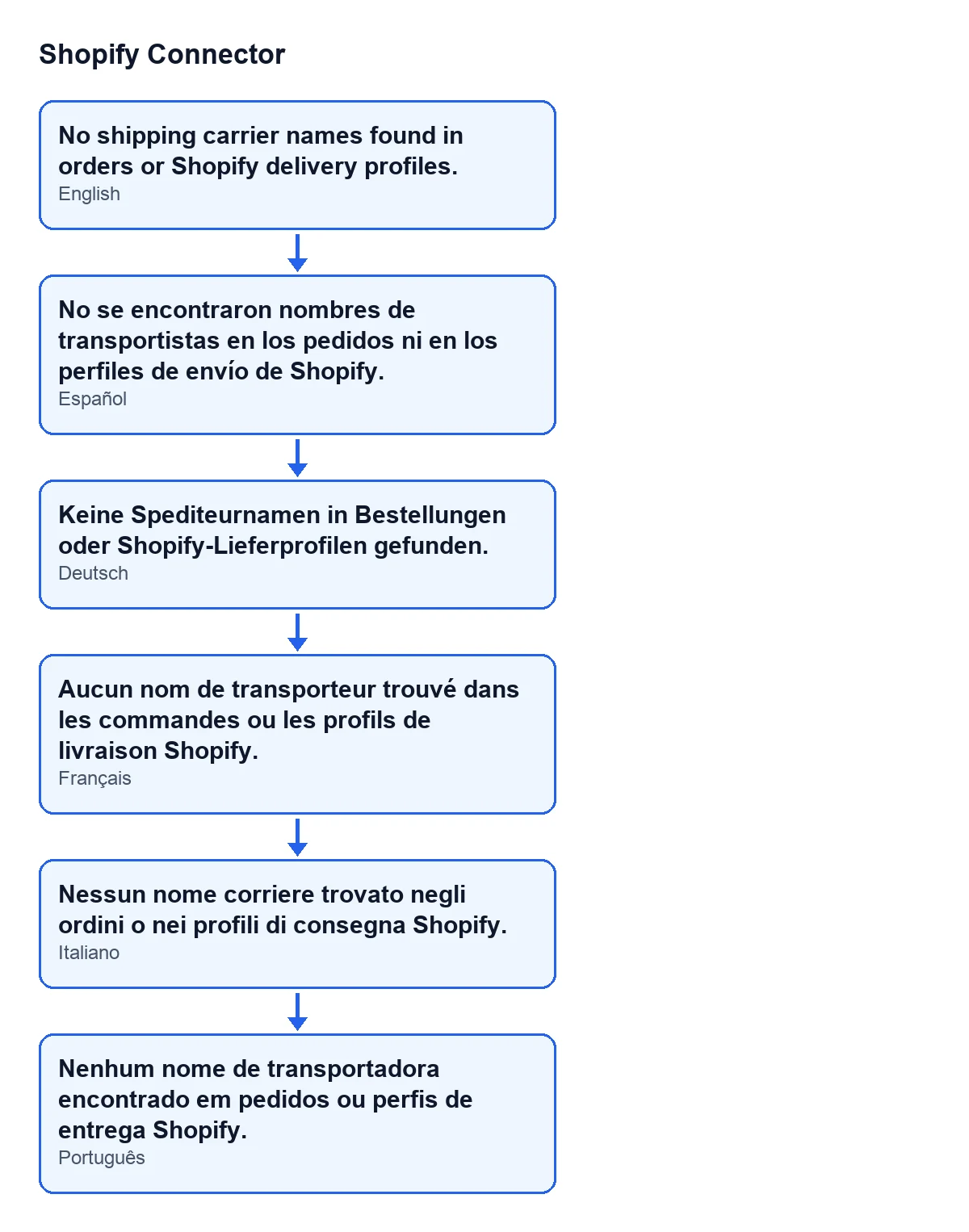
To recognise the warning in your Odoo language, this second diagram gathers the text in Spanish, German, French, Italian and Portuguese.
What is the exact condition?
The warning appears only when the button has finished checking its two sources and has not collected a single carrier name. Each name has its leading and trailing spaces removed, and an empty one does not count. When it appears, the button returns the warning before creating anything: no mapping is added or touched.
What does the button look at in the orders?
The Shopify orders of that instance that are already stored in Odoo. From each one it reads the titles of its shipping lines. This part does not need to call Shopify. If the instance has no stored orders, or none of them has a title in its shipping lines, this source adds no names.
And in the Shopify delivery profiles?
Next it asks Shopify for its delivery profiles (the first ones at each level that the query returns) and collects the names of the delivery methods and of the carrier-calculated services attached to them. This is the source that picks up methods already set up in Shopify that have not received an order yet. If those profiles hold no named methods, it adds nothing either.

What it means and how to fix it
Is it an error that blocks anything?
No. It is a warning that does not block: nothing is created or changed, and you can press the button again whenever you like. All it tells you is that, at that moment, the button saw no carrier name.
Can it appear even if Shopify has delivery methods set up?
Yes, if the query to Shopify fails and the stored orders gave no names. Any error while requesting the delivery profiles is caught: the code leaves a warning in the technical log and carries on, so the outcome depends only on what the orders provided. If the stored orders do give at least one name, the warning does not appear even when that query fails: the button carries on with the names from the orders. The exception is a pause by FlexigoTech Cloud: in that case the code lets the pause notice through instead of reporting an empty search.
How do I fix it, step by step?
First work out where you expected the names to come from. If you expected them from orders, check whether the instance has Shopify orders stored in Odoo and whether those orders carry a shipping line with a title. If you expected them from Shopify, check that a named delivery method exists in a delivery profile of the shop and that the query to Shopify works, because that source only helps when the query responds. It is enough for one name to turn up in either place: in the shipping line titles of the stored orders or, if the query to Shopify works, in its delivery profiles. Once that is the case, press Discover Carriers from Orders & Profiles again from the instance form.
What happens when it does find names?
It creates one carrier mapping for each name the instance did not have yet; to tell whether it already existed, it compares ignoring upper and lower case and ignoring spaces at the ends. For each new mapping it tries to assign an Odoo delivery carrier with the same name, again ignoring case. Then it opens the instance's mapping list so you can review or edit it. The title of that list starts with Carrier Mappings and says how many mappings are new and how many matched automatically.
Is that the same as when every name was already mapped?
No. If the button finds names but all of them are already mapped, the warning does not appear: it opens the mapping list with a title that starts with Carrier Mappings and says that all the names are already mapped. The warning appears only when no name at all has been found, neither new nor already mapped.
Versions, price and help
Does it appear in every version, and what does the module cost?
The warning is in the published code for Odoo 17, 18, 19 and 20, and the button is always visible in all four. Shopify Connector costs €9 per Odoo version, for 17, 18, 19 and 20, as a one-off payment, excluding VAT. It also needs the FlexigoTech Cloud subscription: the Connector plan costs €49/month or €490/year excluding VAT. Without a subscription, or with the service suspended, whatever the subscription provides stops; your data stays in your Odoo.
If you are implementing Odoo and want your Shopify carriers matched with Odoo delivery carriers from day one, FlexigoTech implements Odoo 17, 18, 19 and 20 and builds custom connectors and integrations.
Keep reading
Checked in the connector's source code (version 20.0) and the linked sources
Sources
- Module source code: flexigobe_shopify_connector 20.0 (c7078cd8): models/shopify_instance.py
- Module source code: flexigobe_shopify_connector 20.0 (c7078cd8): views/shopify_instance_views.xml
- Module source code: flexigobe_shopify_connector 20.0 (c7078cd8): models/fgt_cloud.py
- apps.odoo.com/apps/modules/20.0/flexigobe_shopify_connector
- apps.odoo.com/apps/modules/17.0/flexigobe_shopify_connector
- apps.odoo.com/apps/modules/18.0/flexigobe_shopify_connector
- apps.odoo.com/apps/modules/19.0/flexigobe_shopify_connector
- flexigotech.com/precios.html
- flexigotech.com/en/services.html