

 Español
 Català
 Deutsch
 Français
 Português
 Italiano
 Nederlands
 Polski
What the module checks first
There is a single condition: Refresh Token is empty
The method that renews an instance's access token starts by looking at whether the instance has a value in Refresh Token. If it is empty, it raises Missing refresh token for Shopify instance … and the action stops. The dots in the message are replaced by the name of the instance.
It is checked before Shopify is contacted
This is the first thing the method does. Only if the check passes does it carry on: it builds the request with the app's key and secret and the refresh token, and sends it to the shop's OAuth address (/admin/oauth/access_token). With the field empty, that request is never built, so the message comes from your Odoo and not from Shopify.
When it stops, nothing is saved
The method writes its result at the end: the new access token, the date of the last refresh and, if Shopify returns them, a new refresh token and the expiry. Because the message cuts the action off before that point, none of it changes on the instance.
The message carries the instance name
The end of the message is the name Odoo displays for the instance. It tells you which one is affected and which one to open and review.

Where it appears and where it does not
One route is pressing Refresh Access Token
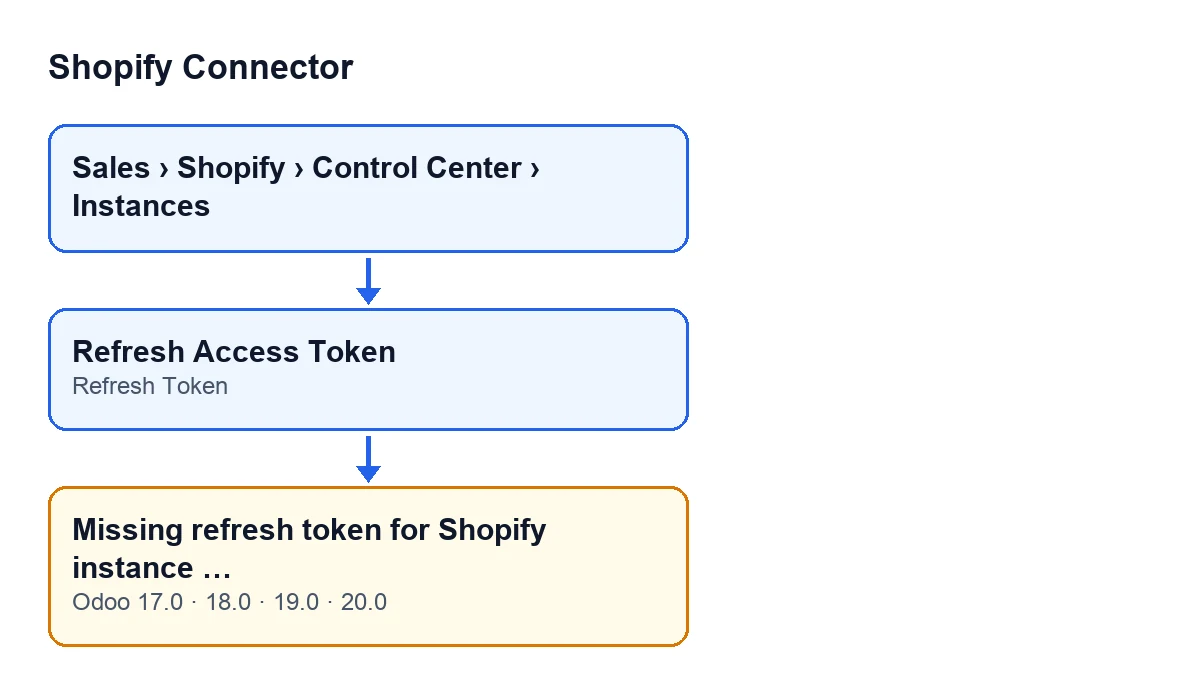
Instance forms open from Sales › Shopify › Control Center › Instances. The Refresh Access Token button is on the instance view and calls an action that reaches the renewal method; if the field is empty, the message appears there. The first diagram puts the menu, the button, the field and the message together.
With the default values, neither the button nor the field is visible
The Refresh Access Token button is hidden when the Shopify connection field is cloud, which is the default, so with default values you will not see it. The same goes for the Refresh Token field, which sits on the Shopify Instances form, OAuth & Credentials tab, and is hidden by the same condition. Shopify connection itself is not shown in any view. If you open an instance and find neither the button nor the field, that is not a fault: it is what the form shows in that case.
It is in all four versions, and translated
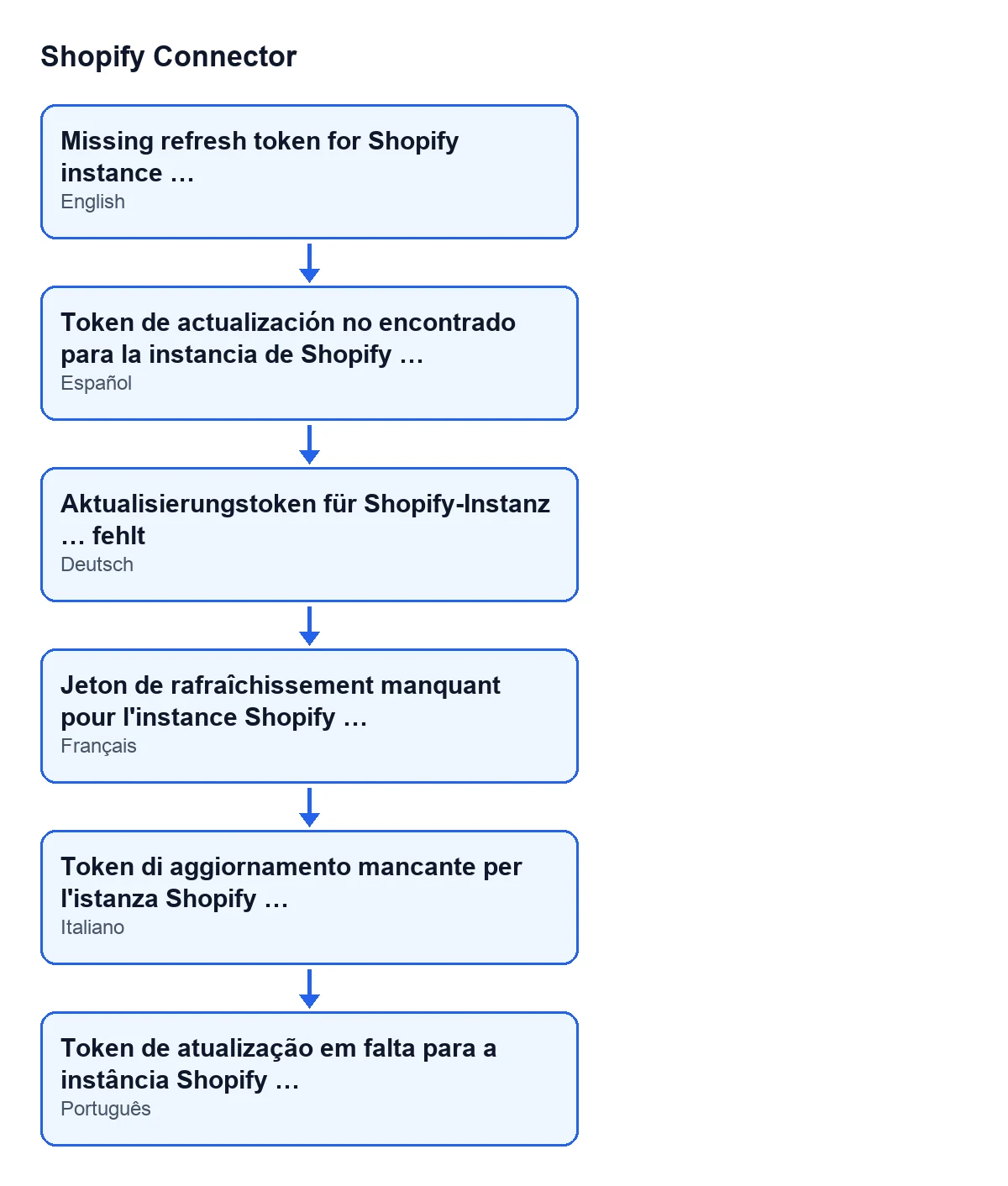
The message is in the published code for Odoo 17, 18, 19 and 20; the method code described here is the Odoo 20 one. With Odoo in Spanish it reads Missing refresh token for Shopify instance …; the second diagram shows it in other languages as well.
What to do when you see it
Review the instance named in the message
Open that instance from the menu above and check the Refresh Token field on the OAuth & Credentials tab:
- If the field is visible and empty, that is exactly the condition that triggers the message.
- If the field is not visible, the form is hiding it under the condition above, and the value that decides this does not appear in any view.
- Once the field has a value, the check passes and the method goes on to the request to Shopify.
What happens when the field does have a value
The method sends the request to the shop, with a timeout of at least five seconds. With the reply it saves the access token and the refresh date, plus the new refresh token and the expiry if Shopify includes them. This message is therefore the first possible exit from the method: whatever happens after the check no longer has to do with an empty field on your instance.
Price and help
The module costs €9 per Odoo version (17, 18, 19 and 20), excluding VAT, and needs the FlexigoTech Cloud subscription: Connector plan, €49 a month or €490 a year excluding VAT, up to 3 accounts on the platform. The connection goes through FlexigoTech Cloud, which stores the credentials encrypted.
If you are implementing Odoo with Shopify and want help reviewing the instance, FlexigoTech implements Odoo 17, 18, 19 and 20 and builds custom connectors and integrations.
Keep reading
Checked in the connector's source code (version 20.0) and the linked sources
Sources
- Module source code: flexigobe_shopify_connector 20.0 (c7078cd8): models/shopify_instance.py
- Module source code: flexigobe_shopify_connector 20.0 (c7078cd8): views/shopify_instance_views.xml
- Module source code: flexigobe_shopify_connector 20.0 (c7078cd8): models/fgt_cloud.py
- apps.odoo.com/apps/modules/20.0/flexigobe_shopify_connector
- apps.odoo.com/apps/modules/17.0/flexigobe_shopify_connector
- apps.odoo.com/apps/modules/18.0/flexigobe_shopify_connector
- apps.odoo.com/apps/modules/19.0/flexigobe_shopify_connector
- flexigotech.com/en/services.html
- flexigotech.com/precios.html