

 Español
 Català
 Deutsch
 Français
 Português
 Italiano
 Nederlands
 Polski
How to read a message from the module
Each message is a short English sentence describing the rule that wasn't met: a negative amount, a duplicate configuration, a missing file, an empty field or a state that isn't the one expected.
Several messages end in %s. That is how they appear in the code: it is the slot where the module places the detail for each case. When you get one of these, read that detail before changing anything, because it tells you which line, field or value to check.
If you are still setting the module up, the step-by-step setup guide helps you fill in the settings before any of these messages turns up.
What nobody tells you about each error
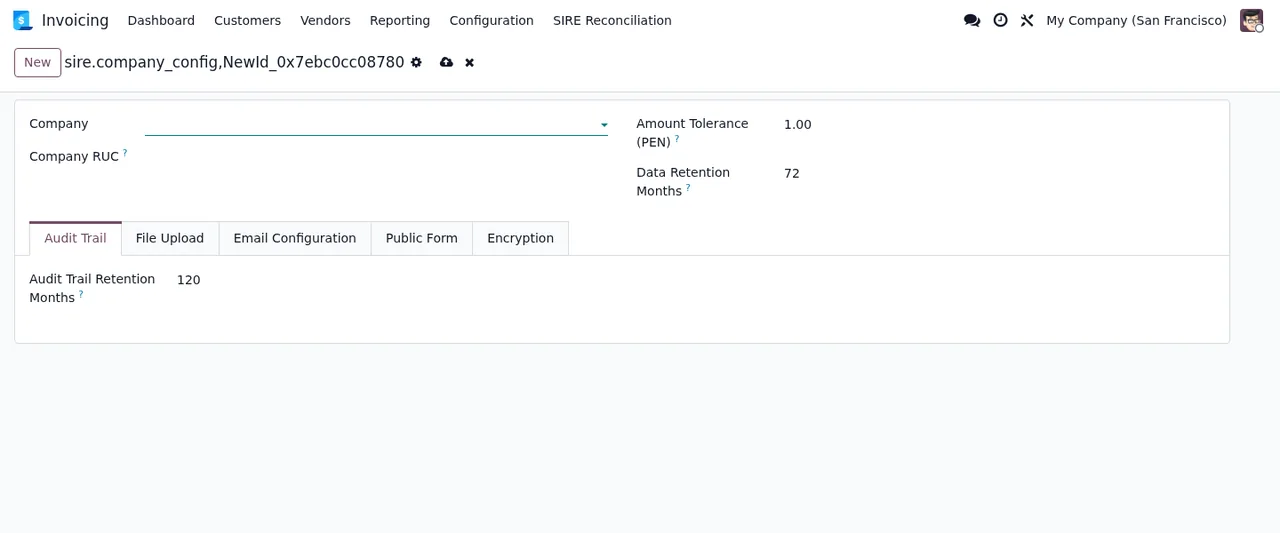
Only one configuration per company, and the tolerance can't be negative
The message Only one configuration per company is allowed means the module accepts a single configuration per company. If you see it, don't create another one: find the configuration that already exists for that company and edit it.
The other warning in this group is Tolerance amount must be non-negative. It means exactly what it says: the tolerance amount has to be zero or positive. If you entered a value with a minus sign, change it to an amount equal to or greater than zero.
Importing without a file stops the operation
No file to import appears when the module finds no file to import. Before clicking again, check that you have attached the file to the record you are importing from and that the upload has finished.
PLE lines are checked one by one
Two messages refer to PLE lines:
PLE line has insufficient fields: %s: the line has fewer fields than the module needs.Error parsing PLE line: %s: the module couldn't interpret the line.
In both cases, the detail after the colon is your clue. Open the file, find that line and compare it with the ones that were read correctly. Fix the file at source and import it again, rather than patching by hand whatever had already come in.
Required fields and the contact name
Missing required field: %s warns that a required field is missing; the detail tells you which one. Partner name is required is more specific: the partner name is mandatory. Fill in the missing data and repeat the operation.
The RUC has to pass the modulo 11 check
The message Invalid RUC format (failed modulo-11 check): %s shows that the module checks the RUC with a modulo 11 verification and that the value given in the detail doesn't pass it. Check that number exactly as it appears in the message, correct it wherever you entered it and run the operation again. What the module does here is that format check; it tells you nothing else about the taxpayer.
Currency and amounts in a format the module won't accept
Two messages deal with the financial data on a line:
Unsupported currency code: %s: the currency code in the detail isn't one the module supports.Invalid monetary amount format: %s: the amount in the detail isn't in a format the module can read.
The practical approach is to compare the rejected value with those on other lines that went in without problems.
Some operations only work on draft reconciliations
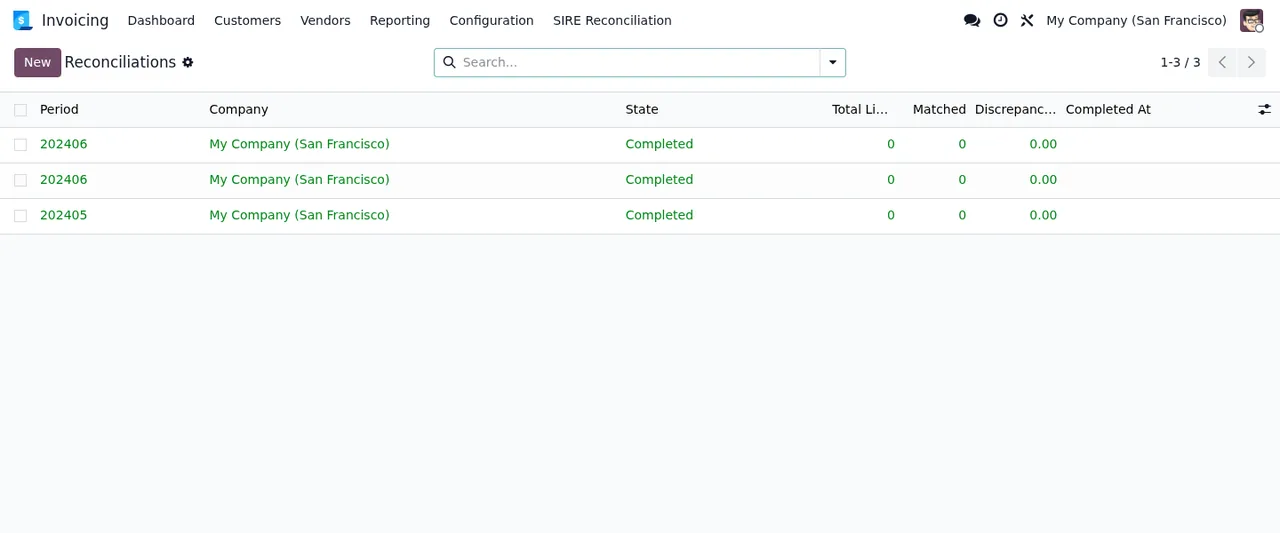
Reconciliation must be in draft state means the action you triggered needs the reconciliation to be in draft. Before repeating it, check the record's state in the reconciliations list: if it isn't in draft, the module won't let it continue.
If you want to understand what each reconciliation goes through from the moment it is created, see how the module works under the hood.
Versions, price and help with implementation
Peru SUNAT SIRE RVIE/RCE Reconciliation is published on Odoo Apps for Odoo 17 and Odoo 19. In both versions it costs €9 excluding VAT, as a one-off payment per version. You'll find the purchase details on the module page.
At FlexigoTech we implement Odoo 17, 18, 19 and 20 and build custom connectors and integrations. If an error keeps coming back and you can't tell where the data comes from, we can go through the configuration and the file you are importing with you.
Keep reading
Checked in the module's source code (version 19.0) and the linked sources
Sources
- Module source code: flexigo_peru_sunat_sire_rvie_rce_reconciliation_module 19.0 (878c1c66): models/sire_company_config.py
- Module source code: flexigo_peru_sunat_sire_rvie_rce_reconciliation_module 19.0 (878c1c66): models/sire_import.py
- Module source code: flexigo_peru_sunat_sire_rvie_rce_reconciliation_module 19.0 (878c1c66): models/sire_reconciliation.py
- apps.odoo.com/apps/modules/19.0/flexigo_peru_sunat_sire_rvie_rce_reconciliation_module
- apps.odoo.com/apps/modules/17.0/flexigo_peru_sunat_sire_rvie_rce_reconciliation_module
- flexigotech.com/en/services.html