

 Español
 Català
 Deutsch
 Français
 Português
 Italiano
 Nederlands
 Polski
Which menus the module adds and where to find them
Where does the module appear once installed?
In the invoicing menu, under Invoicing › SIRE Reconciliation. Three entries hang off it: Invoicing › SIRE Reconciliation › Reconciliation, Invoicing › SIRE Reconciliation › Import Files and Invoicing › SIRE Reconciliation › Reports. Inside Reports you will find Invoicing › SIRE Reconciliation › Reports › Annual Report. The Odoo Apps listing sums up the module's purpose with one heading, Match SUNAT SIRE files with Odoo entries: pairing SUNAT's SIRE files with the records you already hold in Odoo. We give you the menu names in English, which is how they appear in the module.
Where are the document and tax mappings configured?
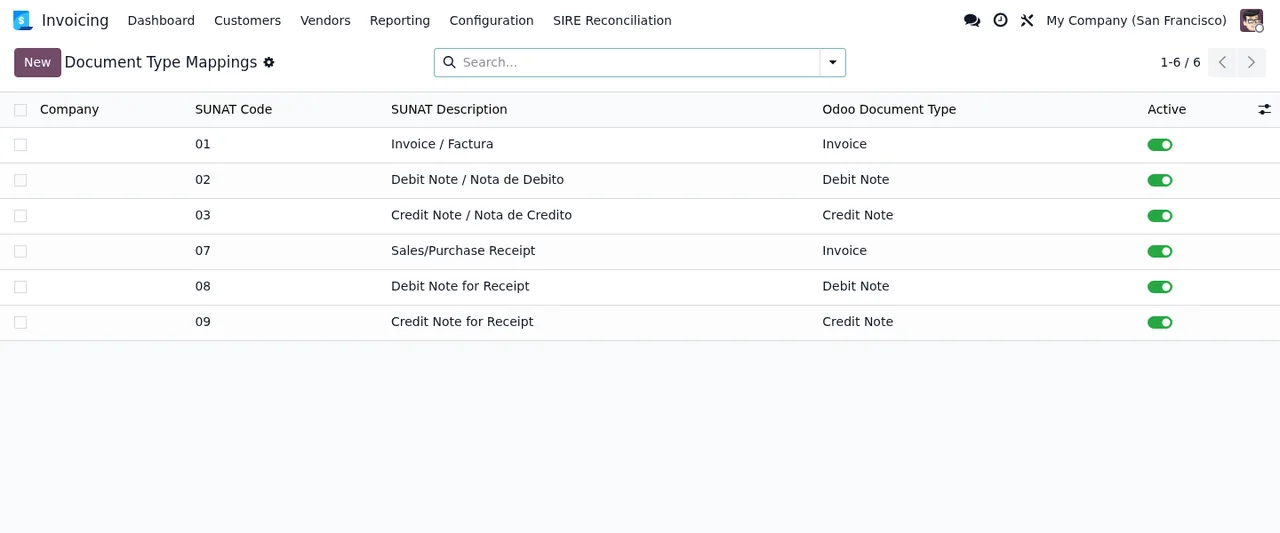
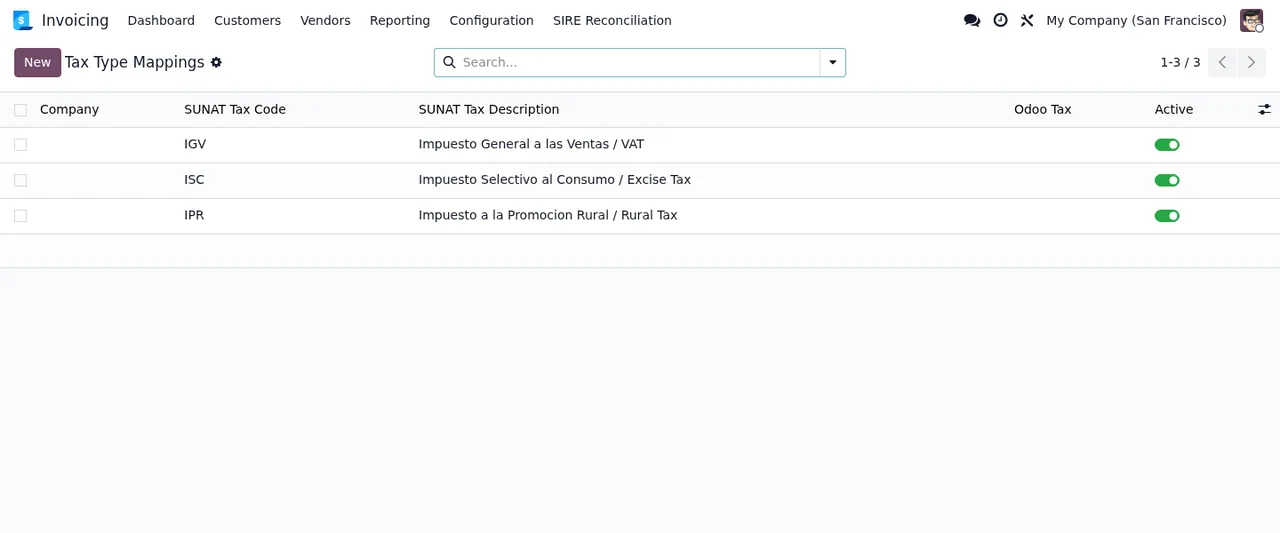
In the configuration group Invoicing › SIRE Reconciliation › Configuration, with three entries: Invoicing › SIRE Reconciliation › Configuration › Document Type Mapping, Invoicing › SIRE Reconciliation › Configuration › Tax Type Mapping and Invoicing › SIRE Reconciliation › Configuration › Company Configuration. The module also defines three models whose names match those entries: sire.document_type_map (SIRE Document Type Map), sire.tax_type_map (SIRE Tax Type Map) and sire.company_config (SIRE Company Configuration). If you are a consultant reviewing access rights, views or data imports, those are the technical names you will be searching for. The screenshots show how the first two lists look.
What is the Public Submissions entry?
It sits in a separate group, Invoicing › SIRE Reconciliation › Administration › Public Submissions. Among the module's models are sire.public.submission, named SIRE Public Submission, and sire.abuse_block, named SIRE Public Form Abuse Block. If your implementation will use this part, check in the module's documentation and on a test database what it does before putting it live.
What a record goes through: from import to the annual report
Which models relate to importing and reconciling?
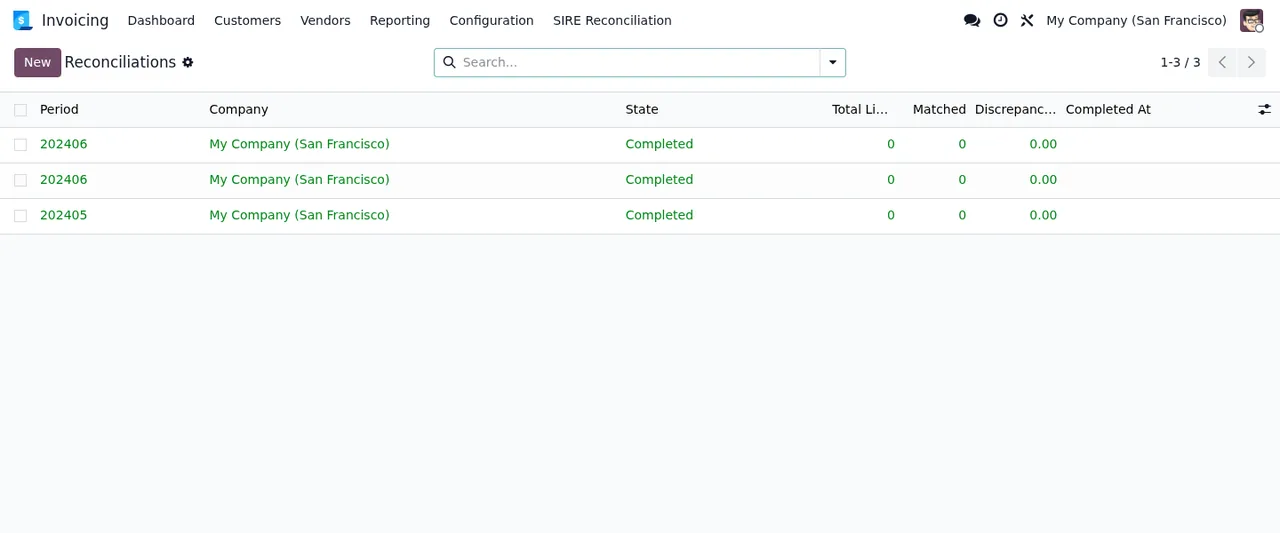
Going by their names, there is one group of import models and another of reconciliation models. The import group is made up of sire.import (SIRE Import), sire.import.line (SIRE Import Line) and sire.upload.chunk (SIRE Upload Chunk). The reconciliation group is sire.reconciliation (SIRE Reconciliation) and sire.reconciliation.line (SIRE Reconciliation Line). In the menu you have Import Files on one side and Reconciliation on the other. Which settings to fill in and which states each record moves through are covered in the module set-up guide, so we will not repeat them here.
Where can you see the year's results?
In Invoicing › SIRE Reconciliation › Reports › Annual Report. The module defines the sire.annual.report model, named SIRE Annual Reconciliation Report, and one of its scheduled actions is called SIRE: Generate Annual Reconciliation Statistics Report and runs every month. In the database used for the screenshots the annual report list is still empty, as the end of this walkthrough shows.
What runs in the background and what to check before buying
Which scheduled actions does the module install?
Three, and all three come switched on:
SIRE: Archive Old Periods, which runs every day.SIRE: Generate Annual Reconciliation Statistics Report, which runs every month.SIRE: Delete Erasure-Hold Eligible Records, which runs every day.
Before letting them loose on live data, try them on a test database and check which records change after each run.
Does it use an external service?
Yes, according to the Odoo Apps listing itself, which flags it in a section headed Before you buy: some features of this app use a paid external service. Before you decide, read that section of the listing in full.
What about personal data?
The module defines a sire.dsar.request model named SIRE Data Subject Access Request, and one of its daily scheduled actions is called SIRE: Delete Erasure-Hold Eligible Records. The listing also includes a Privacy policy section. This describes what the module ships with, not what the law requires of you: if you have questions about your obligations, ask your adviser.
Which Odoo versions is it published for, and what does it cost?
It is published on Odoo Apps for Odoo 17.0 and 19.0, according to the listings checked in November 2026. On both listings it costs €9 excluding VAT, as a one-off payment per version. If your database runs on another version, you will not find it among the published ones.
How FlexigoTech can help
At FlexigoTech we implement Odoo and build bespoke connectors and integrations. If you are rolling out SIRE reconciliation, we can go through the document and tax mappings with you, test the scheduled actions on a copy of your database and adapt whatever your company needs. You will find the module details on its page at flexigotech.com, and if you already use it and a warning pops up, see the module's error messages.
Keep reading
Checked in the module's source code (version 19.0) and the linked sources
Sources
- Module source code: flexigo_peru_sunat_sire_rvie_rce_reconciliation_module 19.0 (878c1c66): views/menu_views.xml
- Module source code: flexigo_peru_sunat_sire_rvie_rce_reconciliation_module 19.0 (878c1c66): data/cron_jobs.xml
- Module source code: flexigo_peru_sunat_sire_rvie_rce_reconciliation_module 19.0 (878c1c66): static/description/index.html
- Module source code: flexigo_peru_sunat_sire_rvie_rce_reconciliation_module 19.0 (878c1c66): models/sire_abuse_block.py
- Module source code: flexigo_peru_sunat_sire_rvie_rce_reconciliation_module 19.0 (878c1c66): models/sire_annual_report.py
- Module source code: flexigo_peru_sunat_sire_rvie_rce_reconciliation_module 19.0 (878c1c66): models/sire_company_config.py
- Module source code: flexigo_peru_sunat_sire_rvie_rce_reconciliation_module 19.0 (878c1c66): models/sire_document_type_map.py
- Module source code: flexigo_peru_sunat_sire_rvie_rce_reconciliation_module 19.0 (878c1c66): models/sire_dsar_request.py
- Module source code: flexigo_peru_sunat_sire_rvie_rce_reconciliation_module 19.0 (878c1c66): models/sire_import.py
- Module source code: flexigo_peru_sunat_sire_rvie_rce_reconciliation_module 19.0 (878c1c66): models/sire_import_line.py
- Module source code: flexigo_peru_sunat_sire_rvie_rce_reconciliation_module 19.0 (878c1c66): models/sire_public_submission.py
- Module source code: flexigo_peru_sunat_sire_rvie_rce_reconciliation_module 19.0 (878c1c66): models/sire_reconciliation.py
- Module source code: flexigo_peru_sunat_sire_rvie_rce_reconciliation_module 19.0 (878c1c66): models/sire_reconciliation_line.py
- Module source code: flexigo_peru_sunat_sire_rvie_rce_reconciliation_module 19.0 (878c1c66): models/sire_tax_type_map.py
- Module source code: flexigo_peru_sunat_sire_rvie_rce_reconciliation_module 19.0 (878c1c66): models/sire_upload_chunk.py
- apps.odoo.com/apps/modules/19.0/flexigo_peru_sunat_sire_rvie_rce_reconciliation_module
- apps.odoo.com/apps/modules/17.0/flexigo_peru_sunat_sire_rvie_rce_reconciliation_module
- flexigotech.com/en/services.html