

 Español
 Català
 Deutsch
 Français
 Português
 Italiano
 Nederlands
 Polski
What this app is before we get to the myths
According to its README, the module imports RVIE/RCE files, matches them against Odoo transactions using composite keys, detects discrepancies, estimates penalty exposure and generates annual statistics. On top of that it adds pieces that are not pure accounting: a public form, data access requests and email notifications. The ideas below are the ones to clear away before you decide.
Myths about what it covers
"The app fetches the SUNAT registers by itself"
The documentation describes data input as file import: the module imports RVIE/RCE files in PLE CSV and SIRE CSV formats with automatic validation. Among the usage steps, the README says to "create or upload RVIE/RCE files" and then run the reconciliation process. If you are after an automatic download from SUNAT, the facts for this app do not describe one; what it does is validate the file you upload.
"Reconciling means comparing the monthly total"
The reconciliation engine matches Odoo transactions against SUNAT data using composite keys, and discrepancy detection separates three families: temporal, structural and amount-based. For amounts there is a tolerance set per company, with a default of 1.00 PEN. In other words, the module works document by document with a key, not with a single total.
"It tells you the exact fine you will get"
The module calculates penalty exposure based on SUNAT gradualidad (graduated penalty) rules. That is an estimate the app produces from those rules, not a ruling by the tax authority. Use it to decide which discrepancies to review first, and check the result with your tax adviser.
Myths about what you need to prepare
"Install it and it reconciles straight away"
You install it from the Odoo Apps Store or via Git, but there is configuration before any reconciliation. The README sets out this order:
- Go to
Accounting > SIRE Reconciliation > Configuration. - Configure the company RUC, tolerance levels and document and tax type mappings.
- Create or upload the RVIE/RCE files.
- Run the reconciliation.
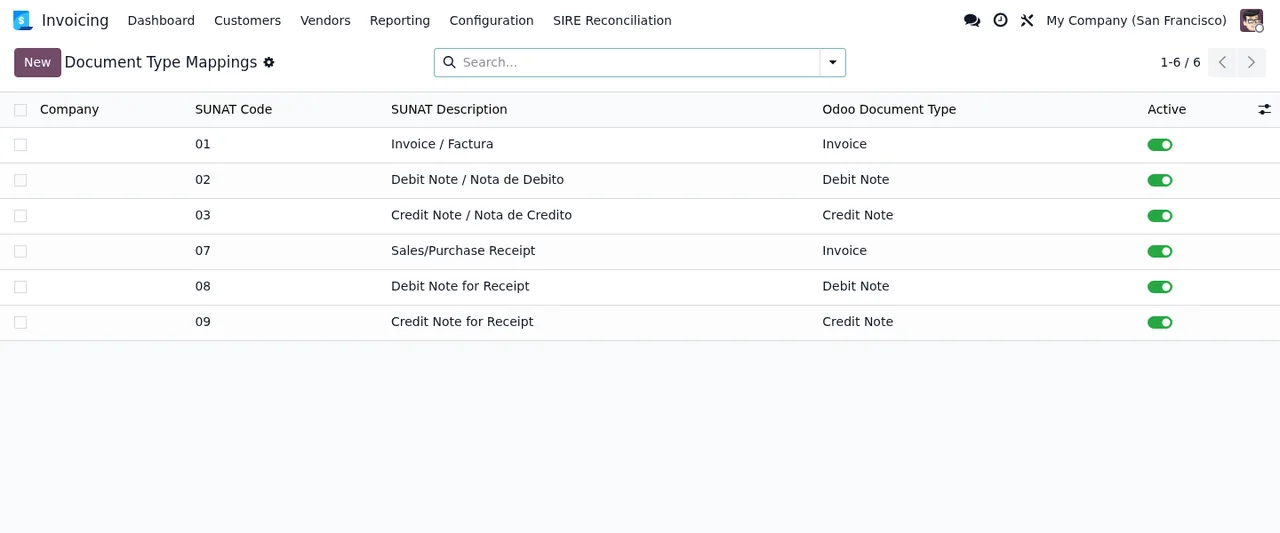
In Accounting > SIRE Reconciliation > Configuration > Company Configuration you enter the RUC, set the tolerance (default 1.00 PEN), define data retention periods (default 6 years) and set email and public form preferences. Document mappings translate SUNAT codes into Odoo types, for example 03 → Credit Note, 07 → Sales/Purchase Receipt, 08 → Debit Note for Receipt and 09 → Credit Note for Receipt. Tax mappings cover IGV, ISC and IPR.
For the detail of each field and what to check in the first days, see the module set-up guide.
"It only works for one company per database"
The README states multi-company support with full isolation and per-company configuration, including RUC management. If you run several Peruvian companies in one Odoo, each has its own RUC and its own settings.
"Everything it includes is accounting"
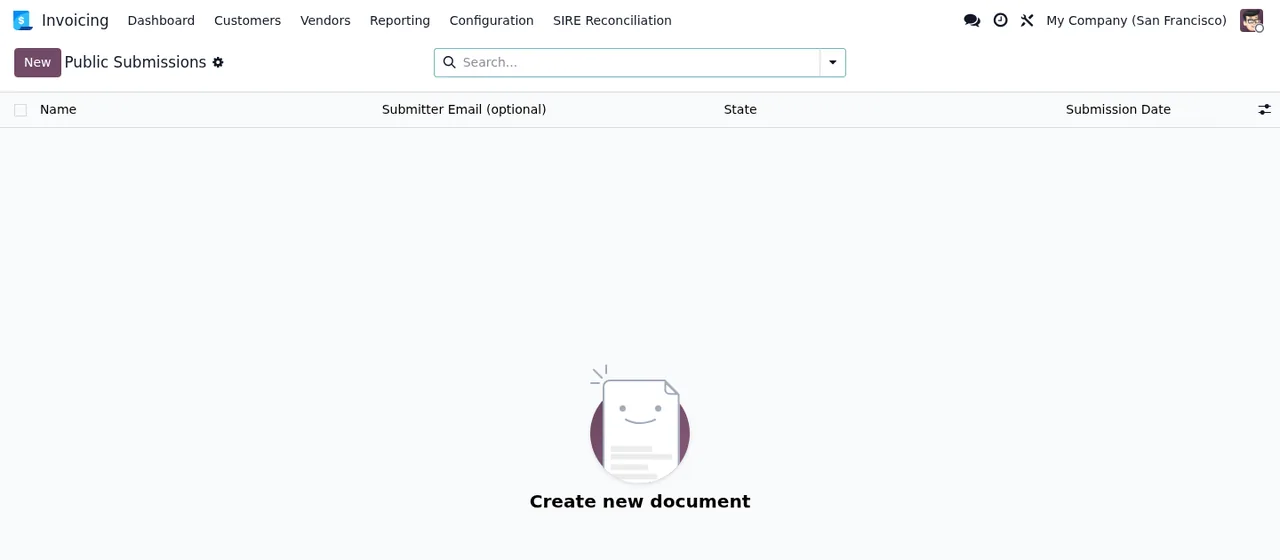
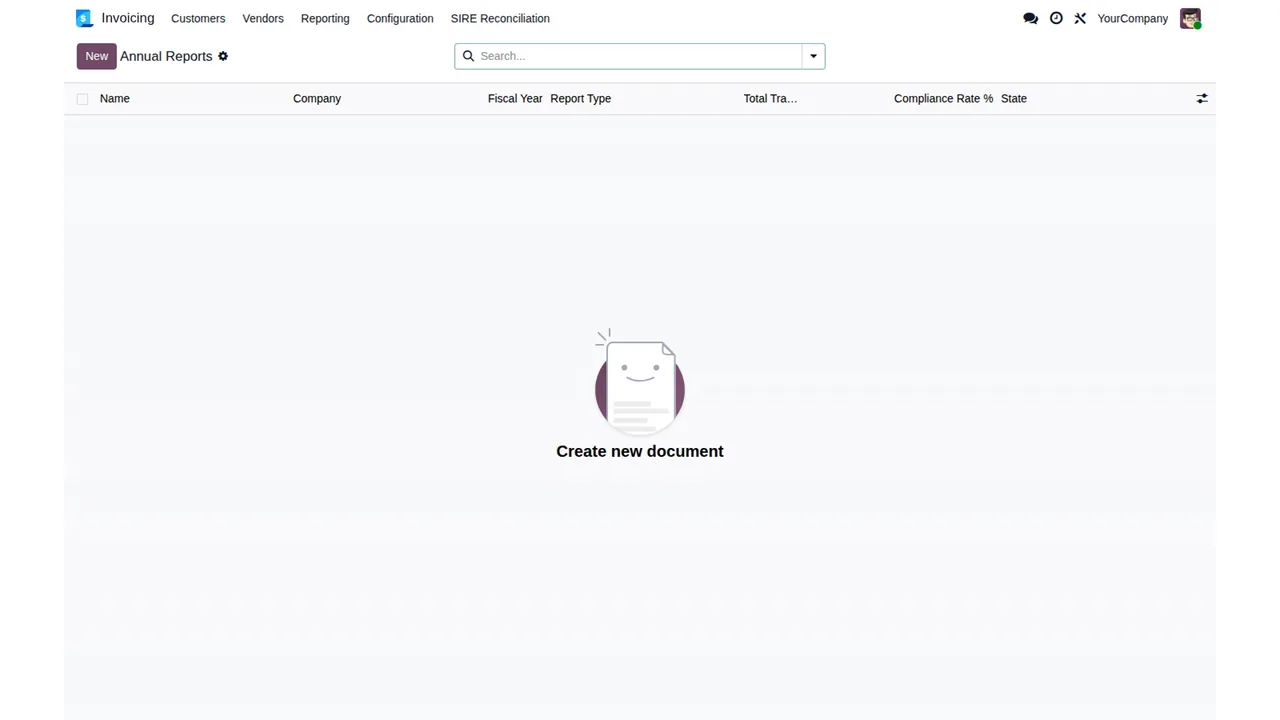
It is not. The module includes a public form for anonymous whistleblower submissions with anti-abuse protections: you can enable or disable submissions from Tor exit nodes, set rate limits for regular and Tor traffic, enable honeypot protection, and configure maximum attachment sizes and submission limits. It also handles Data Subject Access Requests (GDPR) with selective disclosure to protect the informant, and generates annual reports with compliance statistics.
For email notifications, the README gives guidance on SPF (with your server IP), DKIM generated in Odoo and a DMARC policy. On security it lists path traversal protection and ORM-only data access; for operations, structured JSON logging.
Which Odoo version it runs on and what it costs
The app is published on Odoo Apps for 17.0 and 19.0. In both it costs €9 excluding VAT, a one-off payment per version. If your instance is on another version, there is no published listing for it at present. You will find the details on the Odoo Apps listing and on the module page.
Who it suits and who it does not
- If you receive your RVIE/RCE registers as PLE CSV or SIRE CSV and want to match them in Odoo with composite keys, it fits.
- If you run several companies with different RUCs in the same database, multi-company support covers you.
- If you also need an anonymous whistleblowing channel or to handle GDPR requests, you get them in the same module.
- If you expect the app to replace your adviser's judgement on penalties, it will not: the gradualidad estimate is a calculation by the module.
- If your Odoo is on neither 17.0 nor 19.0, sort out the version first.
Once you are using it, the guide to error messages and warnings helps you read what it returns.
How FlexigoTech can help
At FlexigoTech we implement Odoo and build bespoke connectors and integrations. If you need to adapt the mappings to your tax set-up, plan a move to a version where the app is published or connect the results to other processes, we can go through it with you.
Keep reading
Checked in the module's source code (version 19.0) and the linked sources
Sources
- Module source code: flexigo_peru_sunat_sire_rvie_rce_reconciliation_module 19.0 (878c1c66): README.rst
- apps.odoo.com/apps/modules/19.0/flexigo_peru_sunat_sire_rvie_rce_reconciliation_module
- apps.odoo.com/apps/modules/17.0/flexigo_peru_sunat_sire_rvie_rce_reconciliation_module
- flexigotech.com/en/services.html