

 Español
 Català
 Deutsch
 Français
 Português
 Italiano
 Nederlands
 Polski
What you see and where
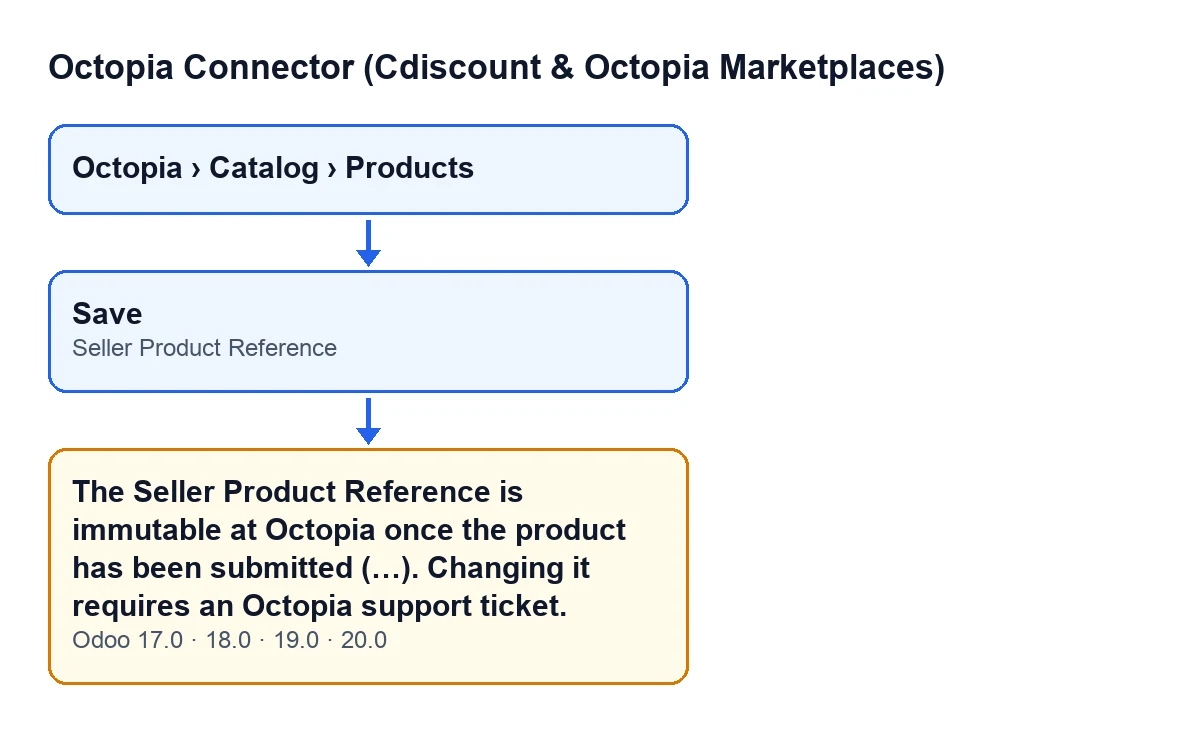
You open Octopia › Catalog › Products, go into a product form and change the Seller Product Reference field. That field sits on the Octopia Products form, inside the Identity group, and also in the list under the same menu. The Octopia part of the menu asks for the Octopia User permission: without it you do not see that part.
When you save, Odoo stops the action and shows this message:
The Seller Product Reference is immutable at Octopia once the product has been submitted (…). Changing it requires an Octopia support ticket.
Where the message shows «…», the module writes the names of the affected products, separated by commas. The warning is in the code published for Odoo 17, 18, 19 and 20, and the module is published on Odoo Apps for those four versions.
The field's own help says the same in fewer words: Your immutable product reference at Octopia (a support ticket is needed to change it after creation).

The exact condition, read from the code
The message is raised by the save of the Octopia Products records, so it appears when you save changes. First the code checks whether the reference is among the changes being saved. If it is not, there is no check and the save carries on.
If it is, the code goes through each product being saved and keeps those that meet all three conditions at once:
- The product is no longer a draft.
- It already has a reference written in (it is not empty).
- The new reference differs from the current one.
If at least one product qualifies, the message is raised with the names of those products. If none does, the save goes ahead as normal.
Four practical consequences follow:
- Nothing from that save is stored. The message is raised before anything is written, so any other fields you changed at the same time are not written either.
- A draft is not blocked by the code. The check only looks at products that are no longer drafts.
- An empty reference can be filled in. If the product had no reference, the code does not block it.
- Writing the same value gives no error. It only fires when the new reference differs from the current one.
A case to see it in action
Example Illustrative case: the company and its figures are made up to explain the flow.
Hogar Atlántico is an invented shop that manages its Octopia catalogue from Odoo. A team member opens Octopia › Catalog › Products, goes into the form of a lamp that is no longer a draft and notices a typo in its reference. They correct the Seller Product Reference field, change another field on the same form and press save.
Odoo shows the message with the lamp's name in brackets and stores nothing: neither the new reference nor the other change. All three conditions are met at once: the product is not a draft, it already had a reference and the new one is different.
The team member puts the original reference back in the field, repeats the other change and saves without touching the reference. This time the save goes through, because the reference is not among the changes. Since the typo is still there, they open a ticket with Octopia support, which is what the message itself asks for in order to change it.
What to take from the case: the message is not warning about a technical fault but about a rule the module applies on saving, and the change that triggers it is lost in full.
What to do when it appears
- Read the product names in brackets: they are the ones that meet the condition.
- Put back in
Seller Product Referencethe reference the product had. - If you changed other fields in the same save, repeat them and save without touching the reference.
- If the reference really has to change, the message says that changing it requires an Octopia support ticket: open one with Octopia.
- Check in the form and the list of
Octopia Productsthat the reference is the previous one and that your other changes were saved.
Questions you will have
Does it appear if I only change other fields on the form?
No. The check only runs when the reference is among the changes being saved.
Does it appear for a draft product?
The code does not block it: it only looks at products that are no longer drafts.
Can I fill in the reference if it was empty?
Yes. The code only blocks the change when the product already had a reference written in.
Why does the message show several names?
Because one save can affect more than one product. The message joins, separated by commas, the names of those that meet the condition.
What happens to everything else I changed?
It is not saved. The message stops the save before anything is written.
How FlexigoTech can help
FlexigoTech implements Odoo 17, 18, 19 and 20 and builds custom connectors and integrations. If you are setting up the Octopia catalogue in your Odoo and want to decide who edits what before loading references, get in touch. For other buttons and errors in the module, start with what the Submit to Octopia button does.
Keep reading
Checked in the connector's source code (version 20.0) and the linked sources
Sources
- Module source code: flexigobe_octopia_connector 20.0 (4848da6a): models/octopia_product.py
- Module source code: flexigobe_octopia_connector 20.0 (4848da6a): models/octopia_ffm_setup.py
- apps.odoo.com/apps/modules/20.0/flexigobe_octopia_connector
- flexigotech.com/en/services.html