

 Español
 Català
 Deutsch
 Français
 Português
 Italiano
 Nederlands
 Polski
What GoCardless says
| Reason | Type | GoCardless text |
|---|---|---|
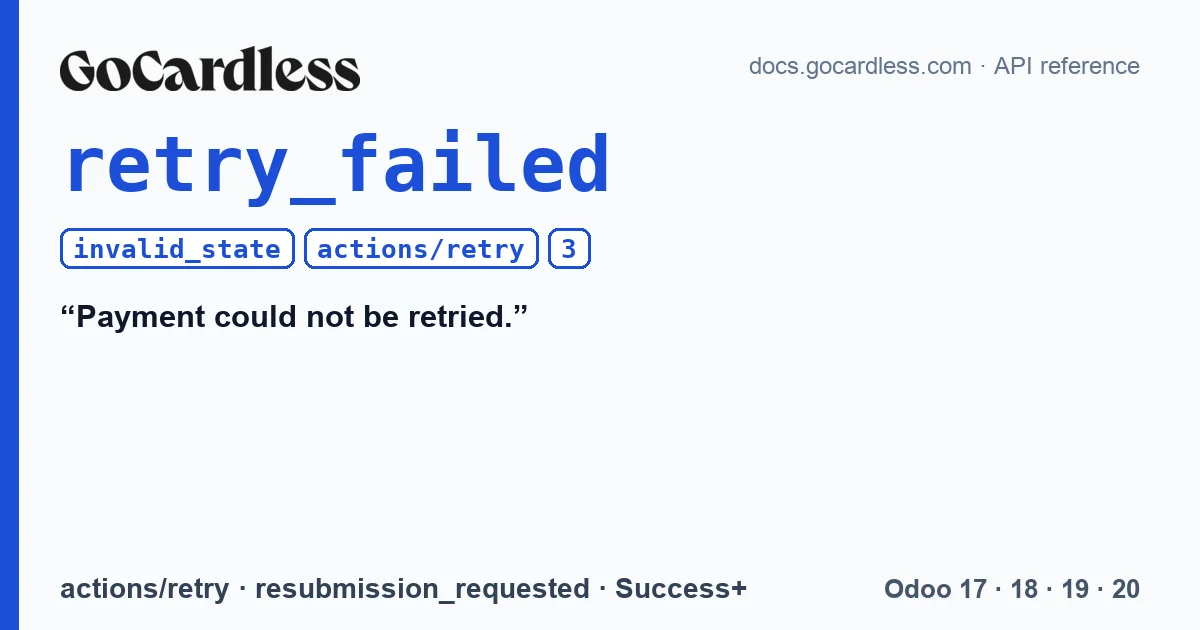
retry_failed | invalid_state | Payment could not be retried. |
The retry documentation (POST /payments/{id}/actions/retry) sets out the rules: the payment is retried if its mandate is active, the API returns retry_failed if the payment has not failed, and “Payments can be retried up to 3 times.”. As with every invalid_state error, GoCardless asks you to notify the person using the system and not let them retry. The connector notes in its code that a fourth retry also received retry_failed in the GoCardless sandbox.
Why it appears
According to the documentation, retry_failed is returned when the payment has not failed, and the connector also saw it when requesting a fourth retry. With a mandate that is no longer active, the documentation does not say which error is returned: the connector expects retry_failed or mandate_is_inactive and treats both the same way.
A payment that is not failed covers more than it seems. A pending or confirmed collection has not failed, and neither has a charged-back one (charged_back): the money arrived and the customer's bank took it back later. According to the GoCardless documentation, any of them would receive retry_failed.
With the retry limit, what causes confusion is Success+. When Success+ retries a payment, GoCardless sends a resubmission_requested event, just like with any other retry. The connector adds one for each of those events, whether it comes from Success+ or from a retry requested from Odoo, and notes in its code that GoCardless's limit of 3 includes the Success+ ones. Since every collection the connector sends asks for retry_if_possible, with Success+ enabled it is easy for part of that allowance to be already used up by the time you look at the invoice.
What you see in Odoo with the connector
You open the transaction from the invoice, with the “Payment Transaction” button at the top; the transactions menu only appears in developer mode, and in Odoo 20 it does not exist. The “Retry collection” button on the transaction only appears when the connector would accept the retry: it is controlled by a computed field with the same rule the server checks when you click it. If the rule says no, the button does not appear and the reason does not reach the screen. What you see is the state of the transaction and its GoCardless group:
| Situation | What you see on the transaction |
|---|---|
| Success+ is going to retry it | Status “Pending”, the “Success+ Will Retry” checkbox ticked and, in “Message”, “GoCardless could not collect this payment (…). Success+ will retry it automatically; there is nothing to do.”. No button. |
| Failed, without Success+, with fewer than 3 retries and the mandate active | Status “Error” and the “Retry collection” button. |
| Already 3 retries | Status “Error” and “GoCardless Retries” at 3. No button. |
| The mandate is archived | Status “Error”; on the contact, the mandate note and the “GoCardless mandate lost” activity. No button. |
| Pending or confirmed | No button. |
| Charged back, for example with MD06 | Status “Error”, even though the mandate is still active. No button: in GoCardless the payment is charged_back, not failed. |
When you click the button, Odoo asks for confirmation: “GoCardless will try to collect this payment again, which can cost a fee. Continue?”. If GoCardless accepts, the transaction goes to pending with “Retry requested. GoCardless will confirm the new charge date.”. When the resubmission_requested event arrives, the connector adds the retry and writes the date: “GoCardless will collect this payment again on … (retry requested, retry 1 of 3).”. Clicking adds nothing, so each retry is counted only once.
What arrives with the events is written by the connector with nobody in front of the screen: the Success+ message from the table, the new charge date and, if the mandate died because of an event, the note and activity on the contact. The connector writes these texts in English, so in an English-language Odoo they appear exactly as quoted here, whether a user or a scheduled action triggers them: “GoCardless could not collect this payment (…). Success+ will retry it automatically; there is nothing to do.”, “GoCardless will collect this payment again on … (retry requested, retry 1 of 3).” and “GoCardless mandate lost”. What comes from clicking the button is in your language.
If GoCardless answers retry_failed
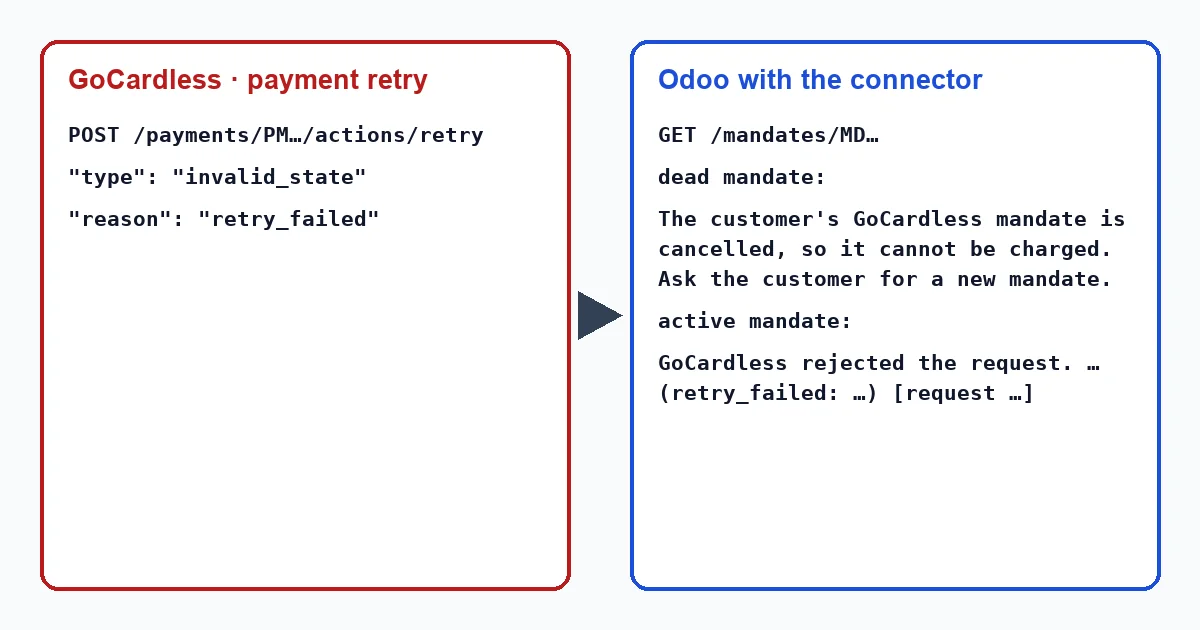
If the API still answers retry_failed or mandate_is_inactive, the connector checks the mandate before showing anything:
- If the mandate is dead, it archives it and says so on the transaction: “The customer's GoCardless mandate is …, so it cannot be charged. Ask the customer for a new mandate.”.
- If it is still active, it shows the GoCardless error as is: “GoCardless rejected the request.” and below it the API message, with its reason and the
request_id.
A charged-back collection no longer gets here: since version 1.1.4, the connector does not offer the button if the payment is not failed in GoCardless, and a charged-back one is charged_back.
What to do
- If the button does not appear, look at the transaction status, “Success+ Will Retry” and “GoCardless Retries”: one of the situations in the table explains it.
- If there have been 3 retries, talk to the customer: the connector no longer requests another one.
- If the mandate is archived, ask for a new one and collect with it.
- On a charged-back collection there is no button: talk to the customer first and, if appropriate, collect the invoice again with a new collection.
Does every retry cost money?
It can. The button warns you before sending anything, and the connector does not offer it while Success+ is going to retry the collection, because a manual retry would only add a fee. The exact rates depend on your contract with GoCardless.
Can I retry a collection the customer charged back?
Not with this button: the connector does not offer it on a charged-back collection, because GoCardless only retries failed payments and a charged-back one is not. A chargeback, like an MD06, is resolved by talking to the customer and, if appropriate, with a new collection.
With our connector
In Odoo 17, 18, 19 and 20 the connector counts retries using GoCardless events and only shows the button when its rule allows it: not with Success+ running, not with 3 retries, not with the mandate archived. If retry_failed still arrives, it checks the mandate before showing you the error.
Keep reading
Checked in the connector's source code (version 17.0, 18.0, 19.0 and 20.0) and the linked sources
Sources
- docs.gocardless.com/docs/api-reference/payment
- docs.gocardless.com/docs/api-reference/responses-and-errors
- Module source code: flexigo_payment_gocardless: const.py, line 119 in 17.0 (d203ee6), 18.0 (e2ab18b), 19.0 (ce7f5a3) and 20.0 (688d86b)
- docs.gocardless.com/docs/optimise/reduced-failed-payments-with-success-plus
- Module source code: flexigo_payment_gocardless: models/payment_transaction.py, line 680 in 17.0 (d203ee6), line 680 in 18.0 (e2ab18b), line 679 in 19.0 (ce7f5a3) and line 703 in 20.0 (688d86b)
- Module source code: flexigo_payment_gocardless: models/payment_transaction.py, line 449 in 17.0 (d203ee6), line 449 in 18.0 (e2ab18b), line 448 in 19.0 (ce7f5a3) and line 463 in 20.0 (688d86b)
- Module source code: flexigo_payment_gocardless: const.py, line 122 in 17.0 (d203ee6), 18.0 (e2ab18b), 19.0 (ce7f5a3) and 20.0 (688d86b)
- Module source code: flexigo_payment_gocardless: models/payment_transaction.py, line 260 in 17.0 (d203ee6), line 260 in 18.0 (e2ab18b), line 260 in 19.0 (ce7f5a3) and line 271 in 20.0 (688d86b)
- Module source code: flexigo_payment_gocardless: views/payment_transaction_views.xml, line 13 in 17.0 (d203ee6), 18.0 (e2ab18b), 19.0 (ce7f5a3) and 20.0 (688d86b)
- Module source code: flexigo_payment_gocardless: models/payment_transaction.py, line 63 in 17.0 (d203ee6), 18.0 (e2ab18b), 19.0 (ce7f5a3) and 20.0 (688d86b)
- Module source code: flexigo_payment_gocardless: models/payment_transaction.py, line 418 in 17.0 (d203ee6), line 418 in 18.0 (e2ab18b), line 417 in 19.0 (ce7f5a3) and line 432 in 20.0 (688d86b)
- Module source code: flexigo_payment_gocardless: views/payment_transaction_views.xml, line 27 in 17.0 (d203ee6), 18.0 (e2ab18b), 19.0 (ce7f5a3) and 20.0 (688d86b)
- Module source code: flexigo_payment_gocardless: views/payment_transaction_views.xml, line 28 in 17.0 (d203ee6), 18.0 (e2ab18b), 19.0 (ce7f5a3) and 20.0 (688d86b)
- github.com/odoo/odoo/blob/20.0/addons/payment/views/payment_transaction_views.xml
- github.com/odoo/odoo/blob/20.0/addons/payment/i18n/payment.pot
- Module source code: flexigo_payment_gocardless: models/payment_transaction.py, line 729 in 17.0 (d203ee6), line 729 in 18.0 (e2ab18b), line 728 in 19.0 (ce7f5a3) and line 752 in 20.0 (688d86b)
- Module source code: flexigo_payment_gocardless: models/payment_transaction.py, line 713 in 17.0 (d203ee6), line 713 in 18.0 (e2ab18b), line 712 in 19.0 (ce7f5a3) and line 736 in 20.0 (688d86b)
- Module source code: flexigo_payment_gocardless: models/payment_transaction.py, line 430 in 17.0 (d203ee6), line 430 in 18.0 (e2ab18b), line 429 in 19.0 (ce7f5a3) and line 444 in 20.0 (688d86b)
- Module source code: flexigo_payment_gocardless: models/payment_transaction.py, line 437 in 17.0 (d203ee6), line 437 in 18.0 (e2ab18b), line 436 in 19.0 (ce7f5a3) and line 451 in 20.0 (688d86b)
- Module source code: flexigo_payment_gocardless: models/payment_transaction.py, line 442 in 17.0 (d203ee6), line 442 in 18.0 (e2ab18b), line 441 in 19.0 (ce7f5a3) and line 456 in 20.0 (688d86b)
- Module source code: flexigo_payment_gocardless: models/payment_transaction.py, line 435 in 17.0 (d203ee6), line 435 in 18.0 (e2ab18b), line 434 in 19.0 (ce7f5a3) and line 449 in 20.0 (688d86b)
- Module source code: flexigo_payment_gocardless: models/payment_token.py, line 131 in 17.0 (d203ee6), line 131 in 18.0 (e2ab18b), line 131 in 19.0 (ce7f5a3) and line 130 in 20.0 (688d86b)
- Module source code: flexigo_payment_gocardless: models/payment_transaction.py, line 469 in 17.0 (d203ee6), line 469 in 18.0 (e2ab18b), line 468 in 19.0 (ce7f5a3) and line 487 in 20.0 (688d86b)
- Module source code: flexigo_payment_gocardless: models/payment_transaction.py, line 321 in 17.0 (d203ee6), line 321 in 18.0 (e2ab18b), line 321 in 19.0 (ce7f5a3) and line 332 in 20.0 (688d86b)
- Module source code: flexigo_payment_gocardless: models/payment_provider.py, line 397 in 17.0 (d203ee6), 18.0 (e2ab18b), 19.0 (ce7f5a3) and 20.0 (688d86b)
- Module source code: flexigo_payment_gocardless: models/payment_provider.py, line 462 in 17.0 (d203ee6), 18.0 (e2ab18b), 19.0 (ce7f5a3) and 20.0 (688d86b)
- Module source code: flexigo_payment_gocardless: models/payment_transaction.py, line 484 in 17.0 (d203ee6), line 484 in 18.0 (e2ab18b), line 483 in 19.0 (ce7f5a3) and line 502 in 20.0 (688d86b)
- Module source code: flexigo_payment_gocardless: models/payment_transaction.py, line 683 in 17.0 (d203ee6), line 683 in 18.0 (e2ab18b), line 682 in 19.0 (ce7f5a3) and line 706 in 20.0 (688d86b)
- Module source code: flexigo_payment_gocardless: i18n/flexigo_payment_gocardless.pot, line 1016 in 17.0 (d203ee6), line 1016 in 18.0 (e2ab18b), line 1016 in 19.0 (ce7f5a3) and line 1031 in 20.0 (688d86b)
- Module source code: flexigo_payment_gocardless: i18n/flexigo_payment_gocardless.pot, line 567 in 17.0 (d203ee6), line 567 in 18.0 (e2ab18b), line 567 in 19.0 (ce7f5a3) and line 569 in 20.0 (688d86b)
- Module source code: flexigo_payment_gocardless: i18n/flexigo_payment_gocardless.pot, line 1063 in 17.0 (d203ee6), line 1063 in 18.0 (e2ab18b), line 1063 in 19.0 (ce7f5a3) and line 1070 in 20.0 (688d86b)
- Module source code: flexigo_payment_gocardless: i18n/flexigo_payment_gocardless.pot, line 408 in 17.0 (d203ee6), line 408 in 18.0 (e2ab18b), line 408 in 19.0 (ce7f5a3) and line 410 in 20.0 (688d86b)
- Module source code: flexigo_payment_gocardless: i18n/flexigo_payment_gocardless.pot, line 436 in 17.0 (d203ee6), line 436 in 18.0 (e2ab18b), line 436 in 19.0 (ce7f5a3) and line 438 in 20.0 (688d86b)
- Module source code: flexigo_payment_gocardless: i18n/flexigo_payment_gocardless.pot, line 1083 in 17.0 (d203ee6), line 1083 in 18.0 (e2ab18b), line 1083 in 19.0 (ce7f5a3) and line 1090 in 20.0 (688d86b)
- Module source code: flexigo_payment_gocardless: i18n/flexigo_payment_gocardless.pot, line 495 in 17.0 (d203ee6), line 495 in 18.0 (e2ab18b), line 495 in 19.0 (ce7f5a3) and line 497 in 20.0 (688d86b)
- Module source code: flexigo_payment_gocardless: i18n/flexigo_payment_gocardless.pot, line 1022 in 17.0 (d203ee6), line 1022 in 18.0 (e2ab18b), line 1022 in 19.0 (ce7f5a3) and line 1037 in 20.0 (688d86b)
- Module source code: flexigo_payment_gocardless: i18n/flexigo_payment_gocardless.pot, line 560 in 17.0 (d203ee6), line 560 in 18.0 (e2ab18b), line 560 in 19.0 (ce7f5a3) and line 562 in 20.0 (688d86b)
- Module source code: flexigo_payment_gocardless: i18n/flexigo_payment_gocardless.pot, line 1481 in 17.0 (d203ee6), line 1481 in 18.0 (e2ab18b), line 1481 in 19.0 (ce7f5a3) and line 1488 in 20.0 (688d86b)
- Module source code: flexigo_payment_gocardless: i18n/flexigo_payment_gocardless.pot, line 1233 in 17.0 (d203ee6), line 1233 in 18.0 (e2ab18b), line 1233 in 19.0 (ce7f5a3) and line 1240 in 20.0 (688d86b)
- Module source code: flexigo_payment_gocardless: i18n/flexigo_payment_gocardless.pot, line 521 in 17.0 (d203ee6), line 521 in 18.0 (e2ab18b), line 521 in 19.0 (ce7f5a3) and line 523 in 20.0 (688d86b)
- Module source code: flexigo_payment_gocardless: __manifest__.py, line 31 in 17.0 (d203ee6), 18.0 (e2ab18b), 19.0 (ce7f5a3) and 20.0 (688d86b)
- docs.gocardless.com/docs/api-reference/events/payment
- github.com/odoo/odoo/blob/17.0/odoo/http.py
- github.com/odoo/odoo/blob/20.0/addons/account_payment/views/account_move_views.xml