

 Español
- BR-23, fatal “An Invoice line (BG-25) shall have an Invoiced quantity unit of measure code (BT-130).” The line must carry a unit.
- BR-CL-23, fatal “Unit code MUST be coded according to the UN/ECE Recommendation 20 with Rec 21 extension” The unit must be a code from the list.
- PEPPOL-EN16931-R130, fatal “Unit code of price base quantity MUST be same as invoiced quantity.” If the price is per base quantity, its unit is the same as the line's.
The first two come from EN 16931 (Schematron validation-1.3.17). The third is from Peppol BIS (3.0.22) and XRechnung applies it too.
Where Odoo takes the code from
The code Odoo writes into the file comes from a different place depending on the version:
- Odoo 17, 18 and 19: a table maps Odoo units (by external identifier) to UN/ECE codes. A unit you created yourself is not in the table and goes out as C62, one unit.
- Odoo 20: each unit of measure has its own UN/ECE code field, and that code is what goes into the file. Odoo turns it into capitals, but does not compare it with the list.
BR-CL-23 fires when the code in the file is not on the list. On Odoo 20 a mistyped code on the unit of measure is enough. On Odoo 17 to 19 the table always gives a code from the list, so the rule only fires if the code arrives some other way, such as a module that changes it.
There is also a problem no rule sees: a custom unit (“pallet”, “box of twelve”) that Odoo 17 to 19 turns into C62 without warning. The file passes BR-CL-23, because C62 is on the list, but your customer receives “units” where you sold boxes.
For whoever receives the invoice, the code matters: their software reads it to match the line with their order and with the goods received. If they ordered boxes and the invoice says units, the quantity does not match what they received even though the amount is the same, and the invoice gets stuck in their review.
With our XRechnung and ZUGFeRD module
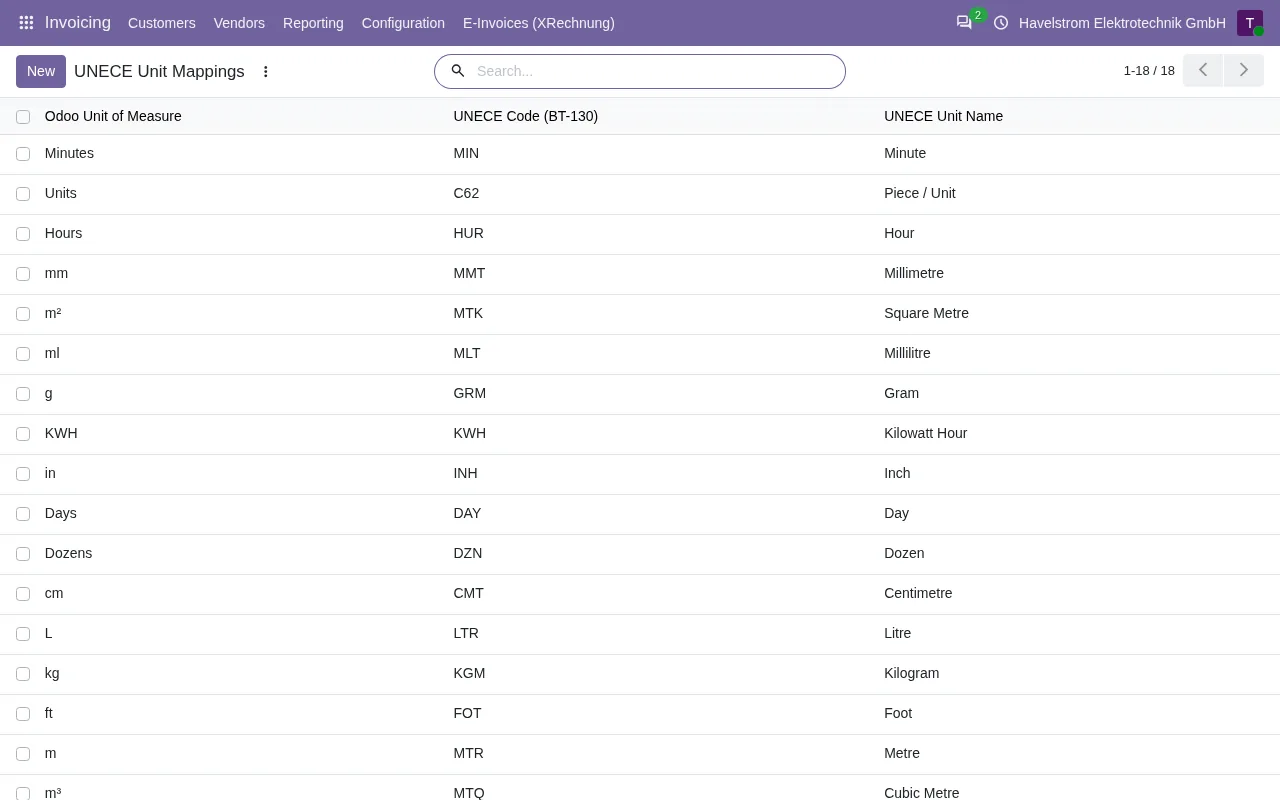
The module ships its own editable table from Odoo units to UN/ECE codes, so each of your units gets its code in BT-130. A unit missing from that table goes out as C62, just as in Odoo 17 to 19, and the only warning lands in the server log, which you cannot see from the invoice. A line without a unit also goes out as C62.
On Odoo 18, 19 and 20, with the FlexigoTech Cloud subscription, each XRechnung and each ZUGFeRD EN 16931 is validated against the KoSIT rules and a code off the list shows as BR-CL-23 under Validation Errors. On Odoo 17 the published version does not validate.
What to check
- See which unit the line carries in the XML (unitCode attribute).
- On Odoo 20, open the unit of measure and set its UN/ECE code.
- On Odoo 17, 18 and 19, if you use custom units, bear in mind they go out as C62. With our module, on any version, add each one to its table: the missing ones also go out as C62.
- If the price is per base quantity (for instance, per hundred units), its unit must be the same as the line's.
- Generate the file again and check each line's unitCode attribute before sending it.
Keep reading
Checked in the module's source code (version 17.0 and 20.0) and the linked sources
Sources
- github.com/odoo/odoo/blob/6f00fdadb875342de2d14a179f25431f93cd63c9/addons/account_edi_ubl_
- github.com/odoo/odoo/blob/2982b5f44af03fae6a9888f20632c1cc19f623ba/addons/account_edi_ubl_
- github.com/odoo/odoo/blob/4d2d4b5895db70596863df941d9a1f0beeb117f8/addons/account_edi_ubl_
- github.com/odoo/odoo/blob/2fec20391a8a61ea3a3bf15e9f24d59dba910a8d/addons/account_edi_ubl_
- Module source code: flexigo_germany_xrechnung 20.0 (446f2f68): models/xrechnung_uom_mapping.py
- Module source code: flexigo_germany_xrechnung 20.0 (446f2f68): models/xrechnung_cloud.py
- Module source code: flexigo_germany_xrechnung 17.0 (ad05de8f): __manifest__.py
- github.com/itplr-kosit/xrechnung-schematron/releases/tag/v2.6.0
- github.com/ConnectingEurope/eInvoicing-EN16931/releases/tag/validation-1.3.17
- docs.peppol.eu/poacc/billing/3.0/rules/ubl-peppol/PEPPOL-EN16931-R130/