

 Español
The text of each rule
All of them are fatal in the EN 16931 Schematron (validation-1.3.17), and Peppol BIS, XRechnung and Factur-X apply them the same way:
- BR-08: “An Invoice shall contain the Seller postal address.”
- BR-09: “The Seller postal address (BG-5) shall contain a Seller country code (BT-40).”
- BR-10: “An Invoice shall contain the Buyer postal address (BG-8).”
- BR-11: “The Buyer postal address shall contain a Buyer country code (BT-55).”
- BR-CL-14: “Country codes in an invoice MUST be coded using ISO code list 3166-1”
Inside the address, the EN 16931 rules only ask for the country. Some formats ask for more: XRechnung also requires the seller's city and post code (BR-DE-3 and BR-DE-4) and the buyer's (BR-DE-8 and BR-DE-9).
What Odoo tells you
In all four versions, Odoo checks BR-09 and BR-11 before generating the UBL file. If the country is missing on your company or on the customer, the message is: “The country is required for the %s.”, with “supplier” or “customer” in the gap. On Odoo 17 the check lives in the Peppol BIS export (and in those that inherit from it, such as XRechnung); on 18, 19 and 20, in the shared EN 16931 layer.
The message tells you which record to open: “supplier” is your company, the one on the invoice; “customer” is the customer's invoicing contact.
Why a country is missing in Odoo
| Situation | Where to look |
|---|---|
| Company created in a hurry, with no address | Company settings: street, city, post code and country. |
| Customer imported from a spreadsheet | The country column empty or typed by hand instead of picked. |
| Invoice to a child contact | The invoicing address of the contact on the invoice, not only its company's. |
| Private customer from an online shop | The order came with an address without a country, or one not in the list. |
Since the country in Odoo is picked from a list and not typed, BR-CL-14 almost never comes from an Odoo invoice: the two-letter code comes from the country itself. If you see it, check whether the file went through another program before reaching the customer.
With our XRechnung and ZUGFeRD module
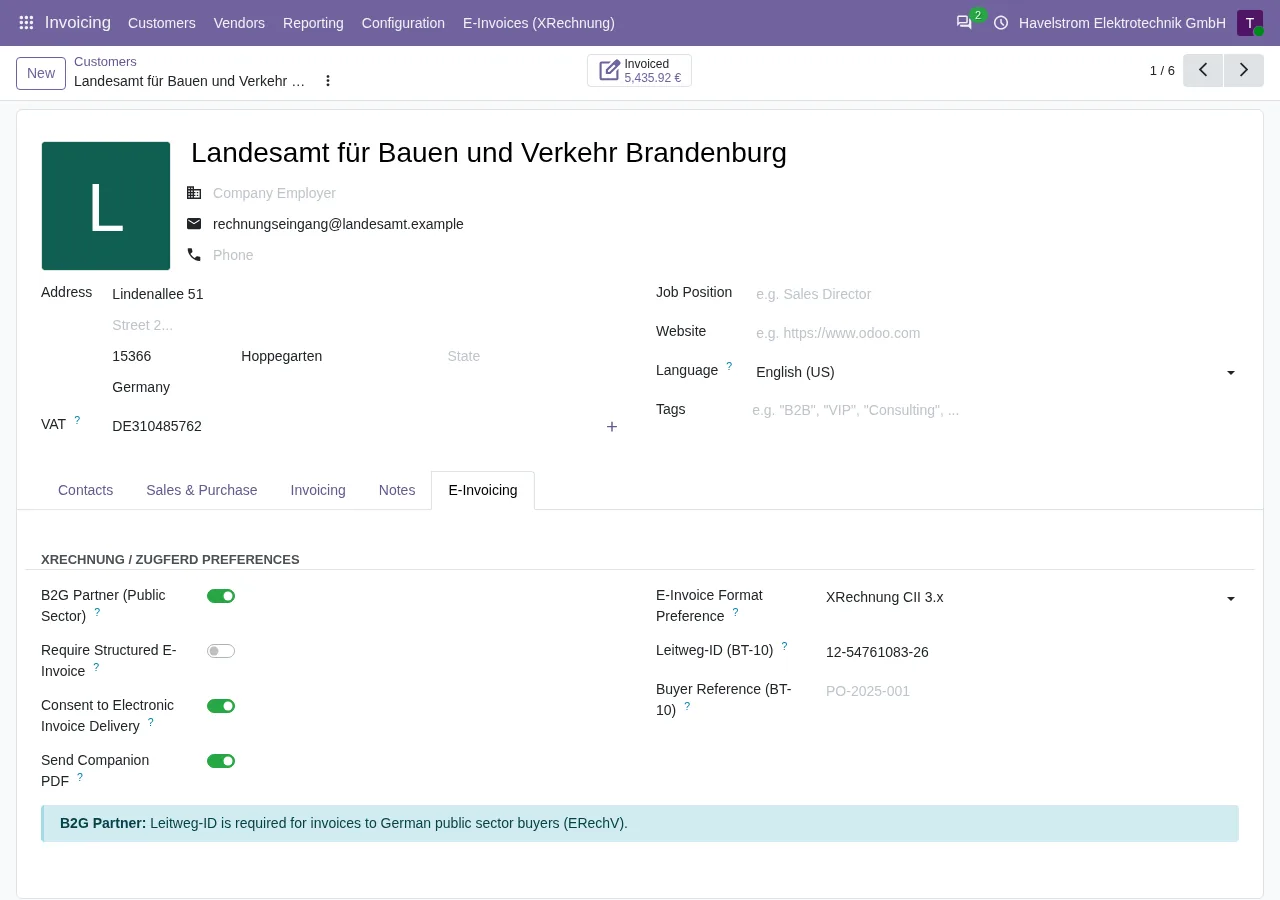
The module does not warn you about the country. If your company or the customer has none, it writes DE, the code for Germany, in UBL and in CII, and its pre-generation check does not look at that field. The file meets BR-09 and BR-11 and the KoSIT validator accepts it (we checked), but the address says Germany even when the customer is in another country. Check each customer's country before generating.
On Odoo 18, 19 and 20, with the FlexigoTech Cloud subscription, every XRechnung and every ZUGFeRD EN 16931 the module generates is validated against the KoSIT rules. If the customer's city or postcode is missing, that does show up: BR-DE-8 and BR-DE-9 stay under Validation Errors and the invoice is not marked Ready to send. The version published for Odoo 17 generates the files but does not validate them.
Steps
- Read the message: “supplier” or “customer”.
- Open that record and pick the country from the list; complete street, city and post code even if EN 16931 does not ask for them.
- If you invoice a contact of a company, check that contact's address.
- Generate the file again.
Keep reading
Checked in the module's source code (version 17.0 and 20.0) and the linked sources
Sources
- Module source code: flexigo_germany_xrechnung 20.0 (446f2f68): lib/generators/ubl_generator.py
- github.com/odoo/odoo/blob/6f00fdadb875342de2d14a179f25431f93cd63c9/addons/account_edi_ubl_
- github.com/odoo/odoo/blob/2982b5f44af03fae6a9888f20632c1cc19f623ba/addons/account_edi_ubl_
- github.com/odoo/odoo/blob/4d2d4b5895db70596863df941d9a1f0beeb117f8/addons/account_edi_ubl_
- github.com/odoo/odoo/blob/2fec20391a8a61ea3a3bf15e9f24d59dba910a8d/addons/account_edi_ubl_
- Module source code: flexigo_germany_xrechnung 20.0 (446f2f68): models/xrechnung_cloud.py
- Module source code: flexigo_germany_xrechnung 20.0 (446f2f68): models/account_move.py
- Module source code: flexigo_germany_xrechnung 17.0 (ad05de8f): __manifest__.py
- github.com/ConnectingEurope/eInvoicing-EN16931/releases/tag/validation-1.3.17
- github.com/itplr-kosit/xrechnung-schematron/releases/tag/v2.6.0