

 Español
 Català
 Deutsch
 Français
 Português
 Italiano
 Nederlands
 Polski
Which interface Easy WMS opens to an ERP
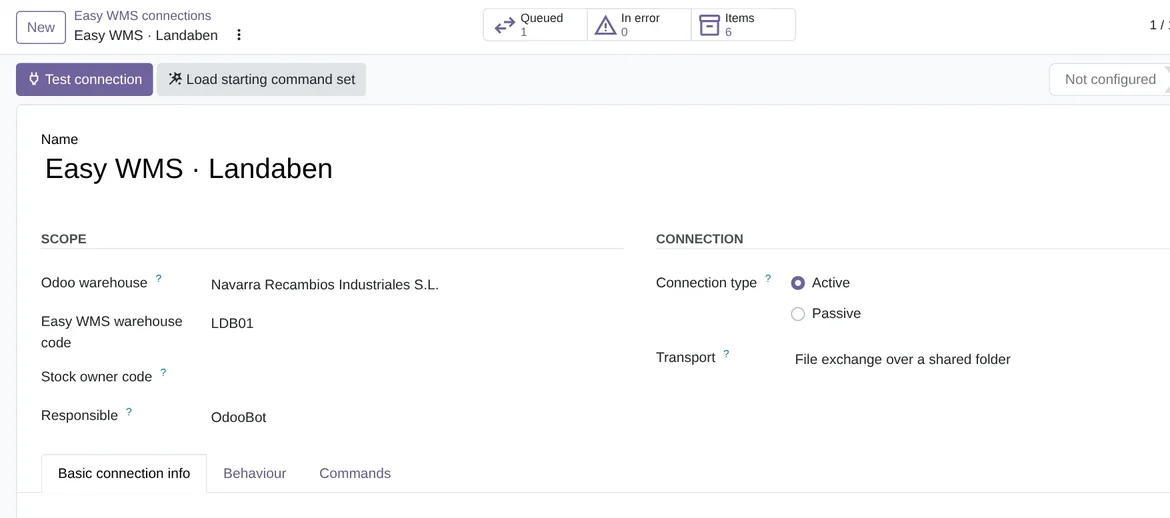
Mecalux says that «Easy WMS integrates with the major ERP solutions in the market», but the actual interface is agreed with Mecalux for each installation. You need your own Easy WMS with the interface enabled by Mecalux: the API, SOAP, files or a database. In Odoo you pick yours in the Transport field of the connection, under Easy WMS › Configuration › Easy WMS connections. Each connection uses one transport.
| Transport | What the connection asks for | What Test connection does |
|---|---|---|
Easy WMS command API (OAuth2 + ExecuteCommand) | HostName, Tenant, UriToken and UriExecuteCommand, with ClientId and ClientSecret, or MAPUser and MAPPass | Requests the token and calls UriExecuteCommand |
SOAP web services | The host and the service address, with its credentials | Downloads the WSDL and checks that the answer is one |
File exchange over SFTP | The server, the user and the password, on port 22, and the folders | Logs in through FlexigoTech Cloud and lists the inbound folder |
File exchange over a shared folder | The file format and the outbound, inbound and archive folders | Checks that it reaches the folders |
Intermediate exchange database | The Exchange database DSN | Checks that it reaches the database |
The command API, SOAP and SFTP go through FlexigoTech Cloud, which takes each call to your Easy WMS server with your credentials.
The command API: the fields of the Mecalux wizard
For the command API, the connection asks for the eight fields of the Mecalux connection wizard. Mecalux gives them to you, because each installation has its own.
- HostName is the root of your own installation. There is no shared Mecalux server: Easy WMS is deployed per customer.
- UriToken is the address of the OAuth2 token service. According to the field help, the Mecalux example is {HostName}/EasySTS/OAuth/Token, but each deployment can have a different one.
- UriExecuteCommand is the single address for commands. The Mecalux screenshot cuts it off, so you ask Mecalux for the exact path.
- Tenant identifies your installation. The connector sends it with every call and with the token request.
- ClientId and ClientSecret, or MAPUser and MAPPass if your installation asks for the password grant. If the token service rejects the credentials, the warning names the other grant.
Active or Passive: who calls whom
With the Active type, Odoo leads. It sends the documents and asks for the answers with two scheduled actions: Easy WMS: send queued documents, every 5 minutes, and Easy WMS: poll for answers, every 10 minutes.
With the Passive type, Easy WMS leads and calls your Odoo. A system administrator presses Generate credential for Mecalux and gives Mecalux the Inbound Url and that credential. Your Odoo then has to be reachable from the internet.
Credentials and connection security
The credentials are write-only. They are stored in FlexigoTech Cloud, on servers in Germany, and Odoo does not keep them. Before saving them, a system administrator ticks I accept that my Easy WMS credentials are kept by FlexigoTech Cloud and that the calls to Easy WMS go through it.
Where the data goes is locked down as well. Only a system administrator, the person who can see the credentials, can change the host, UriToken, UriExecuteCommand, the transport and the folders, so nobody else can take the ClientId and the ClientSecret to another server.
The connection runs more checks. It asks for https addresses and, if you type an IP instead of a name, refuses private ones. FlexigoTech adds your host to a closed list before the first call. It follows no redirect from Easy WMS. If Easy WMS limits the rate with an HTTP 429, the message stays queued and is retried. Over SFTP, a file still waiting in the outbound folder is never overwritten.
The documents: a starting set you adjust to your installation
Mecalux does not publish its command vocabulary. So Load starting command set creates the starting documents with placeholder names, such as SetItem, SetEntryOrder, SetExitOrder or GetEntryConfirmations. Existing ones are left alone, so pressing it twice is safe. Then you rename them in the Commands tab to match what you agreed with Mecalux.
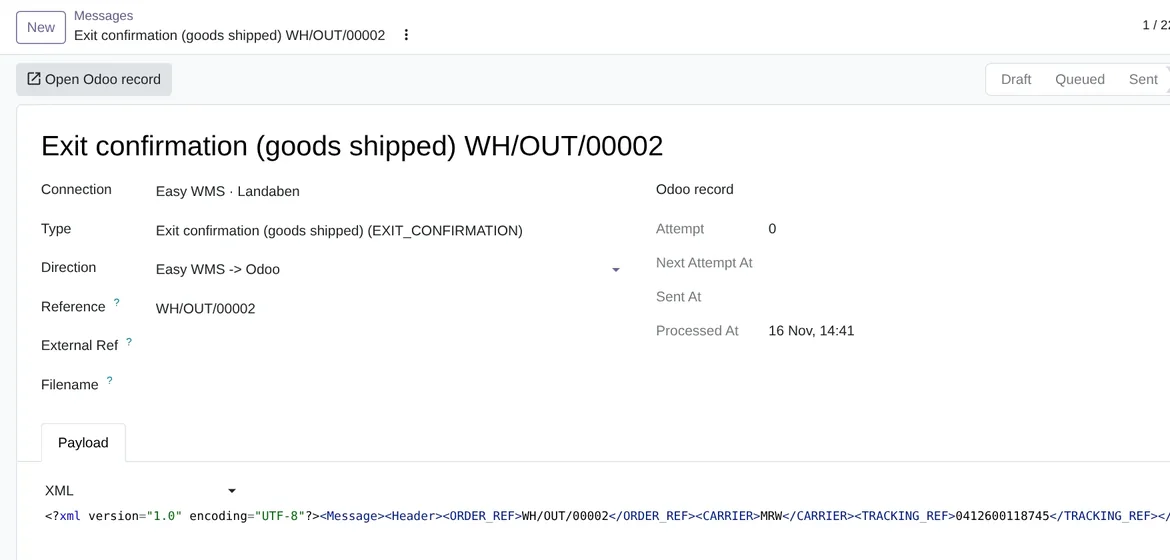
Every document that goes out or comes in is kept in Odoo as a message, with its content exactly as it travelled. It is the first place to look when something does not add up, and we cover it in Easy WMS messages and errors.
What still has to be confirmed with a live Easy WMS
The automated tests (255 in the version for Odoo 20 and 252 in the versions for 17, 18 and 19) run against an Easy WMS simulator that follows the published screenshot of Mecalux's own connector and the starting profile of the documents. FlexigoTech has no Easy WMS installation to test with, and Mecalux does not publish the layout of its documents, so the connector has not yet been tested with a live Easy WMS. The first real installation has to confirm which OAuth grant it asks for, where the Tenant travels, the exact UriExecuteCommand path, how the command carries the document, the SOAP service and SFTP.
Frequently asked questions about the Easy WMS API and Odoo
Does it need the FlexigoTech Cloud subscription?
Yes. Calls over the command API, SOAP and SFTP go through FlexigoTech Cloud, which keeps your credentials encrypted. You can get the connector on Odoo Apps and read every detail on the Mecalux Easy WMS connector page.
Do I have to touch code to adapt the documents?
No. The connector ships a starting profile that you adjust on screen, in the Commands tab of the connection, without touching code.
What exactly is Easy WMS?
It is the warehouse management system made by Mecalux. What its website says about it, and how it works with Odoo, is in what is Easy WMS.
Keep reading
Checked in the connector's source code (version 20.0) and the linked sources
Sources
- www.mecalux.es/software/sga-software-gestion-almacenes
- www.mecalux.com/software/warehouse-management-system-wms
- www.mecalux.de/lagersoftware/lvs-lagerverwaltungssystem
- www.mecalux.fr/logiciel/wms-logiciel-logistique-gestion-entrepot
- www.mecalux.it/software/wms-software-gestione-magazzino
- www.mecalux.pt/software/sga-sistema-gestao-armazens
- www.mecalux.nl/magazijnsoftware/wms-systeem-warehouse-management
- www.mecalux.pl/oprogramowanie/system-wms
- flexigotech.com/en/mecalux-connector-odoo.html
- Module source code: flexigo_mecalux_connector 20.0 (05a27c9c): models/mecalux_backend.py
- Module source code: flexigo_mecalux_connector 20.0 (05a27c9c): models/mecalux_transport.py
- Module source code: flexigo_mecalux_connector 20.0 (05a27c9c): static/description/index.html
- Module source code: flexigo_mecalux_connector 20.0 (05a27c9c): data/mecalux_data.xml
- Module source code: flexigo_mecalux_connector 20.0 (05a27c9c): models/mecalux_default_profile.py