

 Español
 Català
 Deutsch
 Français
 Português
 Italiano
 Nederlands
 Polski
The message, word for word
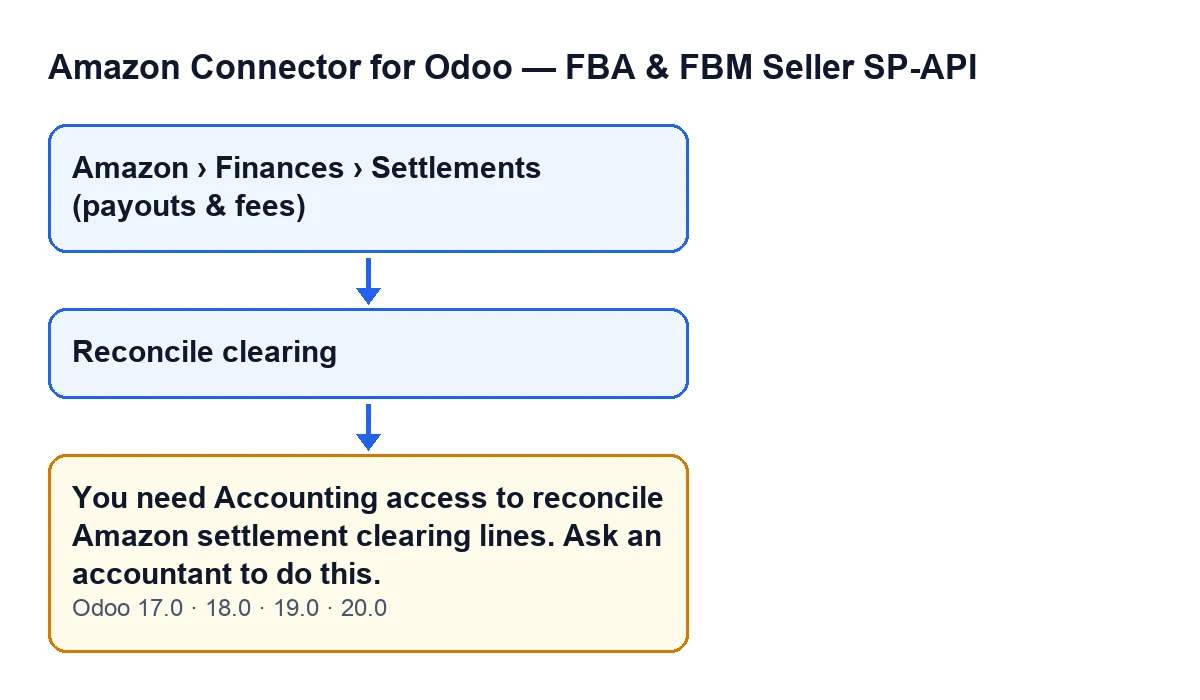
When you press Reconcile clearing on an Amazon settlement, Odoo can stop the action with this message:
You need Accounting access to reconcile Amazon settlement clearing lines. Ask an accountant to do this.
In plain terms: reconciling a settlement's clearing lines needs Accounting access, and the message asks you to hand the task to an accountant. Because the action stops, nothing it was about to change is saved. Settlements open from Amazon › Finances › Settlements (payouts & fees).

The exact condition in the code
In the Odoo 20.0 code, the message appears when two things are true together: the action is not running as superuser, and your user does not have Accounting access (the access the message itself asks for). If either one fails, the check is passed and the action carries on. If the action runs as superuser, the check does not apply.
What else is worth knowing
The access check comes before anything else
It is the first thing the button does. If your user fails the check, the action ends there: the module never attempts any reconciliation.
Seeing the menu is not the same as being able to reconcile
To reach the list, each part of the menu asks for the Viewer permission: Amazon, Finances and Settlements (payouts & fees). That is a different check. The button does not look at the menu permission, it looks at whether your user has Accounting access. Seeing settlements and reconciling their lines are therefore separate things.
It is a deliberate check, not a malfunction
A comment in the code describes this check as a segregation-of-duties safeguard: the action reconciles real general ledger lines. If you see the message, the module is doing what it is meant to do.
The button only shows on a posted settlement
The view hides Reconcile clearing while the settlement's State is not the posted one. With the default values, which leave the settlement as freshly imported, it is not visible. So the message can only reach you when you press the button on a settlement that is already posted. If you cannot see the button, the first thing the view looks at is the state.
Having access does not guarantee that anything gets reconciled
Once past the check, the button tries to match the settlement's clearing line with the clearing lines of the invoices for the same Amazon orders, order by order and without touching unrelated lines. The code finishes without reconciling anything, and without raising any error, in these cases:
- The settlement's Amazon account has no settlement clearing account, or that account does not allow reconciliation.
- The settlement's journal entry has no lines on that account still waiting to be reconciled.
- The settlement's lines carry no Amazon order.
- None of those orders has a posted invoice with clearing lines still unreconciled.
The code itself explains that the button exists in case the automatic pass had nothing to match yet.
The message is in every published branch
The message is in the published code of Odoo 17.0, 18.0, 19.0 and 20.0. The condition described above is the one in the 20.0 code. The button's label follows the language of your Odoo; in English it is Reconcile clearing.
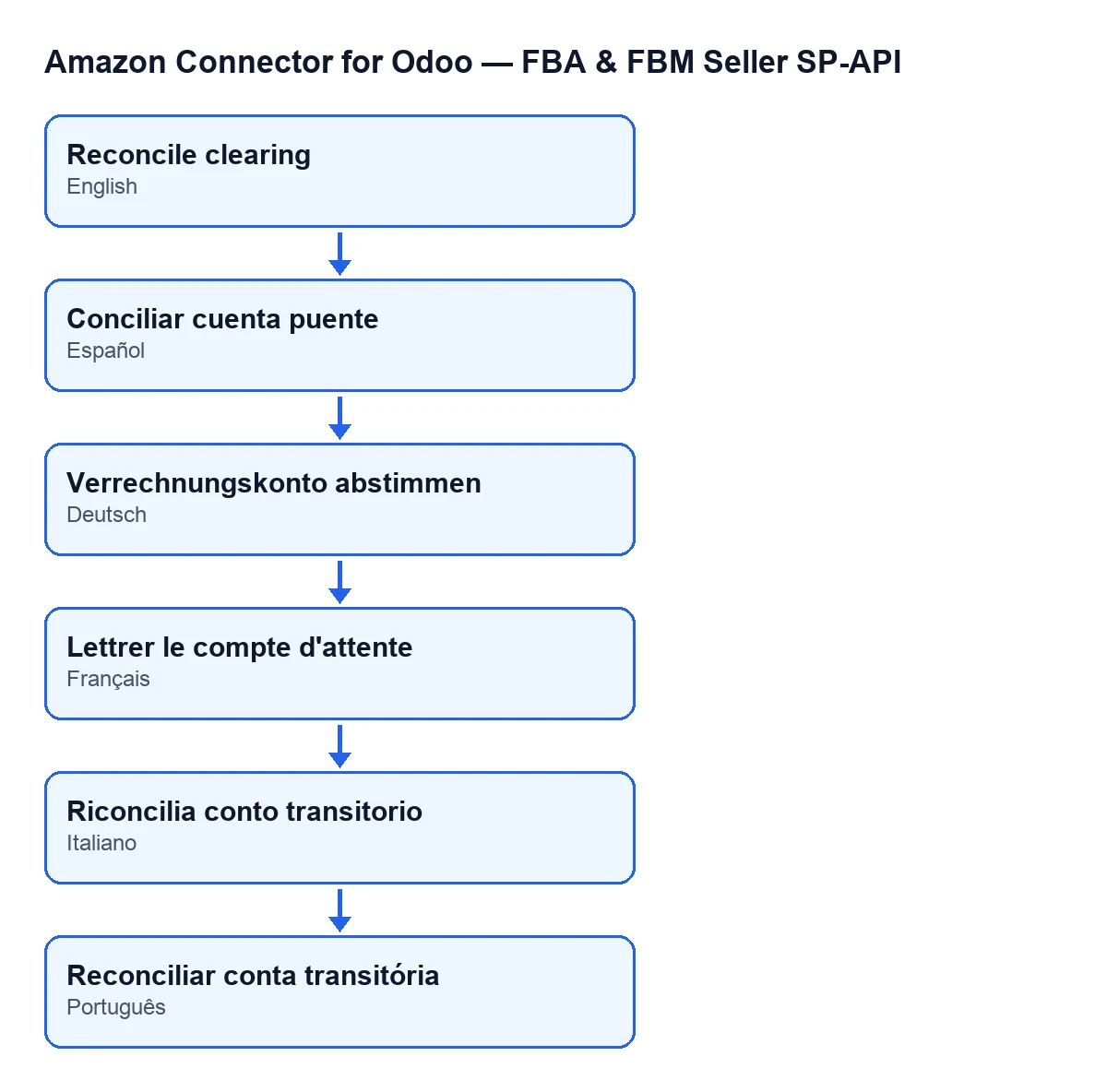
Reconcile clearing button as it reads in each language.How to fix it
- Ask someone with Accounting access to open the same settlement and press
Reconcile clearing. That is what the message itself asks for. - If reconciling is part of your job, whoever administers users in your Odoo can give you Accounting access, which is what the module checks.
- Press the button again. If the message goes away but nothing is reconciled, go back over the list of cases above.
If you are setting this up
FlexigoTech implements Odoo 17, 18, 19 and 20 and builds connectors and custom integrations, so we can help you decide who posts and who reconciles. The module is published on Odoo Apps for 17.0, 18.0, 19.0 and 20.0, is a one-off purchase per version and needs the FlexigoTech Cloud subscription (Connector plan, €49 a month or €490 a year, excluding VAT). You will find more on the module page and on the Odoo Apps listing.
Keep reading
Checked in the connector's source code (version 20.0) and the linked sources
Sources
- Module source code: flexigobe_amazon_seller_connector 20.0 (8576afa5): models/amazon_spapi_settlement.py
- Module source code: flexigobe_amazon_seller_connector 20.0 (8576afa5): views/amazon_spapi_settlement_views.xml
- apps.odoo.com/apps/modules/20.0/flexigobe_amazon_seller_connector
- flexigotech.com/precios.html
- flexigotech.com/en/services.html