

 Español
 Català
 Deutsch
 Français
 Português
 Italiano
 Nederlands
 Polski
What the message says and when it appears
What does the message say, and what happens to what you were doing?
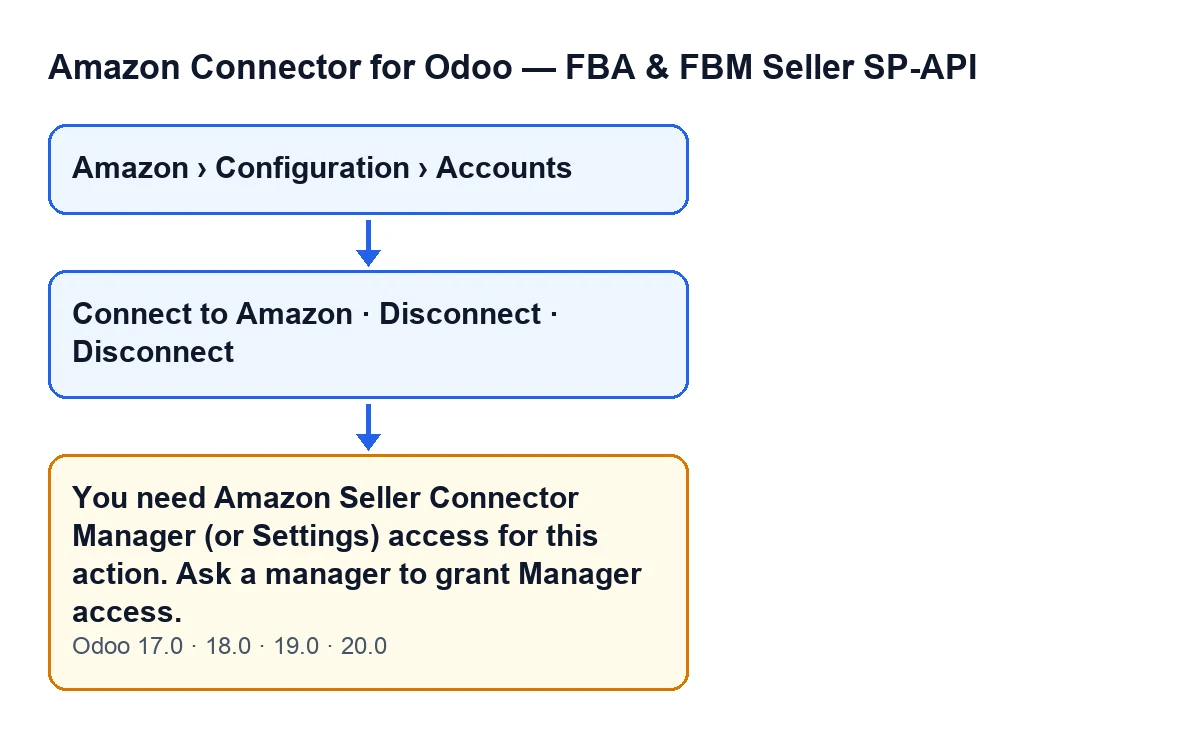
The full message is You need Amazon Seller Connector Manager (or Settings) access for this action. Ask a manager to grant Manager access. It is an error that stops the action. In plain terms, your user lacks Manager access to the Amazon connector (or Settings access), and the message itself tells you what to do: ask a manager to grant it.
What is the exact condition?
The module looks at your user's groups: if the user belongs neither to the Amazon connector Manager group nor to the Settings group, it raises the message. Belonging to either one passes the check. There is an earlier exit: if Odoo runs the action as superuser (the code mentions the real superuser and the sudo chains of scheduled tasks), the method ends without checking anything.
Which buttons can show it?
Clicking Connect to Amazon or Disconnect on the Amazon account form: the method behind each button reaches that permission check.
Connect to Amazonis hidden whenConnection Modeis not the hub one or whenHub Connectionalready has a value. With the default values it is visible.Disconnectis hidden when the connection mode is not the hub one or whenHub Connectionis empty. With the default values it is not visible.- When you click
Disconnect, Odoo asks for confirmation with the textDisconnect this Amazon account from the FlexigoTech hub?.

Who reaches the account screen
What permissions does the accounts menu ask for?
The account forms open from Amazon › Configuration › Accounts. The Amazon level asks for Viewer; the Configuration and Accounts levels ask for Manager. If you lack the permission for a level, you do not see that level.
What does someone with only the Viewer permission see?
They see the Amazon level, but not the Configuration and Accounts levels, because those ask for Manager. So they cannot reach the account forms through that menu.
If a button is hidden for my group, is the action protected?
The code says no: hiding a button by group is only a convenience of the screen, not a real security boundary, which is why the method checks permissions on its own. Its reasoning is this: according to the module's access control, write access to the account is held only by the Manager and Settings groups, and someone with only Viewer can read and nothing more. But several actions use sudo internally (to read the account's secret credentials and write the token back), and that would let a viewer invoke them directly and reach Amazon with live credentials. The check prevents that.
I have the Manager permission and the action still stops, is it this message?
This message comes only from the group condition, so if you belong to Manager or Settings it will not be this one. After passing the groups, the method also checks that you have write permission on the account: the actions read their records with sudo, past the per-company rule, and the groups alone are not enough. If you suspect that second control, do not expect this text.
How to resolve it
What do I do to make it go away?
Do what the message asks: ask a manager to grant you Manager access to the Amazon connector. Having Settings access also passes the condition. With the Manager permission you will see the Configuration and Accounts levels of the menu. Once you have it, repeat the action from Amazon › Configuration › Accounts.
What should I check once I have been given the permission?
Open the account form again from Amazon › Configuration › Accounts and repeat the button that gave you the error. If you cannot see Disconnect, that is not a permissions problem: with the default values that button is not visible, and it only appears when the connection mode is the hub one and Hub Connection has a value.
Does it happen in every Odoo version?
The message is in the published code for Odoo 17, 18, 19 and 20, and the module is published on Odoo Apps for those four versions. You can see the module listing on Odoo Apps.
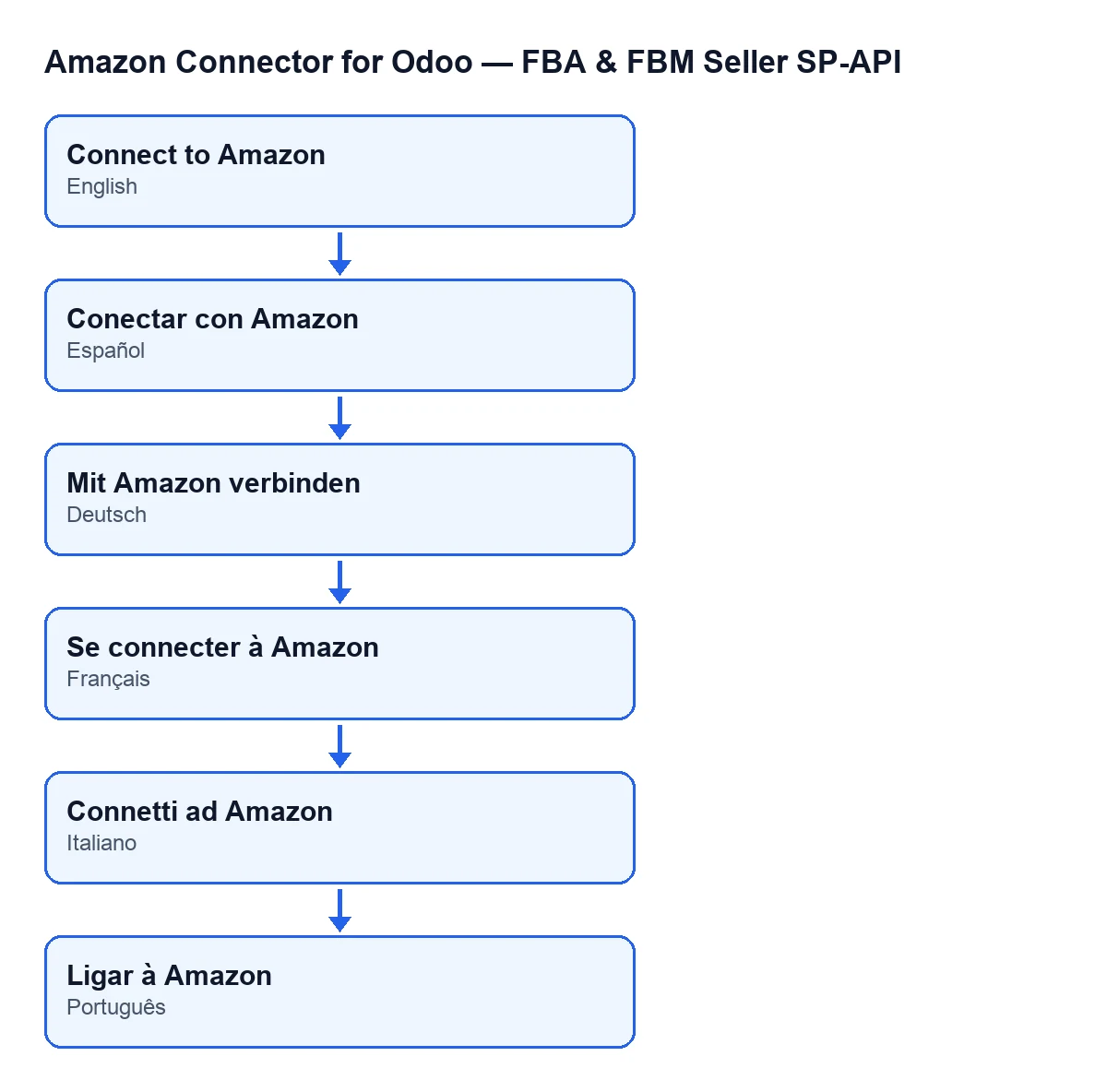
Is the button called the same in every language?
No. With Odoo in English it is Connect to Amazon; the diagram below shows how it reads in Spanish, German, French, Italian and Portuguese.
If you need help with permissions and the connection
If you are implementing Odoo and want to settle who manages the Amazon connection, FlexigoTech implements Odoo 17, 18, 19 and 20 and builds custom connectors and integrations. The module page has its purchase information.
Keep reading
Checked in the connector's source code (version 20.0) and the linked sources
Sources
- Module source code: flexigobe_amazon_seller_connector 20.0 (8576afa5): models/amazon_spapi_account.py
- Module source code: flexigobe_amazon_seller_connector 20.0 (8576afa5): views/amazon_spapi_account_views.xml
- apps.odoo.com/apps/modules/20.0/flexigobe_amazon_seller_connector
- flexigotech.com/en/services.html